

Als je een online verkoper bent, heb ik geweldig nieuws: het is nu gemakkelijker en sneller dan ooit om een WordPress e-commerce site te maken en digitale producten te verkopen.
🎉 Vandaag kondigen we met trots de nieuwste versie van Easy Digital Downloads aan: EDD v3.1.1!
Deze enorme update introduceert een heleboel indrukwekkende nieuwe functies. Of je nu een bestaande of potentiële EDD-gebruiker bent, deze release heeft iets voor jou, waaronder:
Laten we eens nader bekijken wat je kunt verwachten van de nieuwste EDD-release!
Onze Eerste EDD Pro Versie 🏆
Voor het eerst heeft Easy Digital Downloads een Pro-versie. Momenteel is de Core (Lite) plugin gratis beschikbaar op WordPress.org, met premium add-ons die te koop zijn.
Nu introduceren we EDD Pro, die beschikbaar is voor alle huidige & toekomstige EDD pass-houders. Het wordt geleverd met functies/premium extensies die de gratis plugin mist, waaronder:
- Dubbele Downloads
- Gratis Downloads
- Facturen
- Toevoegen aan winkelwagen popup
- Multi-valuta
- Download E-mail Bijlagen
Naast deze populaire en krachtige EDD-extensies, wordt EDD Pro geleverd met grote Stripe Betaalelement integraties & verbeteringen, IP geolocation ondersteuning bij checkout, nieuwe blokken, een betere manier om extensies te verkennen & installeren, en meer!
| EDD Pro | EDD Gratis (Lite) |
|---|---|
| Installeer & activeer extensies vanuit WordPress admin | Download extensies van EDD-site |
| Geolocatie toegevoegd aan checkout | ✖️ |
| Downloads kunnen worden gedupliceerd zonder extensie | ✖️ |
| Optie om een zoekformulier toe te voegen aan het nieuwe Gebruikers Downloads blok | ✖️ |
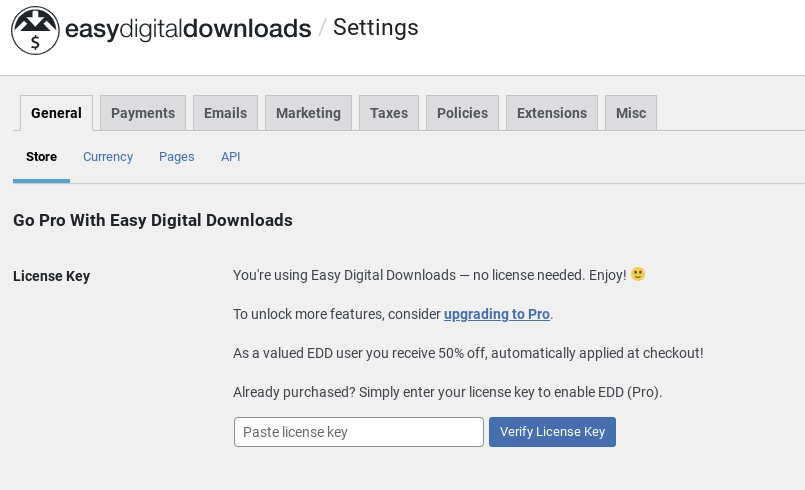
Als je al een van onze passen hebt, kun je upgraden naar EDD Pro door je licentiesleutel in te voeren op de pagina Downloads » Instellingen in WordPress:
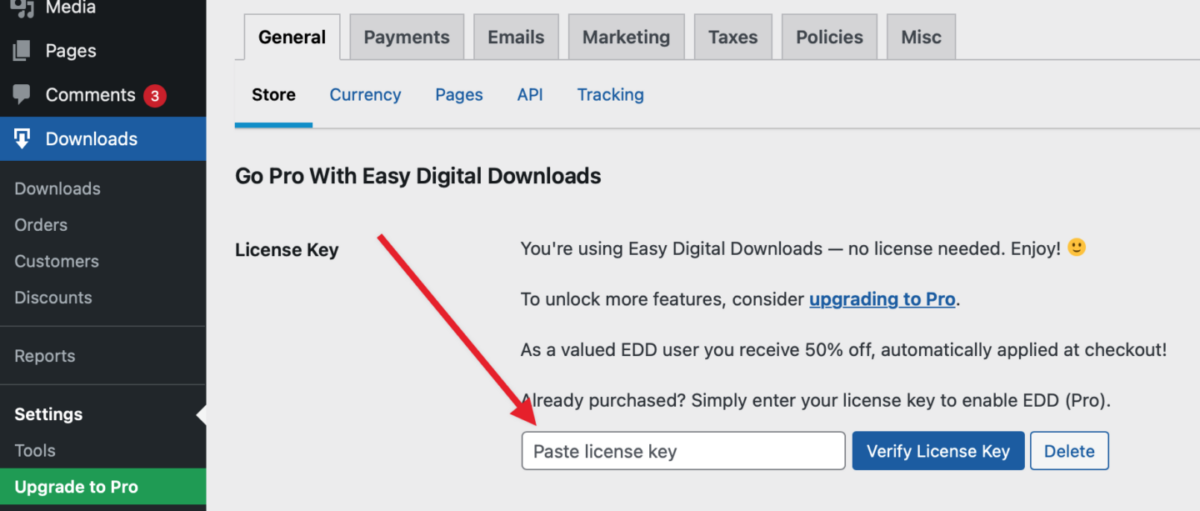
Klik vervolgens op Easy Digital Downloads (Pro) verbinden en installeren om het installatieproces te starten:
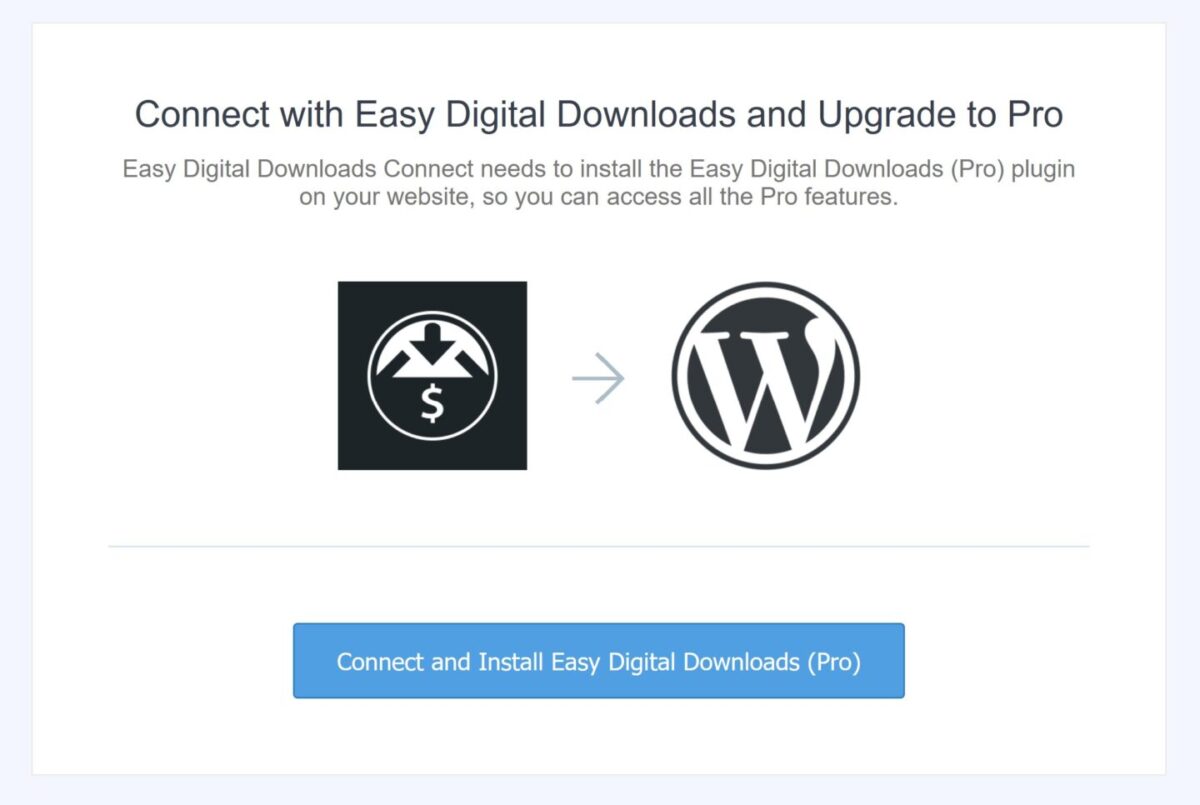
💡Je kunt onze stapsgewijze handleiding volgen als je hulp nodig hebt.
Installatiewizard voor Snelle Winkelconfiguratie🔮
Voor nieuwe EDD-gebruikers helpt de Installatiewizard je om je winkel binnen enkele minuten online in te stellen.
Deze intuïtieve installatiewizard begeleidt je door de eerste belangrijke stappen om je e-commerce site operationeel te krijgen, waaronder:
- Bedrijfsgegevens invoeren
- Verbinding maken met een betaalprovider
- Conversie- en optimalisatietools toevoegen
- Uw eerste product aanmaken
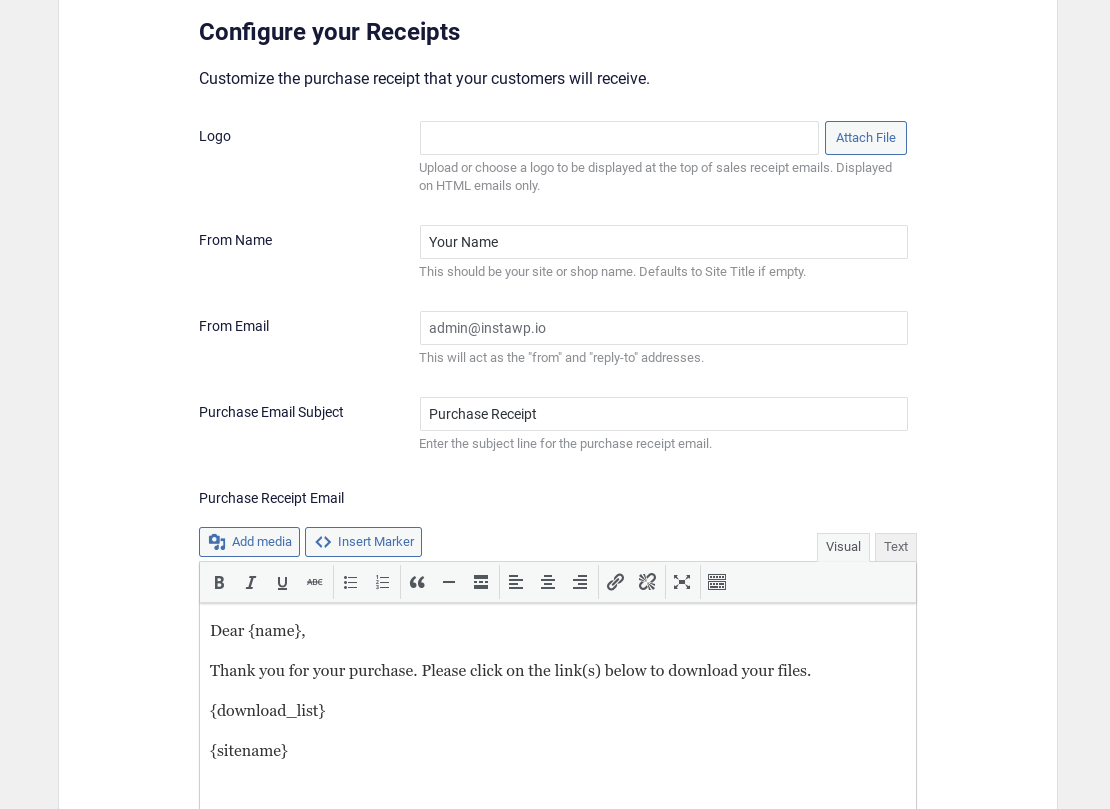
Nadat u uw basisinformatie hebt ingevoerd en verbinding hebt gemaakt met de Stripe-betaalprovider, kunt u uw bonnen configureren door de eerste e-mail in te stellen:
Naast de essentiële e-commercefuncties die bij EDD worden geleverd, kunt u met de Onboarding Wizard kiezen voor tools voor het verhogen van conversies en het optimaliseren van uw digitale winkel:
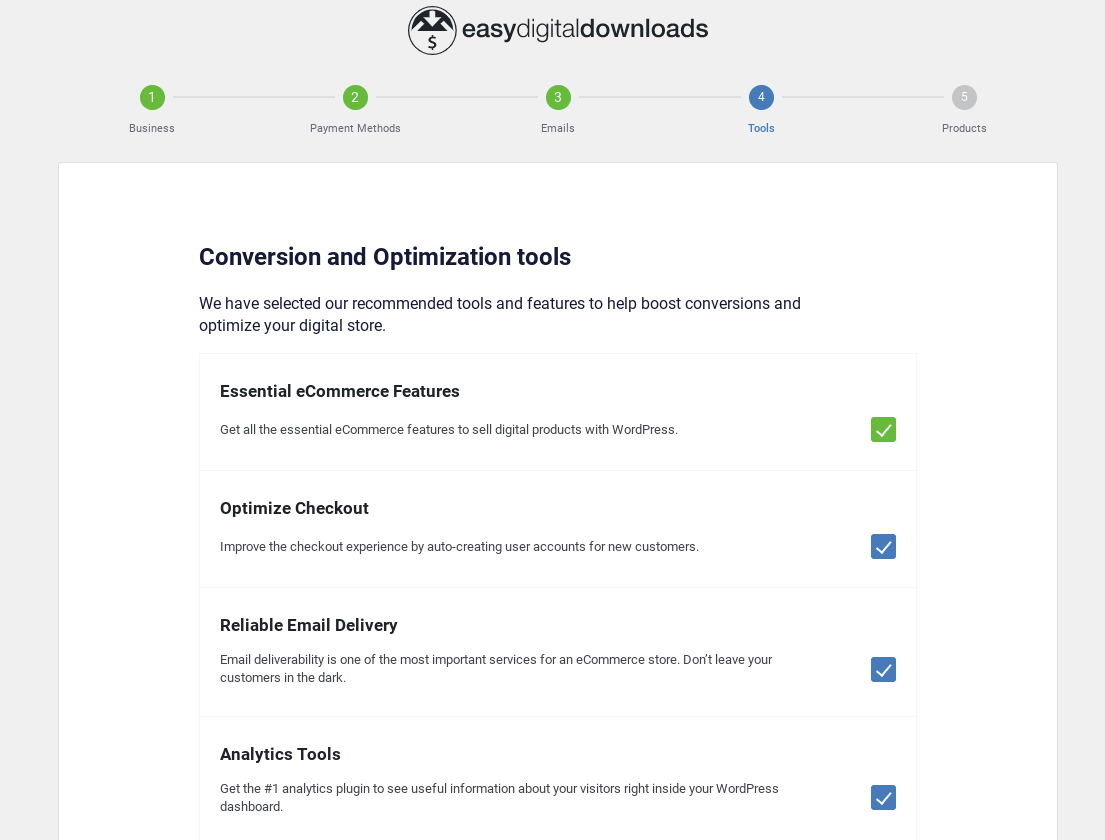
Met deze stap kunt u populaire en krachtige WordPress-plugins installeren en integreren:
- Automatisch registreren optimaliseert uw afrekenproces door automatisch gebruikersaccounts aan te maken voor nieuwe klanten
- WP Mail SMTP voor betrouwbare e-mailbezorging
- MonsterInsights, de #1 Google Analytics-plugin voor WordPress
- All In One SEO (AIOSEO) Pack dat u helpt bij het analyseren en optimaliseren van het verkeer van uw winkel met SEO
De laatste stap in de Onboarding Wizard is het aanmaken van uw eerste product om de basistransacties te configureren, zoals de Productnaam, Afbeelding en Prijs:
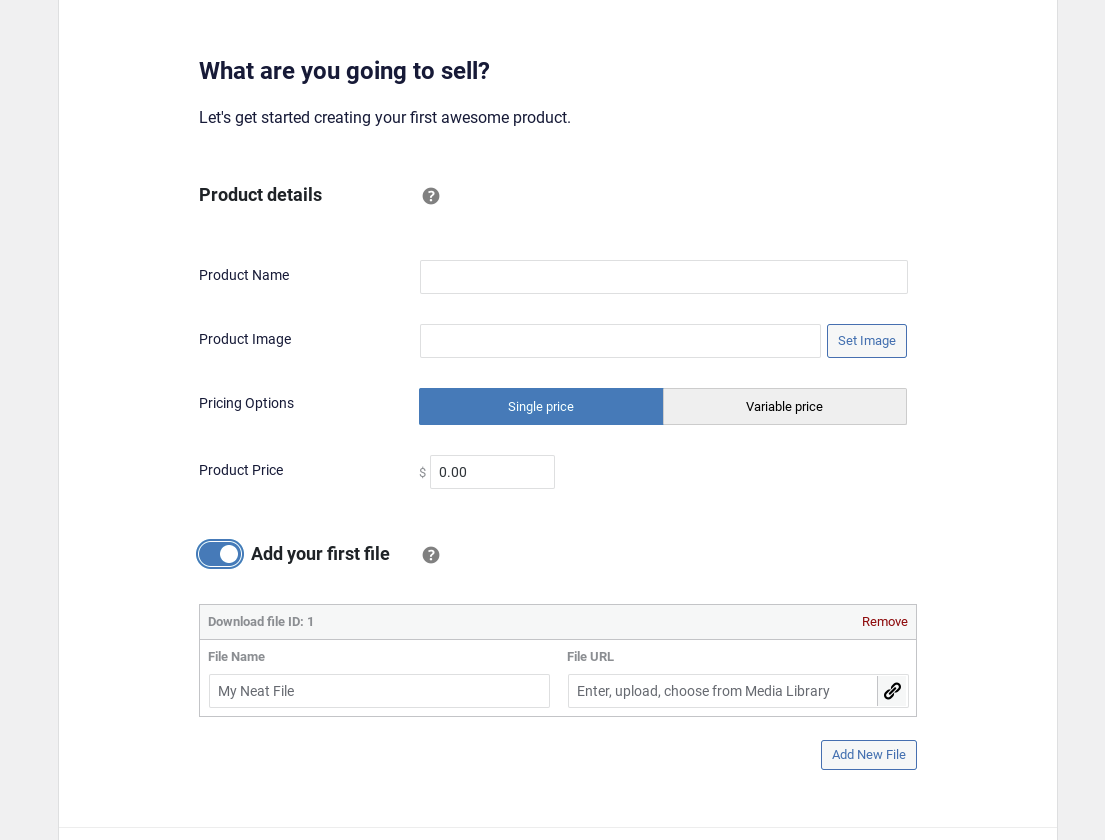
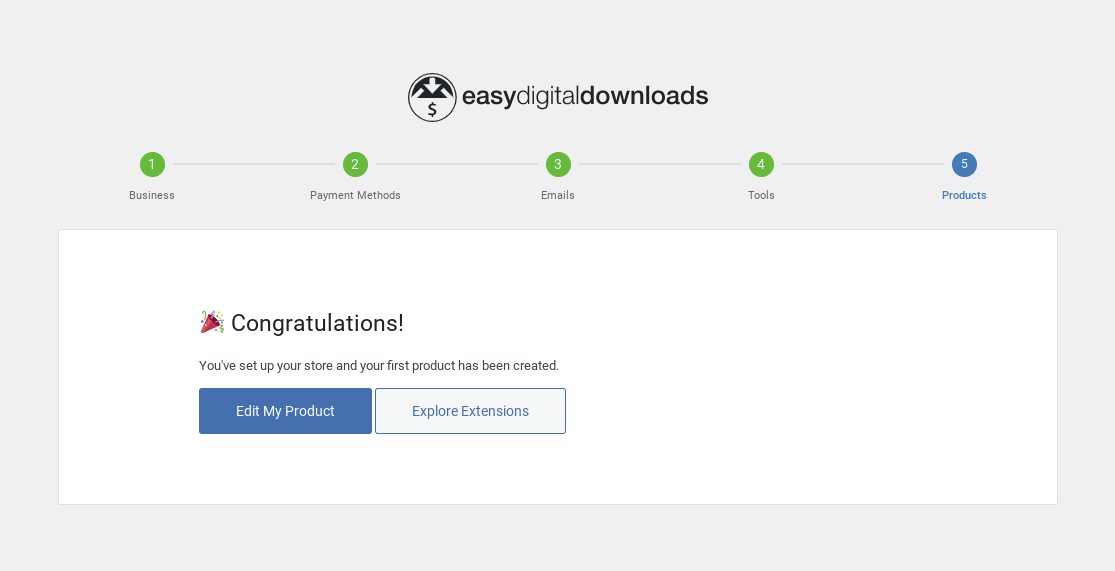
U hebt ook de mogelijkheid om een downloadbestand toe te voegen (in conceptstatus, dus het wordt nog niet op uw site gepubliceerd). Vanuit de Onboarding Wizard kunt u Uw product bewerken of Extensies verkennen.
Stripe's Betaalelement voor een soepeler afrekenproces 💳
Een andere enorme verbetering die is opgenomen in de EDD 3.1.1-release is de integratie van Stripe Universal Payment Elements. Deze functie halveert de benodigde werkzaamheden voor het verwerken van betalingen, wat resulteert in een soepeler en nog betrouwbaarder afrekenproces.
De Stripe Link-functie biedt een veel veiligere en snellere manier om met Stripe te integreren.
Het betaalelement op de Checkout-pagina biedt de optie om Uw gegevens opslaan om sneller te betalen met Link. Gebruikers kunnen veilig hun gegevens invoeren en opslaan bij Stripe om toekomstige aankopen te stroomlijnen. De kaarten die aan Link zijn toegevoegd, werken op elke site die Stripe Link ondersteunt.
Nadat u uw e-mailadres hebt ingevoerd in het daarvoor bestemde afrekenveld, stuurt Stripe een sms-bericht met een verificatiecode:
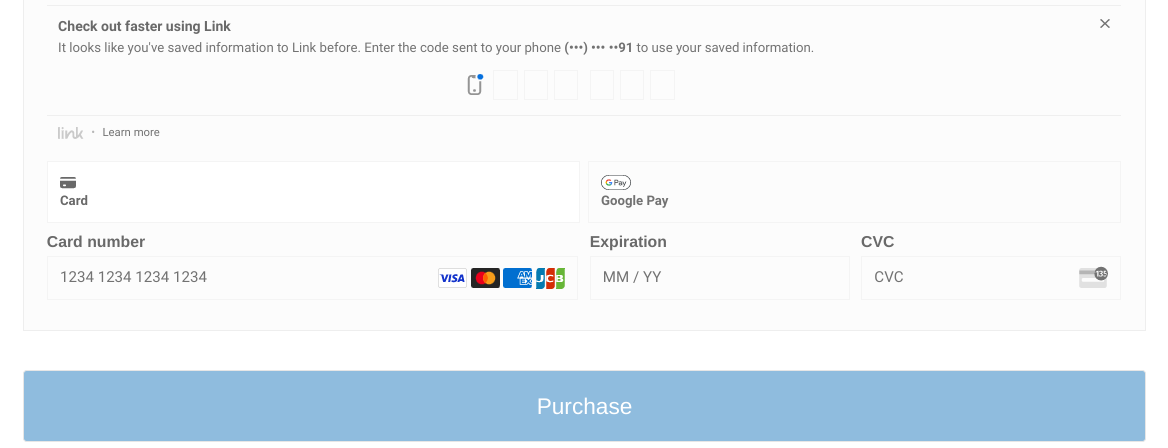
Zodra de code is ingevoerd, worden de creditcard(s) die op andere sites zijn gebruikt automatisch toegevoegd. U kunt kiezen welke u wilt gebruiken, bestaande kaarten bijwerken en een Nieuwe betaalmethode toevoegen:
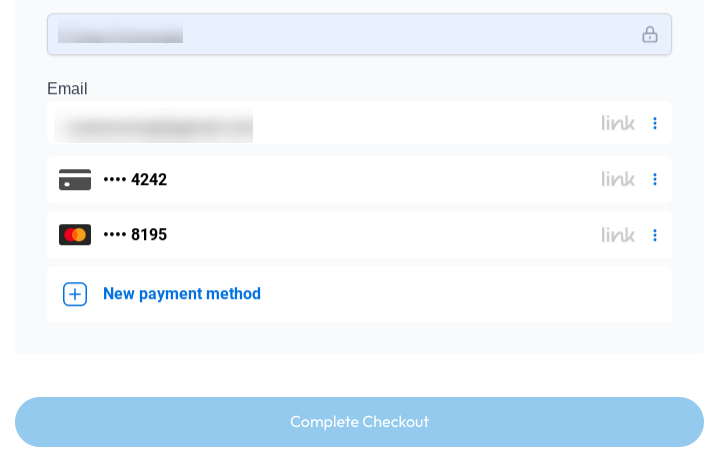
Nieuwe gebruikers gebruiken automatisch de Betaalelementen; bestaande EDD-gebruikers kunnen zich aanmelden wanneer ze er klaar voor zijn.
Als u momenteel een EDD + Stripe-gebruiker bent, hoeft u zich geen zorgen te maken over het verliezen van bestaande afrekenaanpassingen bij het upgraden naar EDD Pro of het testen van de betaalelementintegratie in een staging-omgeving. De standaardinstelling Kaartelement blijft zoals deze is, zodat u gemakkelijk kunt overschakelen naar Betaalelement wanneer u er klaar voor bent.
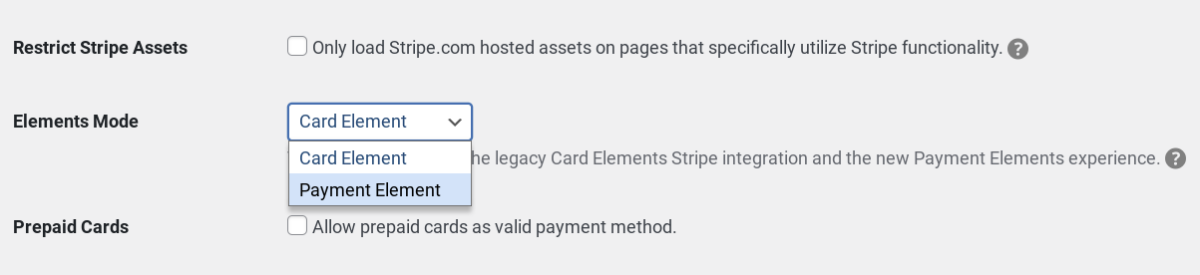
Onze EDD Stripe-documentatie bevat een sectie Migreren naar Betaalelementen waarin u kunt zien welke wijzigingen u mogelijk moet aanbrengen tijdens de overgang.
Dit Betaalelement ondersteunt ook Apple Pay en Google Pay direct uit de doos. EDD bood dit vroeger aan als een aparte Express Checkout-optie, maar nu is het rechtstreeks opgenomen in hetzelfde Betaalelement.
Note that this feature is only available to users using Stripe Connect to integrate their Stripe account with Easy Digital Downloads.
Enhanced Extension Installation Experience 🧩
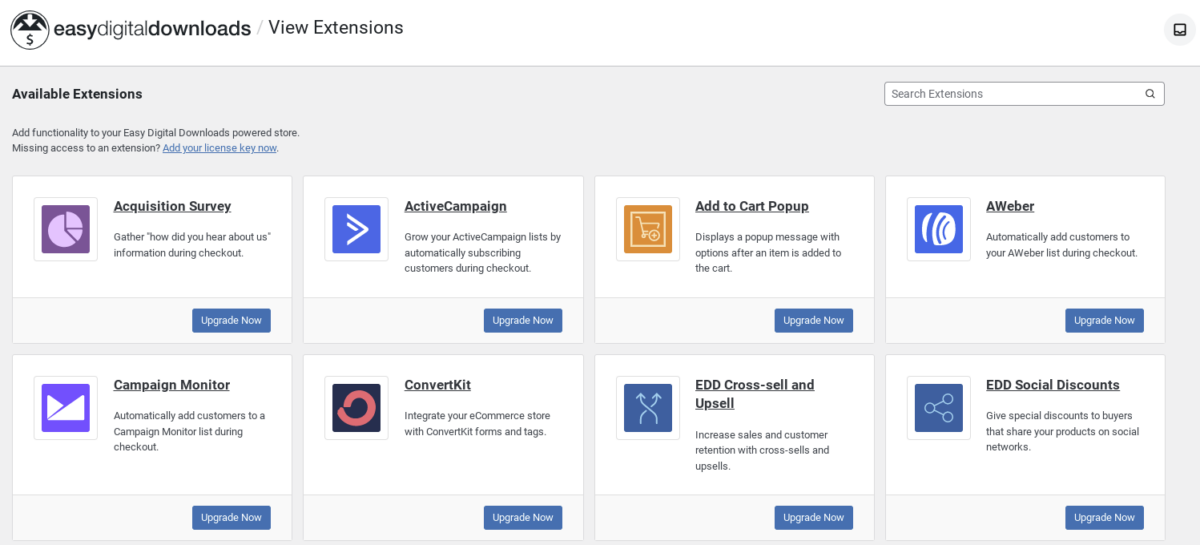
The EDD Extensions screen lets you view, browse, & search EDD add-ons. But EDD 3.1.1 brings some key enhancements that make exploring and installing extensions even easier.
Users without a paid license can see the Upgrade Now button beneath all of the extensions:
If you need to enter a pass key, you can click on Add your license key now link to enter & verify it directly within WordPress. Here, users can easily upgrade to EDD Pro:
The available extensions will vary depending on which EDD Pass you have.
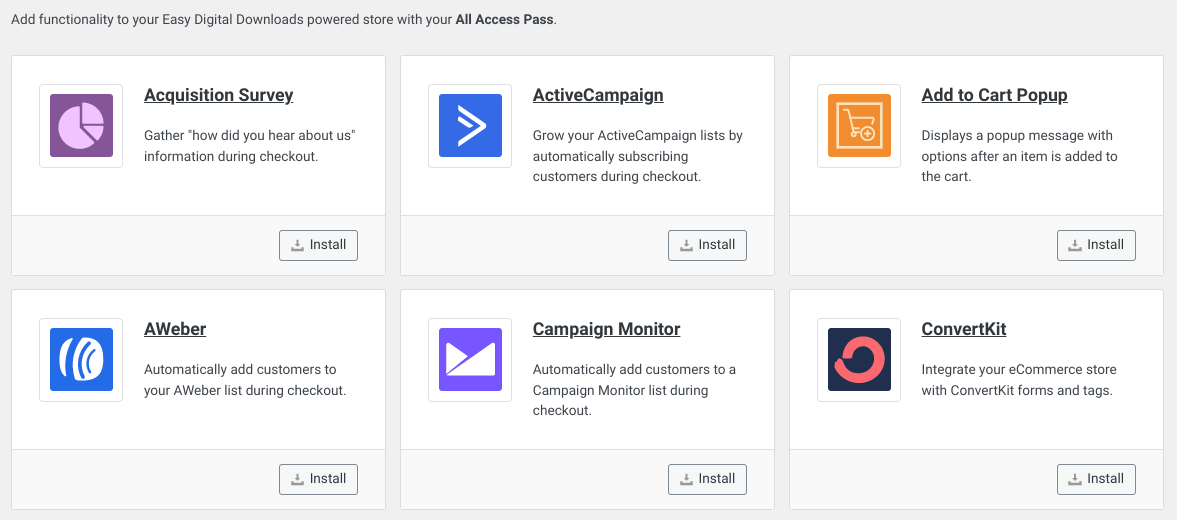
For Personal, Professional, and Extended Pass holders, included extensions appear at the top of the Extensions screen with the Install button. Extensions that aren’t included are shown further down with an Upgrade Now option.
This new interface streamlines the process of installing EDD extensions. Unlike with previous EDD versions, you won’t have to leave your WordPress site and go to the EDD site to download an extension zip file.
After installing an extension, you can activate/deactivate it using the toggle switch:
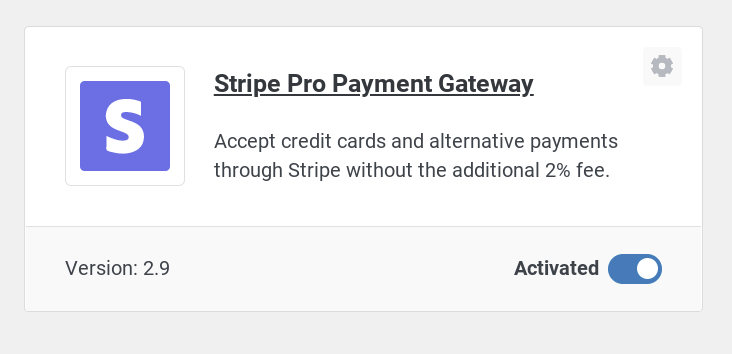
In addition, you can click on the gear icon in the top right-hand corner to access the installed extension’s settings.
Nieuwe & Verbeterde EDD Blokken ⚙️
EDD 3.1.1 introduces two blocks: User Downloads and Checkout.
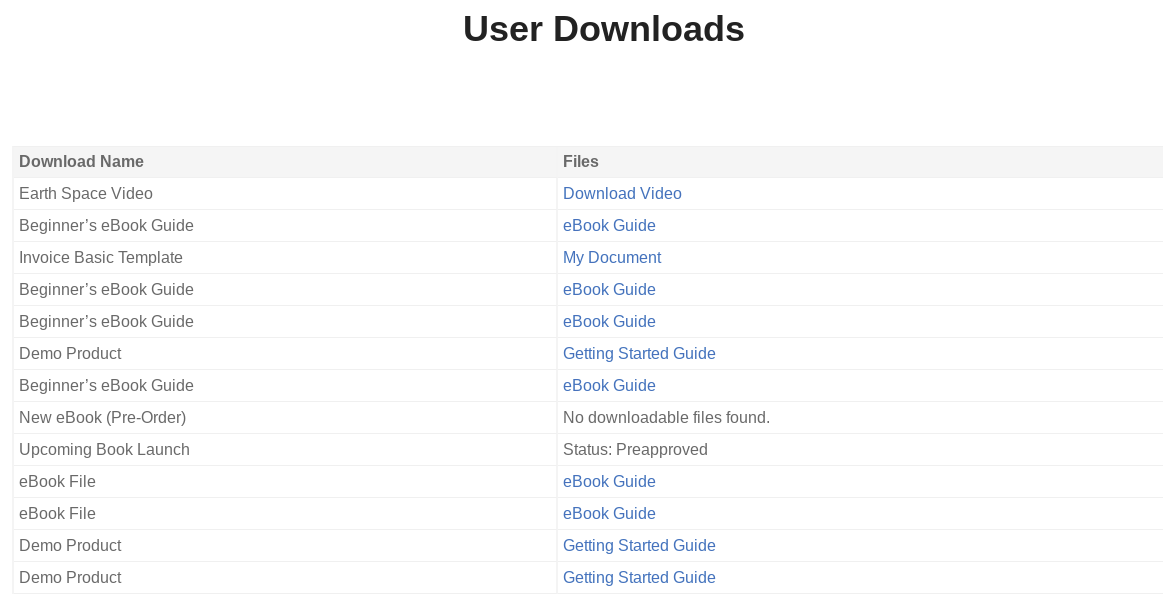
The EDD User Downloads block replaces the download history shortcode. With the shortcode, the download history element and its pagination tended to be a bit clunky. It was redundant & would list items even if they didn’t have a download file:
The new EDD User Downloads block is a lot cleaner & intuitive:
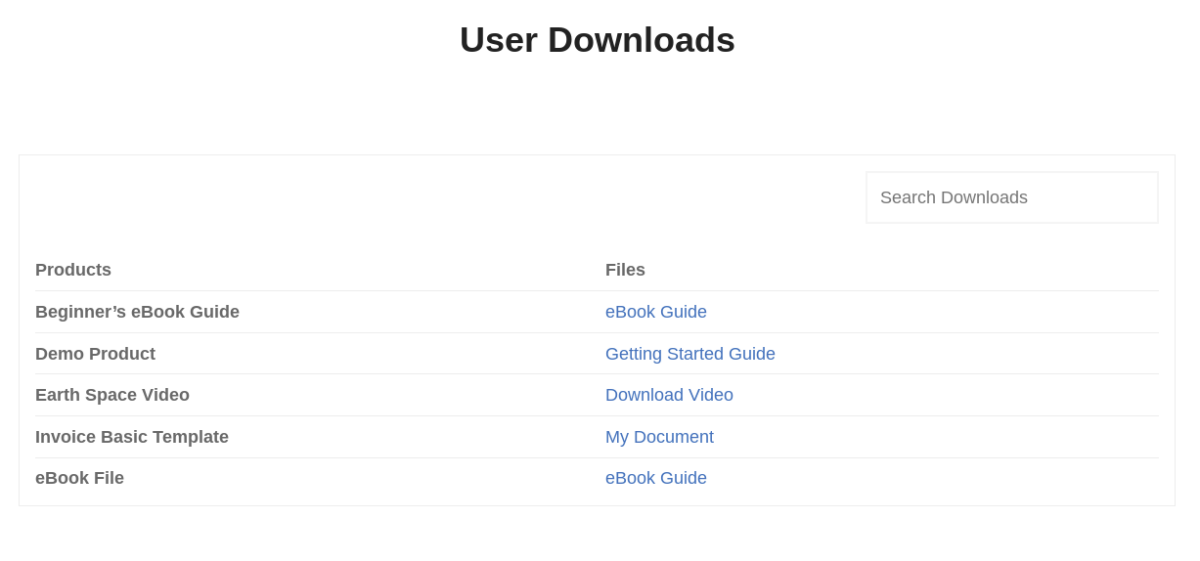
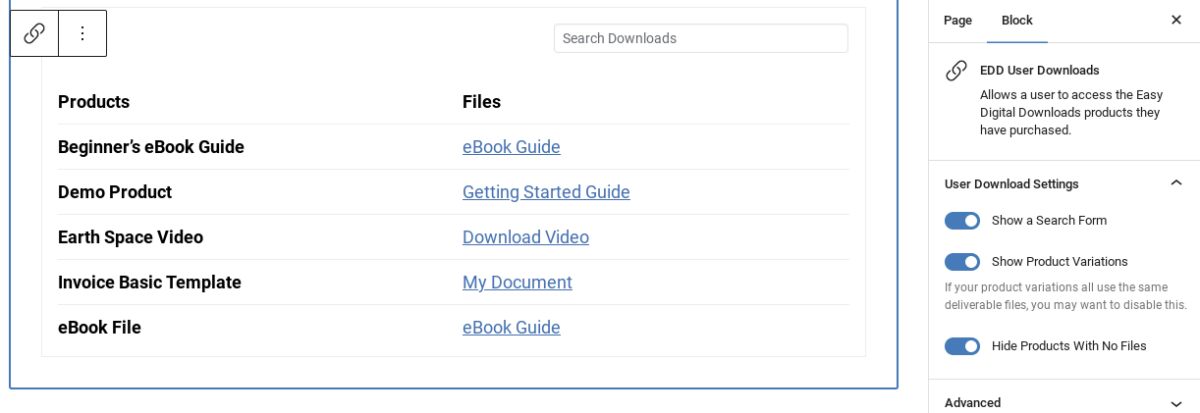
It lets you:
- Show/Hide a search form (EDD Pro only)
- Show/hide Product Variations
- Hide Products With No Files, with the option to add/display text to show if there are no files
Technically, the EDD Checkout block isn’t new. But with the latest EDD 3.1.1 update, this Checkout block is the default element on the Checkout page instead of the previously used downloads checkout shortcode.
The default Checkout Block includes the Item Name/Price, a place to enter a discount code, personal info, and the card payment elements:
![Het EDD-afrekenblok [3.1.1]](https://easydigitaldownloads.com/wp-content/uploads/2023/03/edd-checkout-block-preview-1200x1719.png "edd-afrekenblok-voorbeeld – Easy Digital Downloads")
Note that the Payment Elements still work with the Checkout shortcode. It just doesn’t look as good as it does with the Checkout Block.
IP Geolocation Detection Support at Checkout to Auto-Fill ZIP📍
Another exciting new feature included with EDD 3.1.1 (for Pro users) is IP geolocation support at checkout.
The Billing Zip/Postal Code field on the checkout form fields automatically populates based on your location without you manually inputting it:
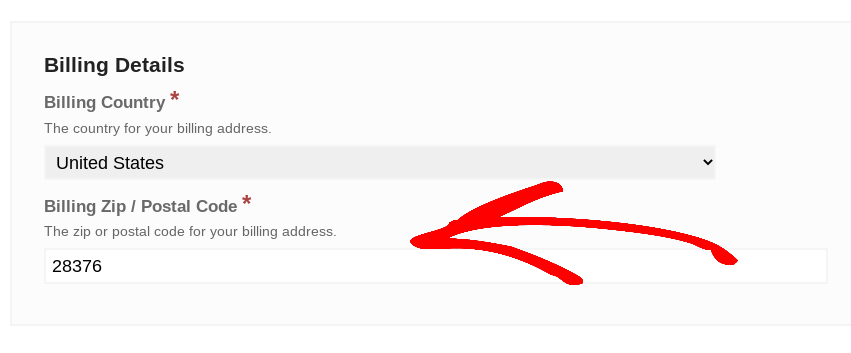
This can be incredibly helpful when it comes to taxes, as the taxes will automatically be applied based on the location of the user (if it’s relative).
Upgrade to EDD 3.1.1/Pro Today!
The newest Easy Digital Downloads update is available to all users. If you already have a premium pass, you can visit your account to get started with the update.
If you don’t yet have a license key, you can purchase one today!
eCommerce zonder grenzen!
Dat is onze belofte. De meeste eCommerce-oplossingen beperken uw creativiteit
…niet Easy Digital Downloads!
Any questions, concerns, or comments? Don’t hesitate to leave a comment below or get in touch with our support team directly through our support page.
You can also check out Troubleshooting EDD Migration Issues if you run into any problems.
Thanks for using and supporting EDD. As always, we’re working daily (and as quickly as possible) to improve EDD!
📣 PS. Vergeet niet u aan te melden voor onze nieuwsbrief en volg ons op Facebook of Twitter voor meer WordPress-bronnen!