


Wil je leren hoe je digitale producten in bundels verkoopt met WordPress?
Bundels zijn een van de eenvoudigste manieren om meer van je producten in de inbox van je klanten te krijgen, terwijl je je klanten de extra waarde biedt die ze willen. Bovendien is het verkopen van je digitale producten in bundels ongelooflijk eenvoudig met Easy Digital Downloads (EDD).
🔎 In dit artikel behandelen we:
Waarom digitale producten in bundels verkopen?
Er zijn veel voordelen aan het verkopen van digitale producten in bundels. Wanneer je digitale producten in bundels verkoopt, kun je je klanten meer waarde bieden en tegelijkertijd meer geld verdienen. Bundels zijn een geweldige manier om verschillende gerelateerde producten samen te verpakken en een groter aanbod te creëren om meer potentiële kopers aan te trekken.
Door een bundel van meerdere digitale producten te verkopen, kun je de waargenomen waarde van alle opgenomen items verhogen, wat kan leiden tot betere verkoopresultaten en hogere winsten. Bovendien waarderen klanten het om een goede deal te krijgen bij de aankoop van bundels; daarom is het bundelen van digitale producten een effectieve manier om shoppers te stimuleren digitale goederen bij jou te kopen in plaats van elders te kijken.
Ten slotte maakt het bundelen van digitale producten samen grotere aanpassingsmogelijkheden mogelijk voor consumenten die mogelijk geïnteresseerd zijn in bepaalde items, maar niet in andere. Dit helpt ervoor te zorgen dat, ongeacht het type klant dat je hebt, je een unieke bundel kunt samenstellen om aan hun behoeften te voldoen.
WordPress maakt het verkopen van digitale producten ongelooflijk eenvoudig. Met onze Easy Digital Downloads-plugin kun je in een mum van tijd een online winkel starten en digitale producten aanbieden.
Hoe digitale producten in bundels te verkopen met WordPress
Klaar om te beginnen? In deze stapsgewijze handleiding laat ik je zien hoe je digitale producten in bundels verkoopt met WordPress.
Stap 1: Stel je WP-site in
Als je dat nog niet hebt gedaan, is de eerste stap het maken van je WordPress-website. Als je er al een hebt, ga dan gerust verder naar de volgende stap.
Als je echter geen website hebt, kun je er een krijgen via SiteGround's Managed EDD Hosting:
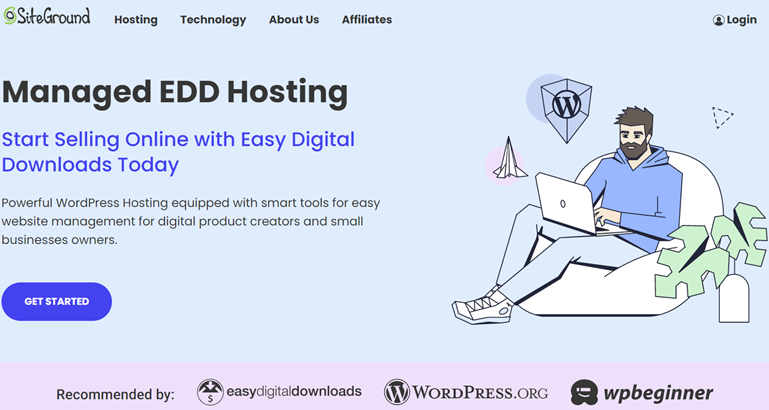
Dit geeft je alles wat je nodig hebt om je e-commerce winkel te starten en digitale producten te verkopen. Elk pakket wordt geleverd met een WordPress-installatie, veilige webhosting, gratis SSL-certificaat en essentiële plugins, waaronder Easy Digital Downloads.
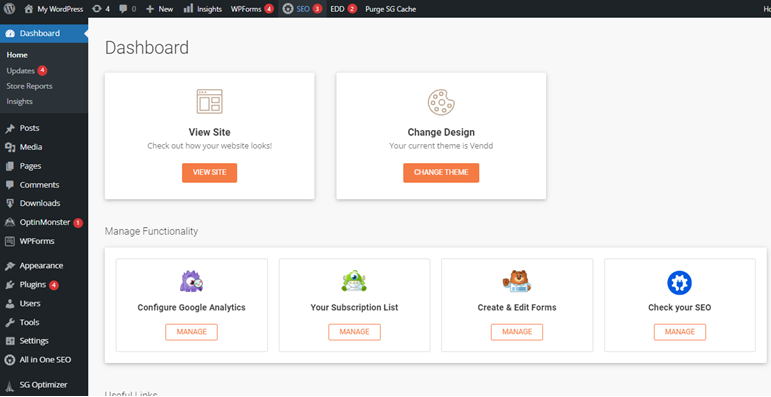
Nadat je je pakket hebt geselecteerd, kun je de WP Setup Wizard volgen om te beginnen. Het brengt je automatisch naar het WordPress-dashboard waar je kunt beginnen met het bouwen van je online winkel:
Stap 2: Verkrijg Easy Digital Downloads
Easy Digital Downloads (EDD) is een complete e-commerce platformoplossing voor WordPress:
De krachtige plugin laat je digitale producten maken, beheren en verkopen vanaf je site. Het biedt ook alle tools om betalingen veilig te verwerken, verkopen bij te houden en downloads na aankoop aan klanten te leveren.
eCommerce zonder grenzen!
Dat is onze belofte. De meeste eCommerce-oplossingen beperken uw creativiteit
…niet Easy Digital Downloads!
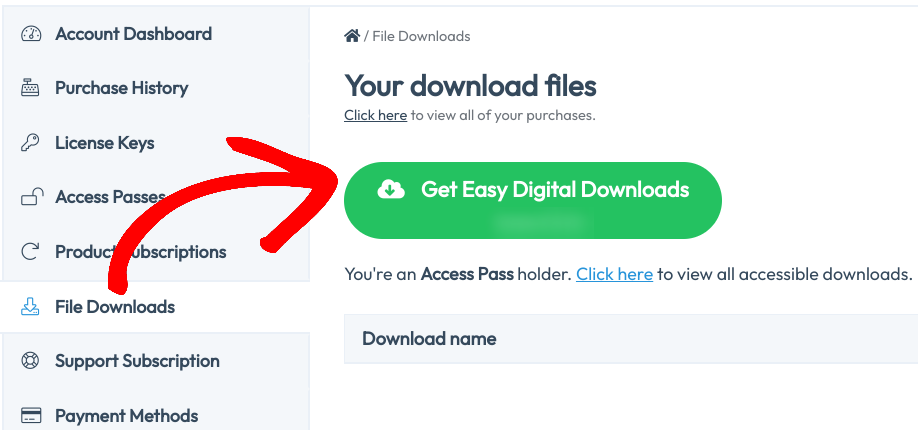
Om te beginnen, bezoek de Easy Digital Downloads website en kies je abonnement. Zodra je je licentie hebt gekocht, kun je de EDD WordPress plugin downloaden via het tabblad Bestandsdownloads van je dashboard:
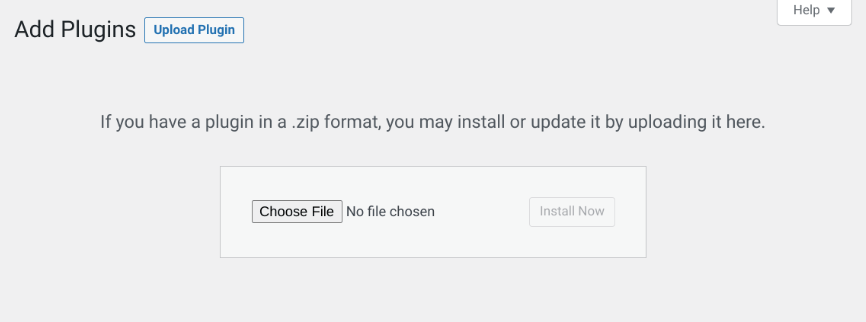
Nadat je de plugin hebt gedownload, kun je deze uploaden naar je WordPress-site onder Plugins » Nieuwe toevoegen:
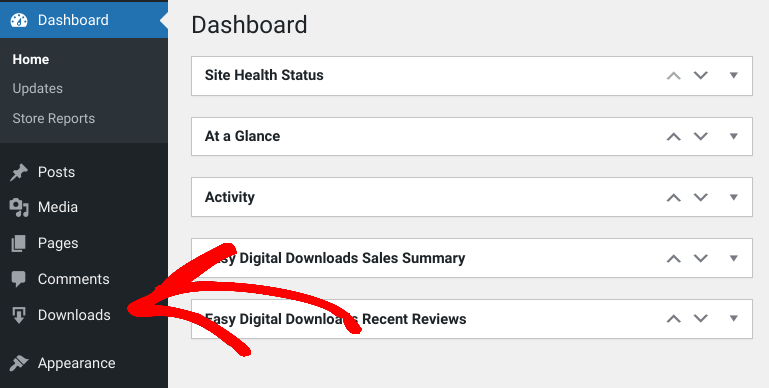
Zodra je de plugin activeert, verschijnt er een menu-item Downloads op je admin dashboard:
⚙️ Je kunt deze handleidingen gebruiken voor meer gedetailleerde instructies over het kiezen van betaalpoorten en het instellen van je winkel:
Stap 3: Voeg je producten toe
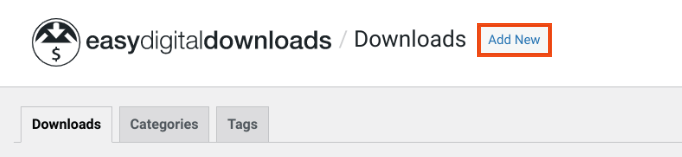
De volgende stap is het toevoegen van de producten of digitale inhoud die je wilt verkopen. EDD verwijst naar digitale producten als 'downloads'. Om een nieuw product toe te voegen, ga naar Downloads » Nieuwe toevoegen:
Vervolgens geef je het product een naam en voeg je een beschrijving toe:
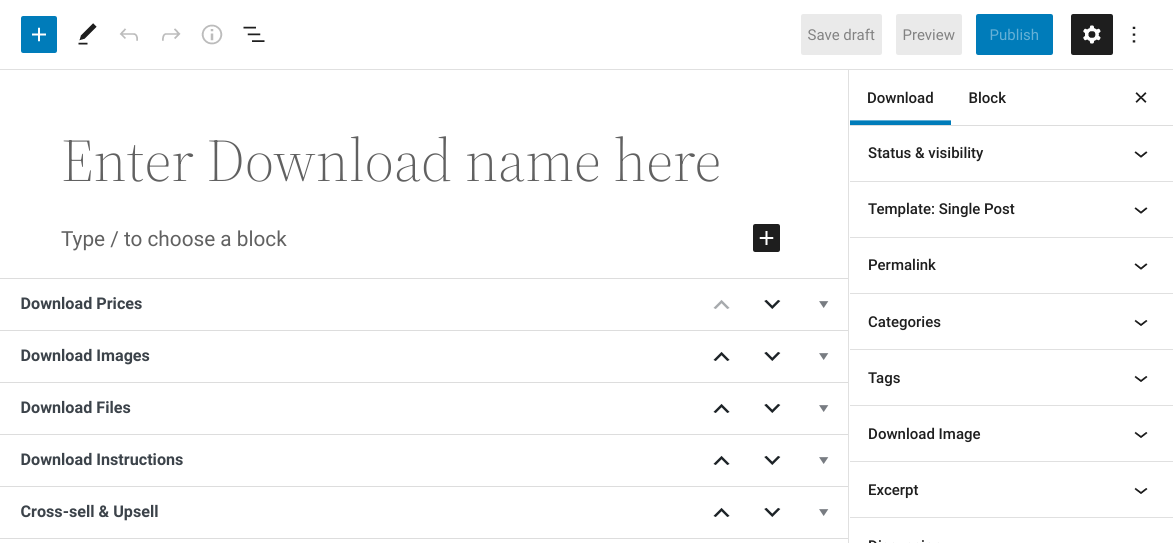
Je kunt het tekstveld voor de beschrijving gebruiken om je product te beschrijven en de voordelen ervan te benadrukken.
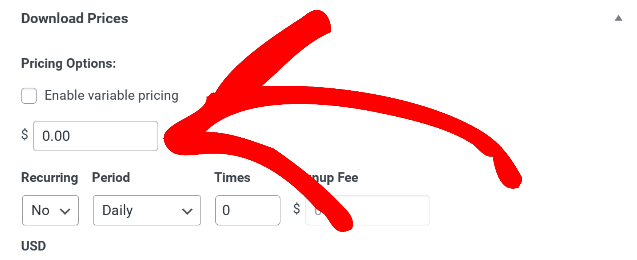
Voer onder Downloadprijzen het bedrag in waarvoor je het enkele product online wilt verkopen:
💰 Tips voor het prijzen van digitale producten
Je kunt ook een downloadlimiet instellen. Deze functionaliteit kan handig zijn bij het online verkopen van digitale producten die een bepaalde beschikbaarheid hebben. Je kunt het bijvoorbeeld gebruiken voor online cursussen, abonnementen, printables, audiobestanden en andere soorten digitale bestanden.
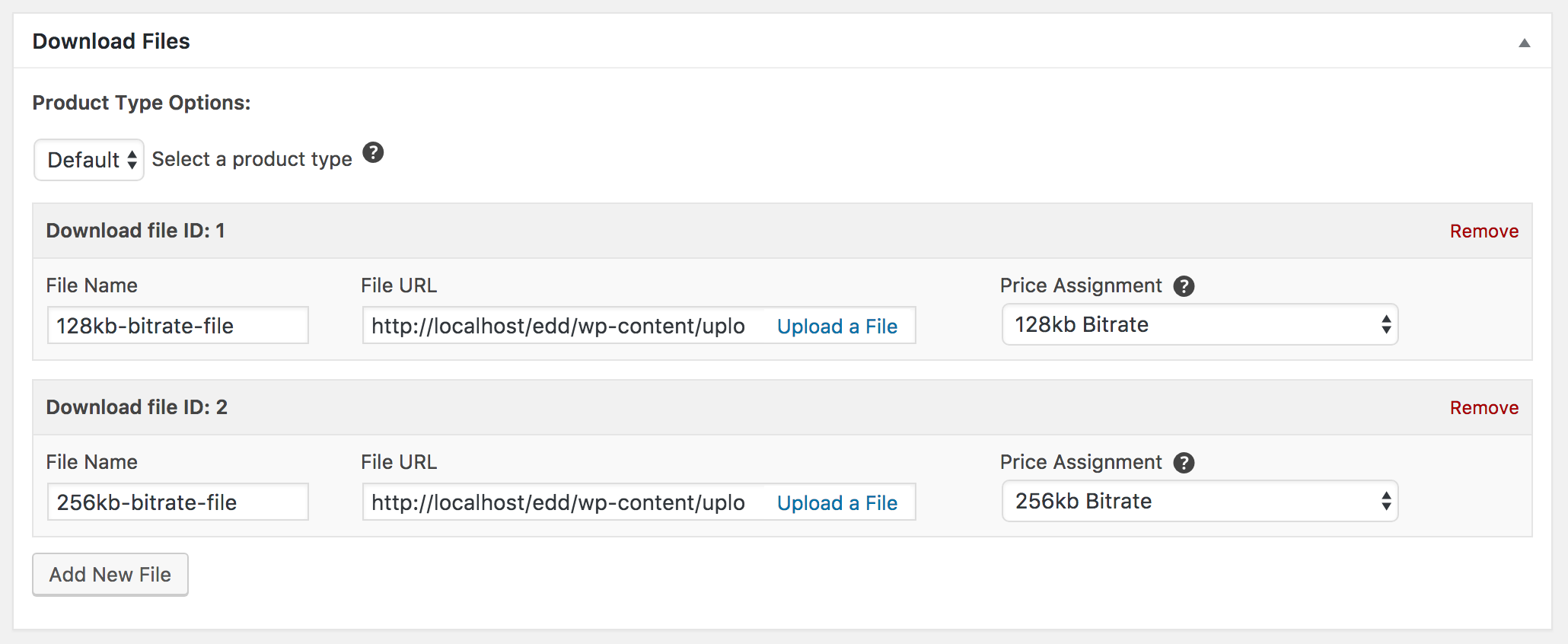
Onder de instellingen voor Downloadbestand, kun je de bestanden toevoegen die klanten na aankoop kunnen downloaden. Er zijn twee producttypen: Standaard en Bundel.
Het Standaard type is simpelweg een bestand of een verzameling bestanden die rechtstreeks in dit vak worden geüpload:
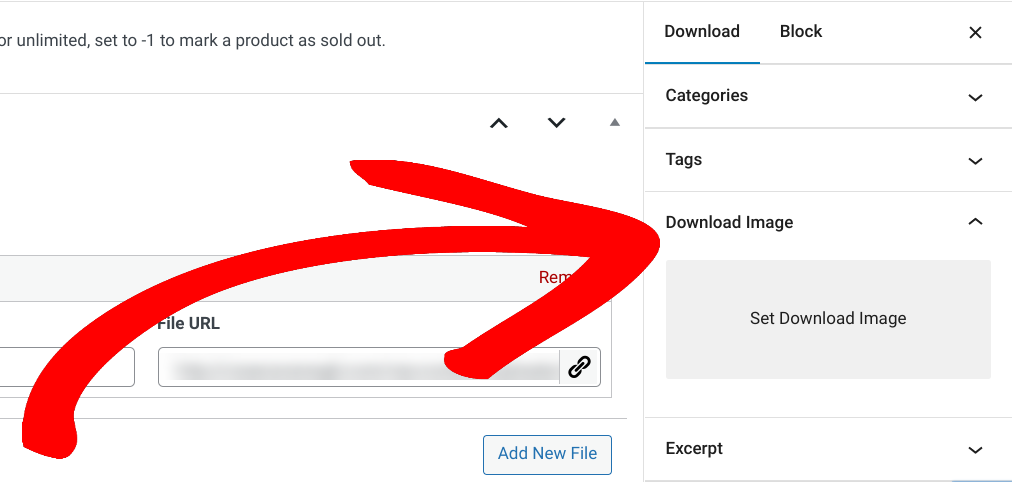
Vervolgens kun je een aantrekkelijke Downloadafbeelding toevoegen:
Je kunt dit proces herhalen voor zoveel digitale producten als je aan je winkel wilt toevoegen.
Stap 4: Maak je productbundels
De laatste stap is het maken van het pakket dat je wilt gebruiken om digitale producten in bundels te verkopen. Om dit te doen, kun je een nieuwe download toevoegen, vervolgens een naam en beschrijving voor het product toevoegen.
Echter, onder Downloadbestanden, selecteer je Bundel uit het keuzemenu om meerdere producten in één pakket te combineren:
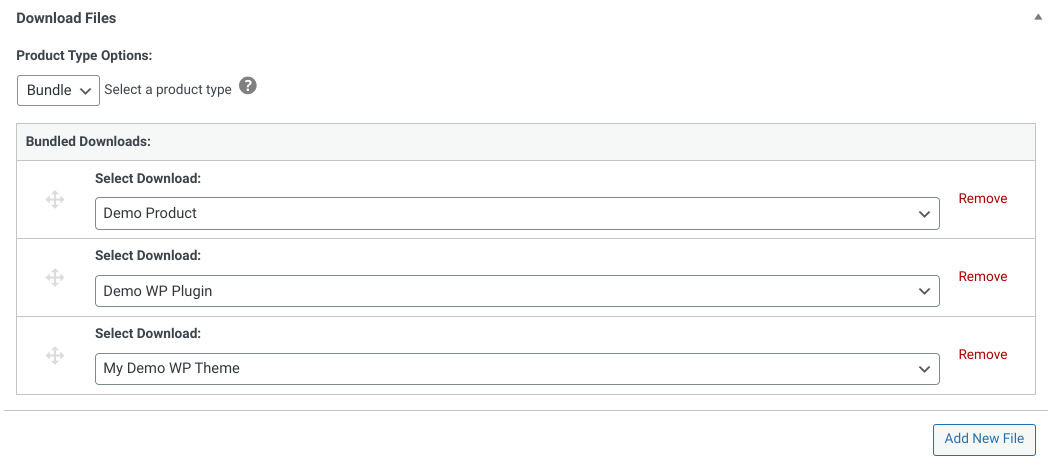
Je kunt deze video gebruiken voor een tutorial:
Als je klaar bent, kun je je wijzigingen opslaan. Bezoek vervolgens je site vanaf de voorkant om te zien hoe de productpagina eruitziet:
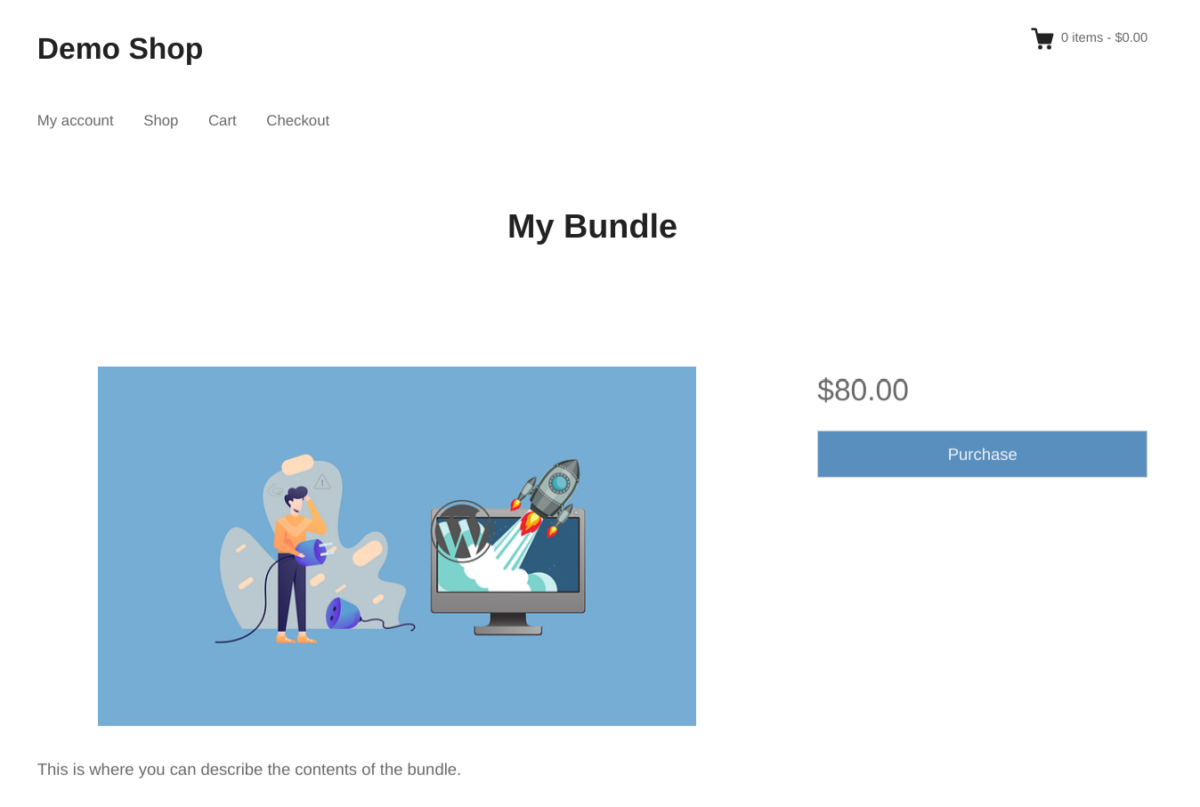
Als je tevreden bent met alles, kun je beginnen met verkopen! Om meer verkeer en verkopen te genereren, raad ik aan om SEO en e-mailmarketing te benutten. Je kunt ook overwegen om een affiliateprogramma te starten om je producten te promoten.
Tips om digitale producten in bundels te verkopen
Hergebruik je producten
Als je producten hebt die al een tijdje in de digitale schappen liggen, overweeg dan om ze te bundelen met nieuwere producten om ze in beweging te krijgen. Je kunt volwassen producten combineren met vergelijkbare of gerelateerde nieuwere producten, of ze opnemen in grotere bundels met "extra waarde". Hergebruik is echter niet alleen van toepassing op oudere producten. Je kunt je winkel aanvullen door nieuwe en verschillende varianten van bundels te maken met allerlei verschillende producten.
Combineer vergelijkbare producten
Een andere klassieke strategie voor het maken van productbundels is het verkopen van vergelijkbare producten. Dit spreekt mensen aan die op zoek zijn naar een specifiek producttype, omdat ze een aanzienlijke hoeveelheid inhoud kunnen meenemen die voor hen relevant is. Aangezien deze klanten al voorbestemd zijn om geïnteresseerd te zijn in producten van een bepaalde aard, zijn ze eerder bereid meer uit te geven om de gecombineerde waarde van die producten tegen een gereduceerde prijs te krijgen.
Upsell bundels bij het afrekenen
Een andere manier om vergelijkbare (of aanvullende) producten aan te bieden, is door ze bij het afrekenen te upsellen, waar je klanten die al hebben laten zien dat ze bereid zijn voor je producten te betalen, verder kunt verleiden. Net als bij product-add-ons stellen bundels klanten in staat om eenvoudig waarde toe te voegen aan wat ze kopen – en je kunt het aanbod op verschillende manieren presenteren, van procentuele kortingen tot dollarbedragen en aanbiedingen voor een beperkte tijd.
Bijvoorbeeld: "Bespaar 25% op dit product met onze exclusieve bundel", of "Ontvang € 20 korting door deze producten samen te kopen", of zelfs "krijg deze aanvullende producten met 50% korting bij je aankoop (alleen vandaag)". Deze worden technisch gezien misschien geen bundels genoemd, maar hetzelfde principe van volumekortingen is van toepassing.
Verkoop populaire producten samen
Je kunt ook bestsellers combineren om het effect nog verder te versterken. Een bundel van gewilde producten kan een van de meest aantrekkelijke aanbiedingen in je digitale winkel zijn, waardoor klanten een superwaardevolle optie krijgen die ze niet kunnen weigeren. Je kunt dit een aanbieding voor een beperkte tijd maken om de verkoop snel te stimuleren, of de bundel op bepaalde tijden van het jaar aanbieden om in te spelen op populaire feestdagen en trends.
Creëer gespecialiseerde of thematische bundels
Misschien maak je digitale kunst- en grafische producten en wil je je klanten die geïnteresseerd zijn in het leren van grafisch ontwerp stimuleren. Je zou een bundel kunnen maken die alles bevat wat ze nodig hebben om te beginnen, zoals Adobe Illustrator projectbestanden, handleidingen, vectorpakketten, texturen en lettertypen – allemaal in één.
Misschien verkoop je software en wil je je klanten extra aanbiedingen doen voor gerelateerde sjablonen, presets en tutorials. Of je hebt misschien een uitgebreide cursus muziekproductie die gebundeld kan worden met relevante audio sample packs, projectbestanden en tutorials!
In ieder geval kun je bundels maken die specifiek zijn voor bepaalde gebruiksscenario's of ervaringsniveaus (zoals "starterskits", "introductie"-bundels of "pro"-bundels), die alle activa, inhoud of ander materiaal omvatten dat klanten nodig hebben om een specifiek doel of vaardigheidsniveau te bereiken. Je kunt ook thematische of seizoensgebonden bundels overwegen; bijvoorbeeld bundels met feestdagafbeeldingen, bruiloft stationery ontwerpen, medische stockfoto's, enz.
Word Creatief Met Producttypes
Een andere manier om creatief te zijn met je bundels is door je te concentreren op het combineren van verschillende soorten producten. Dit kan een verscheidenheid aan formaten omvatten zoals audio, video, afbeeldingen en tekst, of verschillende productcategorieën bevatten zoals eBooks, foto's en digitale cursussen. Misschien wil je een bundel maken die je nieuwste video-inhoud bevat, samen met een bijbehorende podcast en PDF-werkblad, of je wilt waarde toevoegen aan je WordPress-thema's door extra plugins en grafische activa op te nemen.
Veelgestelde vragen over hoe digitale producten in bundels te verkopen
Kun je digitale producten verkopen op WordPress?
Ja. Je hebt alleen een eCommerce-plugin nodig, zoals Easy Digital Downloads. EDD is een uitstekend WooCommerce-alternatief voor website-eigenaren die geen fysieke producten aanbieden.
Hoe downloadbare producten in bundels verkopen met WordPress?
Easy Digital Downloads is de beste en eenvoudigste manier om downloadbare producten in bundels te verkopen met WordPress. Bij het maken van je digitale product laat de plugin je automatisch een downloadlink opnemen die je klanten kunnen gebruiken.
Verkoop digitale producten in bundels
Om je klanten meer waarde te bieden en er tegelijkertijd geld mee te verdienen, is het slim om digitale producten in bundels te verkopen. Dankzij Easy Digital Downloads is dit ongelooflijk eenvoudig te doen met WordPress.
eCommerce zonder grenzen!
Dat is onze belofte. De meeste eCommerce-oplossingen beperken uw creativiteit
…niet Easy Digital Downloads!
📣 PS. Vergeet niet u aan te melden voor onze nieuwsbrief en volg ons op Facebook of Twitter voor meer WordPress-bronnen!








