

セットアップと使用方法
Acquisition Survey拡張機能をインストールして有効化したら、Downloads → Settings → Extensions → Acquisition Survey に移動して設定を調整できます。
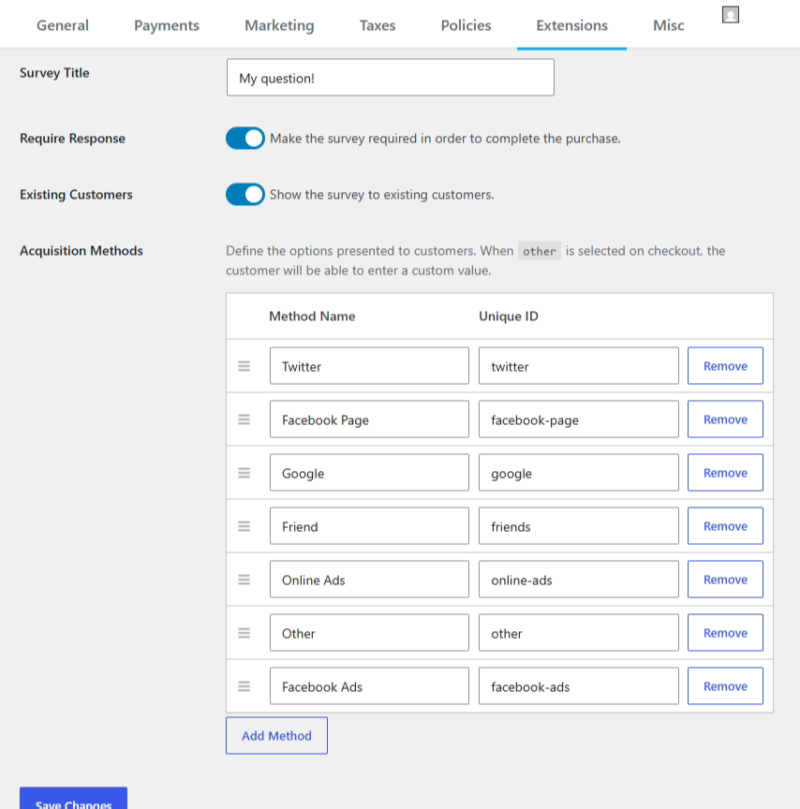
これらの設定で、チェックアウト時のドロップダウンのラベル、顧客がフィールドを必須とするかどうか、既存の顧客にこのフォームを表示するかどうかを管理できます。
アンケートタイトル: ドロップダウンリストの上に表示されるタイトルです。例: どこで当社のことを知りましたか?
アンケート回答必須: アンケートの質問への回答を必須にするかどうかを選択します。
既存顧客: デフォルトでは有効になっており、すべてのユーザーに表示されます。これをオフにすると、サイトにログインしているユーザーにはフォームが表示されません。
獲得方法: リストには、一般的な獲得方法がいくつか事前に入力されていますが、必要に応じて並べ替えたり、項目を追加または削除したりできます。「その他」のオプションがある場合、チェックアウト時にこれが選択されると、ユーザーが手動でメッセージを入力できる新しいテキストフィールドが表示されます。
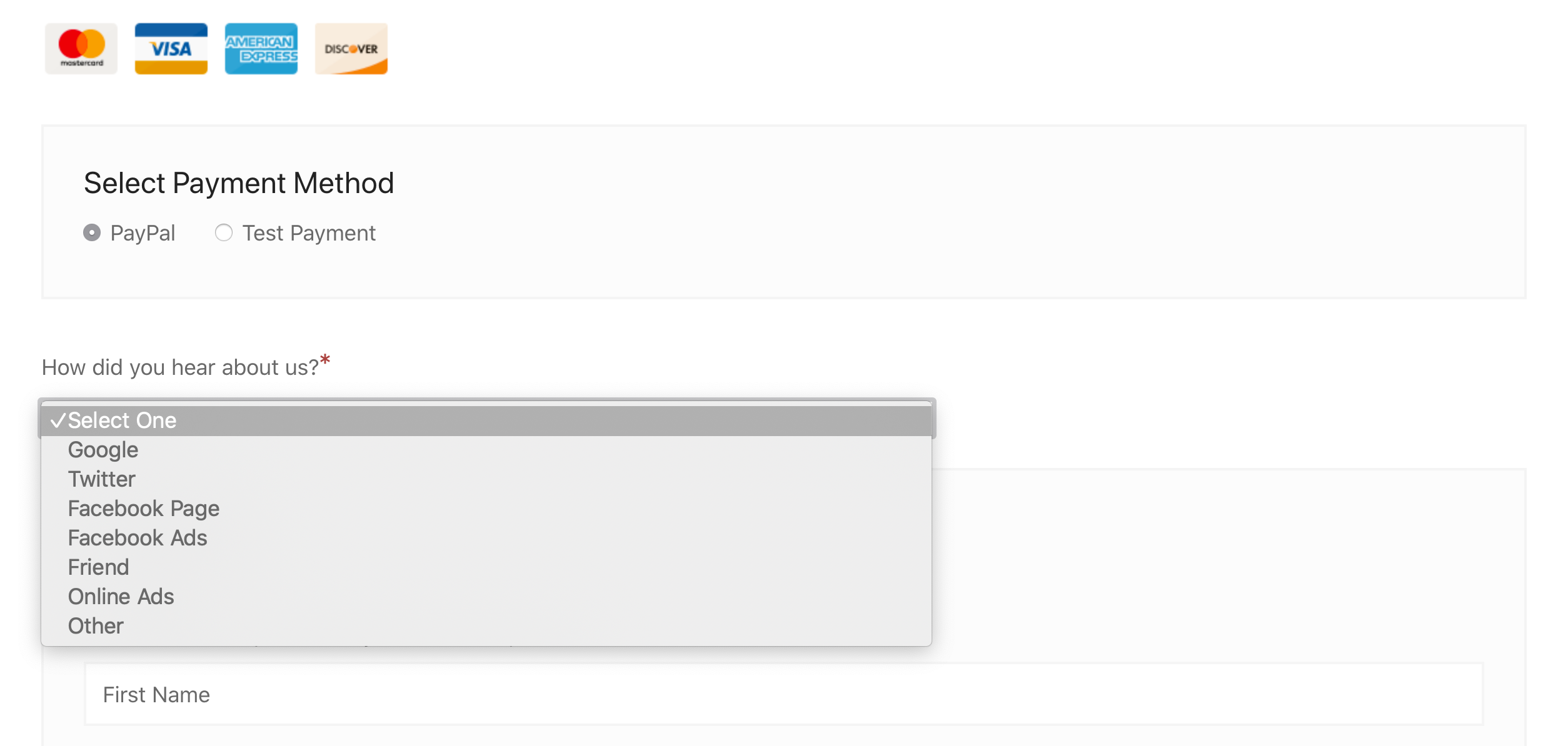
結果として、チェックアウト画面の「個人情報」セクションに新しいフォーム要素が表示されます。
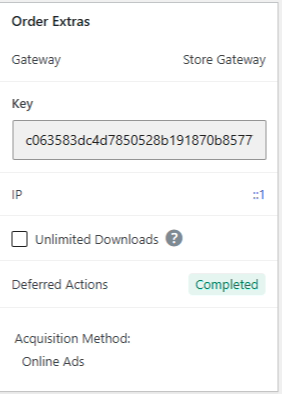
また、Downloads > Orders で注文を表示する際に記録された獲得方法を確認することもできます。獲得情報は、各注文レコードのOrder Extraセクションで利用できます。
レポート
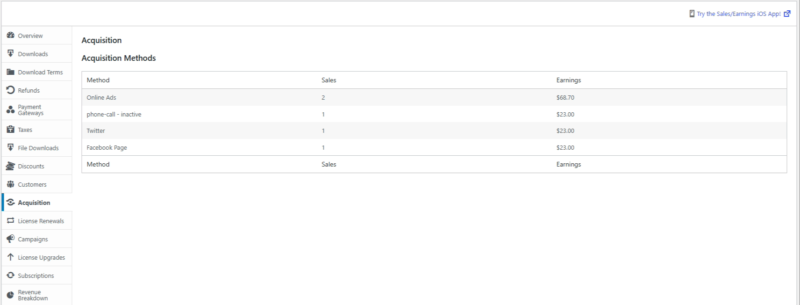
Acquisition Surveyは、レポートセクションに新しいレポートも追加するため、獲得ソースのパフォーマンスの内訳を取得できます。
レポートを表示するには、Downloads > Reports に移動し、左側のオプションから「Acquisition」を選択します。
レポートビューには、支払いと登録されたすべての現在および過去の(「非アクティブ」と表示された)方法がリストされます。
開発者情報
Acquisition Surveyは、拡張を可能にするいくつかの関数とフィルターを提供します。
記録された獲得方法は、注文メタに「meta_key」
_edd_payment_acquisition_methodで格納されます。
呼び出しを使用して、注文の獲得方法の値を取得できます。
edd_get_order_meta( $order_id, '_edd_payment_acquisition_method', true );
ユーザーがチェックアウト中に「その他」を選択し、カスタムテキストを入力した場合、データは_edd_payment_acquisition_method_other注文メタに格納されます。
フィルター
// This filters the array of acquisition methods after they are returned from the database. Methods are in the form of a numerically indexed array.
apply_filters( 'edd_acq_get_methods', get_option( 'edd_acq_methods', array() ) );// Example
array(1) {
array(2) {
'name' => 'Customer Facing Name',
'value' => 'payment-meta-record'
}
}
// Runs just before saving the acquisition method into the order meta.
apply_filters( 'edd_acq_record_acquisition_method', $acquisition_method, $payment_id, $payment_data );
// Runs just before returning the number of sales for a requested acquisition method 'value'.
apply_filters( 'edd_acq_method_sales', (int) $sales, $method );
// Runs just before returning the total earnings for a requested acquisition method 'value'.
apply_filters( 'edd_acq_method_earnings', $earnings, $method );



