

Onder Downloads > Rapporten vindt u diverse rapporten en grafieken om de verkopen en inkomsten van uw winkel te volgen.
Gebruiksvoorwaarden voor rapporten
Bruto-omzet is de totale hoeveelheid verkochte downloads.
Netto-omzet is de totale hoeveelheid verkochte downloads minus alle volledig gerestitueerde items (items met een gedeeltelijke restitutie zijn nog steeds inbegrepen).
Bruto-inkomsten zijn het totaal van de inkomsten vóór kortingen, kosten en belastingen.
Netto-inkomsten is de som van de inkomsten na aftrek van kortingen en kosten, exclusief belastingen. Wanneer gerapporteerd voor specifieke downloads, zijn kosten die op de hele bestelling van toepassing zijn, niet inbegrepen.
Rapportages
Elk rapport stelt u in staat om gegevens voor een bepaalde periode (standaard Maand tot heden) te presenteren en te vergelijken met een voorgaande periode.
Overzicht
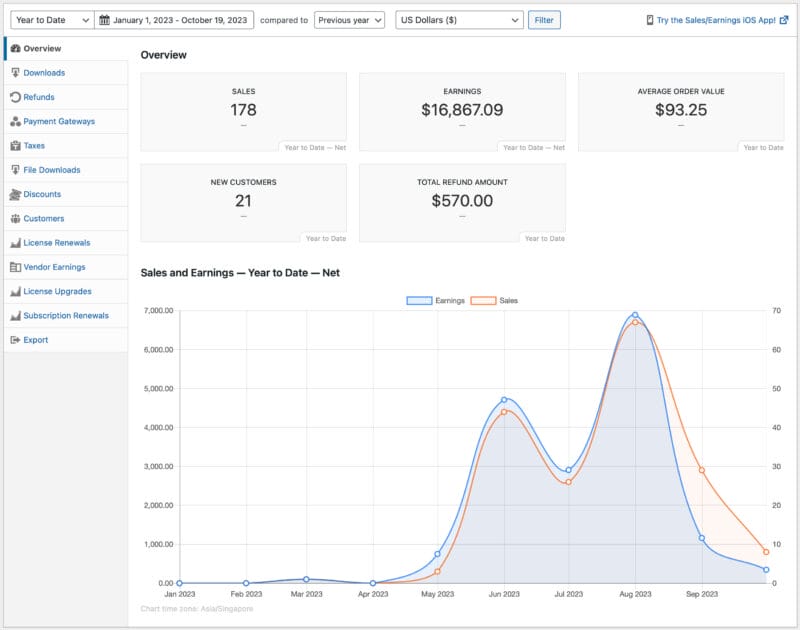
De sectie Overzicht biedt een overzicht van de verkopen en inkomsten van uw winkel, de gemiddelde bestelwaarde, nieuwe klanten en het gerestitueerde bedrag.
Downloads (of Producten)
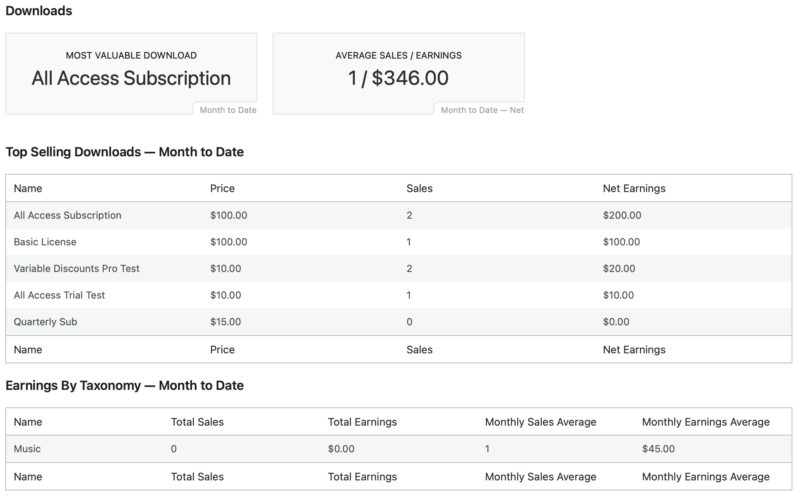
Het rapport Downloads geeft u een overzicht van uw producten.
- Meest Waardevolle Download
- Gemiddelde Verkoop / Inkomsten
- Lijst van Top Verkopende Downloads
- Lijst van Inkomsten per Taxonomie (Tags en Categorieën)
Terugbetalingen
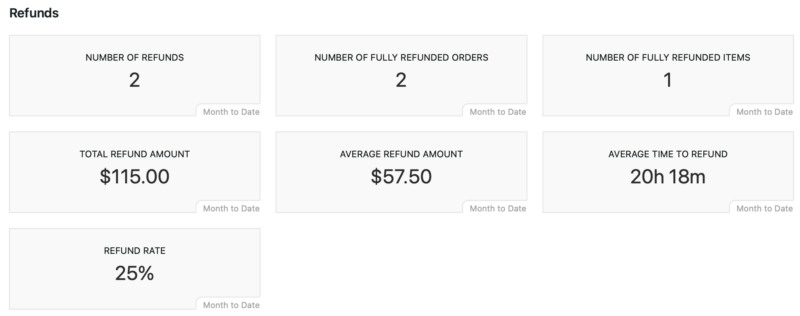
Het rapport Restituties biedt details over uw restituties.
- Aantal restituties
- Totaal restitutiebedrag
- Gemiddeld restitutiebedrag
- Gemiddelde tijd tot restitutie
- Retourpercentage
Betaalpoorten
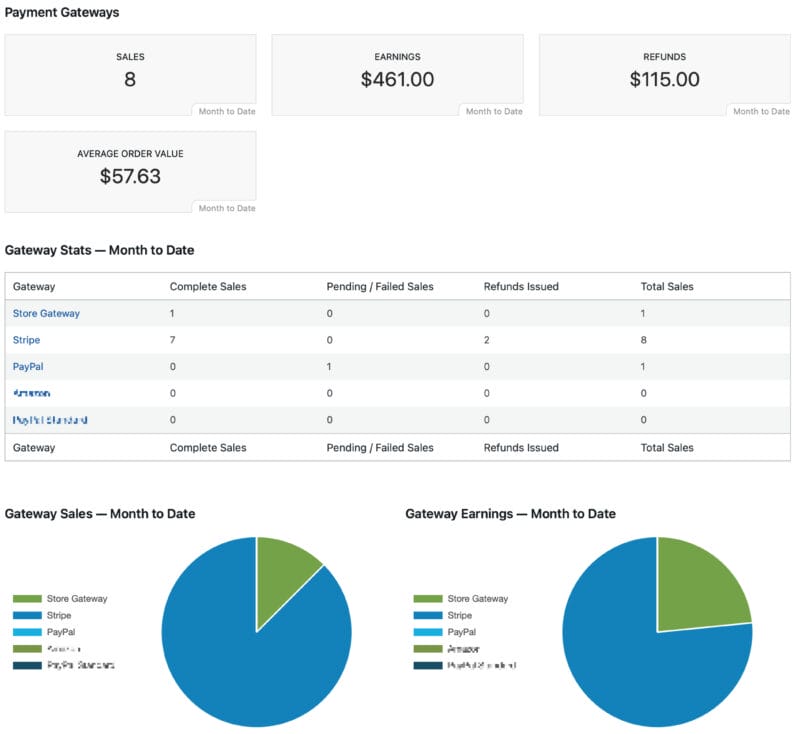
Het rapport Betaalmethoden toont welke betaalmethoden worden gebruikt binnen de ingestelde periode.
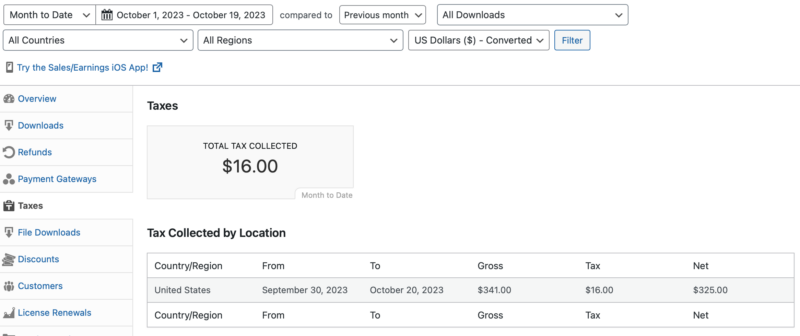
Belastingen
Het rapport Belastingen toont de Totale Geïnde Belastingen en Belastingen per locatie. Dit rapport stelt u in staat om te filteren op:
- Tijdsperiode
- Downloads
- Land
- Regio
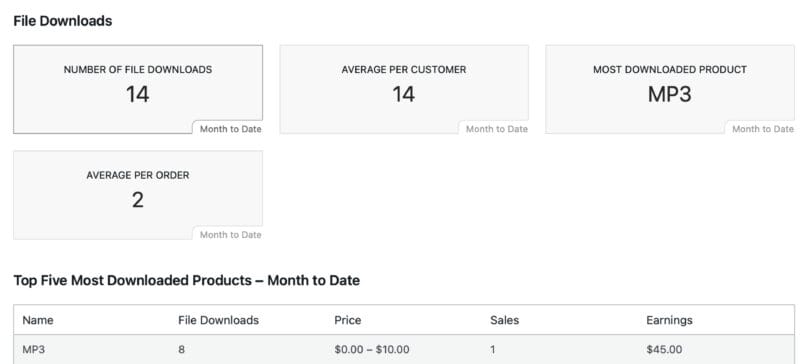
Bestandsdownloads
Het rapport Bestandsdownloads biedt details over bestanden die zijn gedownload als gevolg van aankopen die via uw winkel zijn gedaan. Beschikbare gegevens omvatten Totale Bestandsdownloads, de top vijf meest gedownloade producten en een grafiek van de verkopen over de opgegeven periode.
Let op, downloads per klant en/of bestelling zijn te vinden in de bestelgegevens onder het tabblad tools.
Kortingen
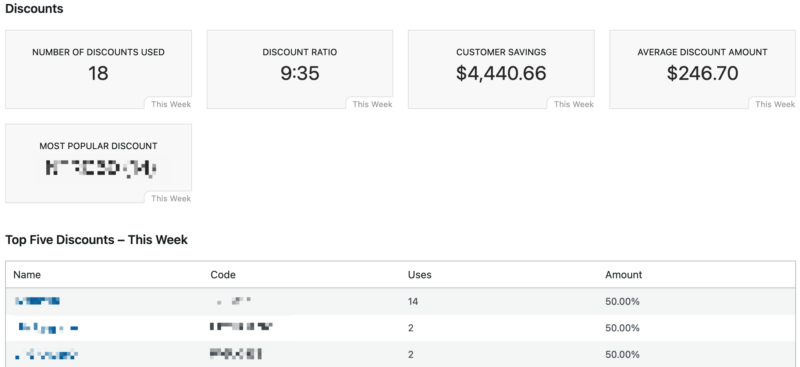
Het rapport Kortingen toont hoe kortingen worden gebruikt in uw winkel.
- Aantal gebruikte kortingen
- Kortingsratio
- Klantbesparingen (totaalbedrag aan gebruikte kortingen)
- Gemiddeld kortingsbedrag
- Populairste korting
- Top Kortingen op Bestanden
Klanten
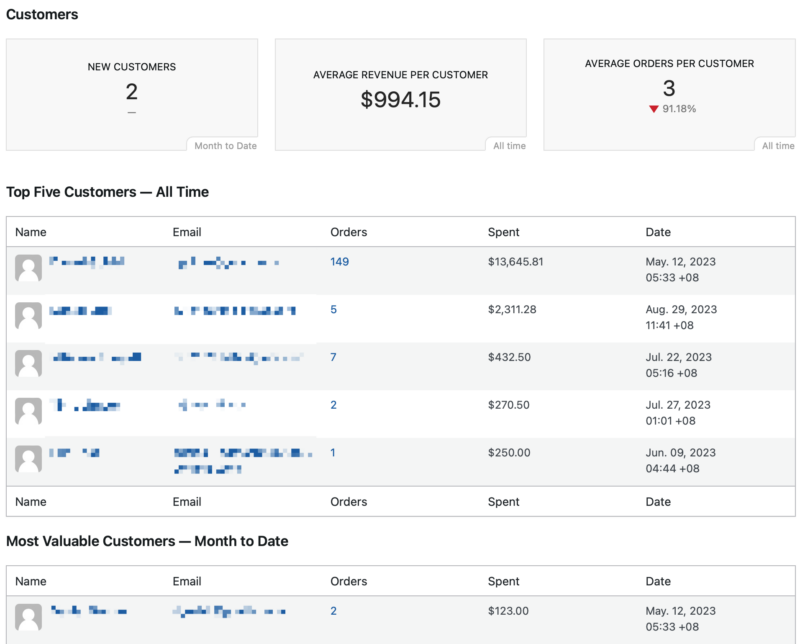
Het Klantenrapport geeft een overzicht van uw klanten voor de opgegeven periode.
- Nieuwe klanten
- Gemiddelde omzet per klant
- Gemiddelde bestellingen per klant
- Top vijf klanten
- Meest waardevolle klanten
Exporteren
Het Export-tabblad stelt u in staat om verschillende winkelgegevens en logboeken naar CSV te exporteren. Beschikbare exporten:
- Verstrapport: Download een CSV met een gedetailleerd overzicht van de inkomsten in de loop van de tijd.
- Verkopen en Inkomsten: Download een CSV van alle verkopen of inkomsten op dagelijkse basis.
- Productverkopen: Download een CSV-bestand met een overzicht van elke verkoop van een product, samen met de klantgegevens.
- Bestellingen: Download een CSV van alle bestellingen.
- Belaste Bestellingen: Download een CSV van alle bestellingen, belast per land en/of regio.
- Klanten Exporteren: Download een CSV van klanten. Selecteer een taxonomie om alle klanten te zien die downloads in die taxonomie hebben gekocht.
- Belaste Klanten: Download een CSV van alle klanten die belast zijn.
- Download Producten: Download een CSV van productdownloads.
- API Verzoek Logboeken: Download een CSV van API-verzoeklogboeken.
- Bestandsdownload Logboeken: Een logboek voor elke keer dat een bestand wordt gedownload, ongeacht hoe vaak. CSV bevat Datum, Gedownload door, IP-adres en Productbestand



