

Inhoudsopgave
Easy Digital Downloads is gebouwd om uitgebreide functionaliteit te hebben via betaalde extensies. Om ervoor te zorgen dat die extensies eenvoudig updates kunnen krijgen, moet de winkelier een licentiesleutel invoeren voor elke gekochte extensie.
Licentiesleutels voor gekochte EDD-extensies worden ingevoerd onder
Downloads → Instellingen → Licenties. Wanneer u een aankoop doet, krijgt u een licentiesleutel van 32 tekens en een kopie van de plugin. Installeer de plugin en ga naar de instellingenpagina Licenties en u ziet een vak dat klaar is voor uw sleutel. Hier zijn enkele voorbeelden, met opties voor de status van de sleutel.
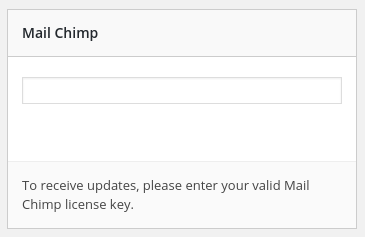
Inactief
Als uw winkel nog geen verbinding heeft proberen te maken met een sleutel, of als u de sleutel hebt verwijderd, kan het er zo uitzien.
Actief
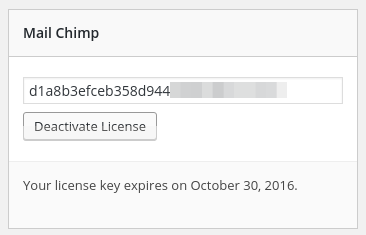
Zodra u een geldige sleutel invoert en op
Wijzigingen opslaan onderaan de pagina drukt, is uw sleutel actief voor deze website. Zolang u uw licentieabonnement actief houdt, werkt deze sleutel, u hoeft niet elk jaar een nieuwe in te voeren. Zodra uw sleutel is geactiveerd, ziet deze er ongeveer zo uit:
Activeringslimiet
Winkel eigenaren kunnen instellen hoeveel sites een bepaalde sleutel mogen gebruiken. Als uw sleutel de limiet bereikt, zal het licentievak een melding bevatten met de tekst "
Uw licentiesleutel heeft de activeringslimiet bereikt. Bekijk mogelijke upgrades nu." Het ziet er ongeveer zo uit: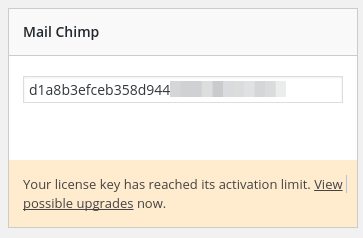
Als uw sleutel voor een EDD-product de activeringslimiet heeft bereikt, kunt u inloggen op de EDD-website en dit beheren. Volledige documentatie over sleutelbeheer vindt u hier.
Bijna verlopen
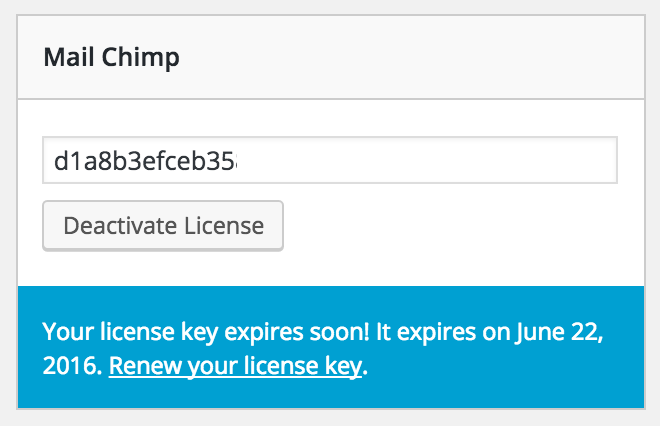
Wanneer u een plugin koopt, wordt deze geleverd met een licentie of een specifieke tijdsduur. Wanneer de licentie verloopt, blijft uw product werken, maar verliest u voordelen zoals ondersteuning, updates, enz. Om enige tijd buiten ondersteuning en updates te voorkomen, toont de EDD-licentiepagina een waarschuwing in een blauwe balk met de tekst Uw licentiesleutel verloopt binnenkort! Deze verloopt op [datum]. Er zal ook een link zijn om uw licentiesleutel te vernieuwen. Voorbeeld:
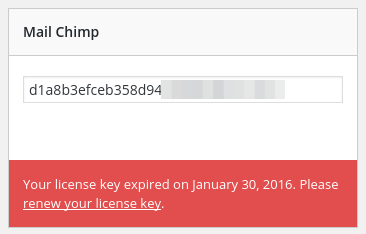
Verlopen
Wanneer uw licentiesleutel verloopt, heeft het licentieblok een rode balk met de datum waarop deze is verlopen en een link om uw licentie te vernieuwen.
Uitgeschakeld
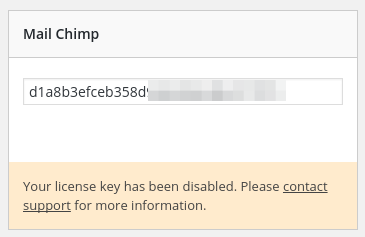
Als het erop lijkt dat uw licentiesleutel is gestolen of op enige wijze frauduleus wordt gebruikt, kan uw sleutel door de winkelier worden uitgeschakeld. Als dit gebeurt, neem dan onmiddellijk contact op met de winkelier. Wanneer uw sleutel is uitgeschakeld, wordt u hiervan op de hoogte gesteld in het Licentie vak voor die plugin, en krijgt u een link naar ondersteuning.
Veelgestelde Vragen
Als mijn licentie niet actief is, stopt de plugin dan met werken?
Nee, de plugin blijft werken. Dit mag echter geen reden zijn om uw licentie niet up-to-date te houden. Er zijn veel redenen om up-to-date te blijven:
- Als uw licentie niet up-to-date is, ontvangt u geen updates voor nieuwe versies van uw plugin
- Op een gegeven moment kan WordPress zodanig veranderen dat de plugin niet meer werkt. Bijgewerkte versies zullen altijd werken.
- Als er ooit een beveiligingsprobleem is, zorgt een actieve licentie ervoor dat u de update zo snel mogelijk ontvangt.
- Een actieve licentie betekent dat u snelle, behulpzame ondersteuning krijgt.
Krijg ik nog steeds ondersteuning als mijn licentie niet actief is?
Nee, afgezien van pre-sale vragen is ondersteuning voor mensen met actieve licenties.
Krijg ik updates voor de plugin als mijn licentie niet actief is?
Nee, plugin-updates werken alleen als er een geldige actieve licentie aanwezig is.
Wat als het om een ernstig beveiligingsprobleem gaat?
Plugin-updates werken nog steeds alleen als er een geldige actieve licentie aanwezig is.
Kan ik een licentie voor één site gebruiken op mijn live site en mijn ontwikkelingssite?
Ja, open alstublieft een ondersteuningsverzoek met de URL van uw ontwikkelingssite in de hoofdtekst van het bericht en we zullen deze toevoegen als een gelicentieerde URL.
Als de plugin zelfs zonder geldige licentie werkt, waarom zou je dan licenties hebben?
De plugin zelf is een zeer klein onderdeel van wat een licentieaankoop inhoudt. De licentieaankoop koopt daadwerkelijk ondersteuning en updates voor de plugin.



