

Bedingte Erfolgsweiterleitungen ermöglicht es Ihnen, einen Käufer nach Abschluss des Verkaufs einfach auf eine beliebige Seite Ihrer Website zu senden. Dies ist besonders nützlich, um jemanden auf ein verwandtes Produkt, eine Dokumentation oder CD-Booklets usw. zu verweisen.
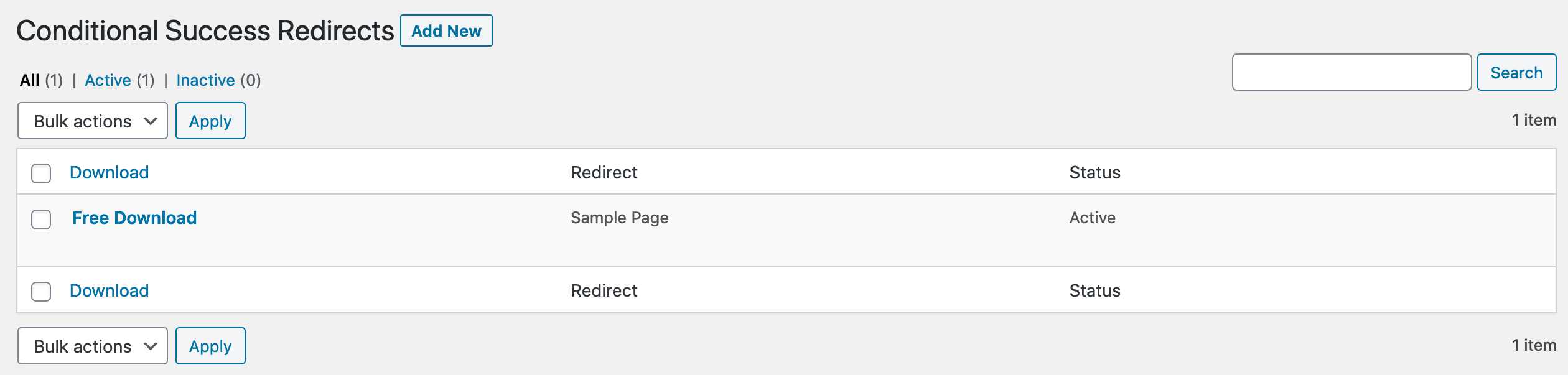
Nach der Installation des Plugins erscheint ein neuer Navigationspunkt am Ende Ihres EDD Downloads Admin-Menüs (Downloads→Bedingte Erfolgs-Weiterleitungen). Ein Klick darauf bringt Sie zu einer Admin-Archivseite, wie der unten abgebildeten.
Neue bedingte Erfolgsweiterleitung hinzufügen
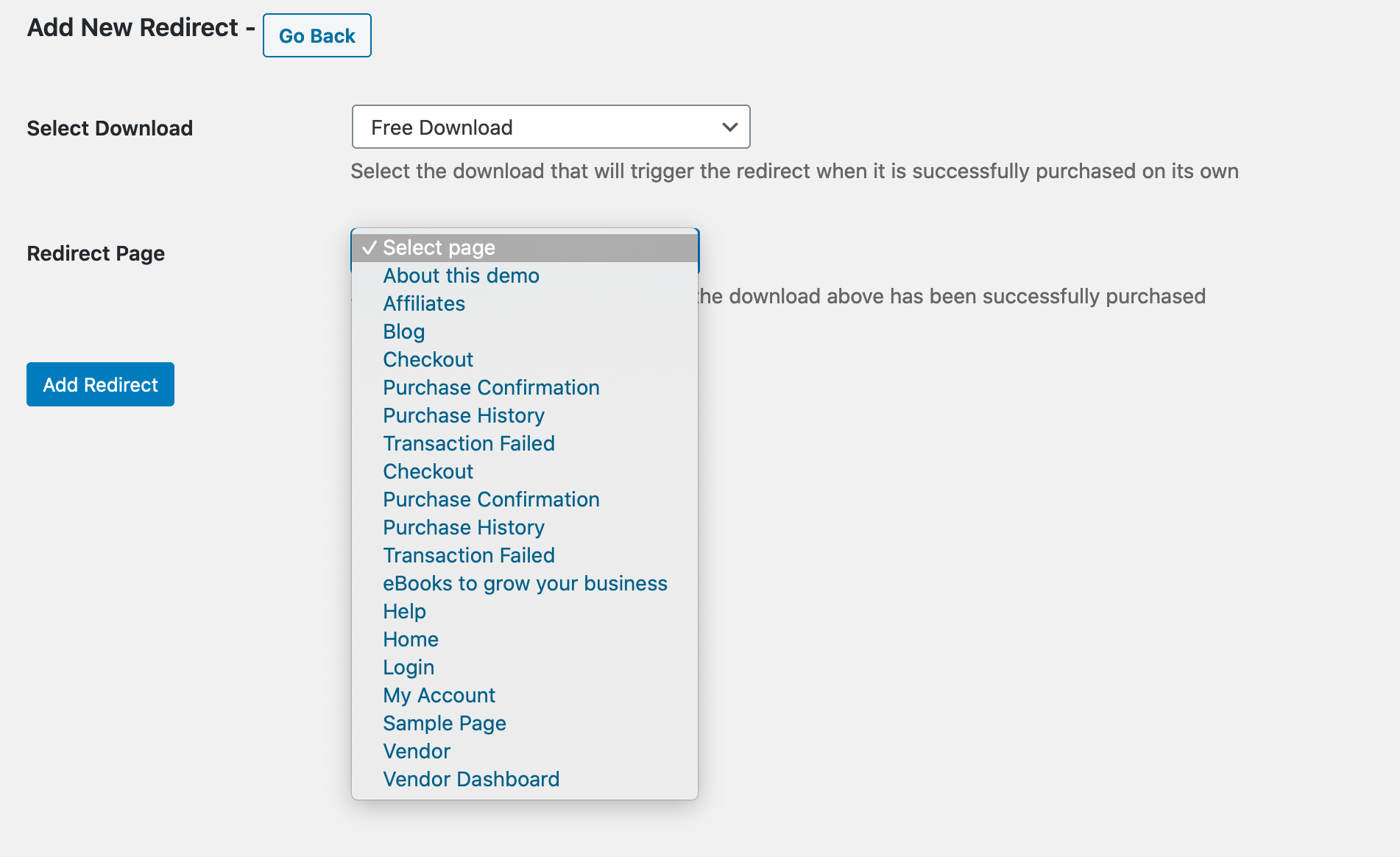
Unten sehen Sie die Seite „Neu hinzufügen“. Wählen Sie einfach das Produkt aus, auf das Sie dies anwenden möchten, dann die Seite, zu der Sie den Käufer senden möchten, und klicken Sie dann auf „Weiterleitung hinzufügen“.
Bedingte Erfolgsweiterleitung bearbeiten
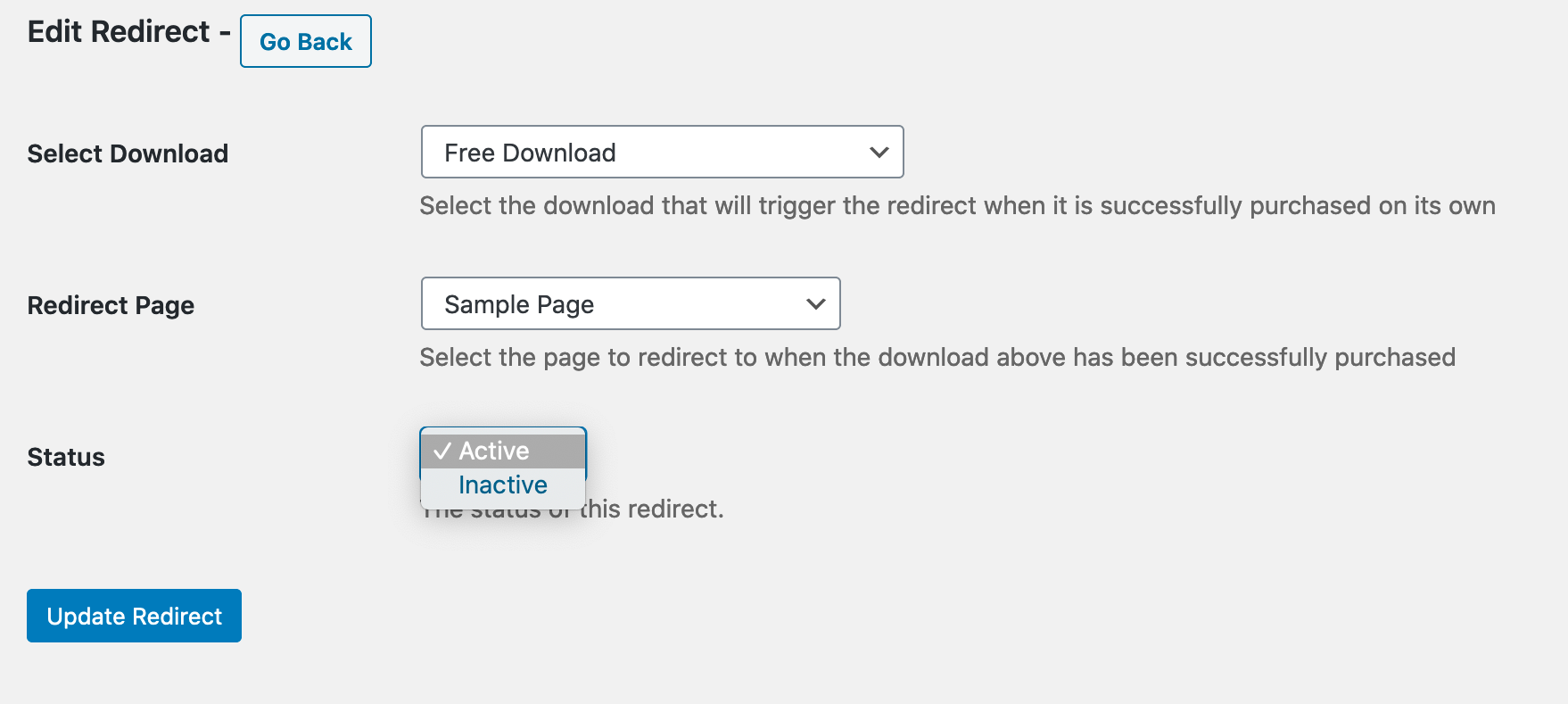
Sobald eine bedingte Erfolgs-Weiterleitung existiert, können Sie diese bearbeiten und als aktiv oder inaktiv festlegen, wie unten gezeigt.
Wichtiger Hinweis
Sie können nur eine bedingte Erfolgs-Weiterleitung für ein bestimmtes Produkt haben. Wenn bereits eine existiert, sehen Sie dieses Produkt nicht einmal auf der Seite „Neu hinzufügen“. Wenn Sie versuchen, eine neue hinzuzufügen, und Ihr Produkt nicht verfügbar ist, existiert wahrscheinlich bereits eine bedingte Erfolgs-Weiterleitung dafür, und Sie sollten die Admin-Archivseite aufrufen.
Anleitung:
Hier ist ein kurzes Video, das zeigt, wie das Plugin funktioniert:



