

The EDD Store Hours extension provides a complete solution to managing your hours of operation on an Easy Digital Downloads site.
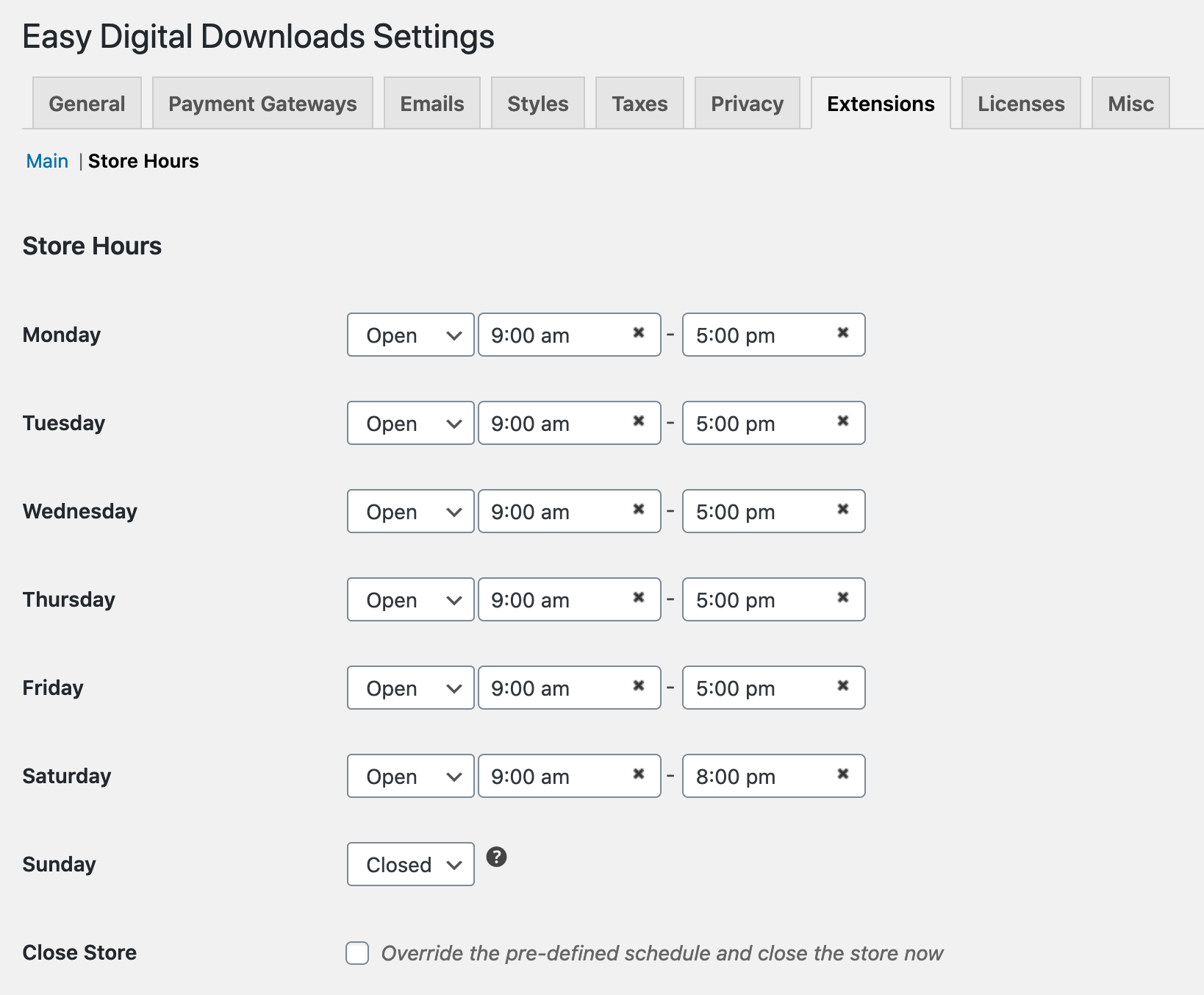
Once the extension is installed and activated you can navigate to Downloads → Settings → Extensions → Store Hours in order to adjust settings.
General Settings
You can select whether your store is open as well as set hours of operation for each day of the week. You can also choose to close the store immediately and override the daily settings/schedule.
Display Settings
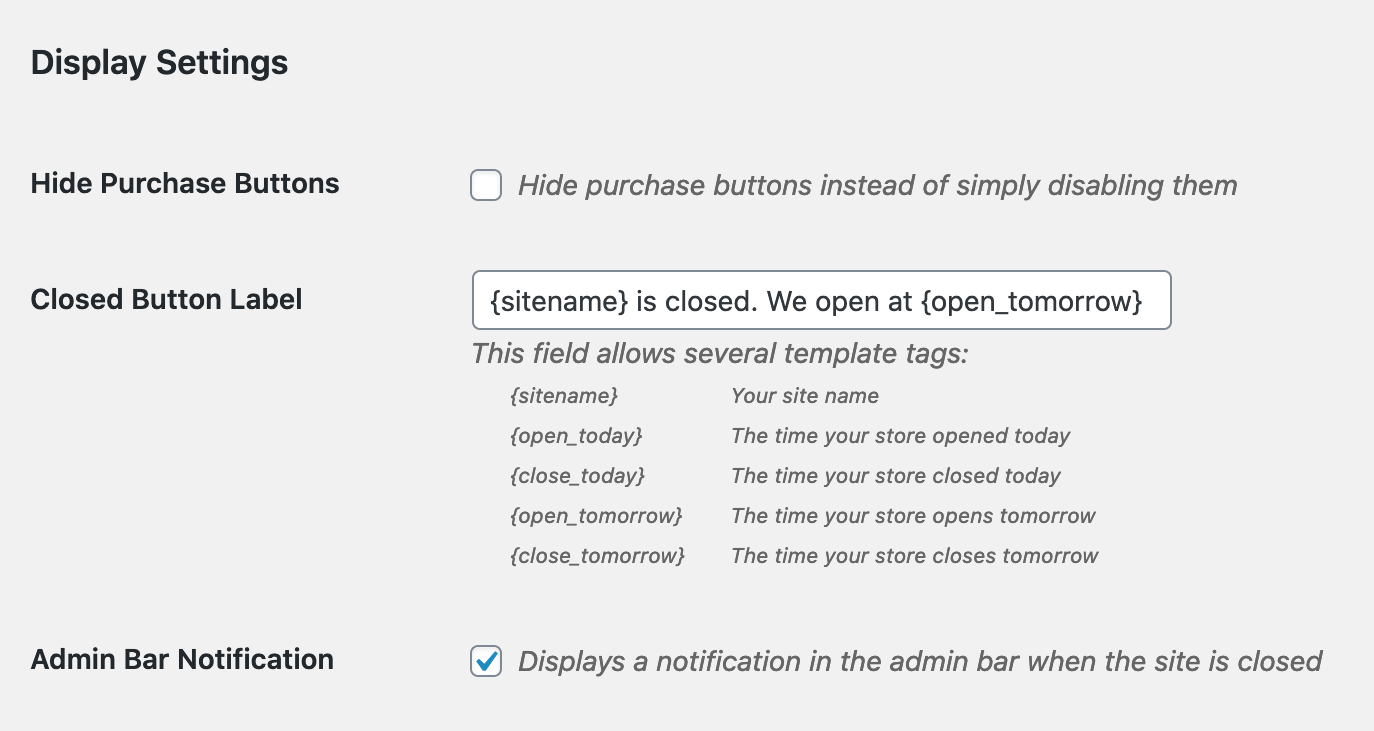
Hide Purchase Buttons: This allows you to remove purchase buttons on your site completely when the store is “closed”.
Closed Button Label: If you’re not hiding the purchase buttons, this area allows you to set a custom message which will display in place of the purchase button while the store is “closed”. 5 template tags are available to use along with custom text (see image above).

Admin Bar Notification: When selected there will be a “Store Closed” notification added to the WordPress admin bar.




