Conditional Gateways lets you configure payment gateways on a per-download basis. Do you have products that may only be purchased through certain payment processors? This feature is exactly what you need.
It lets you enable or disable payment methods based on the contents in a customer’s shopping cart.
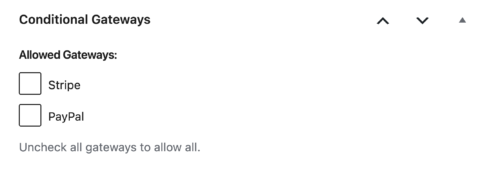
Say you sell ebooks along with other digital products. PayPal’s terms of service don’t allow ebook sales through their gateway, so you can restrict your ebooks to Stripe while leaving your other products open to both. Once active, a new section appears on every Download product’s edit screen, letting you choose which gateways to enable.
What Conditional Gateways Does
- Restrict any product to specific payment gateways, right from the product edit screen.
- Mix restricted and open products in the same store. Checkout only offers a gateway if every restricted product in the cart allows it.
- Show your own custom message if a customer’s cart ends up with no valid gateway, instead of a generic error.
- Works alongside the EDD Wallet feature and Stripe’s Apple Pay and Google Pay button, each with its own filtering behavior.