

La extensión ClickBank para Easy Digital Downloads te permite vincular productos de ClickBank con productos de tu propia tienda Easy Digital Downloads. Cuando alguien elige comprar un artículo de tu tienda Easy Digital Downloads, se le redirige a ClickBank para el proceso de pago.
Nota: Esta extensión proporciona la funcionalidad para pagar a través de ClickBank, esto no te permitirá alojar tus productos de la tienda EDD en el sitio de ClickBank.
Después de haber instalado y activado la extensión Clickbank, sigue los pasos a continuación para configurarla.
Al utilizar la pasarela de ClickBank, ninguna otra pasarela de pago puede estar activa al mismo tiempo.
Tabla de Contenidos
Configurar una tienda en ClickBank
Para usar esta extensión debes tener una cuenta de ClickBank. Puedes crear una en su página de registro.
Configuración de tu cuenta de vendedor".
Configura tu página de "agradecimiento" de ClickBank
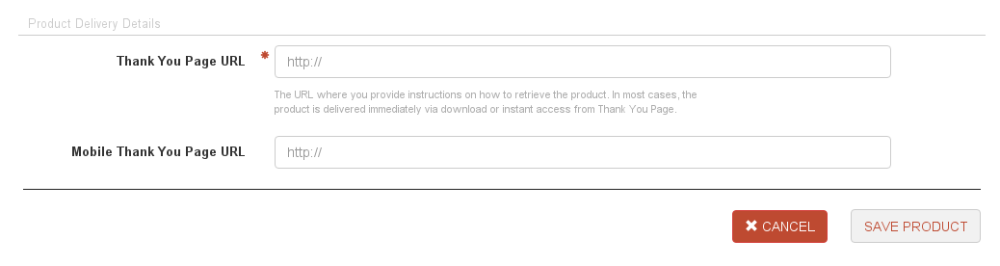 Esta debería ser tu Página de Confirmación de Compra en Easy Digital Downloads. La predeterminada es
https://tusitio.com/checkout-purchase-confirmation pero puedes obtener tu URL exacta navegando al elemento de Páginas en tu Panel de WordPress y copiando el enlace de tu página de Confirmación de Compra.

Crear una clave secreta en ClickBank
Una vez que hayas iniciado sesión en ClickBank, usa la navegación en la esquina superior derecha de la página para ir a Configuración → Mi Sitio. En la parte inferior de esa página hay un cuadro para crear una clave secreta. Haz clic en el botón Editar en la esquina superior derecha de ese cuadro. 
Nota: Las claves deben estar en mayúsculas y no tener más de 15 caracteres.
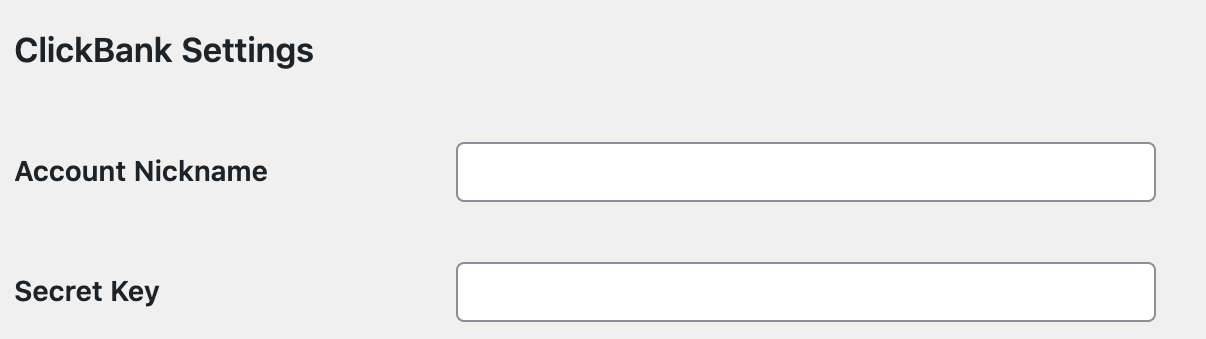
Configurar la pasarela de pago de Easy Digital Downloads
Descargas → Configuración → Pasarelas de Pago e ingresa tu Clave Secreta y tu apodo de ClickBank que ingresaste al crear tu cuenta de ClickBank.
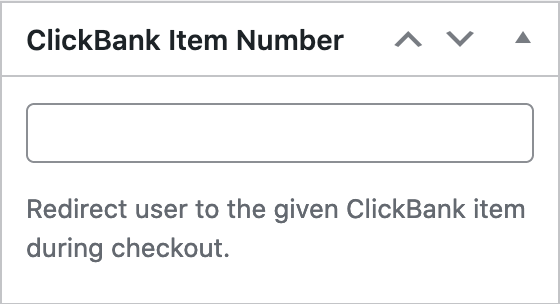
Crear productos en Easy Digital Downloads

Nota: Clickbank tiene una configuración en Ajustes → Mi Sitio → Editor de Herramientas Avanzadas llamada “Encriptar URLs de Transacción”. Si esto está habilitado, esta integración de pasarela no funcionará. Los pagos no se crearán en Easy Digital Downloads si esa casilla está marcada. Debe estar deshabilitada para que funcione con esta extensión. Lea más detalles aquí.



