

Redirecciones de Éxito Condicional te permite enviar fácilmente a un comprador a cualquier página dada en tu sitio después de que la venta se haya completado. Esto es particularmente útil para referir a alguien a un producto relacionado, o quizás a documentación, o notas de carátula de CD, etc.
Después de instalar el plugin, aparecerá un nuevo elemento de navegación en la parte inferior del menú de administración de EDD Downloads (Downloads→Conditional Success Redirects). Hacer clic en él te llevará a una página de archivo de administración como la que se muestra a continuación.
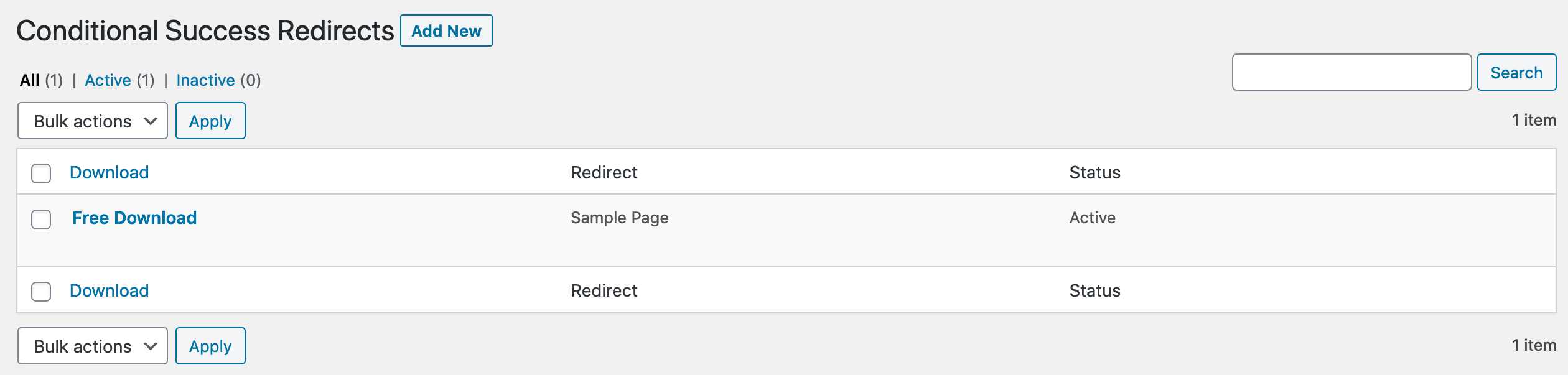
Agregar Nueva Redirección de Éxito Condicional
A continuación se muestra la página "Agregar Nueva". Simplemente elige el producto al que deseas aplicarlo, y luego la página a la que deseas enviar al comprador, luego haz clic en "Agregar Redirección".
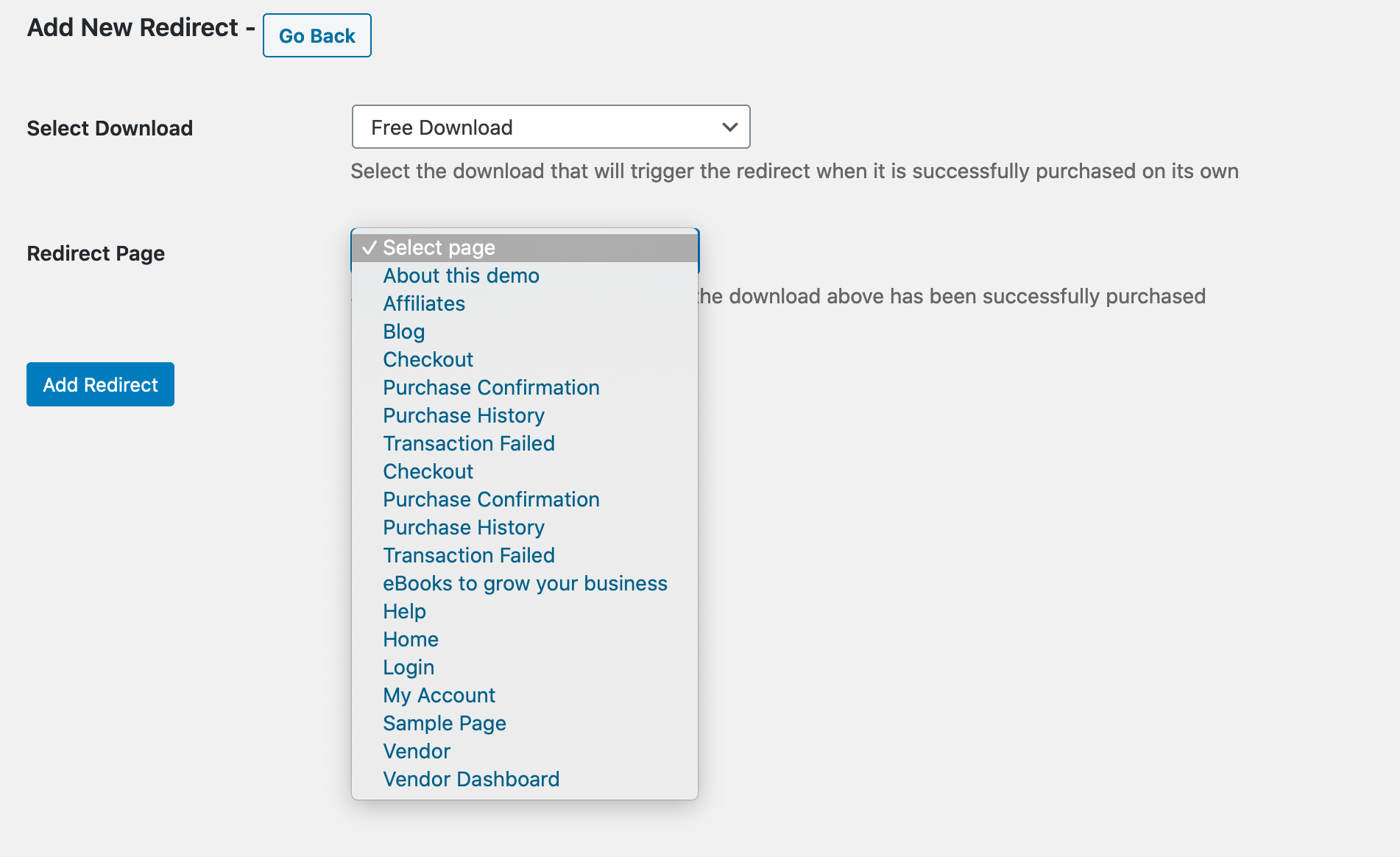
Editar una Redirección de Éxito Condicional
Una vez que existe una Redirección de Éxito Condicional, puedes editarla, así como configurarla como Activa o Inactiva, como se muestra a continuación.
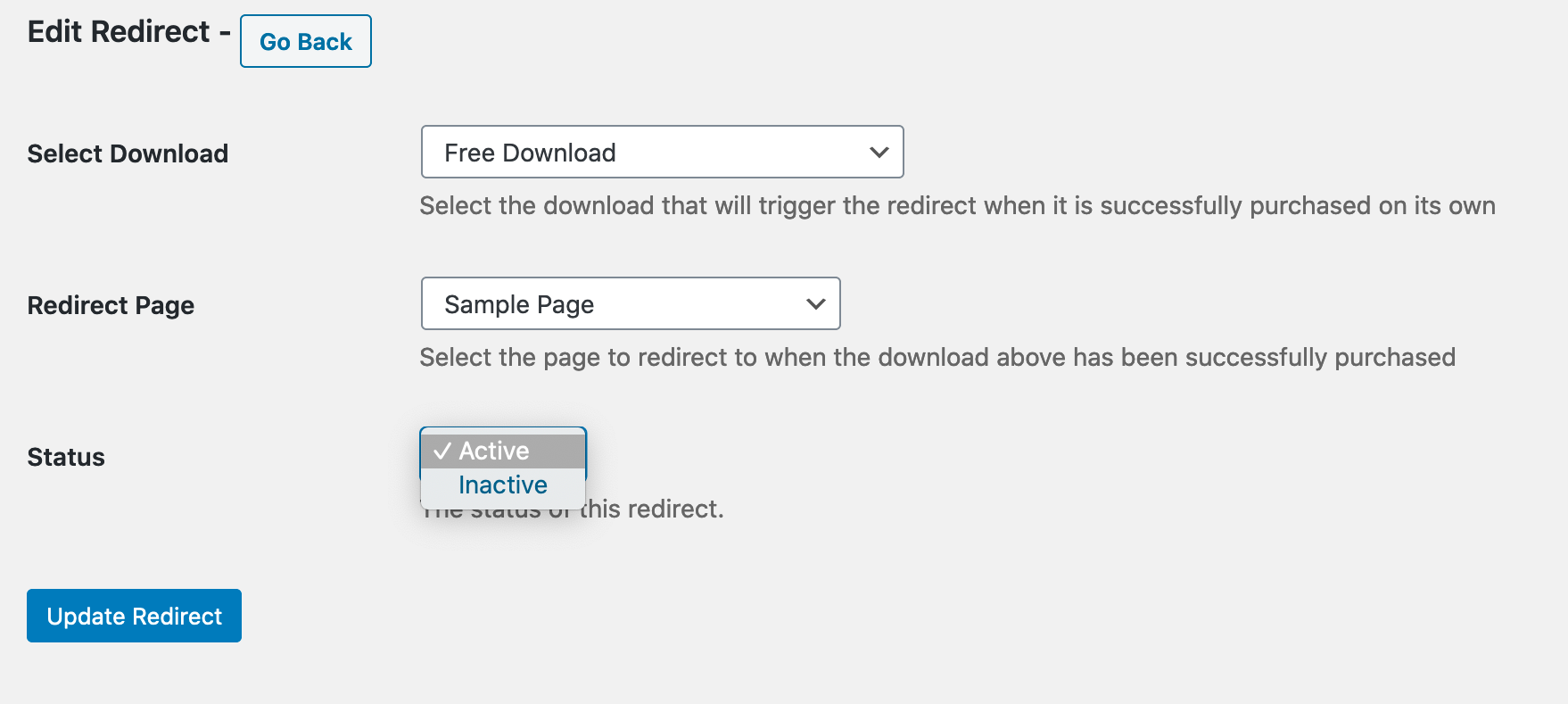
Nota Importante
Solo puedes tener una Redirección de Éxito Condicional para un producto determinado. Si ya existe una, ni siquiera verás ese producto como disponible en la página Agregar Nueva. Si estás intentando agregar una nueva y tu producto no está disponible, probablemente ya exista una Redirección de Éxito Condicional para él, y deberías buscarla en la página de archivo de administración.
Tutorial:
Aquí tienes un video corto que demuestra cómo funciona el plugin:



