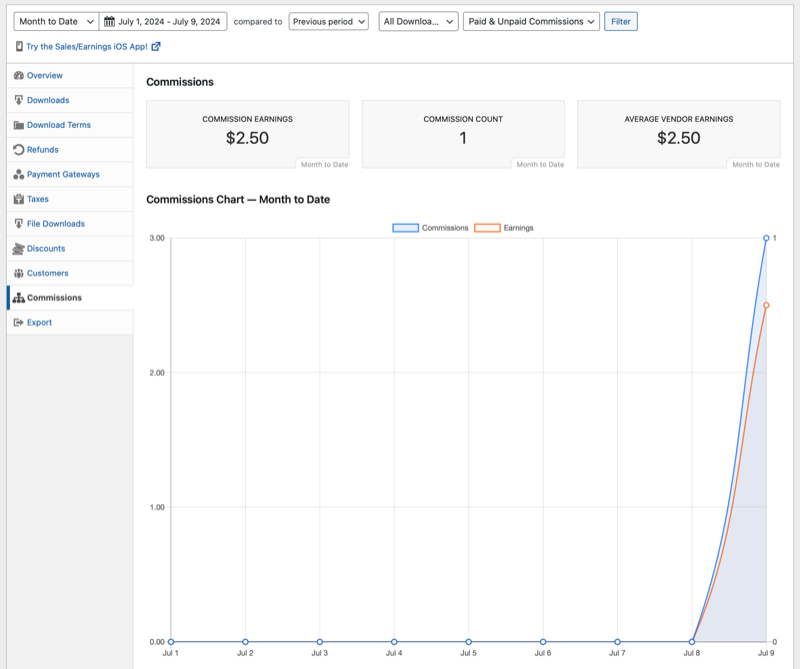
With the Commissions extension, Easy Digital Downloads keeps track of what commissions are paid, and when. You can access this data in the Commissions Report and make educated decisions about your store based on that data.
Reports for all commissions are found under Downloads > Reports > Commissions. The report can be filtered using the filter options above the report.
Reporting Shortcodes
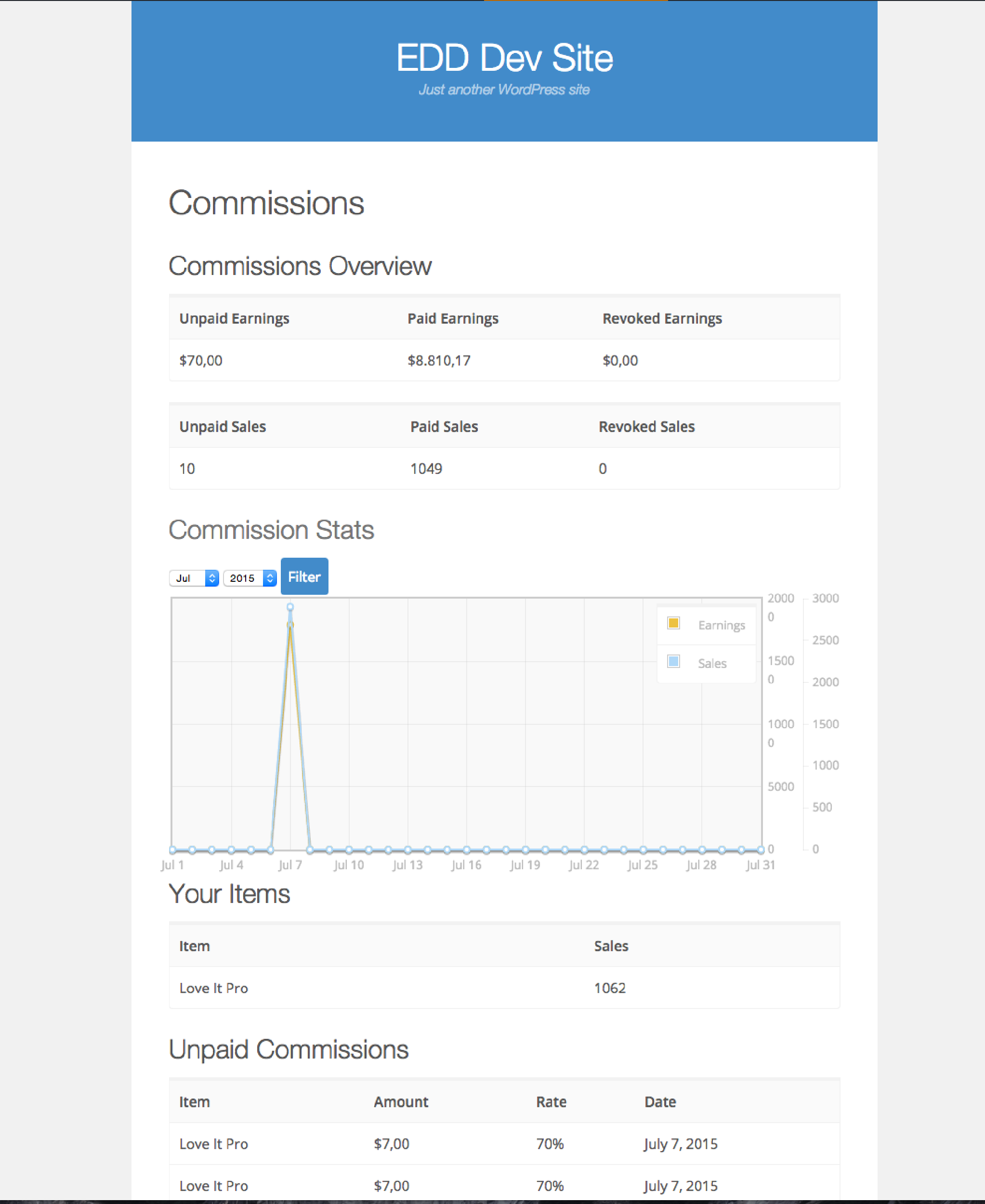
Below are four shortcodes that can render reports to individual logged in users. The screenshot below shows what they render.
[edd_commissions_overview]renders a grid of unpaid earnings, paid earnings, revoked rarnings, unpaid sales, paid sales, and revoked sales.[edd_commissions_graph]renders a chart showing earnings and sales, filterable by date.[edd_commissioned_products]renders of a list of the vendor’s items with the number of sales.[edd_commissions]renders unpaid commissions, listing item, amount, rate, and date.