

Are you tired of manually generating custom invoices for your customers?
The new EDD Invoices extension is here to help you solve that problem.
Often due to VAT compliance or strict accounting departments, customers may request an invoice with additional details that you simply cannot collect during the checkout process at least not without making it too long.
That’s when the EDD Invoices extension comes in handy. It uses simple HTML for quick rendering while allowing your users to fill in their own details along with any custom notes they need.
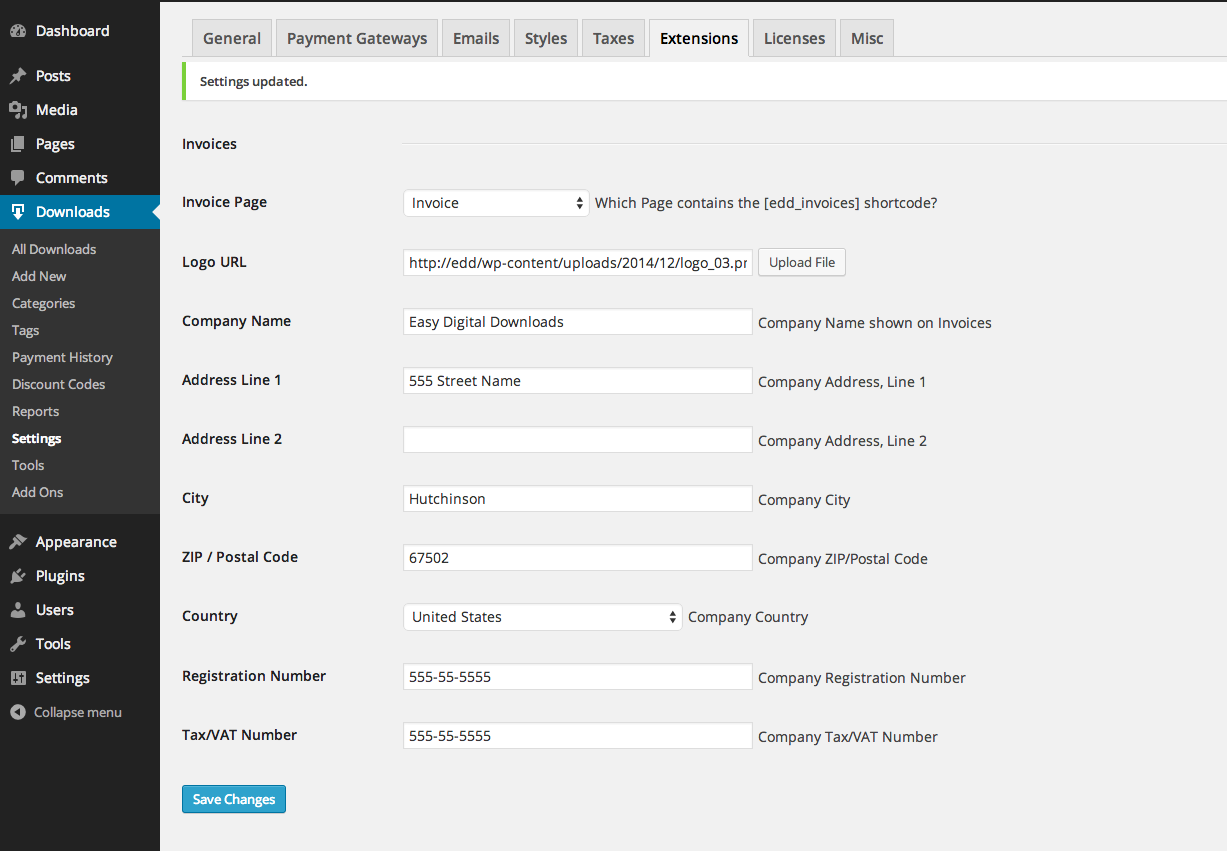
In your EDD extension settings, you can add your company’s information for invoices including your VAT number, registration number, address, and other relevant information. You can also add your logo to make your invoice professional.
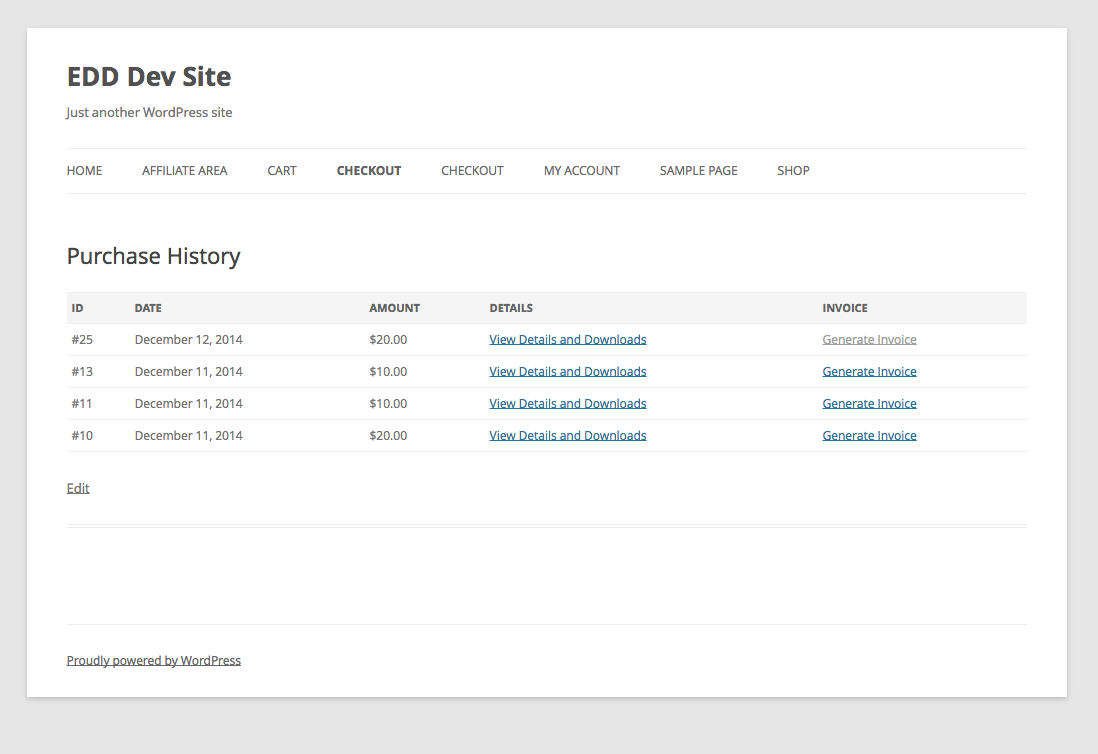
When a user makes a purchase, a generate invoice link will be added to their “My Accounts” or “Purchase History” area of your site.
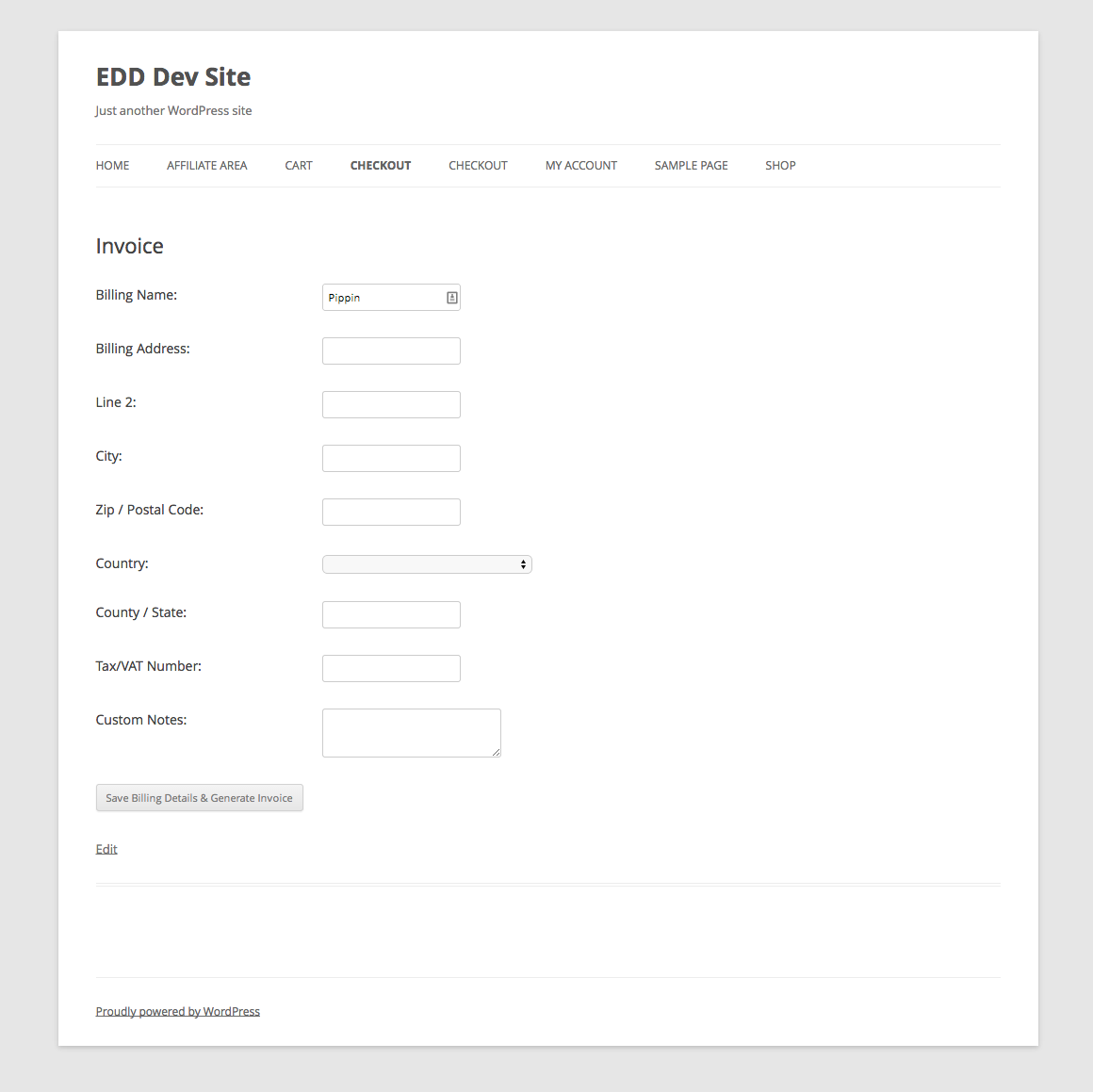
The Generate Invoice page requires users to fill out necessary fields which are used to generate an invoice.
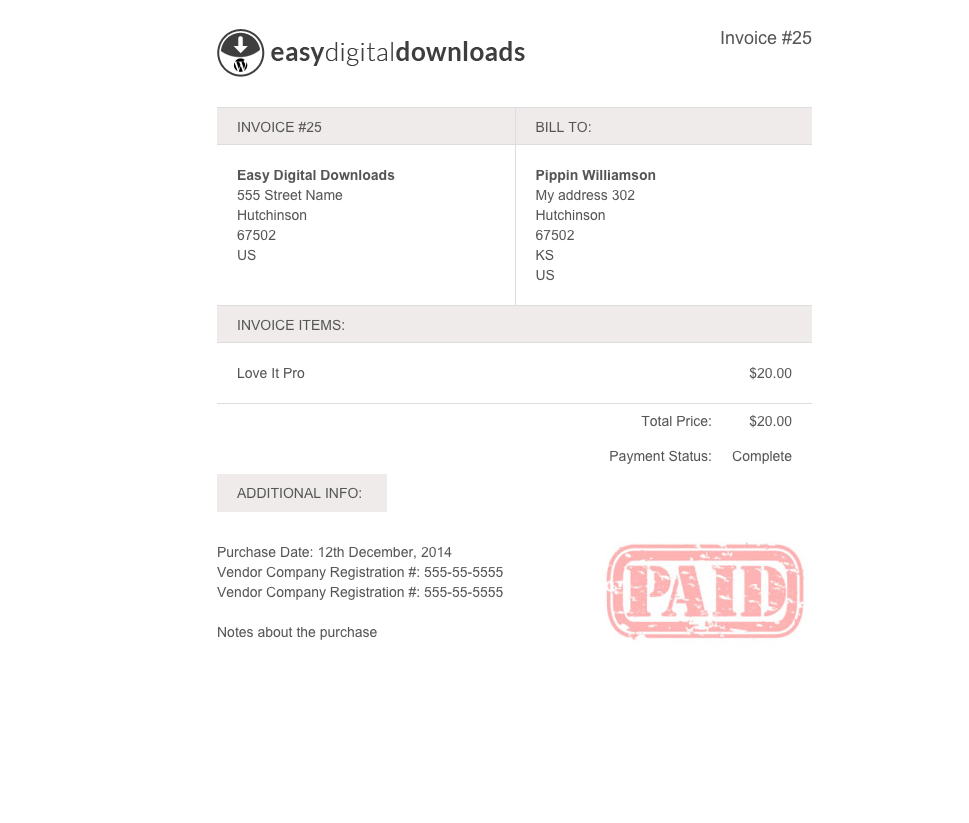
Once done, the user will see a professional invoice that they can either Print or Save as PDF.
It’s that simple.
Stop wasting your time in Microsoft Word to create custom invoices and automated the process with EDD Invoices extension.
We hope this helps! If this was useful, please consider following us on Twitter for more helpful EDD Tips.