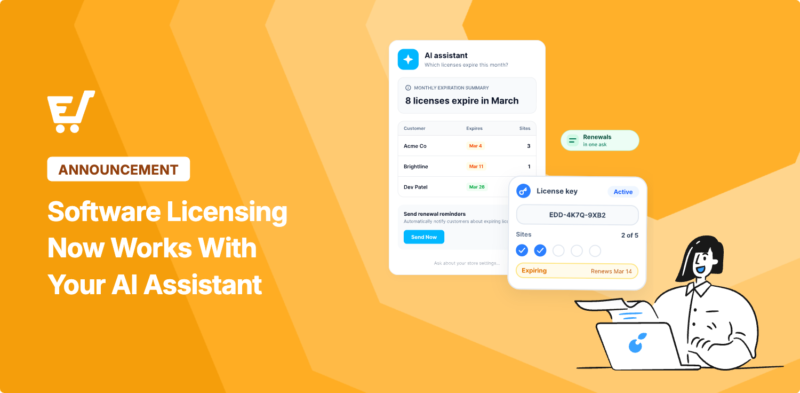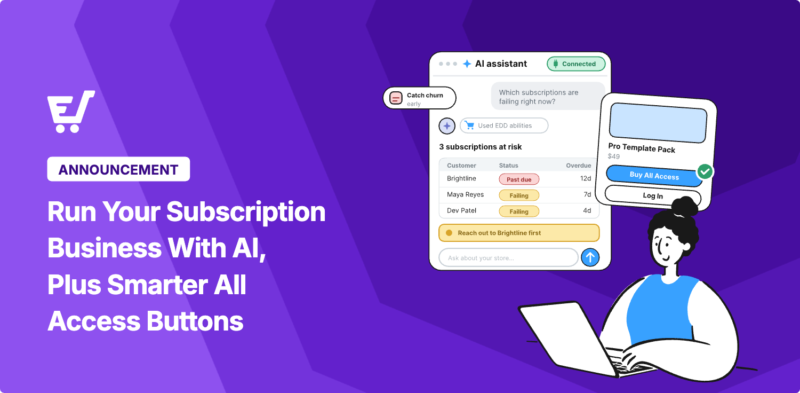


Exciting news: Easy Digital Downloads now works with AI assistants. 🚀
Ask Claude or ChatGPT for a sales report or a discount code, and get a real answer back instead of a login screen. You can even have it prepare a new batch of products to add to your store.
Available with the latest release of EDD, the AI Capabilities work with any AI client that speaks MCP (Model Context Protocol). Your AI assistant reads your store’s real data directly, instead of guessing at your dashboard.
Get instant answers, offload routine tasks, and simplify your store management and maintenance all in a few simple clicks.
Here’s what it can do right now, and how to turn it on.
- What's New in Easy Digital Downloads
- What You Can Ask Your Store To Do
- How to Connect Easy Digital Downloads to an AI Assistant
- What Your AI Assistant Can and Can't See
- Frequently Asked Questions
- What is the WordPress Abilities API?
- Do I need WPVibe, or can I use a different AI assistant?
- Is my store data safe if I connect an AI assistant?
- Can an AI assistant change my store without asking me first?
- Does this work with Easy Digital Downloads Lite, or only Pro?
- What if my site isn't live yet?
- Which AI assistants work with Easy Digital Downloads?
What’s New in Easy Digital Downloads
Easy Digital Downloads now registers its store operations with the WordPress Abilities API. This is the standard WordPress introduced so an AI assistant can discover what a plugin can do and run those actions directly, instead of guessing at your dashboard’s layout.
In practice, that means your store can now answer questions like “how did this month compare to last month?” or build things like a discount code, using your actual store data instead of a screenshot or a guess.
| 🔑 Takeaway | What It Means |
|---|---|
| Ask, don’t click | Sales reports, discount codes, and order lookups now come from a plain English question instead of several dashboard screens. |
| Read-only by default | Your AI can look things up right away. Nothing in your store changes until you turn on write access yourself. |
| Works with any AI | Claude, ChatGPT, Cursor, or any MCP client can reach your store once you connect it. |
| Free for all users | The new AI tab and its core abilities work on Easy Digital Downloads Lite and Pro. Pro adds a few more for features you already have turned on. |
The New AI Tab 🔮
Every updated Easy Digital Downloads site gets a new AI tab. Go to Downloads » Tools » AI to find it.
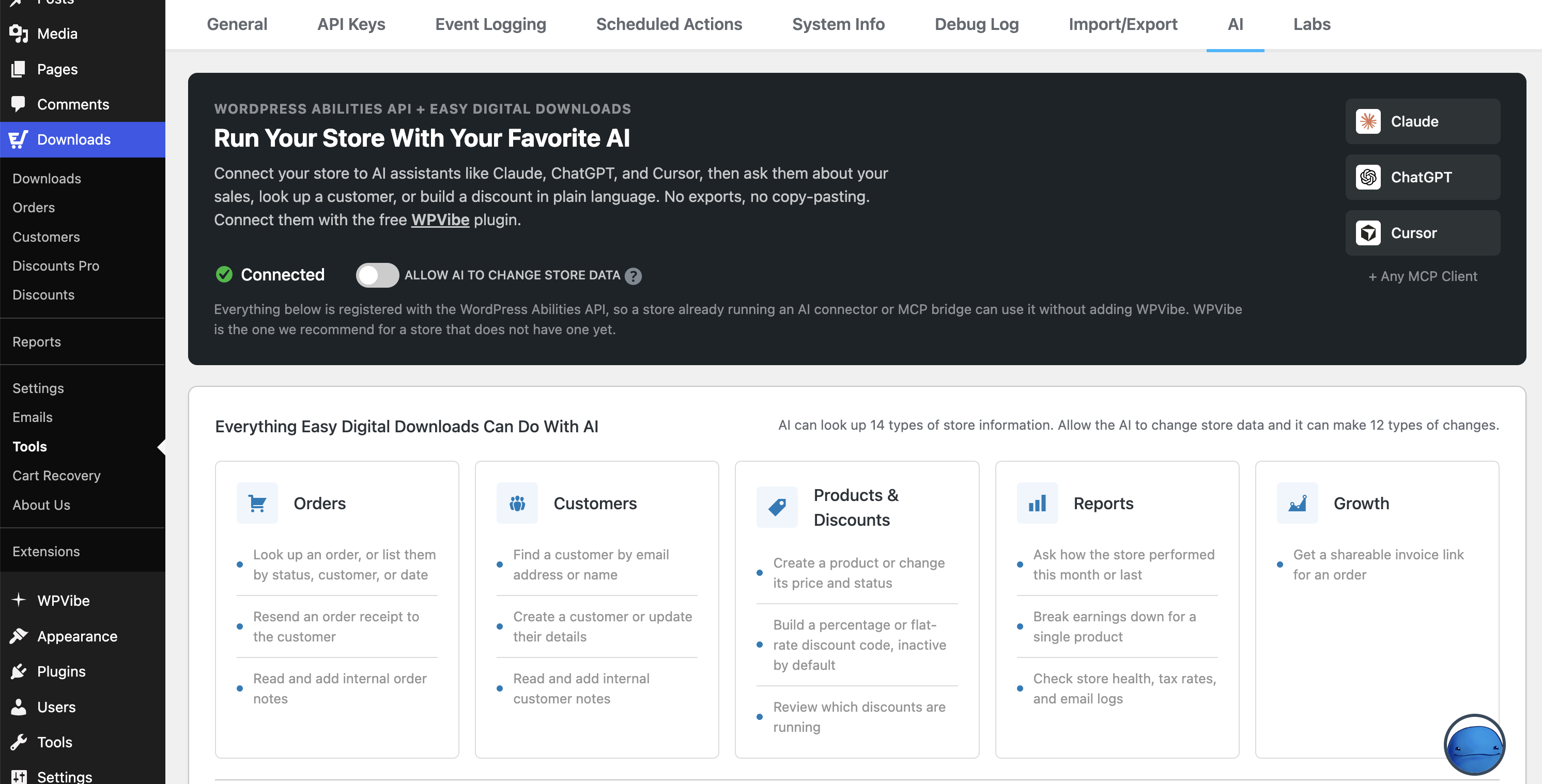
This is where you connect an AI assistant and decide exactly what it’s allowed to see and change. Nothing is turned on for an outside assistant until you connect one here.
What Counts as an Ability 🪄
Each thing your AI assistant can do, like auditing your store before launch or updating a product, is called an ability.
Easy Digital Downloads core currently exposes dozens of them (orders, customers, products, discounts, sales reports, download logs, emails, etc.), and the AI tab counts exactly what your own store shares.
Every ability, and exactly what data it touches, is documented on the AI tab itself, so you’re never guessing at what you just gave access to.
What You Can Ask Your Store To Do 🤖
Lookups work right away. Tasks like creating discount codes, adding products, or resending receipts needs the Allow AI to change store data setting turned on first, so nothing in your store changes until you decide it should.
Get a Sales Report Without Opening a Report Screen
Ask something like “give me a sales report for the last 30 days, broken down by product, and compare it to the period before.” Your assistant reads the numbers straight from EDD’s own reporting data and hands back earnings, order counts, refunds, and average order value for the period you named.
Build a Discount Code by Describing the Sale
Describe the sale in a sentence, for example “create a 20 percent off code for Black Friday weekend, 200 uses, once per customer.” Your assistant fills in the dates, limits, and product rules for you.
New codes are created inactive unless you say otherwise, so nothing is live for customers until you confirm it.
Add Products From a List
If you’ve got a back catalog sitting in a folder, paste the list into your assistant with names and prices. It creates each one as a draft with the description already written, so nothing goes live until you check it.
Your assistant sets the name, price, and description. You’ll still open each product once to attach the file and set up variable pricing, since those stay on the product’s edit screen.
Look Up a Customer’s Order in Seconds
If a customer says they never got their download, give your assistant the email address. It can find the order, check the receipt history, check the download log, and resend the receipt, all without you opening three different screens.
Run a Pre-Launch Audit
Before you launch or hand a store off to a client, ask for a plain English check of test mode, payment gateways, checkout pages, and taxes. It’s the same information you’d otherwise gather by clicking through several settings pages yourself.
How to Connect Easy Digital Downloads to an AI Assistant
You’ll need Easy Digital Downloads 3.7.1 or newer, running on WordPress 6.9 or newer. From there, connecting takes a few minutes.
Step 1: Open the AI Tab
Go to Downloads » Tools » AI. This is where the below steps happen.
Step 2: Install an MCP Connector
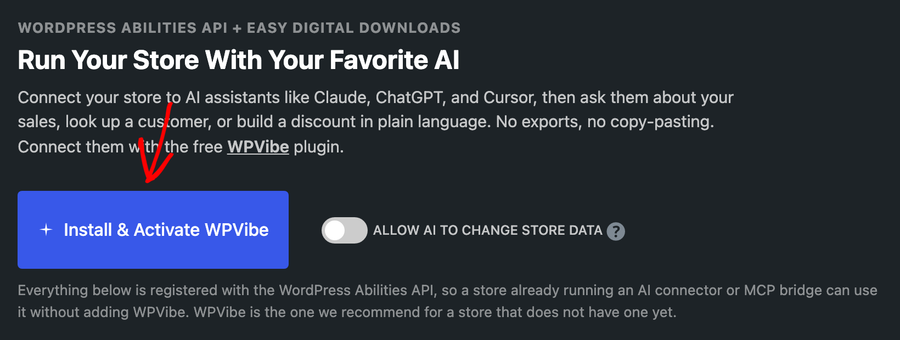
Your AI assistant needs a bridge to reach your store over the web. The best tool for this is WPVibe, a free plugin available from WordPress.org that’s already verified against Easy Digital Downloads.
If WPVibe isn’t active yet, the AI tab shows a button that installs and activates it for you in one click.
Step 3: Connect Your AI Assistant
Add your connector’s server address to your AI client, whether that’s Claude, ChatGPT, Cursor, or another MCP client. Then tell the assistant, in plain English, to connect using that address.
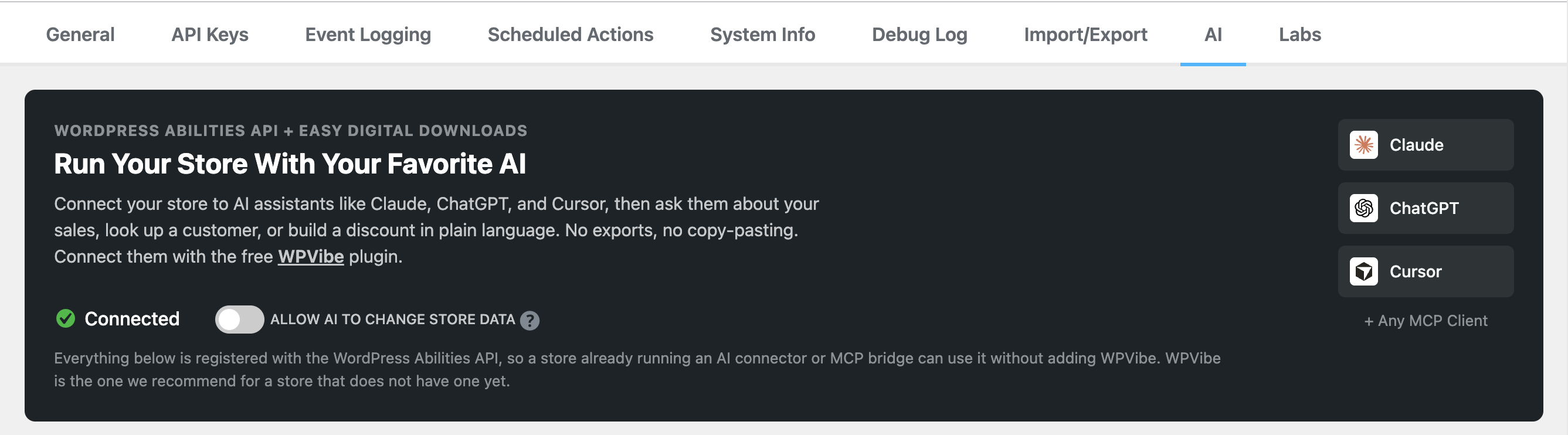
Your assistant responds with a one-click authorization link. Approve it, and the AI tab shows your store as connected.
Step 4: Choose What It’s Allowed to Change
Out of the box, your assistant can only look things up. That covers everything in the section above.
If you also want it to create and edit orders, customers, products, and discounts, or send receipts, turn on Allow AI to change store data.
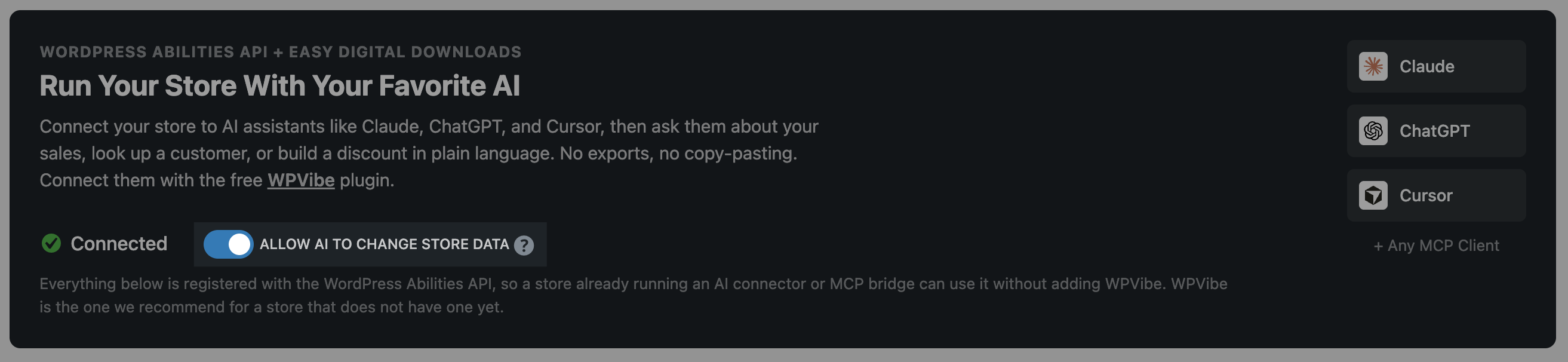
Even then, it’s limited to what your connected account can already do in the dashboard. Any action that can’t be undone asks for your approval first.
What Your AI Assistant Can and Can’t See
The AI tab tells you plainly what a connected assistant can access: customer names, email addresses, and mailing addresses, order details, file download records, and the emails your store has sent.
It sees all of that as the account you connected it with, and nothing that account couldn’t already see in your dashboard.
This feature works the same way on Easy Digital Downloads Lite and Pro. If you’re on Pro with features like Invoices turned on, your assistant automatically sees abilities for those too. There’s nothing extra to buy to get started.
A few things stay off limits on purpose. Refunds aren’t available to AI at all, they stay on the order screen in the admin. This is EDD core’s first pass at the WordPress Abilities API, and support for more features is coming soon.
For the full picture of what’s available, see WPVibe’s verified Easy Digital Downloads recipes.
FAQs on Using Easy Digital Downloads With AI Assistant
What is the WordPress Abilities API?
It’s a standard WordPress introduced so plugins can describe what they can do in a way an AI assistant can discover and use directly, instead of the assistant guessing at your site’s layout or clicking through screens on your behalf.
Do I need WPVibe, or can I use a different AI assistant?
WPVibe is the connector we recommend and have verified against Easy Digital Downloads, but the AI tab works with any MCP client, including Claude, ChatGPT, and Cursor.
Is my store data safe if I connect an AI assistant?
Your assistant only sees what the account you connect could already see in your dashboard, and the AI tab lists exactly what data that includes. Write access is off until you turn it on yourself.
Can an AI assistant change my store without asking me first?
Not by default. Read-only access comes first, and even after you turn on write access, any action that can’t be undone, like deleting a discount code, asks for your approval before it happens.
Does this work with Easy Digital Downloads Lite, or only Pro?
Both. The AI tab and its core abilities work on Lite. Pro adds a few more abilities automatically, based on which Pro features you already have turned on.
What if my site isn’t live yet?
Your connector needs to reach your store over the web, so a site on a public host works right away. A local development site needs a tunnel first, since it isn’t reachable from outside on its own.
Which AI assistants work with Easy Digital Downloads?
Any assistant that supports MCP, which today includes Claude, ChatGPT, and Cursor, can connect once you’ve set up a connector like WPVibe.
Try Using Easy Digital Downloads With AI
After updating Easy Digital Downloads to the latest version, open Downloads » Tools » AI on your own store and connect an assistant. Start with a question you already know the answer to, like this month’s sales, so you can see how it compares before you ask something you don’t.
Read more in our Connecting an AI Assistant and EDD AI Abilities guides.
And don’t forget to update your Easy Digital Downloads plugin to the latest version. This release also adds Command Palette support, so Cmd+K (or Ctrl+K on Windows) jumps you straight to an order, customer, discount, or download without clicking through menus.
📣 P.S. Be sure to subscribe to our newsletter and follow us on Facebook, Twitter/X, or LinkedIn for more WordPress resources!