

Your checkout page is the last thing a customer sees before they buy, so it needs a design that creates a smooth, high-converting buying experience.
You’ve always had a few ways to adjust your checkout page, but you were limited to a handful of preset layouts, with no way to rearrange what was inside them.
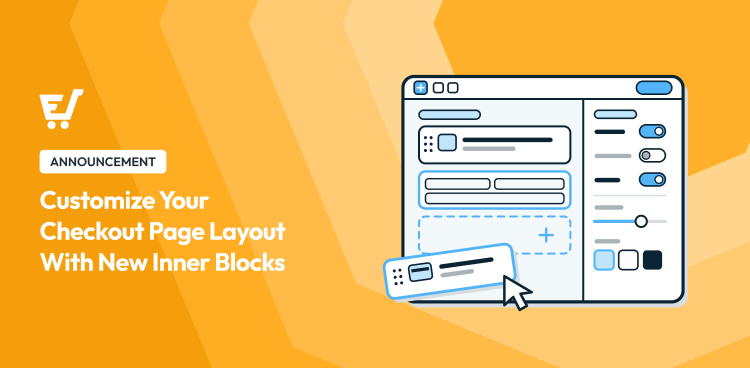
We’re excited to announce that’s changed. With the latest Easy Digital Downloads update, you can customize your checkout page layout with new inner blocks, right in the WordPress block editor. No extra plugin or coding required.
Here’s everything that’s new, and how to start using it.
Key Takeaways
| Full Layout Control | Rearrange, add, or remove any piece of your checkout page directly in the block editor. |
| No Extra Plugin | Available in Easy Digital Downloads Lite and Pro. No page builder required. |
| Ready-Made Starting Points | Pick from several pre-built layouts, then customize from there. |
| New Settings Per Section | Show quantities, combine name fields, and more, all from the block sidebar. |
What Changed on Your Checkout Page 🎨
Before, checkout in Easy Digital Downloads lived inside one single block (EDD Checkout). You could pick from a few ready-made shapes, but you couldn’t touch what was inside them.
Now, with the latest Easy Digital Downloads update, your checkout page is built from inner blocks: your cart, your customer’s personal info, payment details, and your discount code field. Each one is its own block.
Already have a checkout page? It updates automatically. Any settings you’d already chosen, like your layout or whether the discount form shows, carry over. Nothing breaks and there’s nothing you need to redo.
That means you can move any of them, remove the ones you don’t need, or rebuild the whole page from scratch. All without touching a line of code.
More Control Over Every Part of Your Checkout 🧩
Easy Digital Downloads splits your checkout into blocks you can control individually. Here’s what that actually looks like.
Choose From Ready-Made Layouts
On your store’s Checkout Page, the EDD Checkout block opens its Layout panel.
Five layouts are available to start from: a single column, a couple of two-column splits, and a layout with your cart on top and the rest of the form below it.

Pick whichever one is closest to what you want. A two-column layout, for example, keeps your cart summary visible while your customer fills in their payment details, so they can see exactly what they’re buying at the moment they decide to pay.
You can reopen this panel and switch layouts any time. Just know that switching replaces every block inside your checkout, so pick your layout first and save your customizing for after.
Rearrange Any Piece of Your Checkout
Once you’ve picked a layout, every section of your checkout is its own block. Drag any of them to a new spot, or delete one you don’t need.

Don’t want a discount code field on checkout at all? Turn it off from the cart block’s settings instead of deleting a whole section.
Fine-Tune Each Section
Every piece has its own settings. Your cart block lets you show or hide product thumbnails, adjust their size, and decide whether customers can change item quantities right from checkout.

Your personal info block can combine first and last name into a single field, a small change that can make your checkout form feel shorter.
Style Each Section to Match Your Store
Pick a two-column layout, and each column becomes its own block with its own set of design options. Choose from several built-in style presets, right from the same sidebar you already used to rearrange blocks.

How to Customize Your Checkout Page Layout ⚙️
Ready to get started? After you update Easy Digital Downloads to the latest version, you can access and use the new inner blocks right away.
From your WordPress dashboard, go to Pages and open your checkout page. The EDD Checkout block is already there. Not sure which page it is? Check Downloads » Settings » Payments for the Checkout Page field.
Want to try this out first without touching your live checkout? Create a new page and add the EDD Checkout block there instead, then pick a layout from the picker that appears.

Select any block, cart, personal info, payment info, or discount form, to open its own settings in the sidebar. The cart block alone gives you toggles for product thumbnails, thumbnail size, item quantities, and the discount form.
Rearrange, duplicate, or delete any block using the block toolbar.

Click Save or Update, then turn on the cart block’s Preview as Guest toggle to see exactly what your customers will see before you publish.

FAQs on Customizing Your Checkout Page Layout
Will updating Easy Digital Downloads change my existing checkout page?
No. Your checkout page updates to the new block structure automatically, and any settings you’d already customized, like your layout choice or discount form visibility, carry over. There’s nothing to redo.
Do I need Easy Digital Downloads Pro to customize my checkout page layout?
No. Easy Digital Downloads includes this feature in both the free Lite version and Pro. Every EDD user gets full access to it.
What parts of my checkout page can I customize?
You can rearrange, remove, or adjust your cart, your customer’s personal information fields, your payment details, and your discount code form. Each one is its own block. You can also drop in standard WordPress blocks, like a paragraph, heading, or testimonial quote, right alongside them.
Will changing my checkout layout break anything?
No. Every layout you start from is a working design. You’re rearranging real blocks, the same way you’d edit any other page in WordPress.
Can I still use Elementor to design my checkout page?
Yes. If you want more advanced design control, EDD Checkout Templates still work with Elementor. This block editor option is for anyone who wants a simpler, built-in way to customize their layout.
How do I turn the discount code field on or off?
It’s a setting on the cart block, not a separate piece to add or remove. Select your cart block, open its settings, and toggle Show Discount Form.
Do I need any coding experience to use this?
No. Everything happens in the WordPress block editor, the same tool you already use to edit pages and posts.
Will this work with my theme?
In most cases, yes. Since it uses standard WordPress blocks, it works with most themes. If your theme has unusual custom styling, double check how your checkout looks before you publish.
Give Your Checkout a Layout That Converts 🚀
Your checkout page doesn’t have to be a fixed template anymore. With Easy Digital Downloads, you can build a layout that actually fits your store, using tools you probably already know.
Head to your checkout page and give it a try. See our Customizing Checkout Layout documentation for more guidance, or the Release Notes for everything else new in this release, including Checkout Templates, which are available to import with a Pro pass.
📣 P.S. Be sure to subscribe to our newsletter and follow us on Facebook, Twitter/X, or LinkedIn for more WordPress resources!