With the arrival of the new WordPress editor (also known as Gutenberg), we have released a free plugin that adds a Downloads block to any post or page.
Easy Digital Downloads Blocks allows you to add a block that displays a grid of your downloads on your site, similar to the

Sydney
Create stunning websites that are easy to customize and fast to load. Sydney is the perfect starting point for all your big ideas.

Waveme – Music Platform WordPress Theme
Waveme is a music WordPress theme with many features to build a professional music web application, It aim for Music platform, Audio publisher, Sophisticated DJ application. The Audio Social Network for […]
GeneratePress
Focused on speed, stability, and accessibility, our lightweight WordPress theme and suite of tools lets you build beautiful high-performance websites that work. GeneratePress uses Easy Digital Downloads to power it’s […]

Digital Downloads Pro
Digital Downloads Pro is a Genesis child theme by brandiD, specifically built for starting your digital eCommerce site, and is integrated seamlessly with Easy Digital Downloads. Powered by a 1-click […]

Podcast Pro
Podcast Pro is a Genesis child theme by brandiD, that helps you speak your truth, tell a story, and share your voice with the world. Educate, inspire, or move people […]

PayPal Commerce Pro Payment Gateway
The PayPal Commerce Pro payment gateway extension for Easy Digital Downloads allows you to accept credit cards, debit cards, and alternative payments alongside PayPal on your WordPress sites. With PayPal […]

Stripe Payment Gateway
Stripe is the premier choice for online credit card processing; it’s also the most popular payment gateway for Easy Digital Downloads – and it’s our preferred option! With our Stripe integration, […]
Multi Currency
Want to maximize international sales? Then, you’ll need to display and accept multiple currencies on your site. With multi-currency support, you can help customers avoid being charged a currency conversion […]

Coaching Pro
Coaching Pro is a Genesis child theme by brandiD. Perfect for personal branding sites like a life coach, business coach, speaker, author or consultant.
Display a grid of downloads
After installing and activating the EDD Blocks plugin, you can add the block to an existing page, or create a new page where you will display your products. There are three easy ways to add a Downloads block to your post or page:
1) Click the Add block icon in the menu above the editor area, and search for downloads. Click the Downloads icon and text to add the block.
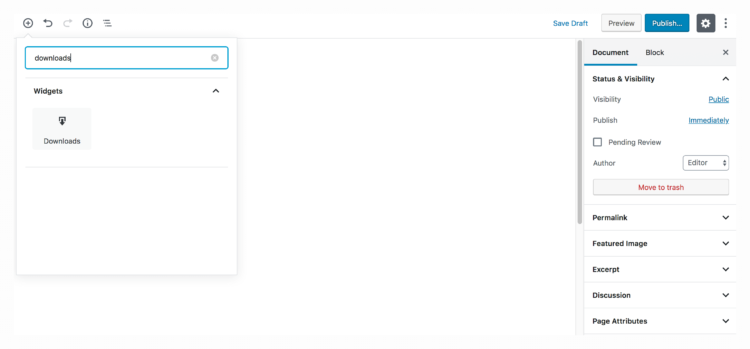
2) Click the Add block icon in the editor area, and search for downloads. Click the Downloads icon and text to add the block.
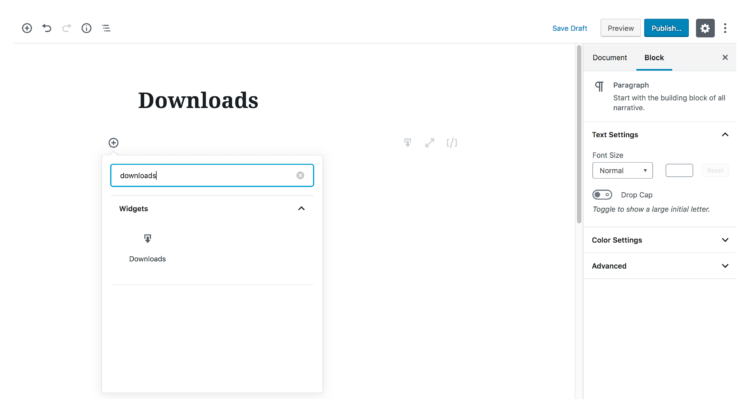
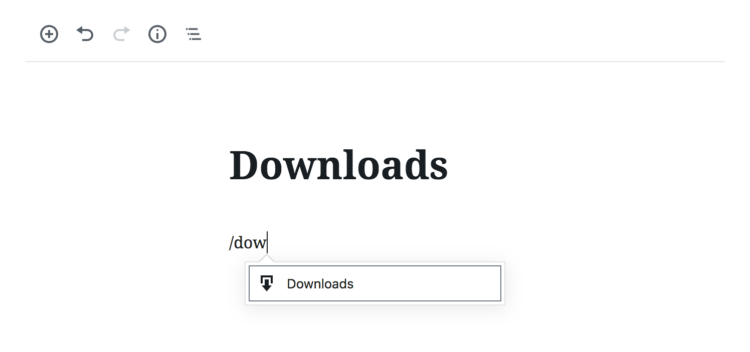
3) Hover over the editor area until you see an Add block icon, then click into the editor area and start typing /downloads. Click the Downloads icon and text to add the block.
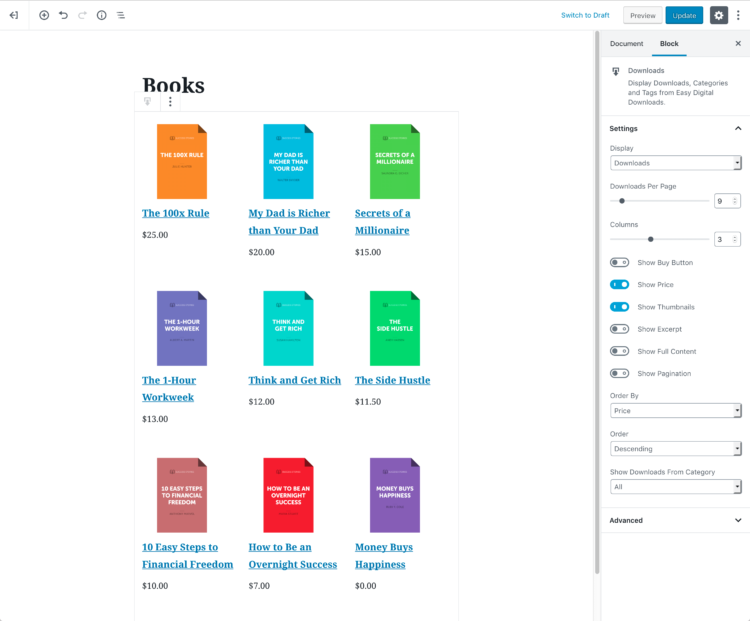
After adding a block, you can configure the settings and select which information and elements you’d like to show in your downloads grid. Choose to show the price, a Buy Button, a thumbnail, or more content. You can also select how many downloads should appear on a page and enable pagination, as well as order your downloads.
Display download categories and tags
If you’d prefer to display your downloads by category or tags, you can choose this from the Display drop-down menu. You can then configure which download details you wish to show, and how you’d like your products to be ordered.
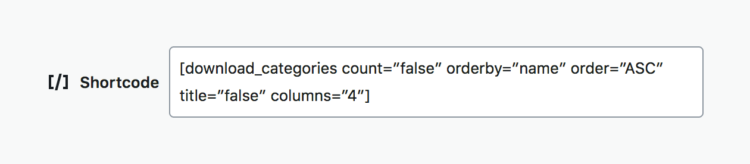
The new WordPress editor also provides a shortcode block, so we’ve added a [download_categories] and [download_tags] shortcode to which you can add parameters for more granular control of your displayed products.
To use EDD Blocks, you’ll need Easy Digital Downloads and WordPress 5.0 or later. If you haven’t updated to WordPress 5.0 yet, you’ll need the latest version of the Gutenberg plugin.
Easy Digital Downloads Blocks is available now! View the full list of features, view shortcode parameters, and download the plugin from WordPress.org. Alternatively, you can install the plugin directly from your WordPress admin via the Plugins page.