


AI tools are changing how buyers find products, and the shift is already affecting digital sellers.
Google AI Overviews now appear above organic results in standard searches. ChatGPT and Perplexity recommend products by name in conversational answers. Google AI Mode gives users a dedicated AI-powered search experience. Most digital product stores aren’t set up to show up in any of them.
This guide covers how to change that: from writing product descriptions AI can actually read to adding schema markup, building off-site authority, and making sure AI crawlers can access your store.
If you’re using EDD with AIOSEO, most of this takes an afternoon, no developer needed.
- Key Takeaways
- Why AI Tools Are Part of How People Find Digital Products
- Write Product Descriptions AI Systems Actually Understand
- Add the Structured Data That Gets You Cited
- Use Your Product Relationships as an AI Discovery Signal
- Make Sure AI Crawlers Can Find Your Store
- Build the Off-Site Signals AI Tools Trust
- Keep Your Visibility Growing Over Time
- FAQs: Getting Digital Products Found By AI Search
Key Takeaways
| Takeaway | Detail |
|---|---|
| AI needs structured data | Schema markup helps ChatGPT and Perplexity read and cite your product pages confidently. |
| Product descriptions do double duty | Write them for human buyers and AI systems. Specificity and natural language both matter. |
| Product relationships are a signal | How your products relate to each other tells AI what to recommend when shoppers ask questions. |
| Reviews build AI authority | Third-party reviews on the right platforms are one of the strongest trust signals for AI tools. |
| Technical access matters | If AI crawlers are blocked, none of the above helps. |
Why AI Tools Are Part of How People Find Digital Products
Shoppers aren’t just searching Google anymore. AI-driven product discovery is happening at scale, and the data behind it is hard to ignore.
During the 2025 holiday season alone, traffic to retail sites from AI tools grew 693%, according to Adobe Analytics. AI-referred visitors also converted 31% more than visitors from other sources. That’s not a small signal.
🧐 Here’s what that means in practice: Google AI Overviews appear at the top of regular search results, before any organic link. ChatGPT Shopping lets users research and find products in conversation. Perplexity Instant Buy surfaces products directly within answers. Google AI Mode gives users a dedicated AI-powered search experience.
None of these require a user to change their normal search behavior. They’re already built into it.
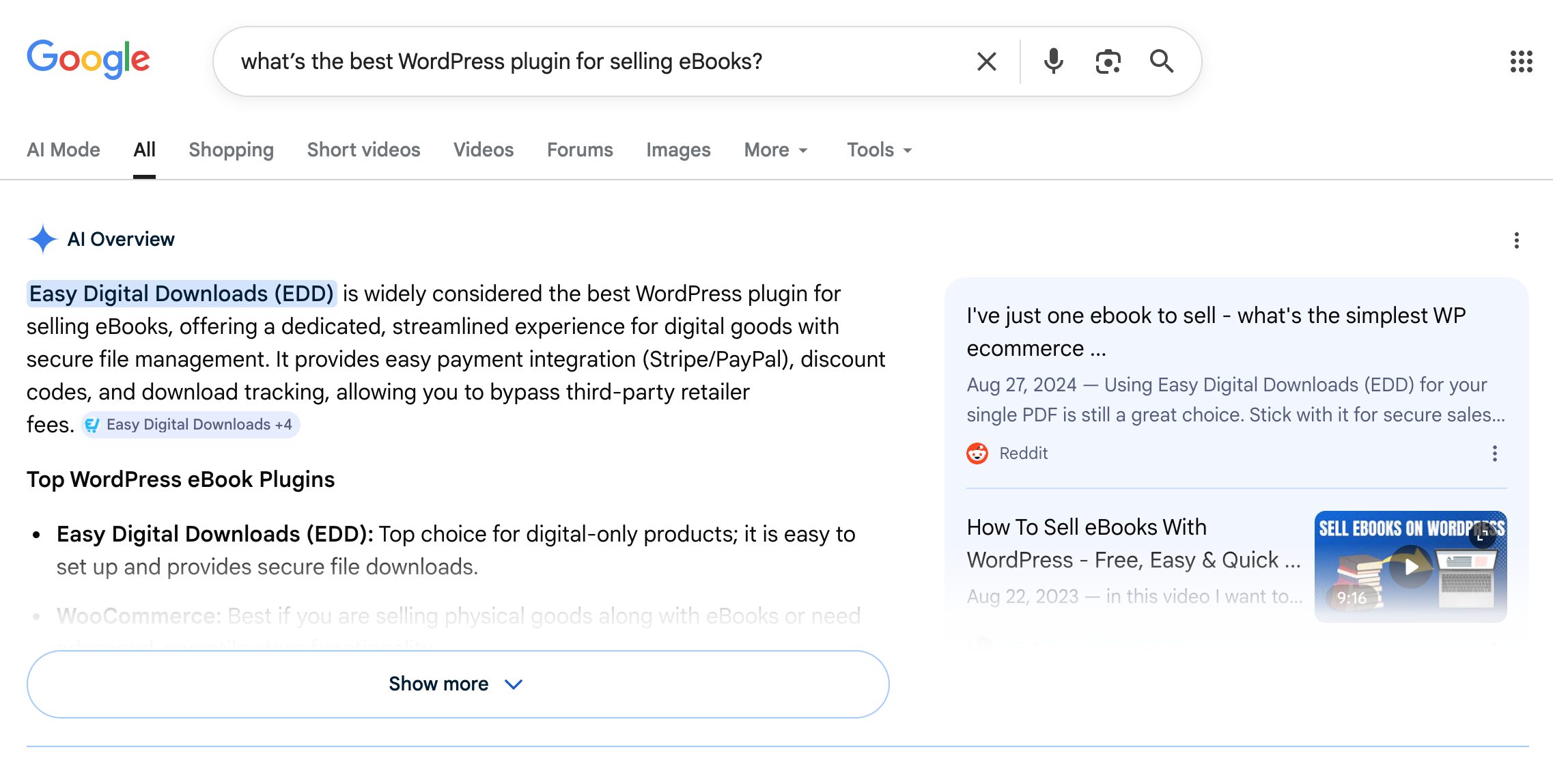
The opportunity for digital product sellers is specific. AI tools don’t just link to your store. They recommend products by name in response to questions like “what’s the best WordPress plugin for selling eBooks?” or “what course platform doesn’t charge transaction fees?” If your store is set up to be cited, you can appear in those answers before the buyer has even decided what to search for next.
This practice has a name: Generative Engine Optimization (GEO). It’s the process of making your content and products citable by AI tools. Think of it as SEO for the AI layer.
One important distinction: traditional SEO rankings don’t guarantee AI visibility. A page can rank #1 on Google and never appear in an AI answer. The two systems overlap, but they follow different rules.
Write Product Descriptions AI Systems Actually Understand
The single highest-impact thing you can do to optimize your digital product listings for AI is improve your product descriptions.
AI tools match products to conversational queries by reading your descriptions and comparing them to what the user asked. Thin or vague descriptions don’t give AI enough to work with. Your products simply don’t get cited.
Be Specific About What the Product Does and Who It’s For
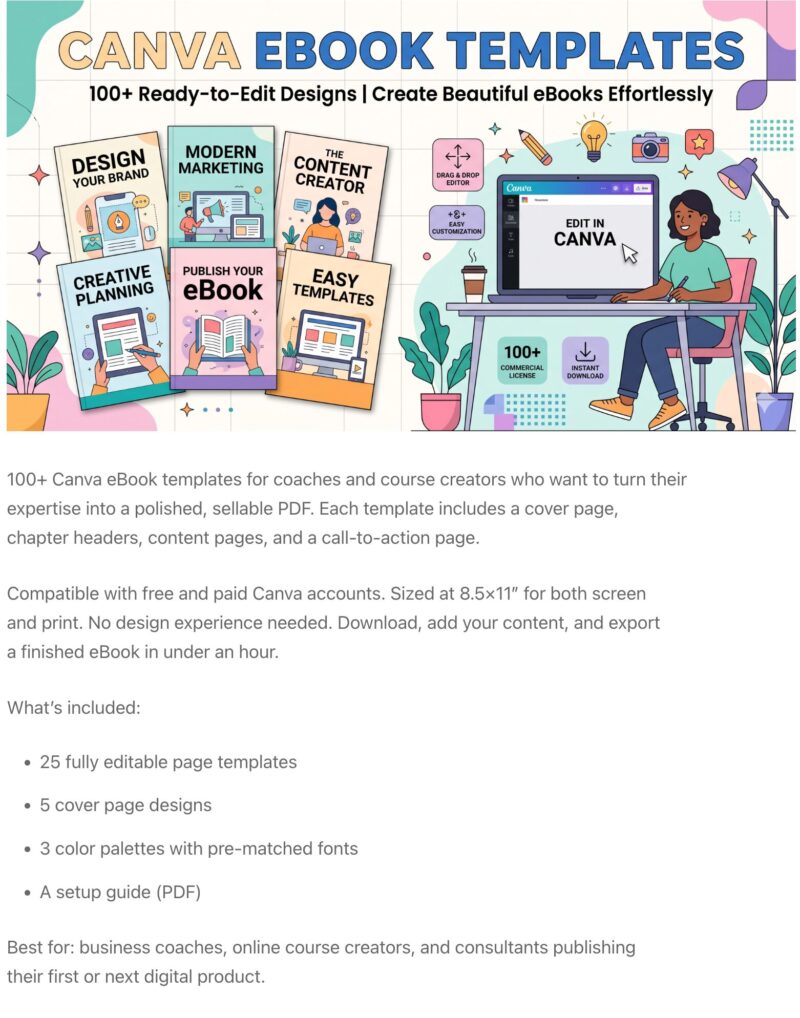
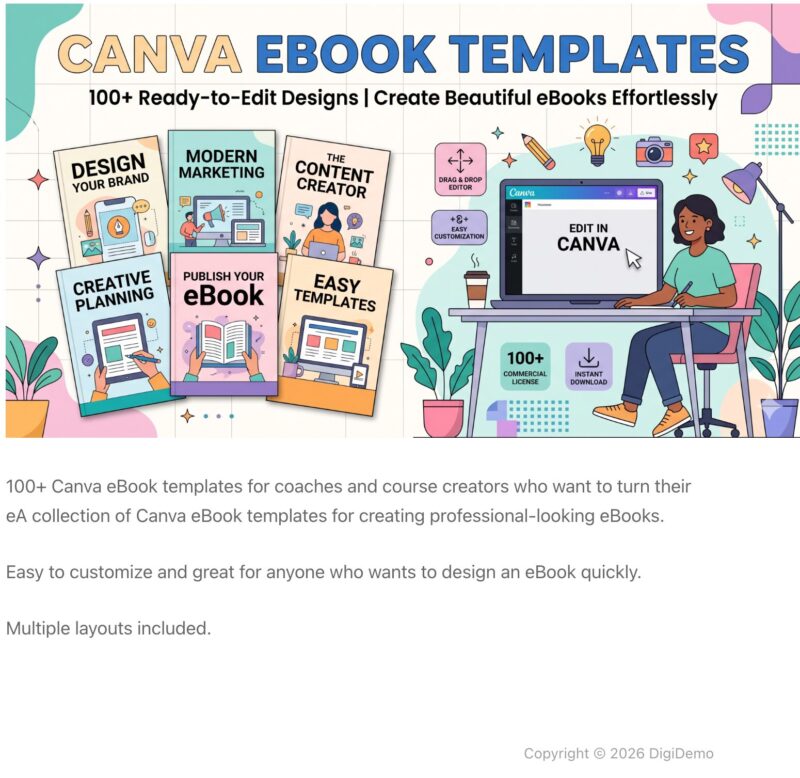
A product called “Social Media Templates Pack” tells an AI tool almost nothing. Templates for who? For what platform? For what outcome? When a user asks “what are the best Instagram templates for fitness coaches?”, AI skips a vague listing because it can’t make the match.
The fix is specificity. Every product description should include four things: the use case, the format, the intended audience, and the outcome.
“50 Instagram story templates for fitness coaches, editable in Canva, sized for mobile, and ready to customize in under five minutes” gives AI something concrete to work with.
✅
🚫
Answer the “Will This Work For Me?” Question Directly
AI tools handle constraint-based queries constantly
- “Does this plugin work with WordPress 6.x?”
- “Is this compatible with Elementor?”
- “Is this course for beginners?”
If your product page doesn’t answer those questions, AI won’t recommend you when users ask them.
Add a short compatibility or requirements section to every product page. Cover the format, software requirements, skill level, and exactly what’s included.
This isn’t just good for buyers. It’s the kind of content AI pulls from when matching a buyer’s specific needs to a product.
User-generated content adds depth here too. Customer reviews, Q&A responses, and testimonials on your product page are genuine GEO trust signals. AI tools favor pages with third-party-validated content.
Add the Structured Data That Gets You Cited
Schema markup is structured data that tells AI systems exactly what’s on your page (the product name, price, description, reviews, and more) in a format they can read with confidence. Without it, AI tools are left guessing. And when they’re guessing, they usually cite someone else.
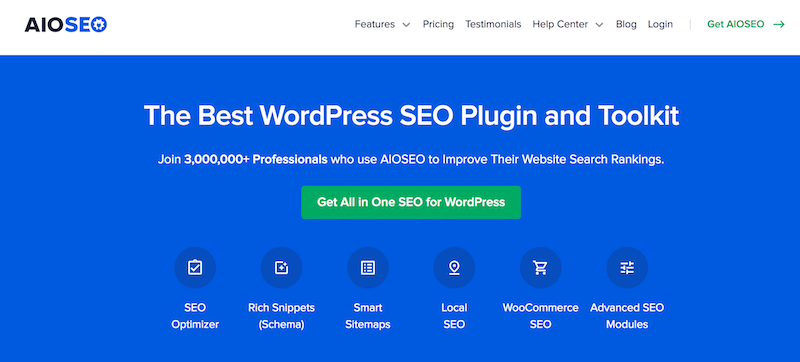
The good news: you don’t need to write a single line of code. AIOSEO handles schema generation with a point-and-click interface directly inside WordPress.
Product Schema
Product schema marks up your product name, price, description, and availability so AI systems can parse them accurately. It’s one of the most direct ways to signal to an AI tool: “this is a product, here’s what it does, here’s what it costs.”
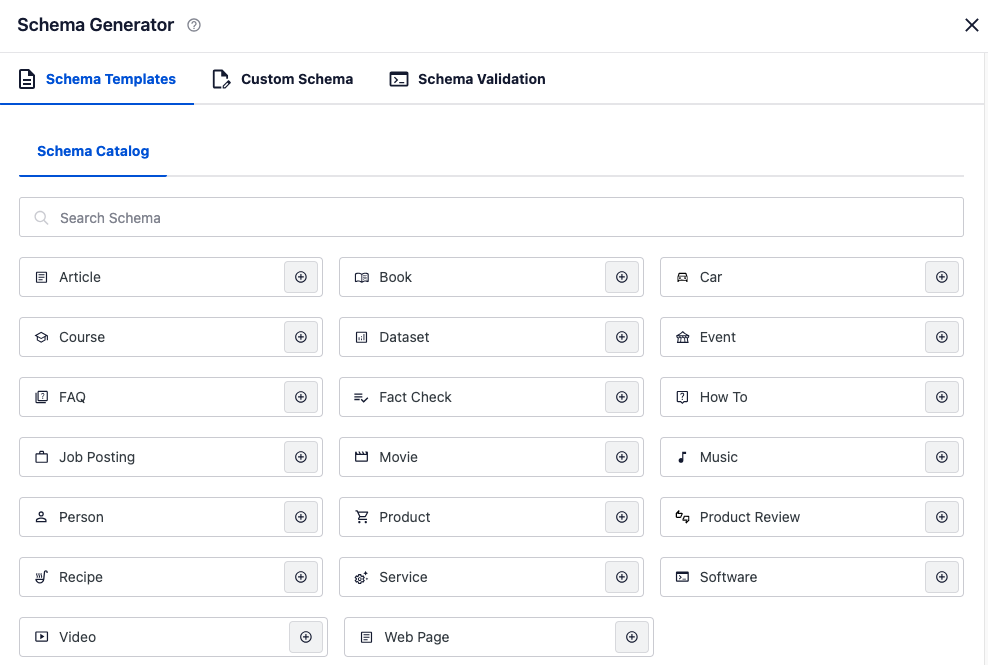
AIOSEO’s Schema Generator is the no-code solution for EDD stores. The schema catalog covers Product, FAQ, HowTo, Software, Course, and 15+ other types, covering everything digital product sellers need in one interface.
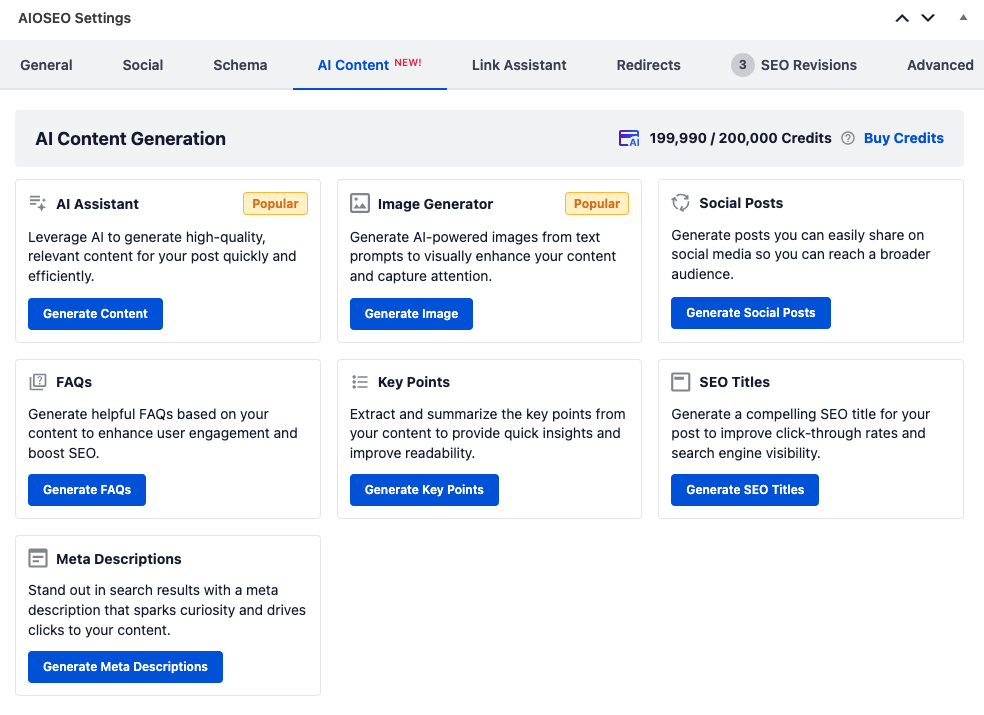
AIOSEO also includes an AI Content Generation tab that can generate FAQs, key points, SEO titles, and meta descriptions directly from your existing content.
That makes it easier to build the kind of structured, specific, AI-readable content that supports both schema and GEO without writing everything from scratch.
🔎 Learn more about the basics of SEO for digital product websites.
FAQ Schema
FAQ schema is one of the highest-impact schema types for AI citation. Google AI Overviews and ChatGPT answers frequently pull directly from FAQ sections. They’re built to be cited.
Add a short FAQ to every product page. Focus on the “will this work for me?” questions your buyers actually ask.
AIOSEO’s FAQ block outputs valid FAQPage schema automatically, with no extra configuration needed beyond writing the questions and answers.
HowTo Schema
For tutorial or setup-focused blog posts and documentation pages, HowTo schema helps AI tools surface your step-by-step instructions when users ask procedural questions.
“How do I set up recurring payments in WordPress?” is exactly the kind of query HowTo schema helps you appear in.
This schema type doesn’t apply to product pages. It’s for instructional content.
AIOSEO’s schema generator includes HowTo as a built-in option in the same catalog as all the other schema types.
Use Your Product Relationships as an AI Discovery Signal
Most guides focus on optimizing individual pages. This section covers something different: catalog-level optimization.
It’s one of the most underused AI visibility tactics, and it’s largely unaddressed elsewhere.

When an AI tool is asked “what do I need to sell online courses on WordPress?”, it doesn’t just look at individual product pages. It looks for stores where related products are grouped, linked, and recommended together.
Product relationship data helps AI understand your catalog as a whole, not just one product at a time.
How EDD Cart Recommendations Create Product Relationship Data
Easy Digital Downloads’ Cart Recommendations feature automatically analyzes your product catalog and surfaces related products in the Cart Preview panel.
For AI discovery, this does two things: it creates structured product relationship signals within your store, and it keeps product data fresh and contextually connected.
AI tools use “also purchased” and “frequently paired” patterns to understand how products relate to each other. That’s the same logic powering EDD’s AI product recommendations.
When your store consistently links related products together, you’re building catalog-level context that AI tools read when forming recommendations.
Cart Recommendations is available on EDD Pro.
Manual Product Relationship Signals (for All Plans)
You don’t need Pro to start building product relationship signals. A few consistent habits make a meaningful difference.
- Use the same categories and tags across related products.
- Link to related products within your product descriptions.
- Create bundle-style pages that name the products they complement.
These practices signal to both EDD and search engines that certain products belong together, which is exactly the context AI tools look for when answering catalog-level questions.
Make Sure AI Crawlers Can Find Your Store
None of the tactics above help if AI tools can’t access your store in the first place.
This is the technical foundation, and it’s more commonly misconfigured than most sellers realize.
Check Your robots.txt File
Your robots.txt file tells web crawlers what they’re allowed to access on your site. If AI crawlers are blocked there, your store is invisible to those tools regardless of how well-optimized your content is.
The main crawlers to check for: GPTBot (ChatGPT), PerplexityBot, ClaudeBot, and OAI-SearchBot. To check, visit yourdomain.com/robots.txt in any browser and look for any Disallow rules that target those bots.
One important distinction: blocking AI training crawlers is different from blocking AI search crawlers. Some site owners choose to block their content from being used to train AI models.
That’s a separate decision from blocking search access. If you’ve added blanket disallow rules, make sure you haven’t accidentally blocked search access too.
AIOSEO’s robots.txt editor lets you manage crawler rules directly inside WordPress, without editing files manually.
Submit a Sitemap and Keep Content Fresh
An up-to-date XML sitemap helps AI crawlers discover every product and content page on your site, not just those with inbound links.
If a product page has no external links pointing to it, a sitemap may be the only way AI tools find it.
Content freshness matters too. AI tools favor recently updated content.
Updating a product description, adding a new FAQ answer, or responding to a customer review all count as content updates. Small, regular changes keep your pages in the freshness window without requiring full rewrites.
Create an llms.txt File
Your robots.txt file controls what AI crawlers can access. Your llms.txt file is a different tool for a different job: it gives AI a purpose-built guide to understanding your site once it gets in.
Think of it this way: robots.txt is the permission layer and llms.txt is the welcome packet you hand AI once it’s inside.
AIOSEO generates two versions automatically:
- llms.txt: A standard file AI tools can reference when crawling your site
- llms-full.txt: A comprehensive version that includes your full content, converted to Markdown for faster crawling
The feature is enabled by default. To configure it, go to All in One SEO » Sitemaps and open the llms.txt settings panel.
From there you can:
- Set the site title and description AI sees when it reads the file
- Choose which post types and taxonomies to include
- Set a maximum number of URLs per post type
- Exclude specific posts, pages, or taxonomy terms
- Enable Convert Posts to Markdown for a cleaner, more crawlable version of your content
For an EDD store, this is a practical GEO advantage. Instead of making AI piece together your catalog from individual product pages, you’re handing it a structured map of your entire store, with your site description and content priorities already defined.
It doesn’t replace or override your robots.txt rules. It works alongside them.
Build the Off-Site Signals AI Tools Trust
On-site optimization helps AI tools understand your store. Off-site signals help them trust it enough to recommend it. Both sides of the equation matter.
Get Reviews on the Right Platforms for Digital Products
Third-party reviews are weighted heavily by AI tools because they’re harder to manipulate than on-site testimonials. Not all review platforms carry equal weight with AI tools.
For digital product sellers, the platforms that matter are:
- G2 and Capterra for software and WordPress plugins
- Trustpilot for creators and digital goods broadly
- AppSumo for software and tools
A consistent presence on two or three relevant platforms is just as important as adding and displaying product reviews your own store.
Create Content That Other Sites Want to Cite
AI tools build authority signals by looking at what other sites link to and mention.
If your product or store appears in creator economy newsletters, WordPress roundups, YouTube tutorials, or niche blogs, that’s an external credibility signal AI tools look for when deciding what to recommend.
The practical path: create a free resource, comparison guide, or useful tool that earns organic links.
Guest posts on WordPress and creator-focused publications build citation authority over time. Every independent mention of your product adds to the pile of external evidence AI tools use to verify credibility.
Use a Free Download or Demo to Create Crawlable Discovery Points
Offering a free version of your product (a free chapter, demo tier, or sample file) creates an additional crawlable, linkable asset that AI tools can index and recommend. Free products get linked to more often, appear in more roundups, and give AI tools a low-friction reason to mention you.
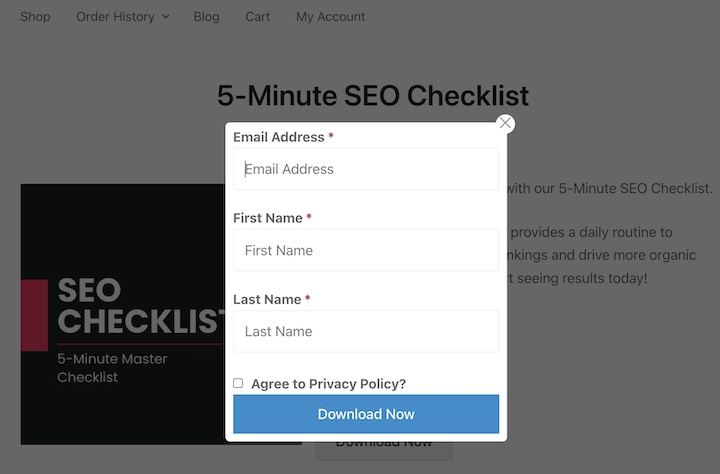
Easy Digital Downloads’ Free Downloads feature makes this straightforward. It lets you offer free products that bypass checkout entirely, with an optional email capture via your email marketing integration.
This is especially worth doing if you sell software (a free lite version), digital courses (a free lesson), or eBooks (a free chapter). It’s an underused tactic, and it works.
🔎 How to Offer Free Digital Downloads in WordPress
Keep Your Visibility Growing Over Time
Getting your products found by AI search isn’t a one-time project. It’s an ongoing content habit. These are the practices that keep your visibility growing over time.
Update content regularly. AI tools favor content updated within the last 30 days. A regular schedule of small updates (new FAQ answers, refreshed product descriptions, new customer reviews) keeps your pages in the freshness window without major rewrites.
Optimize for “recommend” queries, not just “buy” queries. Most sellers optimize for buyers who already know what they want. But AI discovery often happens earlier, when a buyer is still asking “what’s the best tool for [task]?” or “what should I use to sell courses without paying platform fees?” Writing content that answers those recommendation-stage questions is how you get cited before the buyer has formed a purchase intent.
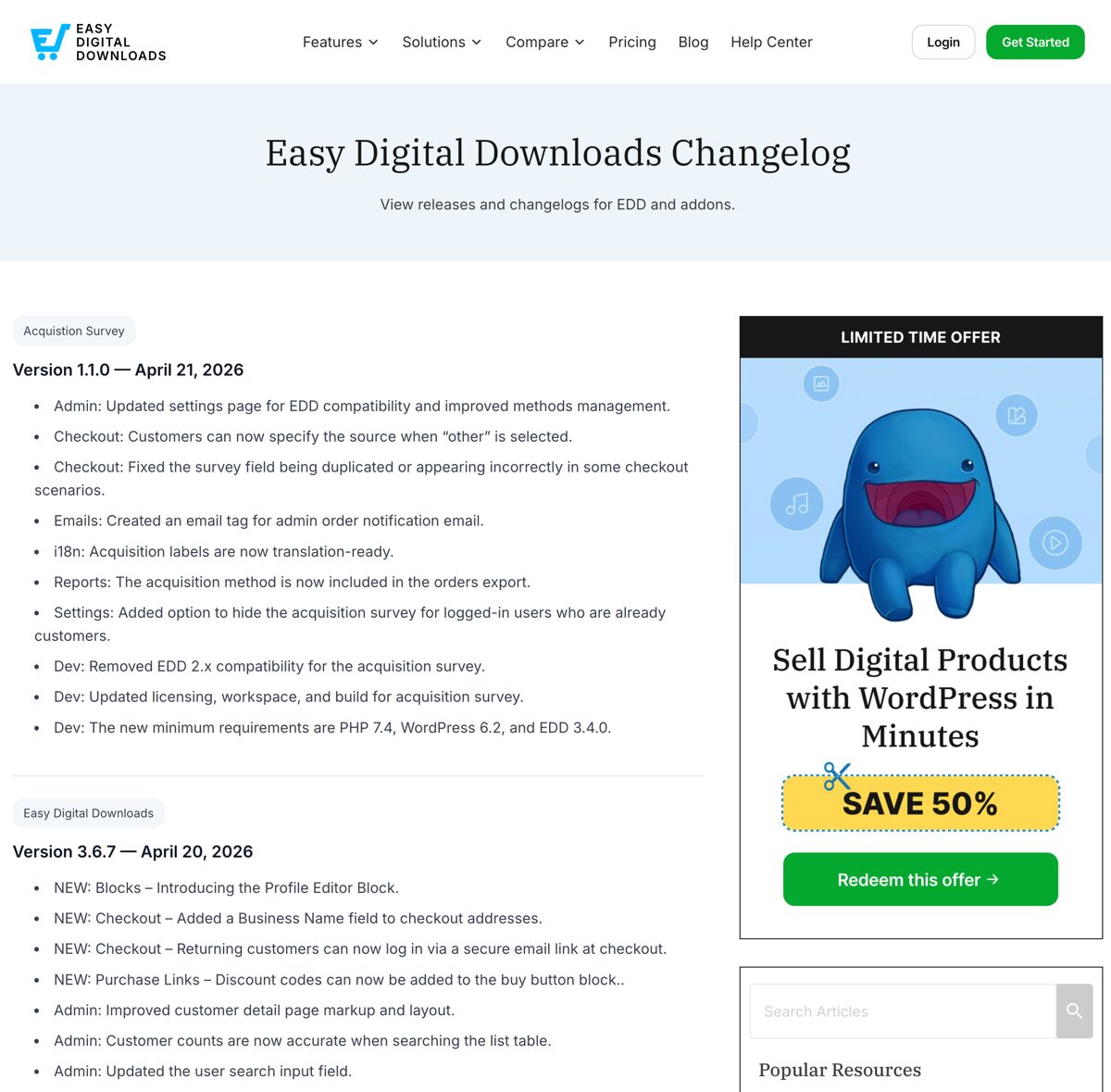
Maintain a public changelog if you sell software or plugins. Changelogs are highly AI-readable, frequently updated, and directly relevant when users ask AI tools about specific features or versions. They’re one of the most overlooked AI visibility assets for software sellers.
Keep your documentation public and well-structured. Documentation pages are cited frequently by AI tools for how-to queries. If you sell software or plugins, well-organized public docs are one of your strongest long-term AI visibility investments.
FAQs: Getting Digital Products Found By AI Search
What is Generative Engine Optimization (GEO)?
Generative Engine Optimization (GEO) is the practice of making your content and products citable by AI tools like ChatGPT, Perplexity, and Google AI Overviews. Where traditional SEO focuses on ranking in a list of links, GEO focuses on being included in a conversational answer. For digital product sellers, that means your store gets recommended by name, not just listed in search results.
How do I know if AI tools are recommending my products?
The most direct method is to test it yourself. Open ChatGPT, Perplexity, and Gemini and ask the kinds of questions your buyers would ask: “what’s the best plugin for selling eBooks on WordPress?” or “what tool should I use to sell online courses without platform fees?” Standard analytics tools don’t reliably track AI referrals yet, so manual testing is currently the most useful signal you have.
Does my EDD store need a product feed to appear in AI shopping results?
Not in the traditional sense. Most AI shopping integrations were built with physical product feeds in mind, and digital sellers don’t have those. The practical workaround is structured data: Product schema, FAQ schema, and third-party reviews substitute for feed data when it comes to digital goods. A well-structured Easy Digital Downloads product page can be read and cited by AI tools without a merchant feed.
Which AI platform should I optimize for first?
Start with Google. Gemini and Google AI Overviews pull from Google’s existing index, so any SEO improvements you make also improve your visibility in Google’s AI surfaces. Perplexity favors niche directories and third-party reviews. ChatGPT tends to favor authority sites and well-cited content. Since Google AI Overviews affect the most search volume, starting there gives you the broadest immediate impact.
Does blocking AI training bots affect my search visibility?
It can, if it’s done incorrectly. Blocking GPTBot from training on your content is a separate decision from blocking it from searching. If you’ve added a blanket Disallow: / rule for GPTBot or other AI crawlers in your robots.txt, you’ve blocked both training and search access. If your intent is to block training only, the directives are different. AIOSEO’s robots.txt editor makes it easier to set the right rules without guessing at the syntax.
How do customer reviews help with AI discovery?
Reviews on third-party platforms are one of the strongest credibility signals AI tools use when deciding what to recommend. They’re harder to manipulate than on-site testimonials, which makes them more trustworthy from an AI perspective. G2 and Capterra carry the most weight for software and plugins. Trustpilot is widely recognized for digital goods. A consistent presence on two or three relevant platforms matters more than a high volume of reviews concentrated in one place.
Do I need a developer to implement schema markup for my EDD store?
No. AIOSEO’s Schema Generator covers every schema type digital product sellers need: Product, FAQ, HowTo, Software, Course, and more. It uses a point-and-click interface inside WordPress, no code required. AIOSEO also includes an AI Content Generation tab that can draft FAQ content, key points, and meta descriptions from your existing content. It’s a tool we’d recommend for any Easy Digital Downloads store that’s serious about AI and search visibility.
Get Found Where Your Buyers Are Looking
AI discovery isn’t a replacement for SEO. It’s the next layer on top of it. The stores showing up in ChatGPT and Perplexity answers in 2026 are the ones that started building that layer now.
The highest-impact actions are clear. Write product descriptions that are specific about use case, audience, and outcome. Add schema markup using AIOSEO. Use Easy Digital Downloads’ Cart Recommendations feature to build product relationship signals. Get reviews on the platforms AI tools actually reference. Make sure AI crawlers aren’t blocked in your robots.txt.
None of it requires a developer. Most of it takes an afternoon.
Ready to build an AI-ready digital store? Get Easy Digital Downloads and pair it with AIOSEO for schema and SEO.
📣 P.S. Be sure to subscribe to our newsletter and follow us on Facebook, Twitter/X, or LinkedIn for more WordPress resources!








