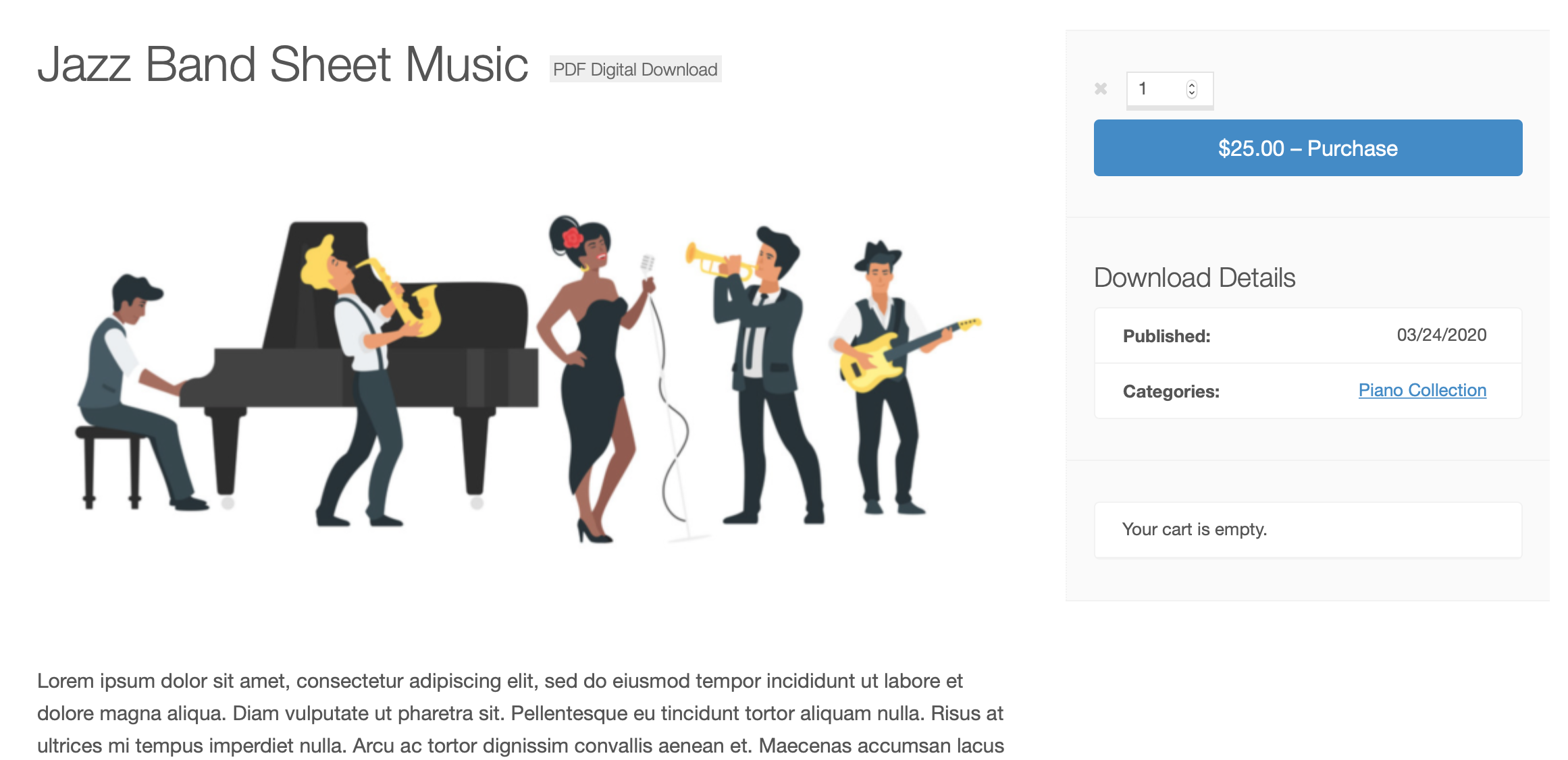
The Digital Badge extension for Easy Digital Downloads allows you to add a badge to specific products marking them as digital downloads, not physical, shipped products.
1. Configure the Digital Badge extension
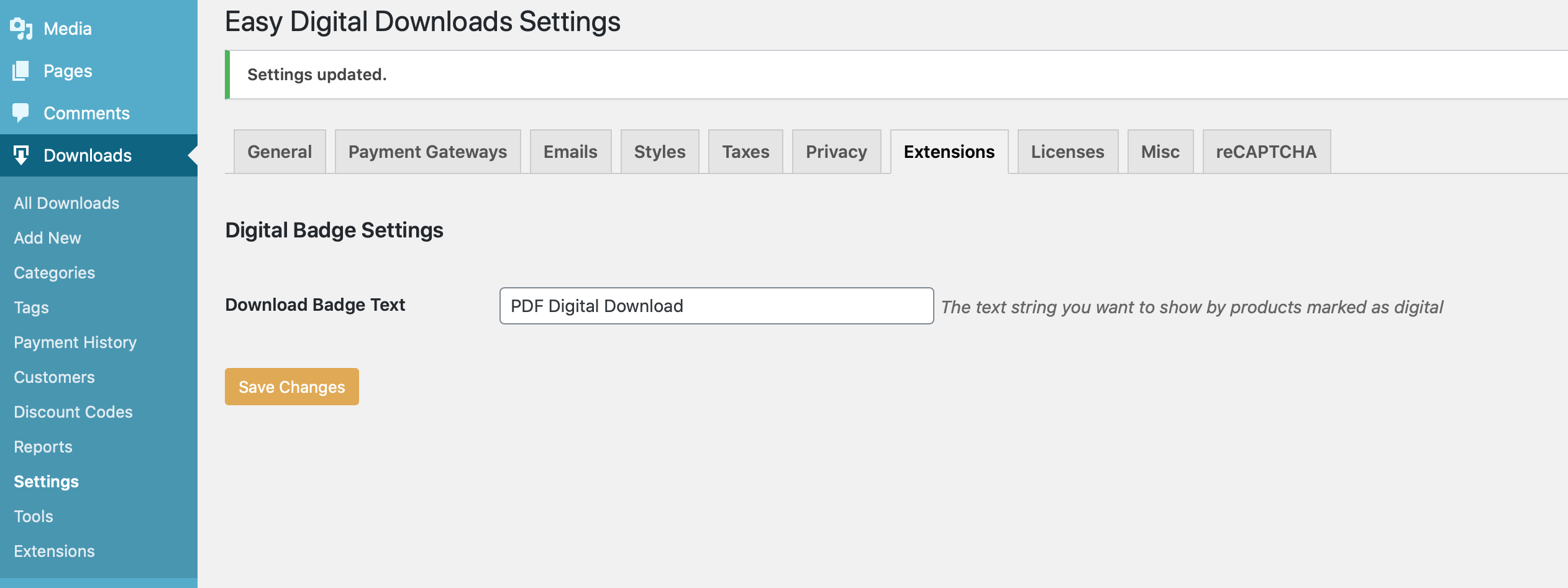
Once this extension is installed and activated, go to WordPress admin → Downloads → Settings → Extensions → Digital Badge Settings to configure the text that will be displayed to your customers.
2. Enable Digital Badges per Download
Once you’ve entered the Download Badge Text, the Product Badges box will need to be checked for each applicable Download. The Product Badges checkbox is located in the Download Settings menu on the right side of your screen when viewing a Download.
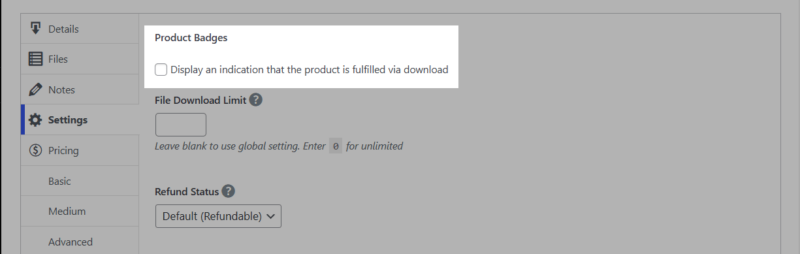
After checking the Product Badges box click Update to save your changes and display the badge.