

License Free Downloads allows the customer to purchase one licensed product and get one or more licensed products for free. The store administrator determines which products are available for free with a given purchase. License Free Downloads requires the Software Licensing extension for Easy Digital Downloads.
Configuration Instructions for License Free Download
- Once installed, locate the settings for this extension via WordPress admin → Downloads → Settings → Extensions → License Free Download
-
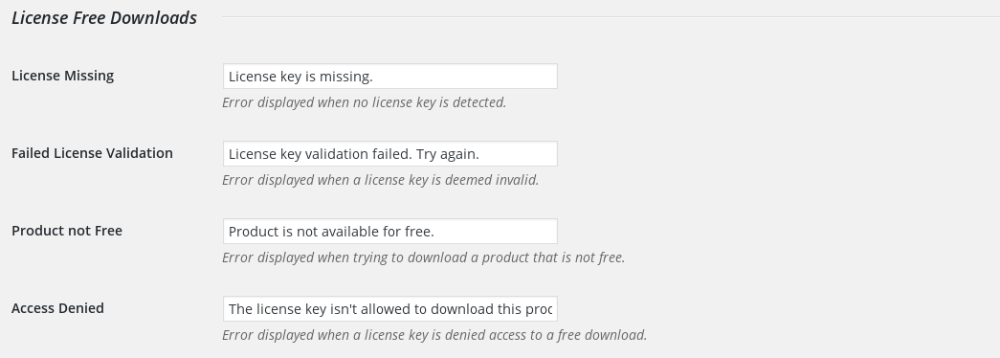
The settings area allows the store owner to set labels for user facing text.
Product Settings
Edit the product you wish to offer for free for existing license holders and locate the metabox titled “License Holders Free Download“. In this box you can activate the Free Download and select which licensed products will give free access to this product.
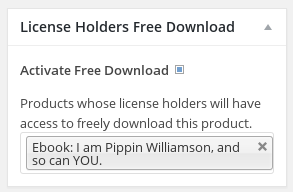
NOTE: Both products must be using the license creation option of the Software Licensing extension. The checkbox to activate it for a product is on the admin page for every product in the Licensing meta box.
Create the Interface
In order to make it so that people can download the product for free, you must include this shortcode on that product’s page: [edd_lfd]. Paste the shortcode into the content area when editing the product.
The resulting form will look something like this:
The customer will take the license key from their purchase and paste it into this form. They will be immediately taken to the checkout page where they can “buy” the product for free.



