

Setup and Usage
Once the Acquisition Survey extension is installed and activated, you can navigate to Downloads → Settings → Extensions → Acquisition Survey to adjust your settings.
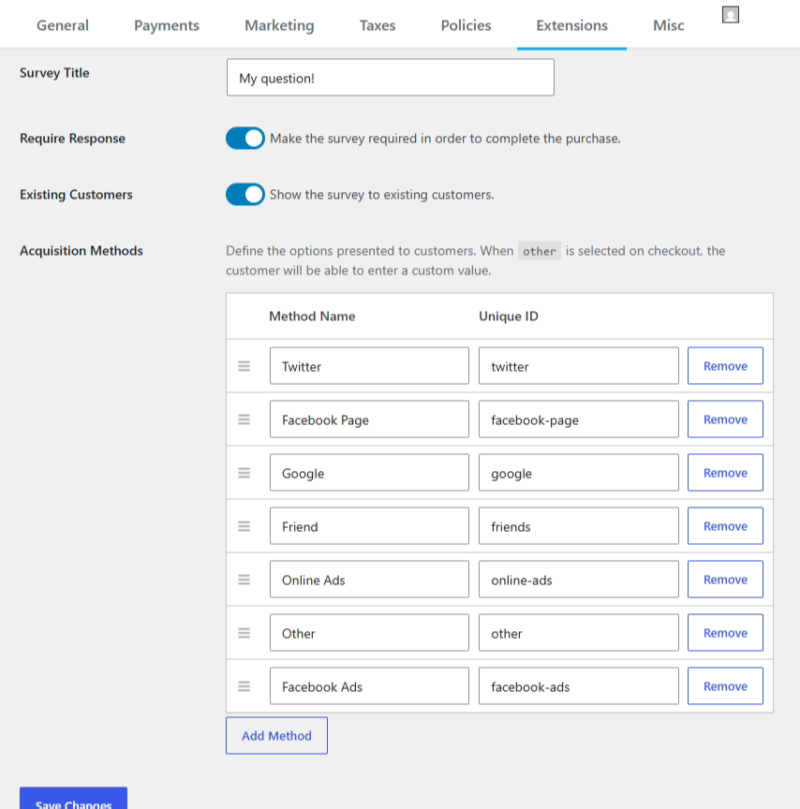
With these settings, you can manage the Label for the dropdown on checkout, if the field is required by the customer, and if you want to show/hide this form for existing customers.
Survey Title: This is the title that will appear above the dropdown list. Example: How did you hear about us?
Require Survey Response: Choose whether or not a response to the survey question is required.
Existing Customers: By default, this is enabled, so it will show for all users. If you toggle this off, the form will not show for a user who is logged in on the site.
Acquisition Methods: The list is pre-populated with some of the more common methods of acquisition, but can be re-ordered and have items added or removed according to your needs. If you have the option “Other” then if this is selected on Checkout, a new text field will be displayed where the user can type in their message manually.
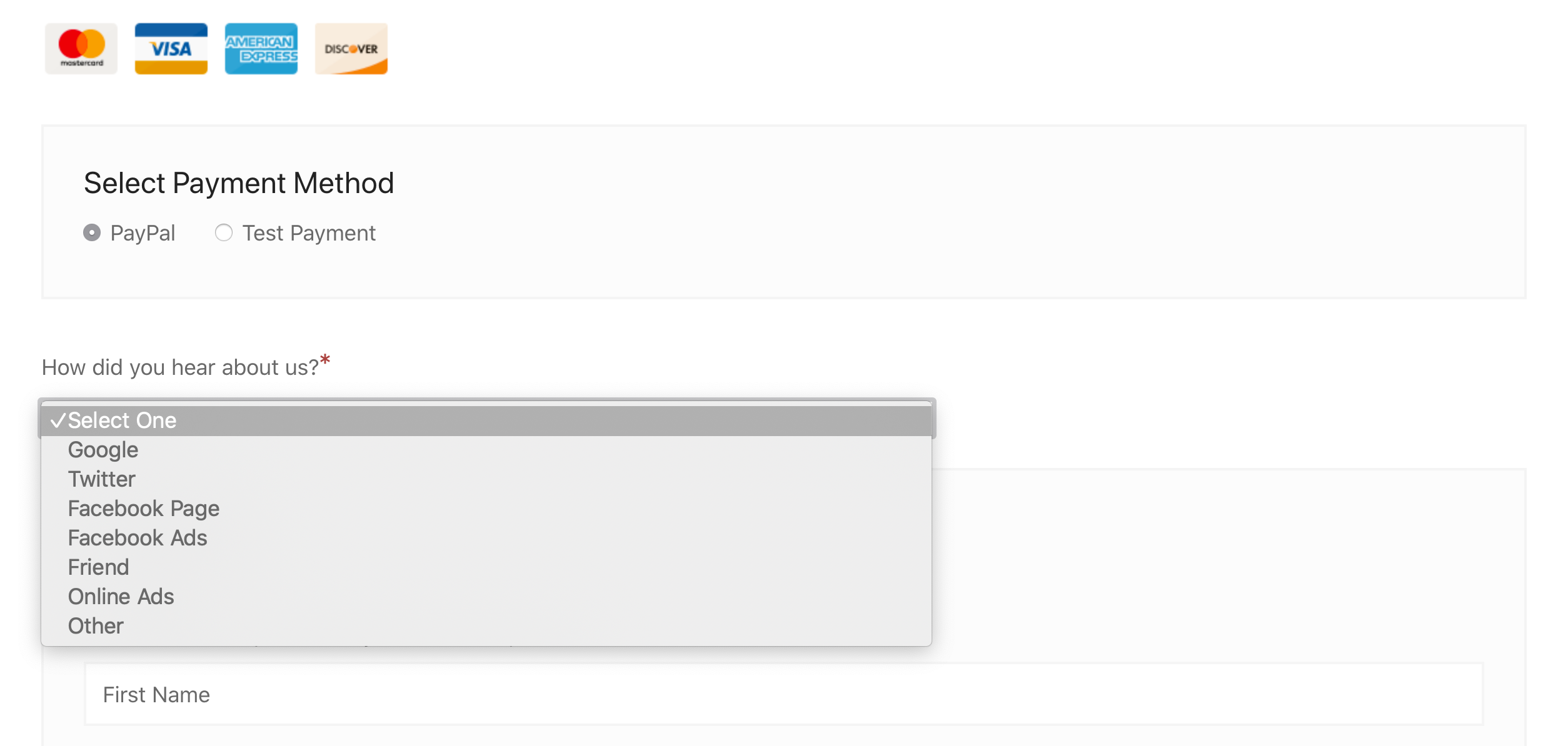
The result is a new form element on the ‘Personal Info’ section of the checkout screen:
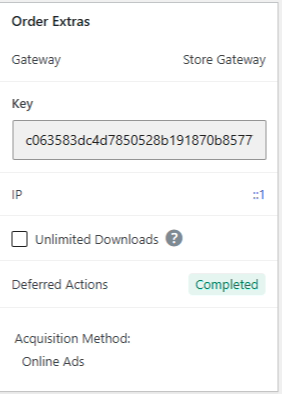
You can also see which acquisition method was recorded when viewing orders under Downloads > Orders. The acquisition information will be available in the Order Extra section of each order record.
Reporting
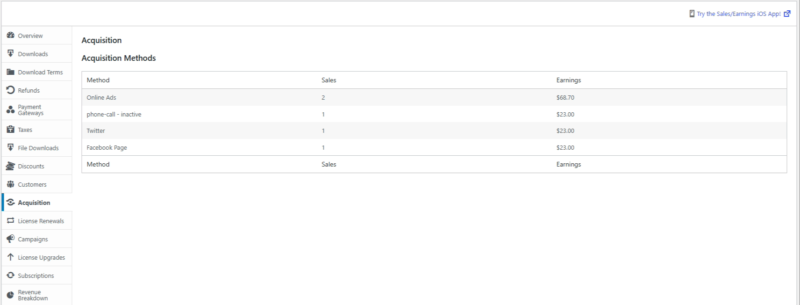
Acquisition Survey also adds a new report to the reports section, so you can get a breakdown of how your acquisition sources are performing.
To view reports, navigate to Downloads > Reports and choose ‘Acquisition’ from the left side options.
The report view lists all current and past (identified with ‘inactive’) methods that have been registered with a payment:
Developer Info
Acquisition Survey offers several functions and filters that allow it to be extended.
Recorded acquisition methods are stored in the order meta with the ‘meta_key’ of
_edd_payment_acquisition_method.
You can retrieve the acquisition method value for an order with the call:
edd_get_order_meta( $order_id, '_edd_payment_acquisition_method', true );
If the user has chosen the Other method during Checkout and typed in a custom text, the data is stored in the _edd_payment_acquisition_method_other order meta.
Filters
// This filters the array of acquisition methods after they are returned from the database. Methods are in the form of a numerically indexed array.
apply_filters( 'edd_acq_get_methods', get_option( 'edd_acq_methods', array() ) );// Example
array(1) {
array(2) {
'name' => 'Customer Facing Name',
'value' => 'payment-meta-record'
}
}
// Runs just before saving the acquisition method into the order meta.
apply_filters( 'edd_acq_record_acquisition_method', $acquisition_method, $payment_id, $payment_data );
// Runs just before returning the number of sales for a requested acquisition method 'value'.
apply_filters( 'edd_acq_method_sales', (int) $sales, $method );
// Runs just before returning the total earnings for a requested acquisition method 'value'.
apply_filters( 'edd_acq_method_earnings', $earnings, $method );



