


Every time a returning customer can’t remember their password, there’s a real chance they leave without buying. That moment of friction adds up fast across your store.
The latest Easy Digital Downloads update tackles this head-on with a powerful checkout optimization for WordPress stores: returning customers can now log in at checkout using a secure, one-time Magic Login Link. ✨
This release also introduces the new Profile Editor Block and a Company Name field for checkout addresses, with a full set of bug fixes and improvements included.
Magic Login Links for Returning Customers 🔐
For many online stores, checkout is where returning customers give up. They know they’ve bought from you before, but they can’t remember their password. Resetting their password feels like too much effort, so they leave.
Easy Digital Downloads now gives returning customers a better option.
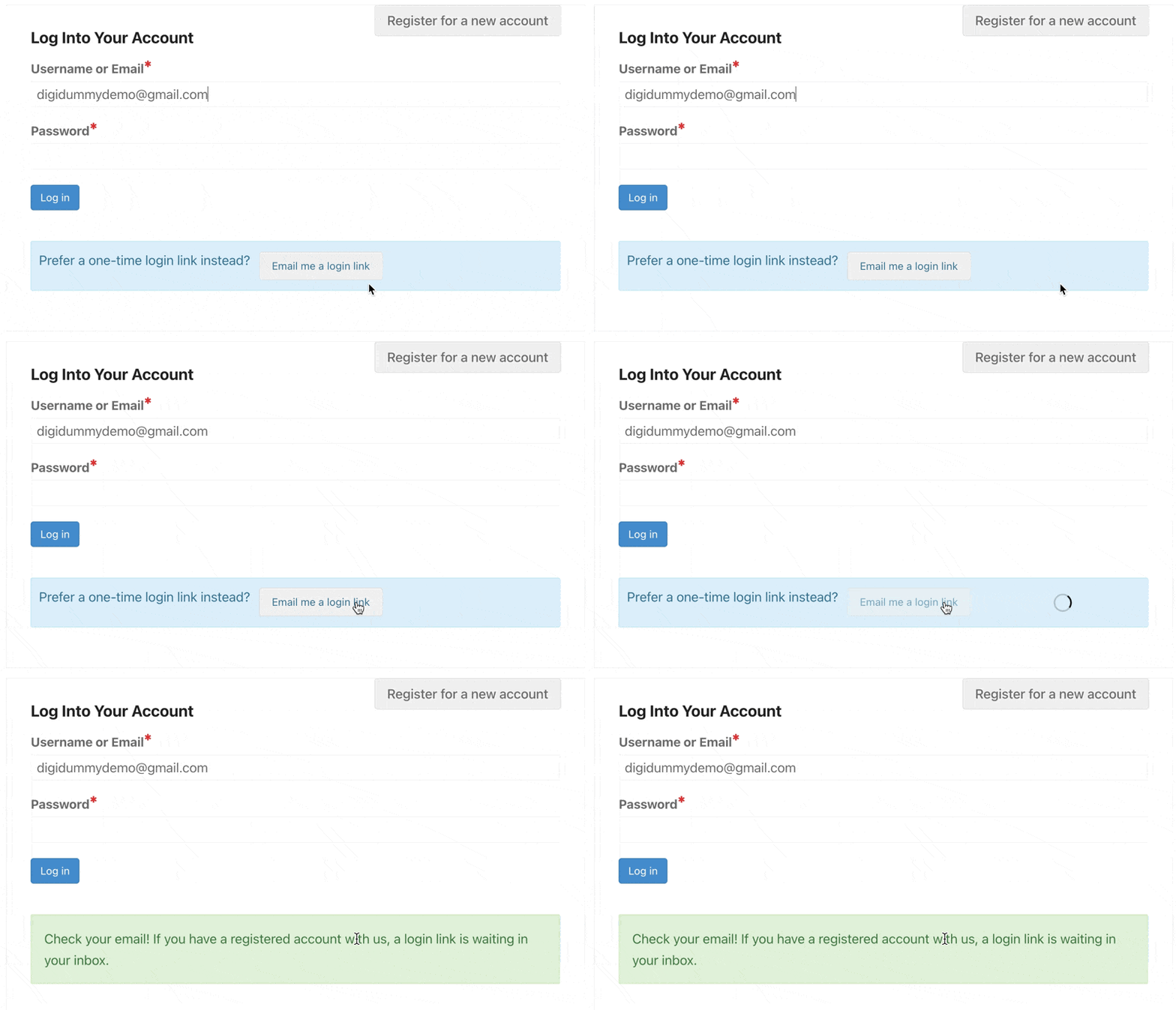
After entering their email address at checkout, your shoppers can now choose the option to have a secure login link sent to their inbox.
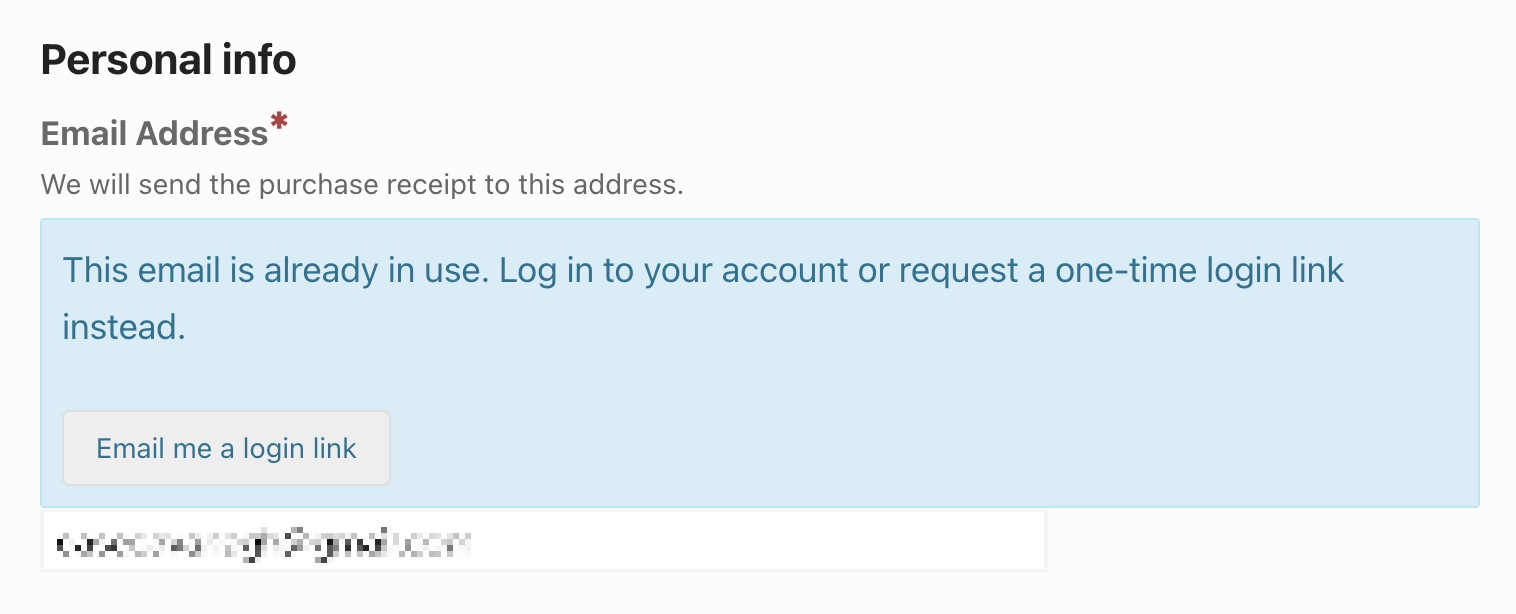
The whole thing takes seconds. One click from their inbox and they’re logged in, right back at checkout, and ready to buy without ever needing a password.
Each link is tied to a specific customer session and expires after it’s used or another link is requested.
🛡 This approach is often called a magic link – the widely trusted authentication method that balances security with simplicity. It keeps your customers’ accounts secure and protected while removing unnecessary friction.
How to Enable Magic Login Links at Checkout in EDD ⚙️
Setting up the EDD Magic Login Link feature in WordPress takes less than a minute.
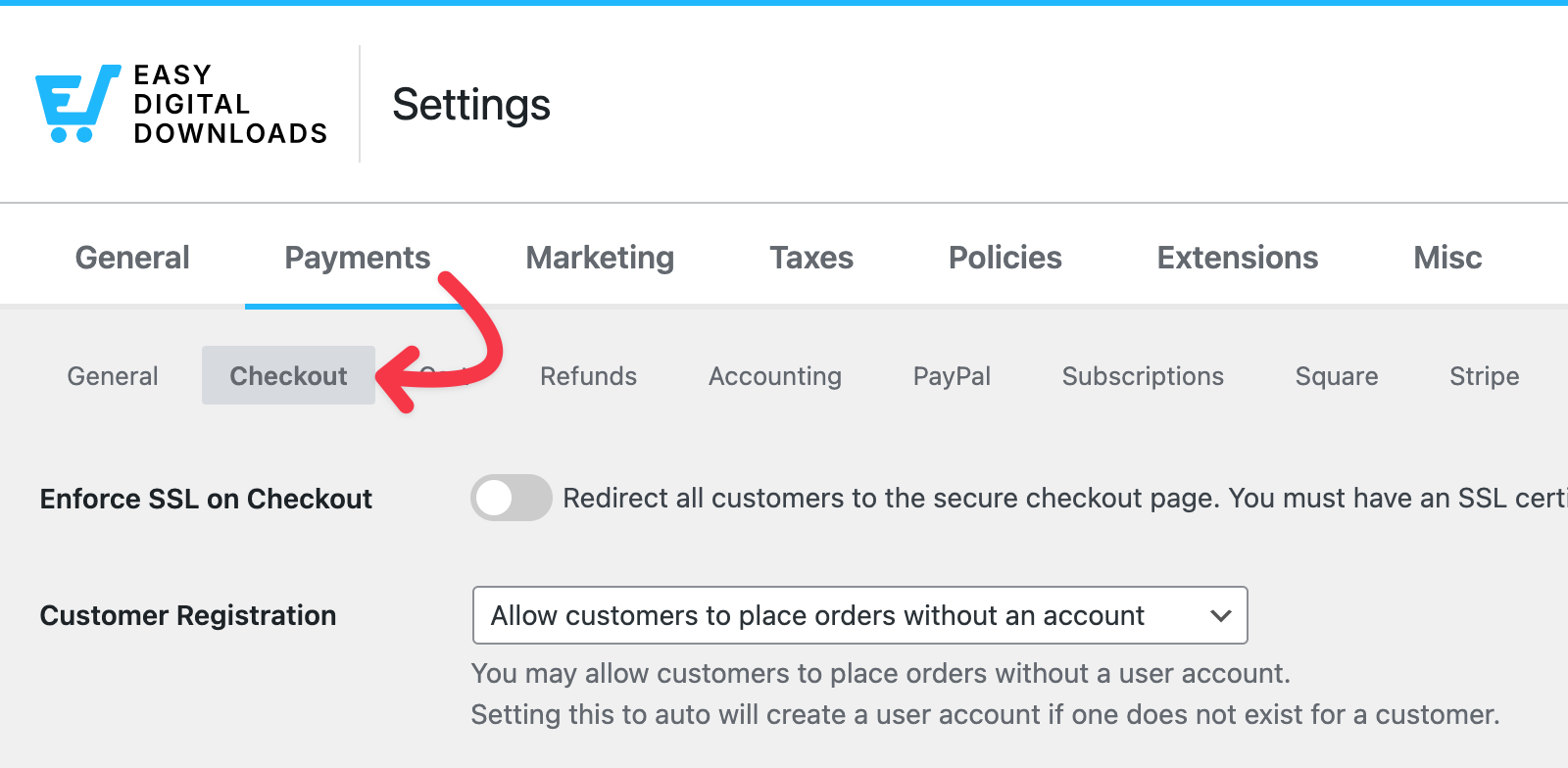
First, open your checkout settings. From your WordPress dashboard, go to Downloads » Settings » Payments » Checkout.
Next, toggle the Enable One-Time Login Link option.
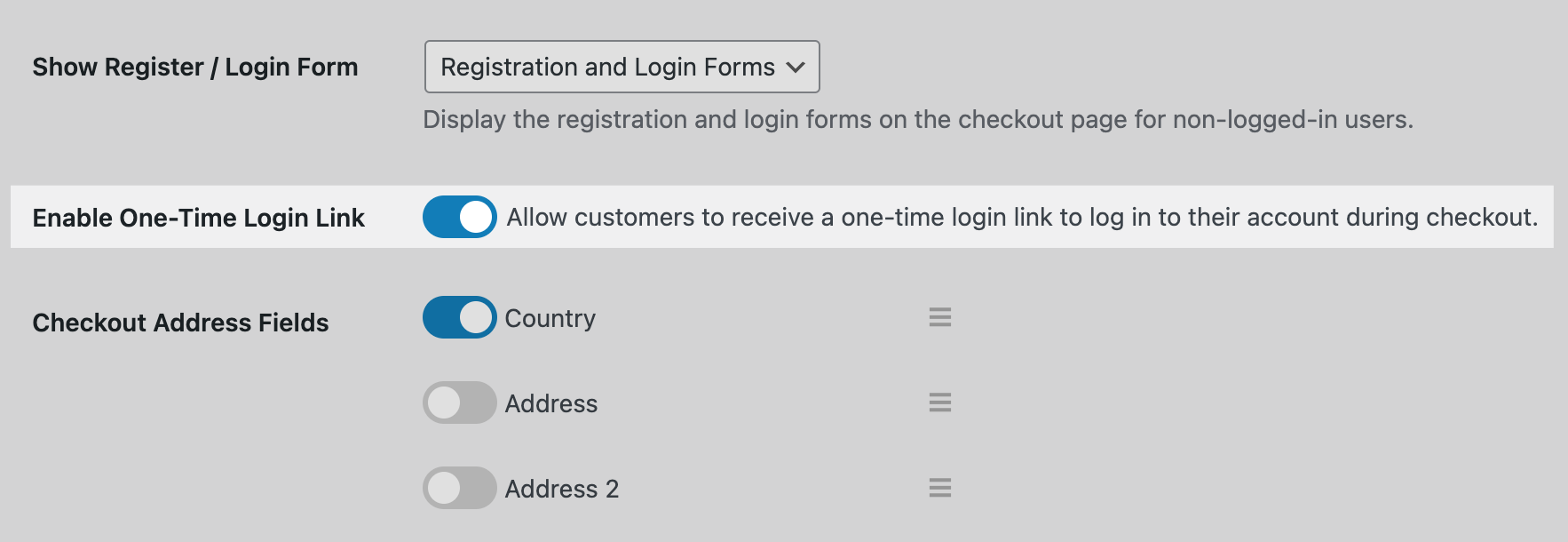
Turning this feature on allows returning customers to log in via the Magic Login Link.
Don’t forget to select Save Changes.
To test this feature on your site, you’ll need to create/use a standard customer account. Open a private browser window and visit your checkout page using the customer account to see the experience as a returning user would.
Give Customers a Profile Editor on Your Store 👤
Another exciting update is the new Profile Editor Block that lets you add a customer-facing account management area to any page on your WordPress site. Customers can update their own information without submitting a support request.
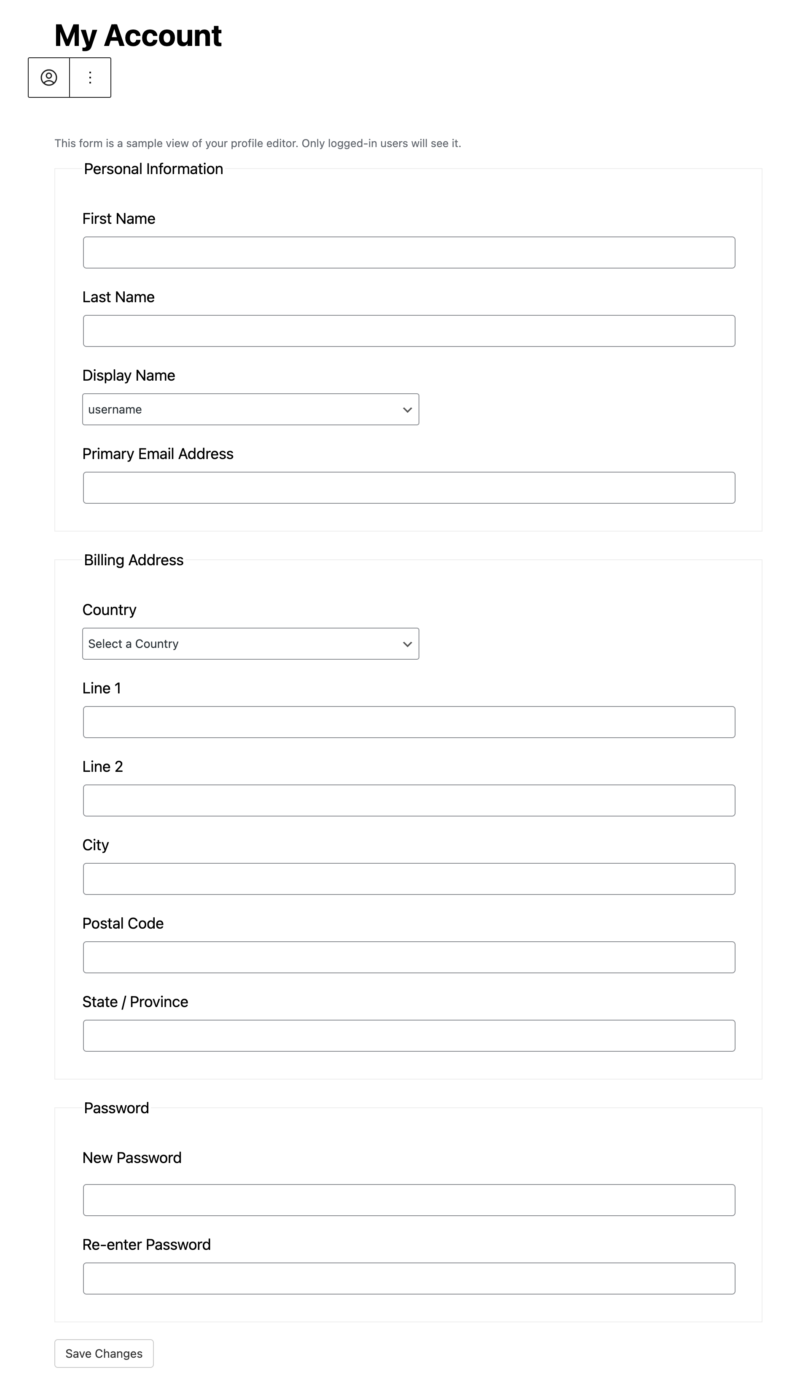
If you run a store with repeat buyers, this is a simple way to give customers more control over their account details. It keeps your support queue lighter and your customers more self-sufficient.
How to Add the Profile Editor Block
The EDD Profile Editor Block is available anywhere on your WordPress site where you can add blocks.
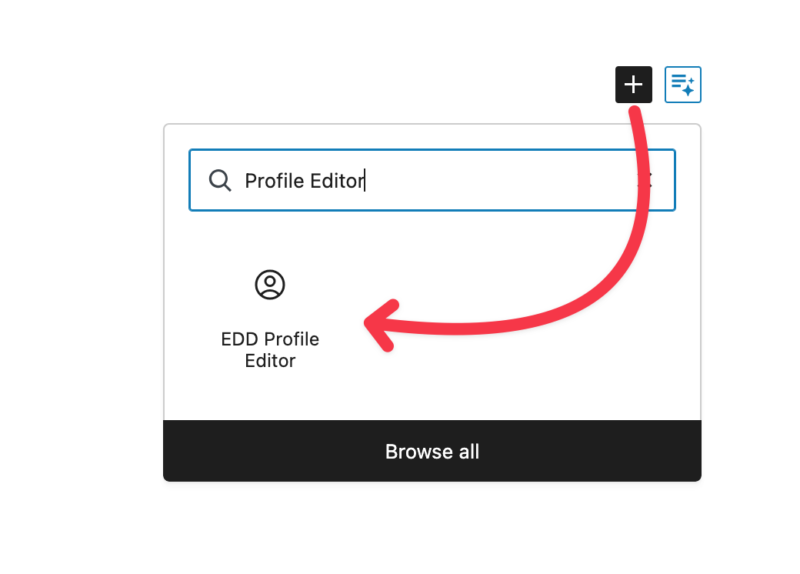
Open the WordPress block editor on any page and search for “Profile Editor” in the block inserter.
Collect Business Names at Checkout 🏢
If any of your customers are buying on behalf of a company, they now have a place to enter that information. Easy Digital Downloads supports a Company name field in checkout address forms.
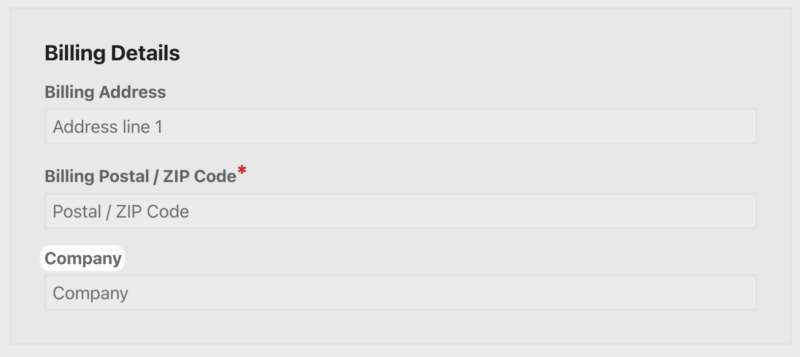
That business name carries through to the order record and any invoices you generate.
For stores selling software licenses, templates, or other products that companies commonly purchase, this is a practical addition that reduces back-and-forth with customers who need their receipts to show a business name.
When to Enable the Business Name Field
This field is optional. If your buyers are mostly individuals, you can leave it off.
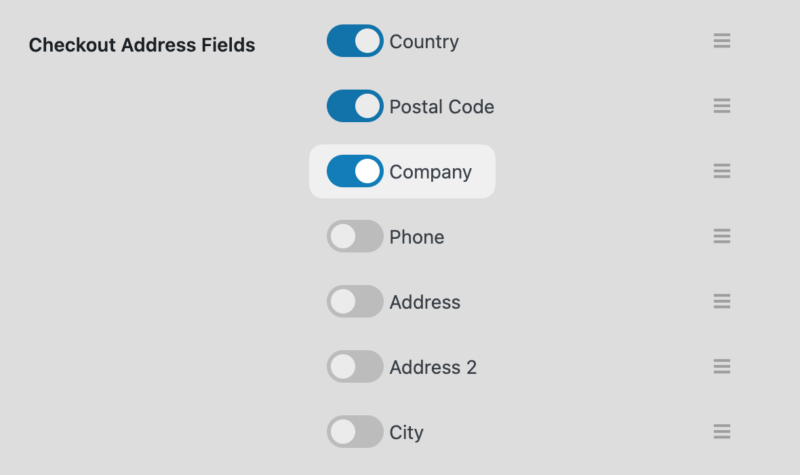
If you sell to businesses or freelancers who need to expense purchases, it’s worth turning on. You can enable/disable it under Downloads » Settings » Payments » Checkout.
Buy Button Discount Codes & Smarter Email Date Picker 🎟️
A couple of smaller updates in this release are worth knowing about.
Discount Codes on the Buy Button Block
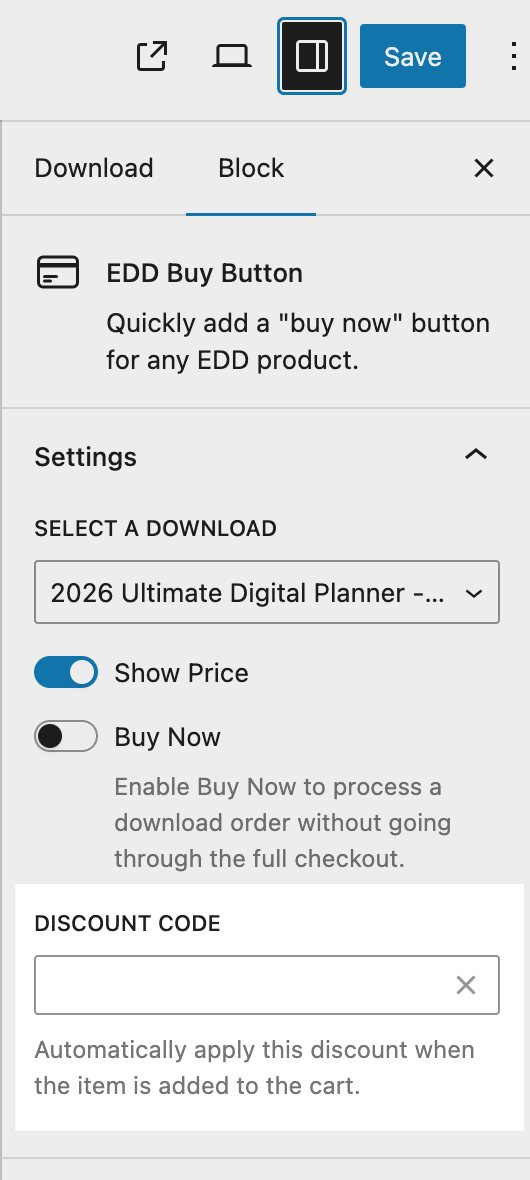
You can now attach a discount code directly to the Buy Button Block.
When a customer clicks the button, the discount is already applied at checkout. No coupon field, no copy-pasting required.
This is useful for promotional campaigns where you want to send someone straight to a discounted checkout from a landing page.
Date Picker for Email Expiration Conditions
When setting up conditional email rules with an expiration date, Easy Digital Downloads Pro now includes a date picker.
Instead of typing a date manually, you can select it from a calendar. It’s a small change that saves a step when you’re managing multiple email sequences.
FAQs: Magic Login Links for WordPress Checkout
What is a Magic Login Link for WordPress?
EDD’s Magic Login Link feature lets returning customers log into their account at checkout using a secure, one-click link sent to their email address instead of a password. Easy Digital Downloads includes this as an optional setting you can enable from your checkout configuration.
How do Magic Login Links help with checkout optimization in WordPress?
Checkout abandonment often spikes when returning customers can’t remember their password. Magic Login Link removes that friction at the exact moment it matters most, which directly improves checkout completion rates for WordPress stores.
Is the EDD Magic Login Link feature available on the free version?
Yes, the Magic Login Link feature is available to all Easy Digital Downloads users.
Can customers still log in with their password if they prefer?
Of course. The email login link is an option, not a requirement. Customers who want to log in with their password can still do so. The Magic Login Link is simply an additional path for customers who prefer it.
Does the Company name field appear on EDD invoices?
Yes. When a customer enters a business or company name at checkout, that information is included in the relevant order details and invoice output, including XML invoices.
Can I add a discount code to multiple Buy Button Blocks at once?
Each Buy Button Block has its own discount code setting, so you’d configure them individually. This gives you the flexibility to run different promotions on different pages or products at the same time.
Will the Magic Login Link email work with my existing email setup?
Yes. The Magic Login Link email is sent through your store’s existing email configuration in Easy Digital Downloads. No additional setup is required beyond enabling the feature in your checkout settings, although you can edit the email content, just like you can for any other email sent by EDD.
Optimize Your WordPress Checkout With Magic Login Links
One of the most effective WordPress checkout optimizations you can make is removing friction for returning customers. The EDD Magic Login Link does exactly that. This secure, one-click link option removes one of the biggest barriers at the exact moment it matters most.
Update to the latest version of Easy Digital Downloads to start using these features today.
You can find the full update details in the Release Notes and more on Magic Login Links in our Payment Settings documentation.
Still using EDD Lite? If you’re looking for even more ways to optimize your checkout experience in WordPress and EDD, see what’s included in our EDD Pro plans.
📣 P.S. Be sure to subscribe to our newsletter and follow us on Facebook, Twitter/X, or LinkedIn for more WordPress resources!








