

Selling ebooks is one of the smartest ways to turn your expertise into a reliable income stream. You get to share your knowledge, build authority, and create content that keeps earning money long after you’ve finished writing.
But here’s the problem most creators face: third-party marketplaces like Amazon take huge chunks of your profit through commissions that can reach 30% or more. Plus, you’re stuck with their rules and zero access to your own customer data.
There’s a better way. When you learn how to sell ebooks on WordPress, you cut out the middleman, regain control over your customer data, and keep nearly 100% of your revenue. With Easy Digital Downloads (EDD), the process is incredibly straightforward.
In this guide, I’ll show you the best way to sell ebooks online using a setup that is professional, secure, and—most importantly—completely owned by you. Whether you want to sell PDFs online or distribute EPUB files to Kindle readers, this 2026 step-by-step tutorial will have your store running in minutes.
How to Sell eBooks on WordPress (Quick Summary)
- Platform: WordPress (Self-hosted)
- Required Plugin: Easy Digital Downloads (Free or Pro)
- Payment Setup: Stripe (Recommended) or PayPal
- Supported Formats: PDF, EPUB, MOBI, ZIP
- Key Benefit: 0% Marketplace Fees. You keep 100% of your earnings (minus standard gateway processing).
Why Sell eBooks on Your Own Website vs. Amazon?
If you’ve been searching for the best way to sell ebooks online, you’ve likely considered Amazon KDP. While Amazon offers a massive audience, it comes with a “hidden tax” that can stifle your growth.
On Amazon, you don’t own your customer data. You can’t see who bought your book, you can’t email them when your next title drops, and you are subject to their 30% to 65% commission fees. Essentially, you’re paying Amazon to keep your own customers.
When you sell ebooks on WordPress with Easy Digital Downloads, you shift from being a “tenant” on someone else’s platform to being the owner of your own digital business.
| Feature | WordPress + EDD | Amazon KDP |
| Transaction Fees | 0% (Keep your profit*) | 30% to 65% (Amazon’s cut) |
| Customer Data | You own it. Full email list access. | Hidden. Amazon owns the data. |
| Branding Control | 100% Custom store & checkout. | Limited to Amazon’s standard layout. |
| Payout Schedule | Instant (via Stripe/PayPal). | 60 days after the end of month. |
💡Pro Tip: While Amazon offers “reach,” selling on your own WordPress site offers revenue. Most successful authors use Amazon for discovery, but drive their loyal fans to their WordPress store to keep the full profit.
- Maximum Profit Margins: Instead of losing a third of your revenue to a marketplace, you keep nearly every cent. Your only costs are a small transaction fee from Stripe or PayPal (typically 2.9% + $0.30).
- Total Brand Ownership: Your checkout process, your design, and your emails look like you, not a generic marketplace. This builds the trust necessary to turn a one-time buyer into a lifelong fan.
- Direct Communication: When someone buys your ebook, you get their email address. This is the most valuable asset in digital publishing. You can nurture that relationship and sell your future books or courses for $0 in acquisition costs.
Choosing the Best WordPress eBook Plugin
You might be tempted by generic “shopping cart” plugins, but ebooks have specific needs. You don’t need shipping calculators. You need:
- Dedicated digital delivery
- File protection
- Frictionless checkout
Easy Digital Downloads (EDD) is “digital-first.”
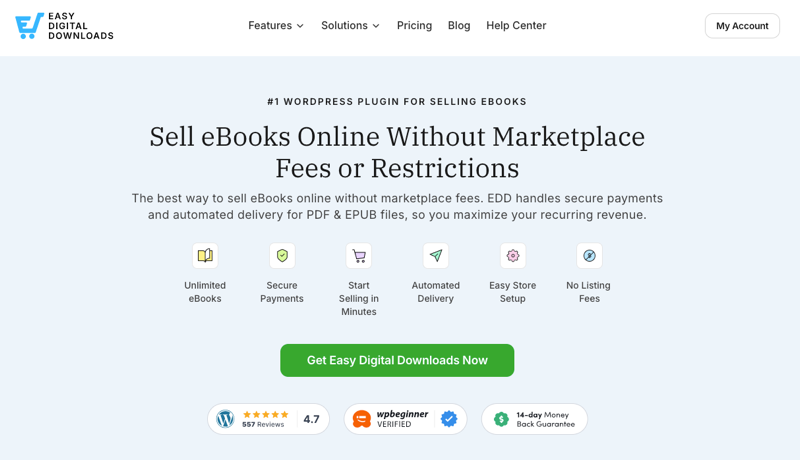
We built EDD because we noticed most WordPress eCommerce tools were way too complicated for creators who just wanted to sell a PDF. That’s why EDD is stripped of the “physical goods” fluff.
It’s lean, it’s fast, and it’s been the go-to for over 50,000 creators who want to sell ebooks without the headache.
The Math of Selling Direct
Think about it: If you sell a $20 ebook on a marketplace with a 30% fee, you lose $6.00 on every single sale. Sell just 50 books, and you’ve already “paid” $300 in fees—usually more than the cost of a professional WordPress setup for the entire year. By selling directly, your overhead stays flat while your profits scale with every copy sold.
How to Sell eBooks on WordPress (5 Simple Steps)
This guide assumes you have a WordPress site ready. If not, you can set one up in minutes through any WordPress managed hosting provider.
Now, let’s get into how to sell eBooks on WordPress in a few simple steps.
- Install Easy Digital Downloads
- Configure Payment Settings
- Create Your eBook Product
- Add EPUB Files & Set Price
- Preview, Publish & Sell Your eBook
Step 1: Install the Easy Digital Downloads Plugin
The first step is to transform your WordPress site into a digital storefront. EDD is the industry standard because it’s built specifically for digital files, not physical goods.
While I strongly recommend EDD Pro for serious sellers, you can get started with the Core version for free. It includes everything you need to start selling eBooks.
👉 Learn more about EDD Free vs Pro.
To start, go to Plugins » Add New Plugin. Search for “Easy Digital Downloads,” click Install Now, and then Activate.
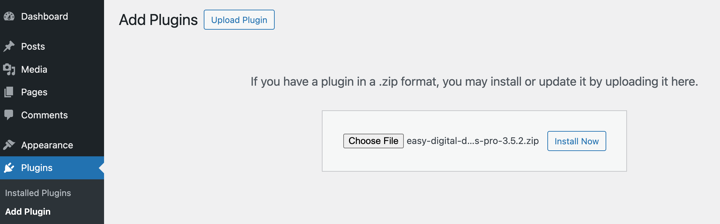
Once activated, click the Get Started button to launch the setup wizard.
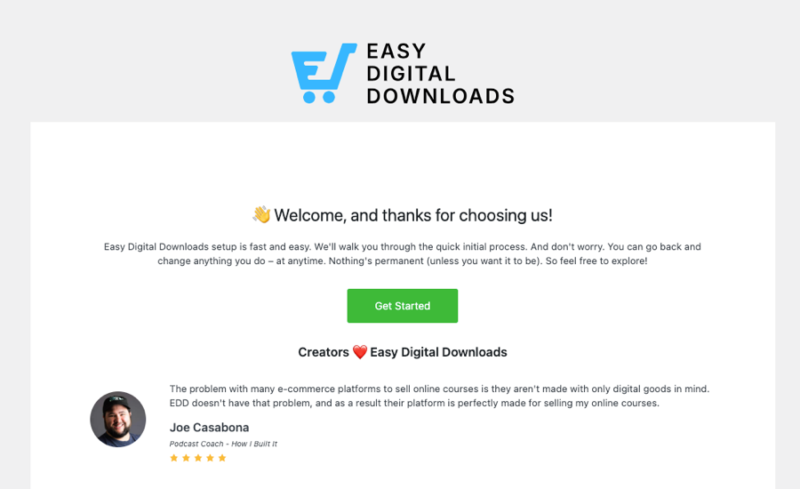
It’ll walk you through the basics in about two minutes. Don’t skip this!
Even if you’re not sure about some answers or ready to complete each step, you can always change them under Downloads » Settings. Enter basic information about your store and online business, such as your location, currency, etc.
Step 2: Configure Your Payment Gateway
The most critical setting is your payment gateway.
To get paid, you need a secure way to process credit cards. I recommend Stripe for the smoothest user experience.
It’s the most reliable option and supports multiple payment methods, including credit cards, Apple Pay, and Google Pay.
You can set it up during the Onboarding Wizard, or go to Downloads » Settings » Payments.
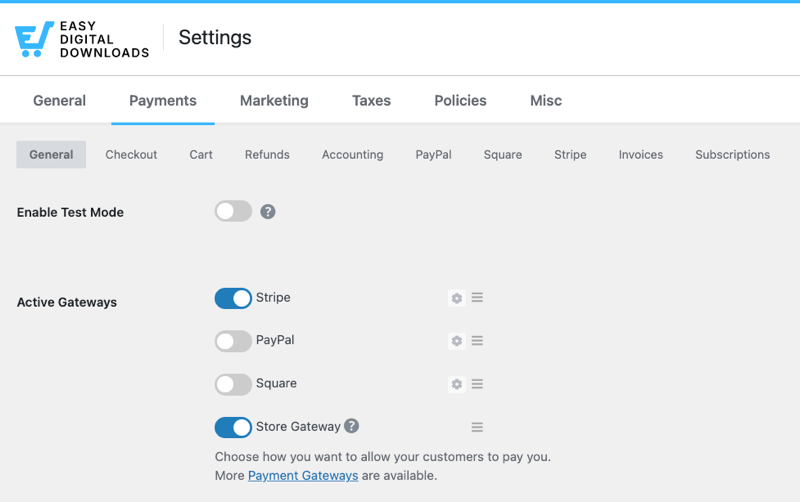
Next, navigate to the Stripe tab and select Connect with Stripe.
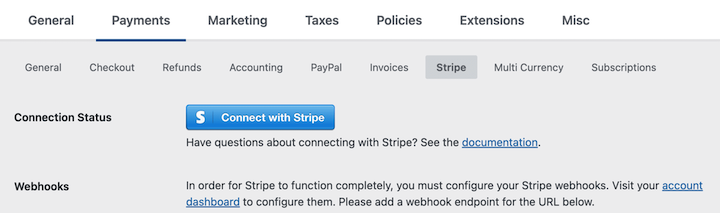
Follow the prompts to link your account. If you don’t have a Stripe account yet, you can create one for free during this process.
🔎 Follow our step-by-step Stripe setup instructions for assistance.
Step 3: Create Your eBook Product
In EDD, digital products, including eBooks, are called “downloads”. To create your product, go to Downloads » Add Download.
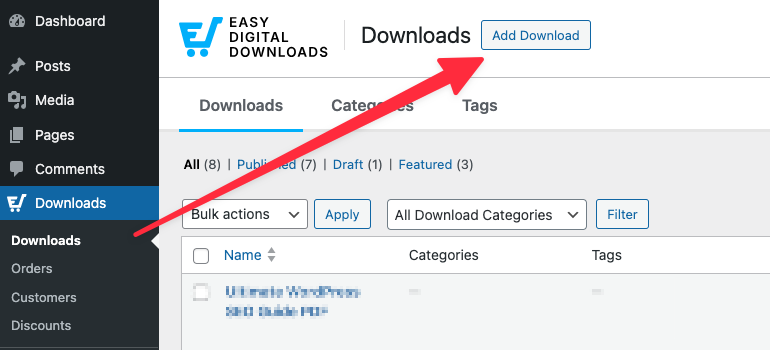
If you’ve ever created a blog post in WordPress, this interface looks similar, but with additional fields specifically for eCommerce.
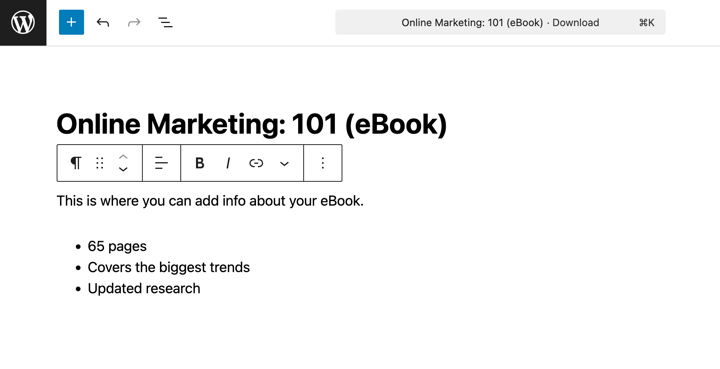
Create a product name and description. Write a title that focuses on the result (e.g., “The 30-Day Keto Blueprint” instead of “Keto eBook”).
Use the WordPress editor to list 3-5 key benefits of your book.
To the right, click on Set Download Image. Upload your chosen image.
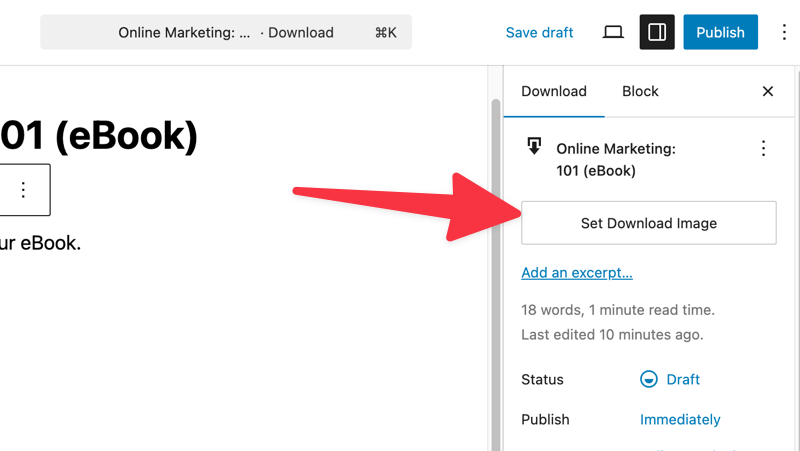
Don’t underestimate the importance of a great eBook cover! The featured image you upload here will appear on your product page and in any product listings. A professional eBook cover makes a huge difference in perceived value and conversion rates.
Click on Save draft in the top-right corner.
Step 4: Upload Your eBook Files & Set Pricing
Beneath the editor, find the Download Details section. This is where you’ll upload your PDF or EPUB files and set your eBook pricing.
In the Details tab, enter the amount you want to sell your eBook for in the Price field.
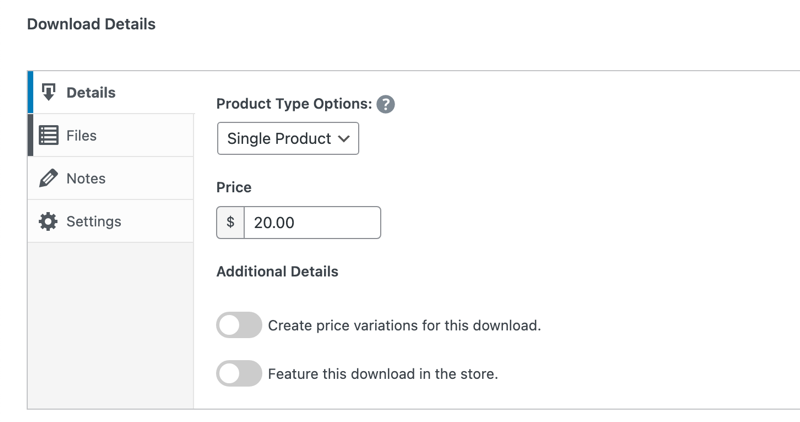
I usually recommend pricing first-time ebooks between $9.99 and $29.99.
Next, move to the Files tab.
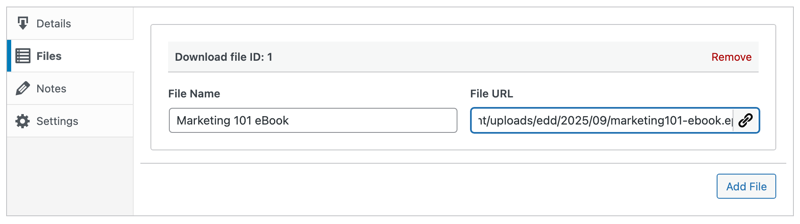
Click on the link icon to upload your eBook file from your computer. EDD supports virtually any file format: PDF, EPUB, MOBI, ZIP files containing multiple formats, or even audio files if you’ve created an audiobook version.
EDD automatically handles delivery and prevents unauthorized sharing through unique and secure digital download links.
Enter the File Name, keeping in mind this is the text of the link customers will see/use to download the eBook product.
Step 5: Preview & Publish Your eBook
Now it’s time to publish and sell your eBook!
After saving your changes, you can see how it looks on the frontend of your site by selecting the Preview option. If you’re happy with how it looks, you can push it live by selecting Publish.
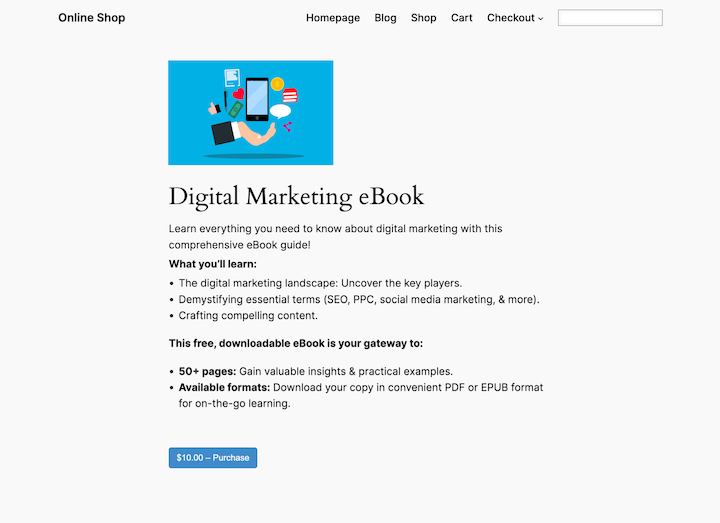
Don’t forget to test your checkout process!
You want to make sure the experience is perfect for your readers. To do this, go to Downloads » Settings » Payments, and toggle Enable Test Mode.
Run a “fake” purchase on your site to check if the confirmation emails and download links work. Follow our guide on setting up test payments.
To display your eBook on other pages, use the shortcode or the EDD block in the WordPress editor. You can show all products, specific categories, or individual eBooks, depending on your site layout.
Many successful eBook sellers create a dedicated “Shop” page where all their products are displayed. This gives customers a central location to browse your entire library and makes it easy to promote multiple titles at once.
Pro Tip[s for Selling eBooks Online
Now that you have the technical foundation in place, let’s talk about strategies for selling eBooks with WordPress to maximize your online sales.
Create Product Bundles
Product bundling is one of the most effective ways to increase your average order value (AOV). You can bundle multiple books together at a discounted price. Customers love getting more value, and you earn more per transaction.
For instance, instead of selling individual eBooks for $15 each, you can bundle three related titles together for $35 – giving customers a discount while increasing your revenue per sale.
EDD makes this easy with built-in bundle functionality. To create a bundle in EDD, simply create a new Download and select Bundle under the Product Type Options setting.
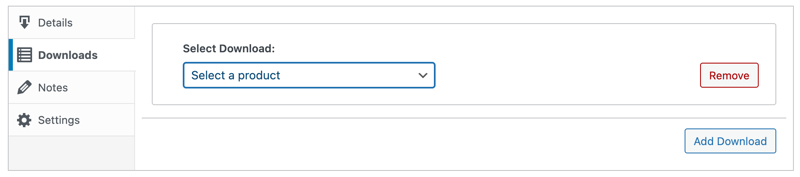
Then, instead of uploading a single file, you’ll add multiple.
Offer a Free Sample or Chapter
One of the biggest challenges in selling eBooks online is that customers can’t “flip through” your book like they would in a physical bookstore. Offering a free sample chapter or excerpt removes this barrier and gives potential customers a taste of your writing style and the value they’ll receive.
EDD’s Free Downloads feature makes this incredibly easy to implement. You can offer the first chapter of your eBook in exchange for an email address, building a list of warm prospects who have already shown interest in your work.
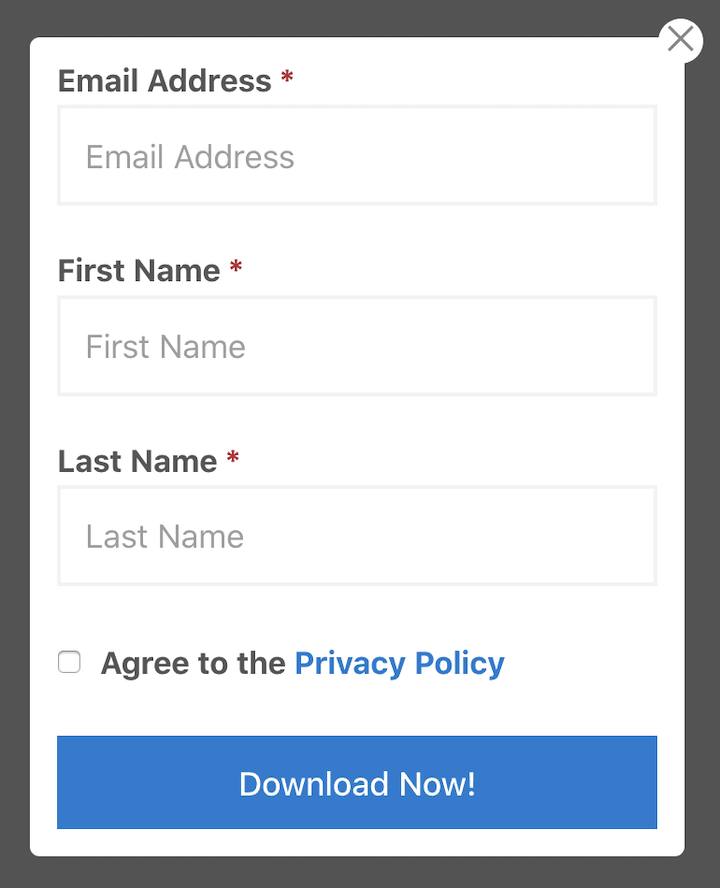
This strategy works particularly well for longer, more expensive eBooks.
If you’re selling a comprehensive guide for $49, offering the first chapter free helps justify the investment. Customers get to experience your expertise firsthand, and you get their contact information for future marketing.
The emails collected from free downloads are incredibly valuable. These are people who are already interested in your topic and familiar with your writing. When you launch your next eBook, this audience will be much more likely to purchase than cold prospects.
Use Discounts to Drive eBook Sales
Discount codes are a powerful promotional tool that can help you drive sales during launch periods, reward loyal customers, or incentivize purchases from your email list.
EDD’s built-in discount system makes it easy to create percentage-based discounts, flat dollar amounts, or even buy-one-get-one deals.
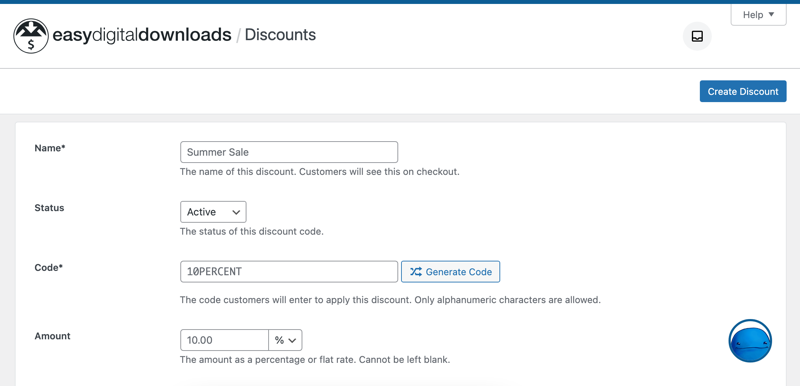
There are so many different ways to use discount codes to sell eBooks online. You could:
- Offer early-bird pricing to your email list
- Provide exclusive discounts to social media followers
- Run time-sensitive promotions that create urgency
A simple “Save 25% with code LAUNCH25” can be incredibly effective, especially when combined with a deadline.
The key to successful discount promotions is making them feel special and exclusive. Rather than offering constant discounts (which can devalue your work), use them strategically for specific goals: launching new titles, celebrating milestones, or re-engaging inactive customers.
You can also use discount codes to track the effectiveness of different marketing channels. Create unique codes for different platforms or campaigns, then see which ones generate the most sales.
FAQs on How to Sell eBooks on WordPress
Now let’s wrap up with some frequently asked questions about selling eBooks online.
Can I sell PDF files directly from my WordPress site?
Yes. By using a plugin like Easy Digital Downloads, you can upload PDF files to your WordPress Media Library and turn them into “Downloadable Products.” Your site will handle the payment, and once the transaction is complete, it will automatically send the customer a secure link to download the PDF.
Which is better for selling ebooks: PDF or EPUB?
In 2026, the best practice is to offer both. PDF is great for fixed designs (like workbooks), while EPUB is the standard for e-readers. Offering both formats is ideal for compatibility.
Do I need a special theme to sell PDFs on WordPress?
No. You can use any WordPress theme. Easy Digital Downloads works with all standard themes. However, using a “block-based” theme allows you to easily drop “Buy Now” buttons and product grids anywhere on your site using the built-in EDD blocks.
How do customers receive their PDF after buying?
Immediately after a successful payment, the customer is redirected to a “Purchase Confirmation” page on your site with a download link. Simultaneously, they receive an automated email containing their receipt and a secure link to the PDF file.
Use EDD to Sell eBooks on WordPress
Selling ebooks with WordPress is simple when you have the right tools. By owning your store, you keep your revenue and your brand identity.
Ready to launch your eBook store? If you’re looking for the best way to sell ebooks on WordPress without the technical headache, grab an EDD Pass and start selling in under 30 minutes.
Want ot more? Learn more about selling on your own site vs a marketplace.
📣 P.S. Be sure to subscribe to our newsletter and follow us on Facebook, Twitter/X, or LinkedIn for more WordPress resources!