

Ready to install Easy Digital Downloads (EDD) on your WordPress site? After you’ve purchased a Pass, the next step is to install the EDD Pro plugin so you can start creating products and making sales.
This guide walks you through downloading the Easy Digital Downloads (Pro) plugin, installing it on your site, and activating your license key.
Note: Using the free version? You can install EDD Lite directly from your WordPress dashboard. Go to Plugins » Add Plugin, search for Easy Digital Downloads, and click Install Now. If you’re upgrading from the free version to Pro, see our guide on how to upgrade from EDD Lite to Pro.
Step 1: Download the Plugin from Your EDD Account
First, log in to your Easy Digital Downloads account. Then go to the Downloads tab.
Next, click the Download Easy Digital Downloads button next to your license. This saves a zipped file of the plugin to your computer.
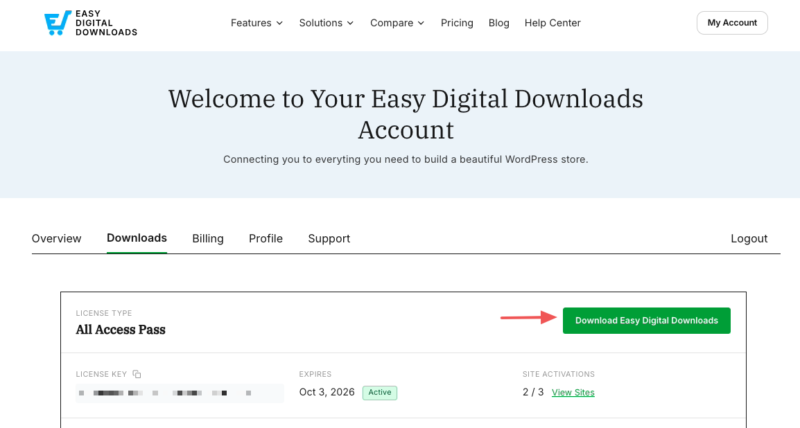
Note: In some cases, the file may unzip automatically as you download it and appear as a regular folder. The file must stay zipped to work with the WordPress plugin uploader, so re-zip the folder if needed before moving on.
You don’t need to download any of your Pro features right now. You’ll be able to install and activate features from inside your WordPress dashboard later.
Step 2: Install the Plugin on Your WordPress Site
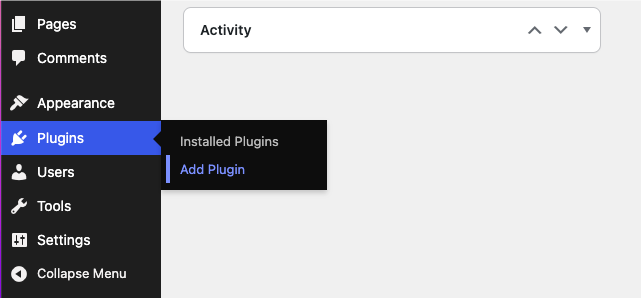
Now head to your WordPress site and log in to the admin dashboard. Go to Plugins » Add Plugin, then click the Upload Plugin button at the top of the screen.
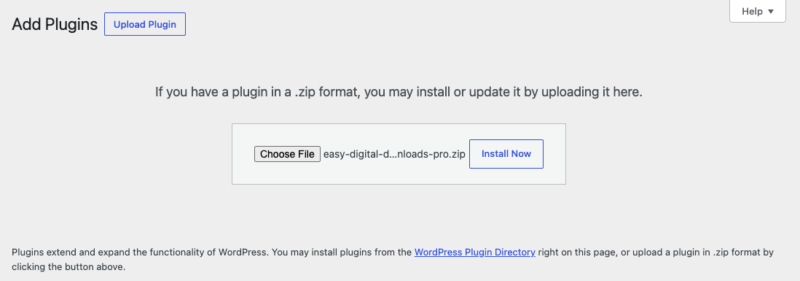
Click Choose File and select the Easy Digital Downloads zip file you just downloaded. Then click Install Now.
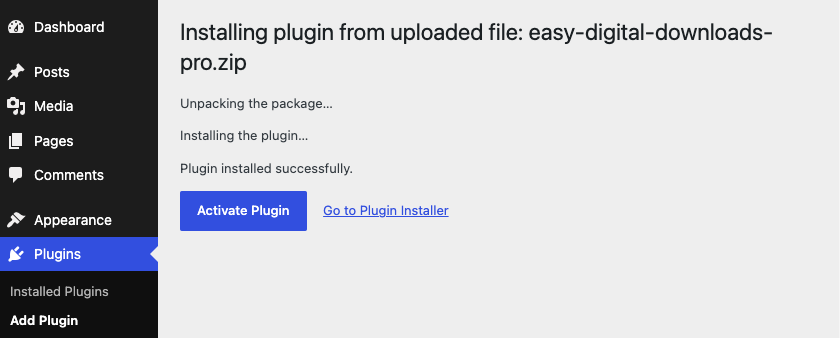
Once the plugin is installed, click Activate Plugin.
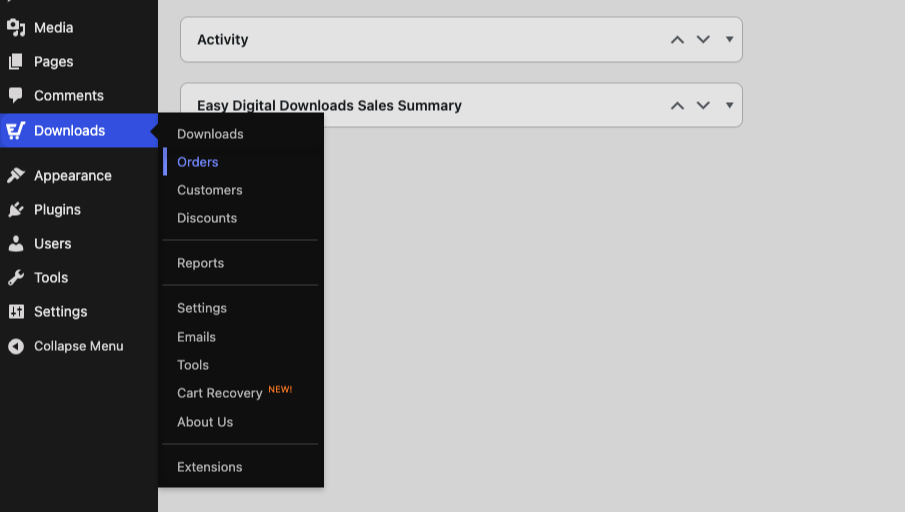
You’ll know EDD is active when a new Downloads menu item appears in your WordPress dashboard. This is your new selling hub: it’s where you’ll create products, manage orders, view reports, and adjust your store’s settings.
Step 3: Activate Your License Key
Activating your license key unlocks automatic updates, plugin support, and one-click installation of your Pro features.
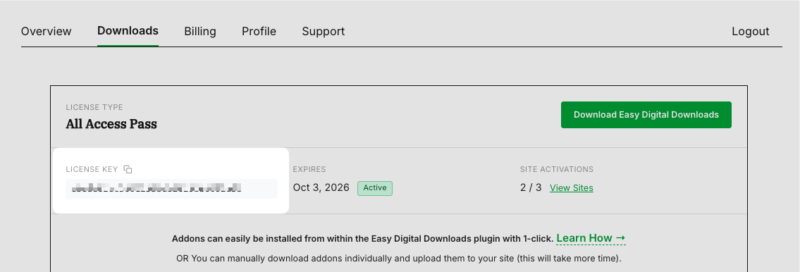
First, copy your license key from your EDD account. It’s listed with your Pass on the main screen of your account dashboard.
Then, back in your WordPress dashboard, go to Downloads » Settings. Paste your license key into the License Key field and click Activate License.
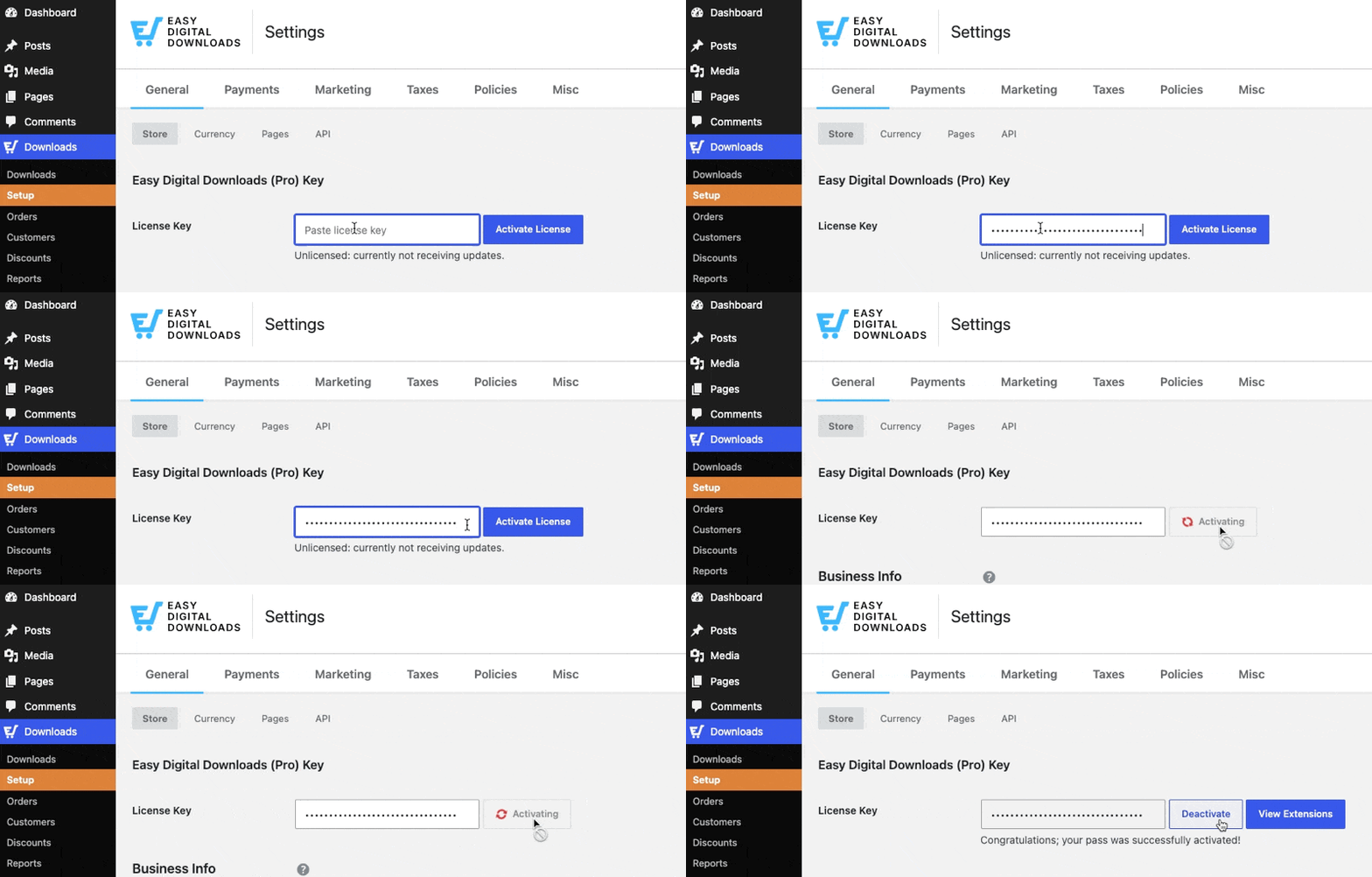
That’s it! Your license is active, and your Pro features are ready to install whenever you need them.
What’s Next: Run the Setup Wizard
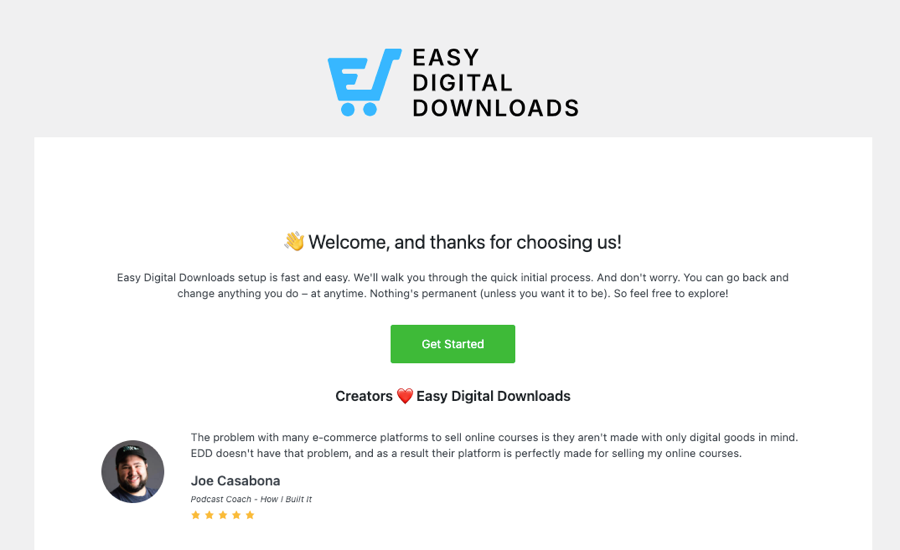
With Easy Digital Downloads installed and activated, the Setup Wizard takes over from here. It walks you through five quick steps: your business info and currency, payment methods, your purchase receipt email, recommended tools, and your first product.
Go to Setup » Get Started to launch it.
Next → Setup Wizard Walkthrough or head back to the Getting Started guide to see the full path from install to first sale.



