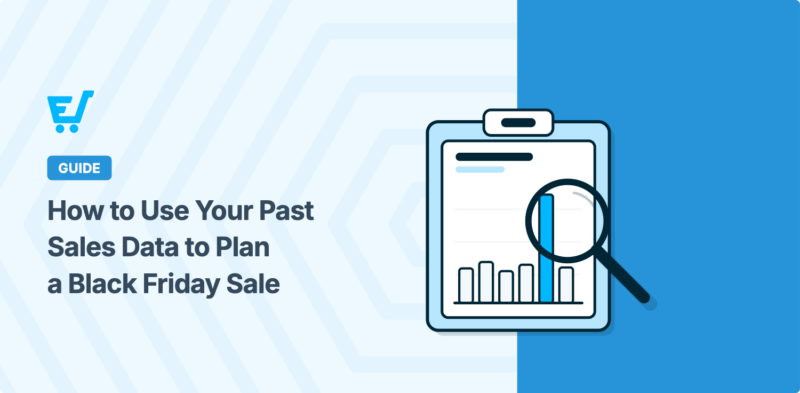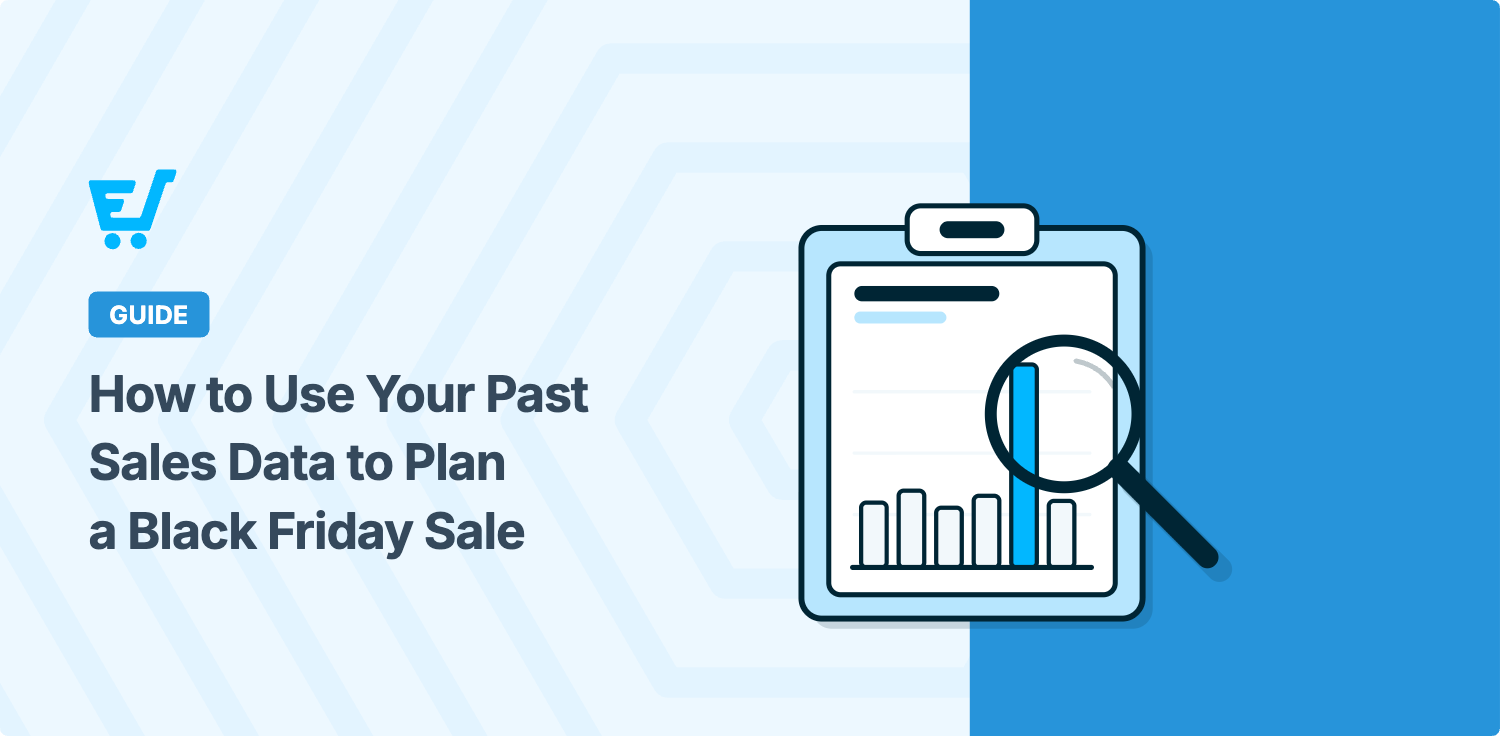


To plan a Black Friday sale from your past sales data, start by comparing last year’s sale with a normal stretch of days. That shows whether your discount paid for itself. Then look at which products and customers drove the results, and turn what you find into a one-page plan.
Most sellers pick a Black Friday discount by gut feel, or by copying what everyone else does. But your store already knows what sold last time and who bought it.
This guide walks you through six steps, with one example shop all the way through. You can pull every number from your reports in Easy Digital Downloads (EDD), or ask an AI assistant in plain English.
- Key Takeaways
- Why Your Own Sales Data Beats Black Friday Industry Stats
- What You Need Before You Start
- How to Plan a Black Friday Sale From Your Past Sales Data
- Step 1: Compare Last Year's Black Friday With a Normal Stretch of Days
- Step 2: Check Whether Your Discount Paid for Itself
- Step 3: Find Your Top Sellers and Your Quiet Products
- Step 4: Build Your Black Friday Segments From Order History
- Step 5: Check What Each Segment Did Last Black Friday
- Step 6: Put Your Black Friday Plan on One Page
- How to Read Your Sales Data Honestly
- Black Friday Sales Data Questions, Answered
- How do I plan a Black Friday sale if I've never run one?
- How far back should I look at my sales data?
- How do I know if my Black Friday discount was too big?
- Can AI analyze my store's sales data?
- Which customers should get my Black Friday email first?
- Where do I find past sales data in Easy Digital Downloads?
- Plan Your Black Friday Sale With One Question
Key Takeaways
| Compare like with like | Put last year’s sale days next to the same number of normal days, so the lift is real. |
| Check the break-even | At 30% off, you need about 1.43 times your normal orders just to earn the same. |
| Plan by segment | Repeat buyers, lapsed buyers, subscribers and expiring licenses each need a different offer. |
| Read it honestly | One sale is a small sample, and refunds and quiet weeks can show up after it ends. |
Why Your Own Sales Data Beats Black Friday Industry Stats
Every November, the headlines fill up with big numbers. Adobe reported a record $11.8 billion in US online sales on Black Friday 2025.
Those numbers are fun to read. They just don’t tell you anything about your store.
Your own sales data answers the questions that shape your sale:
- Did last year’s sale bring in new money, or just move purchases that would have happened anyway?
- How deep a discount can you afford?
- Which products carry your store, and which ones need a push?
- Which customers should hear about the sale first?
This matters even more for Black Friday on digital products. There’s no stock to count, so planning comes down to your sales and your customers.
You don’t need to be a data person for any of this. Each step comes with a question you can ask your AI assistant, word for word.
What You Need Before You Start
You only need a few things to plan from your data:
- Some sales history. Last year’s Black Friday is ideal. Didn’t run a sale? Compare your best month with an average one instead.
- Your reports. In Easy Digital Downloads, go to Downloads » Reports. The Overview, Downloads, Refunds, Discounts and Customers tabs cover everything in this guide.
- An AI assistant (optional). EDD has built-in AI abilities. Once you connect an AI assistant like Claude or ChatGPT, it can read your orders, customers and reports. Every prompt in this guide only reads data. Nothing in your store changes.
A few segments in Step 4 need extra features. The license list needs Software Licensing, and the subscriber list needs Recurring Payments. Campaign Tracker, covered near the end, comes with EDD Pro.
How to Plan a Black Friday Sale From Your Past Sales Data
We’ll use one example the whole way through. Take a small software shop that sells six WordPress plugins for $199 to $599. Last year, it ran a 30% off code from November 28 to December 1.
Step 1: Compare Last Year’s Black Friday With a Normal Stretch of Days
Start with two windows of the same length. One is last year’s sale. The other is a normal stretch of days just before it, with no discount running.
The same length matters. Four sale days next to a whole normal month makes the sale look tiny. Next to a single day, it looks huge.
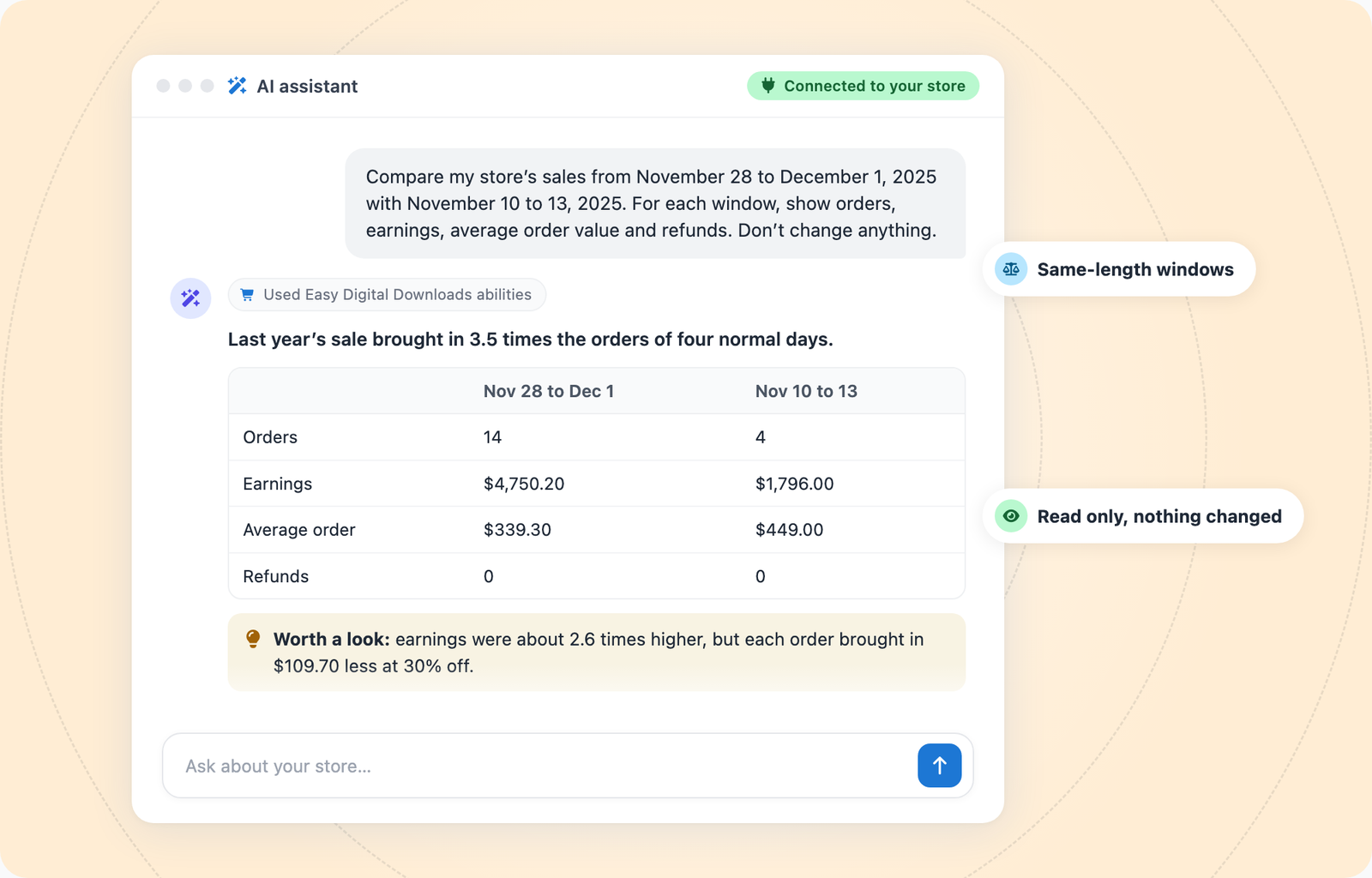
In Easy Digital Downloads, go to Downloads » Reports and set the date range for each window on the Overview tab. Or ask your assistant:
Compare my store’s sales from November 28 to December 1, 2025 with November 10 to 13, 2025. For each window, show orders, earnings, average order value and refunds. Don’t change anything.
For the example shop, the answer looked like this:
| Black Friday (Nov 28 to Dec 1) | Normal days (Nov 10 to 13) | |
|---|---|---|
| Orders | 14 | 4 |
| Earnings | $4,750.20 | $1,796.00 |
| Average order | $339.30 | $449.00 |
| Refunds | 0 | 0 |
That’s 3.5 times the orders and about 2.6 times the earnings.
Notice that the average order dropped by about $110. Buyers spent less per order at 30% off. Keep that in mind for the next step.
Prefer to watch? Our 60-second video shows the same comparison.
Step 2: Check Whether Your Discount Paid for Itself
A discount means each order brings in less. So you need more orders just to earn what a normal stretch would.
The rule of thumb is simple: divide 1 by (1 minus your discount). At 30% off, that’s 1 divided by 0.7. You need about 1.43 times your normal orders to break even.
| Discount | Orders needed to break even |
|---|---|
| 20% off | 1.25 times normal |
| 30% off | 1.43 times normal |
| 40% off | 1.67 times normal |
| 50% off | 2 times normal |
This assumes buyers pick the same products at the same prices. If they trade up or down, compare earnings too.
The example shop needed 1.43 times its normal orders. It got 3.5 times, and earnings came in about 2.6 times higher. The discount paid for itself.
That result helps you pick this year’s discount. If 30% cleared the bar easily, you probably don’t need 50%. At half off, you’d need twice your normal orders just to stand still.
Your assistant can run the numbers for any discount:
My normal 4-day stretch had 4 orders and $1,796 in earnings. How many orders would I need at 20%, 30% and 40% off to earn the same? Show the math.
Before you lock in a number, set your discount floor, including payment fees and affiliate commissions. Our Black Friday prep checklist walks through that math.
One catch: the extra orders only count if they’re new. Some buyers just wait for a sale. You’ll check for that in the last section.
Step 3: Find Your Top Sellers and Your Quiet Products
Next, see which products carry your store. Look at two views: the last 12 months, and last year’s sale on its own.
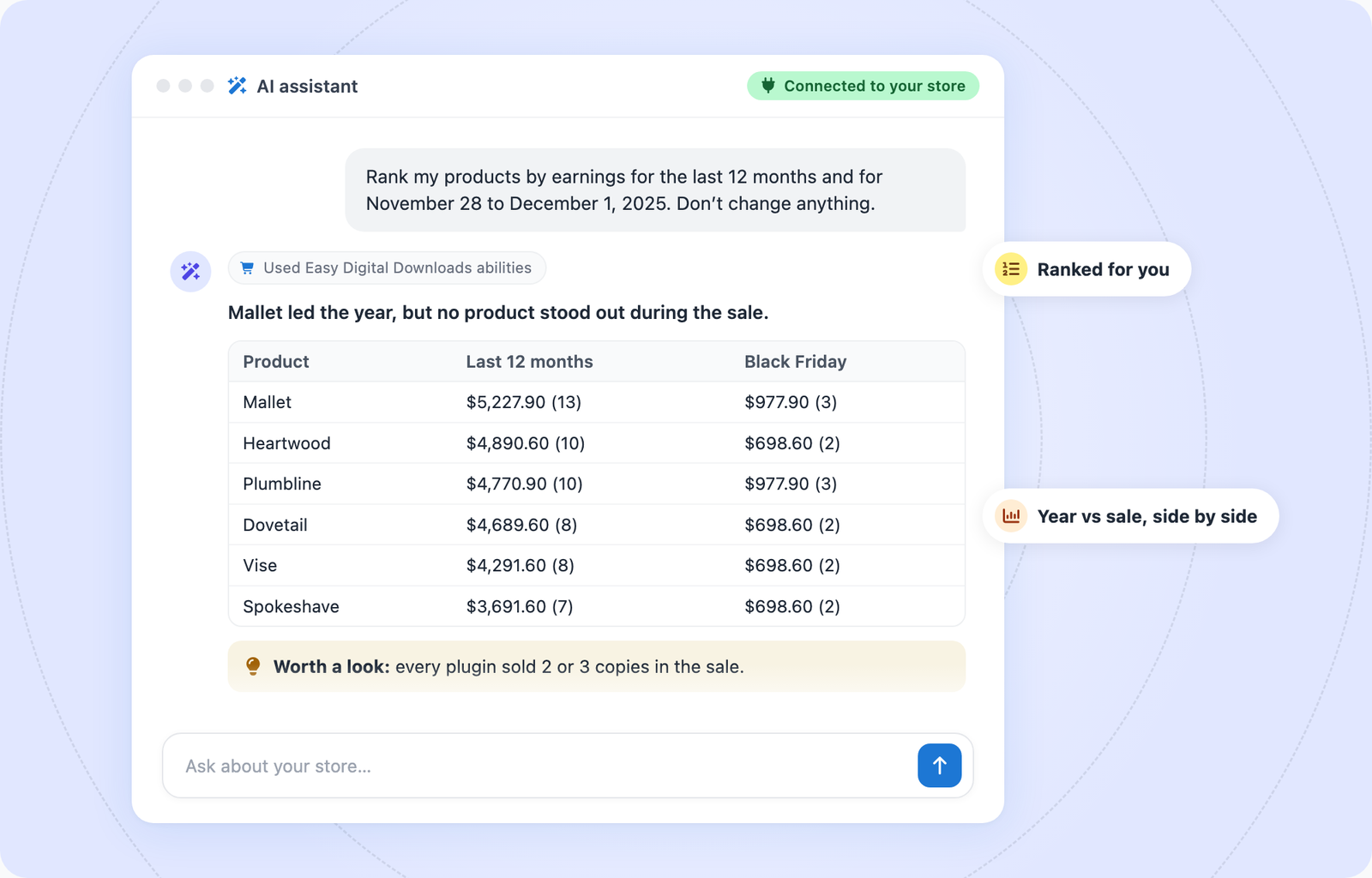
In Easy Digital Downloads, the Downloads tab under Downloads » Reports ranks your products by earnings. Or ask:
Rank my products by earnings for the last 12 months and for November 28 to December 1, 2025. Don’t change anything.
EDD’s sales report checks one product at a time, so your assistant runs it once for each product. That’s normal. It just takes a moment longer.
In the example shop, Mallet led the last 12 months with $5,227.90 from 13 sales. Spokeshave came last at $3,691.60.
The sale told a different story. Every plugin sold two or three copies. No single product carried the weekend.
What you see points to this year’s offer:
- Sales spread evenly: A store-wide code makes sense, like the example shop’s.
- One clear standout: Try a product-specific offer, or pair the standout with a quieter product.
- A quiet product: Add it to a bundle or offer it as a bonus instead of cutting its price further.
Brand-new products won’t have a sales history yet. Don’t count them as quiet. They just haven’t had a Black Friday.
Step 4: Build Your Black Friday Segments From Order History
Not every customer needs the same deal. Your order history splits them into groups, and each group can get its own offer.
| Segment | How to find it | Offer idea | What you need |
|---|---|---|---|
| Repeat buyers | Two or more orders in the last 12 months | Early access, 24 to 48 hours ahead | Easy Digital Downloads |
| Lapsed buyers | Past customers with no order in 12 months | A win-back offer | Easy Digital Downloads |
| Active subscribers | Active subscriptions by product | A deal on a new product, not on their renewal | Recurring Payments |
| Expiring licenses | Licenses that expire in the next 60 days | A renewal or upgrade offer before the key runs out | Software Licensing |
| New email subscribers | Your email marketing tool | A first-purchase offer | Your email tool |
Sell ebooks, courses or music? Skip the license row. Repeat and lapsed buyers work the same way for any digital product.
Ask your assistant for each group:
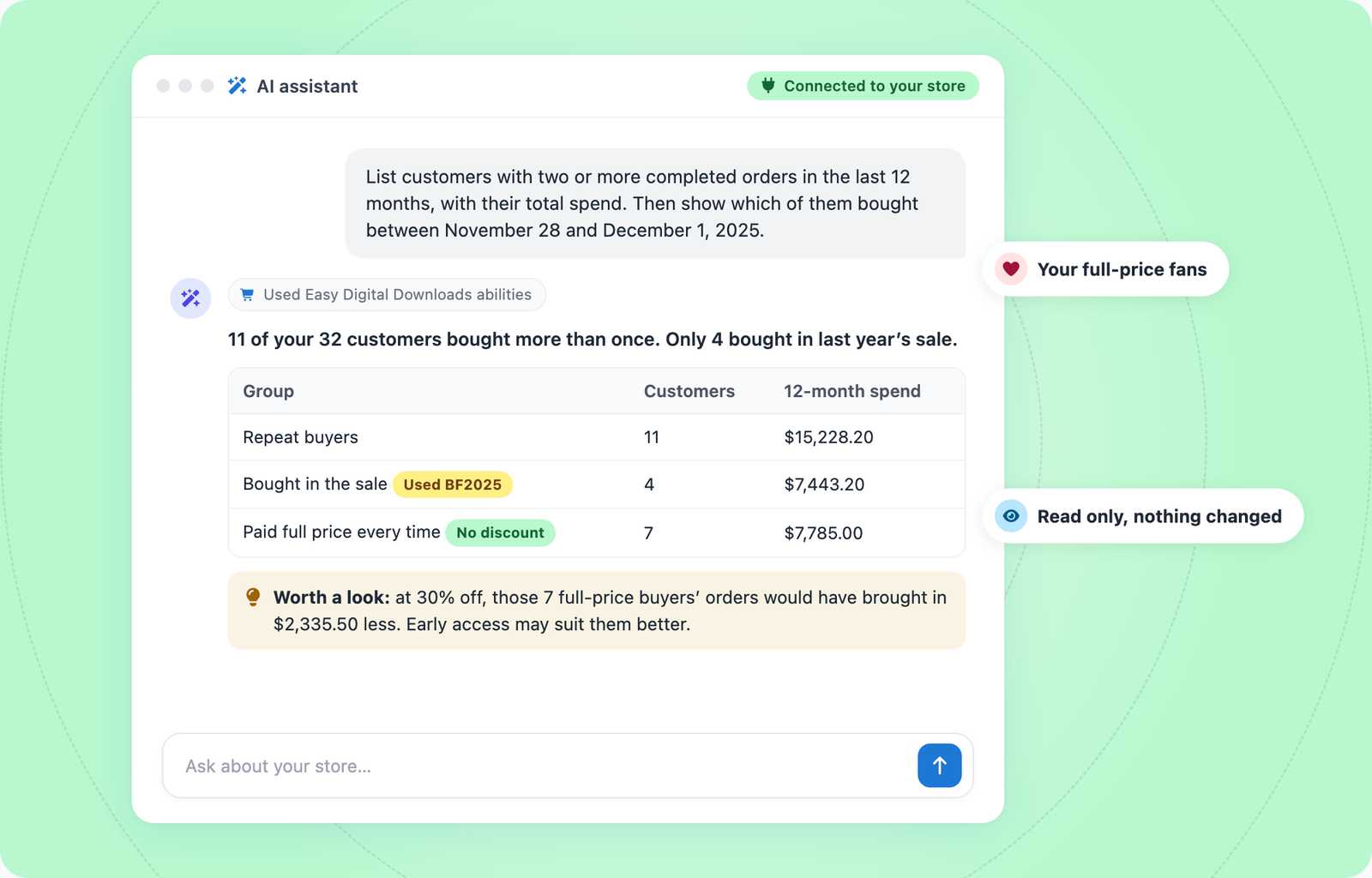
List customers with two or more completed orders in the last 12 months, with their total spend. Then show which of them bought between November 28 and December 1, 2025.
List customers who bought from me before but haven’t ordered in the last 12 months.
Which licenses expire in the next 60 days? Group them by product and expiration date.
Step 5: Check What Each Segment Did Last Black Friday
A list of names is only the start. The useful part is how each group behaved during your last sale.
In the example shop, 11 of 32 customers bought more than once. Only 4 of them bought during last year’s sale. The other 7 paid full price every time.
That’s worth knowing. Those 7 customers spent $7,785 without a discount. At 30% off, the same purchases would have brought in $2,335.50 less. Early access or a bundle they don’t own yet fits them better than your biggest code.
The license list had a timing surprise too. Of 20 licenses expiring in the next 60 days, 14 expire between November 28 and December 1. Those are last year’s Black Friday buyers, and their renewals land in the middle of this year’s sale. Decide now which price they’ll get: your sale price or their normal renewal price.
One more note: Easy Digital Downloads knows your customers, not your newsletter list. Pull new email subscribers from your email marketing tool.
For more on these groups, see our guides to managing software licenses with AI, Recurring Payments with AI and keeping loyal customers coming back. The Find Expiring Licenses recipe walks your assistant through the license list.
Step 6: Put Your Black Friday Plan on One Page
Now turn what you found into one simple plan. Keep it to one page, so it’s easy to follow once the sale is live.
For the example shop, it looks like this:
| Plan item | Example shop |
|---|---|
| Goal | Bring back repeat buyers first, then reach new buyers |
| Discount | 30% off store-wide, since it cleared break-even easily last year |
| Products | All six plugins. Sales were even, so no single product needs a push |
| Early access | Repeat buyers get 48 hours early. The 7 full-price buyers also get a bundle offer |
| Licenses | A renewal reminder before Nov 27 for the 14 licenses that expire during the sale |
| Dates | Nov 27 to Nov 30, Black Friday through Cyber Monday |
| What to measure | Orders and earnings against a normal 4 days, new vs returning buyers, and refunds two weeks later |
Pick one main goal. It keeps your offer simple, and it tells you exactly what to check when the sale ends.
Ready to set up your codes and emails? The Black Friday prep checklist covers checkout testing, discount codes and promotion.
How to Read Your Sales Data Honestly
Numbers can mislead you, even when they’re correct. Keep these checks in mind before you plan around last year’s results.
- One sale is a small sample. 14 orders is a signal, not a trend. A slow year doesn’t mean your offer failed, and a great year doesn’t promise a repeat.
- Sales can move instead of grow. Some buyers just wait for the discount. Compare the two weeks after your sale with a normal two weeks. A dip means some sale orders would have happened anyway.
- Refunds show up later. Check the Refunds tab again two weeks after the sale ends. The example shop had none, but yours might.
- Campaign Tracker only sees tagged links. With EDD Pro, Campaign Tracker credits each order to the first campaign a buyer came through, using UTM tags on your links. It can’t see buyers who switch devices or clear their cookies, and it doesn’t know what your ads cost. Tag every sale email and social link, then check Downloads » Reports » Campaigns.
- Check AI totals against your reports. Your assistant reads the same data, but spot-check its totals in Downloads » Reports before you act on them.
Black Friday Sales Data Questions, Answered
Still working out your plan? These answers cover the questions sellers ask most when they plan a sale from their own data.
How do I plan a Black Friday sale if I’ve never run one?
Compare your best month with an average one to see what drives your sales. Then build your segments the same way, starting with repeat and lapsed buyers. With no break-even data yet, a moderate discount is the safer start.
How far back should I look at my sales data?
Use the last 12 months for products and customer segments. For the discount check, compare last year’s sale with a normal stretch of the same length just before it.
How do I know if my Black Friday discount was too big?
Divide 1 by (1 minus your discount) to find how many more orders you needed to break even. If you cleared that easily, or your best customers bought at full price anyway, a smaller discount may work this year.
Can AI analyze my store’s sales data?
Yes. Easy Digital Downloads has built-in AI abilities, so a connected assistant like Claude or ChatGPT can read your orders, customers, licenses and reports. Reading doesn’t change anything in your store. Check its totals against Downloads » Reports before you act on them.
Which customers should get my Black Friday email first?
Start with repeat buyers. A 24 to 48 hour head start rewards them without a deeper discount. Then send lapsed buyers a win-back offer, and email everyone else when the sale opens.
Where do I find past sales data in Easy Digital Downloads?
Go to Downloads » Reports. The Overview tab shows earnings and orders, Downloads ranks your products, and Refunds, Discounts and Customers cover the rest. With EDD Pro, Campaigns shows which tagged links brought in sales.
Plan Your Black Friday Sale With One Question
You don’t need a spreadsheet to plan a Black Friday sale. Start with one question: how did last year’s sale compare with a normal stretch of days?
That answer tells you whether your discount worked. From there, work through Steps 3 to 6 and write your one-page plan.
New to running your store with AI? Our guide to running Easy Digital Downloads with an AI assistantwalks you through setup.
Don’t have EDD Pro yet? A pass adds features like Software Licensing, Recurring Payments and Campaign Tracker, so you can use every step in this guide.
📣 P.S. Want more WordPress resources?
Get tips in your inbox, or follow along on your favorite platform.