

f you’ve built a WordPress plugin, you’ve already done the hard part. Now comes the question every plugin developer eventually faces: where and how do you sell it?
The most common answer is a marketplace like Envato’s CodeCanyon. The problem? They take 37.5 to 55% of every sale. You do the work; they keep a big cut.
There’s a better way. Selling WordPress plugins from your own website gives you full control over pricing, direct access to your customers, and zero platform fees. Here’s the short answer:
To sell WordPress plugins, you need an eCommerce plugin, a pricing model, and a way to deliver license keys. The simplest approach is to sell from your own WordPress site using Easy Digital Downloads (EDD). You keep 100% of your revenue, automate license management, and own the customer relationship from day one.
In this guide, I’ll walk you through everything: where to sell, which business model to choose, how to price your plugin, and how to set up your store step by step.
- Key Takeaways
- Why Sell WordPress Plugins?
- Where to Sell WordPress Plugins
- How to Choose a Business Model for Your Plugin
- How to Sell WordPress Plugins (Step By Step)
- FAQs About Selling WordPress Plugins
- What is the best way to sell WordPress plugins?
- How much commission does CodeCanyon take from plugin sales?
- What is the freemium model for WordPress plugins?
- How do I protect my WordPress plugin from piracy?
- Do I need to collect VAT or sales tax when selling WordPress plugins?
- How do I create a WordPress plugin?
- Start Selling Your WordPress Plugins Today
Key Takeaways
| Own your store | Selling from your own site means no platform fees and full pricing control. |
| License automation | EDD’s Software Licensing feature handles key generation, renewals, and 1-click plugin updates automatically. |
| Freemium works | A free version on WordPress.org builds your audience and funnels buyers to your paid version. |
| Price in tiers | Three or four license tiers with increasing site counts is the standard plugin pricing model. |
| Market to developers | WordPress.org reviews, WordCamps, and building in public drive the most targeted plugin sales. |
Why Sell WordPress Plugins?
WordPress powers over 40% of all websites on the internet. That’s a massive, built-in market for anyone building tools that make those sites work better.
Plugins are one of the best digital products to sell because they generate recurring revenue. Most are licensed annually, which means customers renew year after year. Your income becomes predictable and scalable, without you creating something new every time.
You also retain full control over what your plugin does and how it’s priced. There’s no marketplace dictating your terms. As your user base grows, your reputation in the WordPress community grows with it.
👉 For a broader look this opportunity, see Sell Software and Apps.
Where to Sell WordPress Plugins
You have three main channels for distributing and selling your WordPress plugin. Here’s what each one actually offers.
WordPress.org Plugin Directory
The WordPress.org Plugin Directory is free only. You can’t charge for a plugin listed there. But it’s still a critical part of most successful plugin businesses.
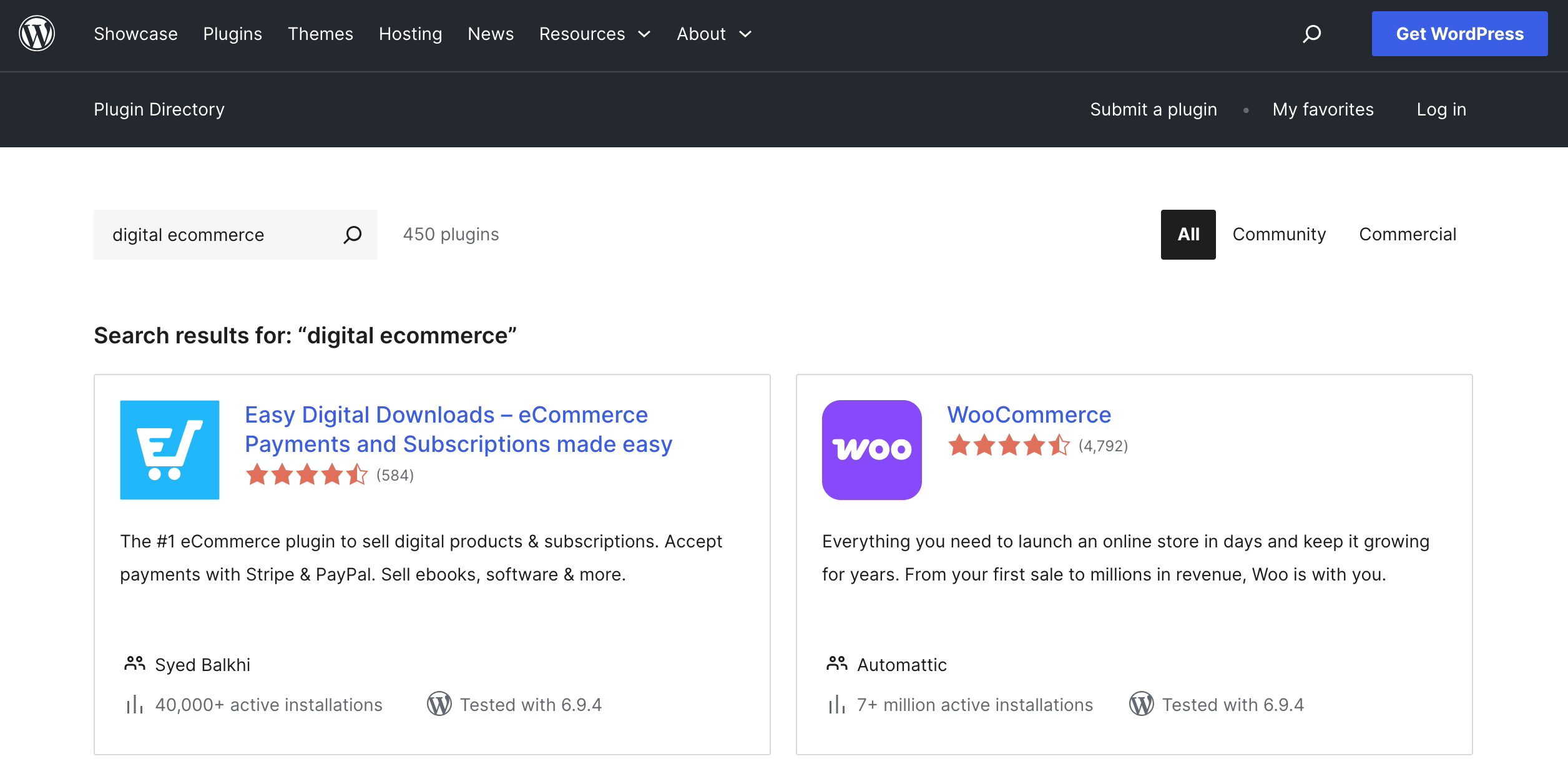
Listing a free version on WordPress.org puts your plugin in front of millions of developers and site owners actively looking for solutions. A strong listing with good reviews drives organic installs.
Those free users are your pipeline to paid customers. This is the freemium model in action, and it’s the most common go-to-market strategy for WordPress plugins.
One important note: if you list a plugin on WordPress.org, you need to support it there. Unanswered questions in the support forums turn into bad reviews, which hurt your install count.
Third-Party Marketplaces
Marketplaces like Envato, which runs CodeCanyon for plugins and ThemeForest for themes, give you access to a large built-in audience. That’s genuinely useful when you’re starting out with no existing user base.
But the trade-offs add up fast:
- CodeCanyon takes 37.5% to 55% commission depending on exclusivity
- You don’t own the customer relationship — Envato does
- Pricing and promotion are controlled by the platform
- Building your own brand is harder when you’re one listing among thousands
ThemeSelection moved their business off Envato’s marketplace and onto EDD. Read their case study to see how the switch changed their revenue and operations.
Your Own Website
Selling from your own website is the approach most successful plugin businesses eventually move to. No platform fees. Full pricing control. You own every customer relationship.
The common concern is that it’s complicated to set up. It’s not. Easy Digital Downloads (EDD) is purpose-built for selling digital products on WordPress, and you can have your store running in under an hour.
Here’s how the two options compare:
| Marketplace | Your Own WP Site | |
|---|---|---|
| Platform fees | 37–55% | None |
| Pricing control | Limited | Full |
| Customer data | Platform owns it | You own it |
| Branding | Restricted | Full control |
| Setup time | Instant | Under 1 hour |
Learn more about selling on your own store vs marketplaces.
How to Choose a Business Model for Your Plugin
Before you set up your store, you need to decide how you’ll charge for your plugin. There are three main models, and the right one depends on where you are.
Freemium
You offer a free core version on WordPress.org and a paid Pro version with advanced features. This is the most popular model in the WordPress ecosystem.
Freemium works best when you’re starting out and need to build a user base. The free version generates installs, reviews, and support activity. The paid version captures users who need more capability.
WPForms, MonsterInsights, and All In One SEO all use this model – and all of them use Easy Digital Downloads to power their paid sales.
Premium Only
No free tier. Paid from day one. This works for specialized, high-value plugins where the use case is clear and the ROI for buyers is obvious.
It’s harder to build traction without an existing audience, but you’re not splitting your attention between free and paid users. If your plugin solves a specific, well-understood problem, premium only can work well from the start.
Annual License (Recommended)
This is the model most successful plugin businesses use. Customers pay annually for access to your plugin and updates. The license renews each year, which creates predictable recurring revenue.
Most plugins sell in three tiers based on the number of sites the customer can activate the plugin on:
- Single site: lowest price, widest audience
- 5 sites: mid-tier, typically your highest-converting plan
- Unlimited (Developer): premium tier for agencies and power users
Price your mid-tier to feel like the obvious choice: high enough to generate real revenue, low enough that buyers don’t need to think twice.
For a deeper look at structuring revenue, see our guide on building recurring revenue streams.
How to Sell WordPress Plugins (Step By Step)
Ready to set up your store? Here’s how to do it with Easy Digital Downloads.
- Set Up Your Plugin Store
- Price Your Plugin
- Add Your Plugin to Your Store
- License and Protect Your Plugin
- Market Your Plugin
Step 1: Set Up Your Plugin Store
Easy Digital Downloads (EDD) is the go-to eCommerce plugin for selling digital products on WordPress. More than 50,000 businesses trust it — including WPForms, MonsterInsights, and All In One SEO, each with millions of active users.
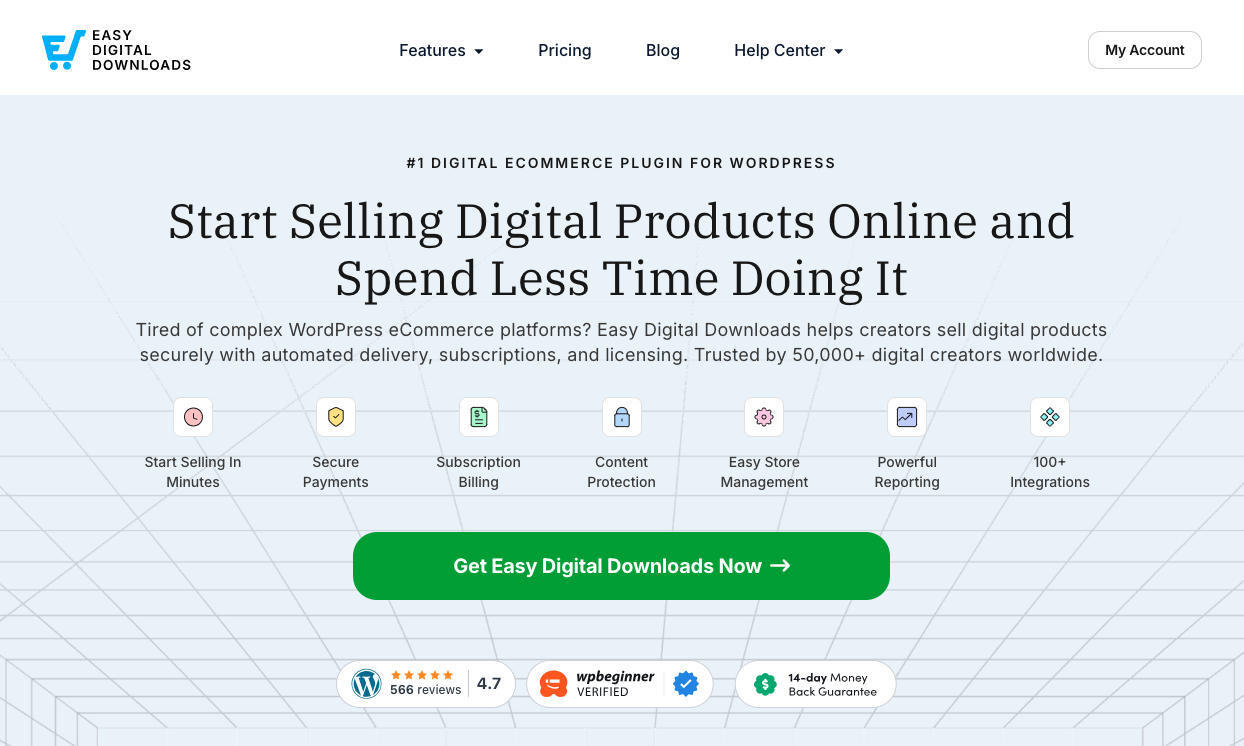
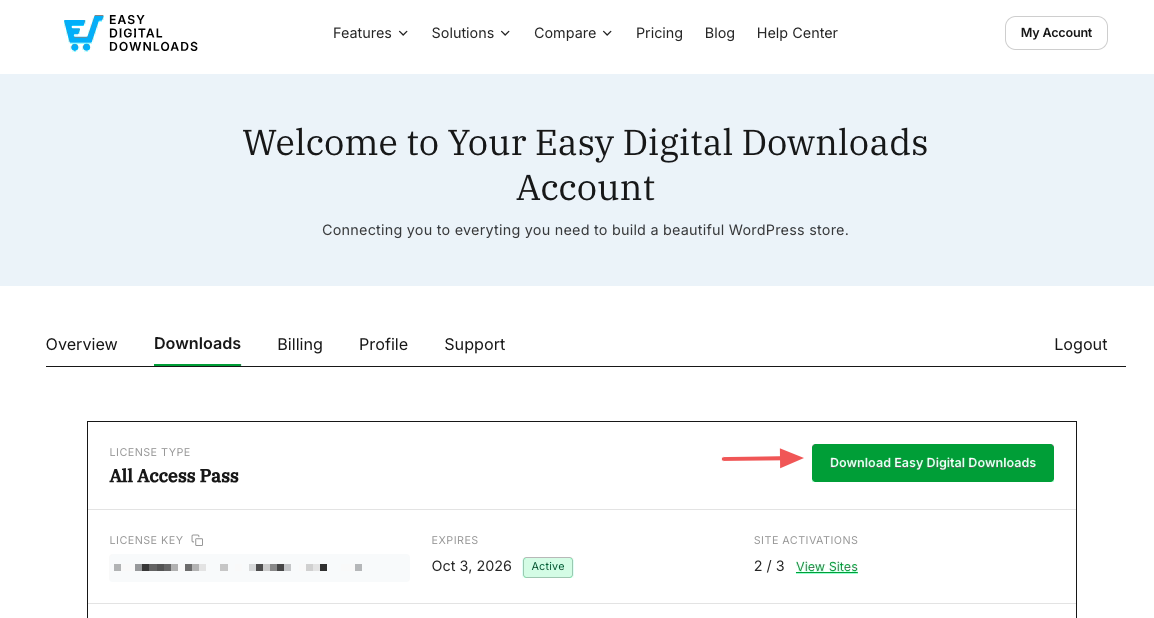
To get started, visit the Easy Digital Downloads website and choose a plan. Once you buy your license, download the plugin from your account dashboard.
If you don’t have a WordPress site yet, check out our recommended WordPress hosts to get you started.
Once downloaded, upload the .zip file under Plugins » Add Plugin » Upload Plugin.
Install and activate it, and a Downloads menu item appears in your WordPress dashboard.
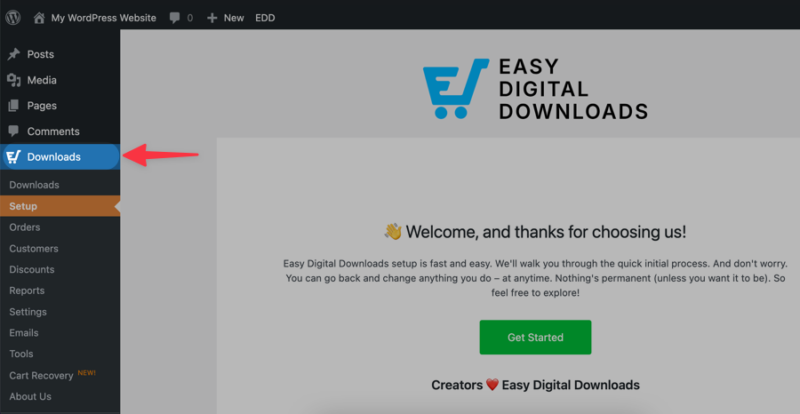
Go to Setup » Get Started to launch the Onboarding Wizard and begin the initial steps, like adding your business info, connecting Stripe, and adding your first product. You can skip step you’re ready for yet.
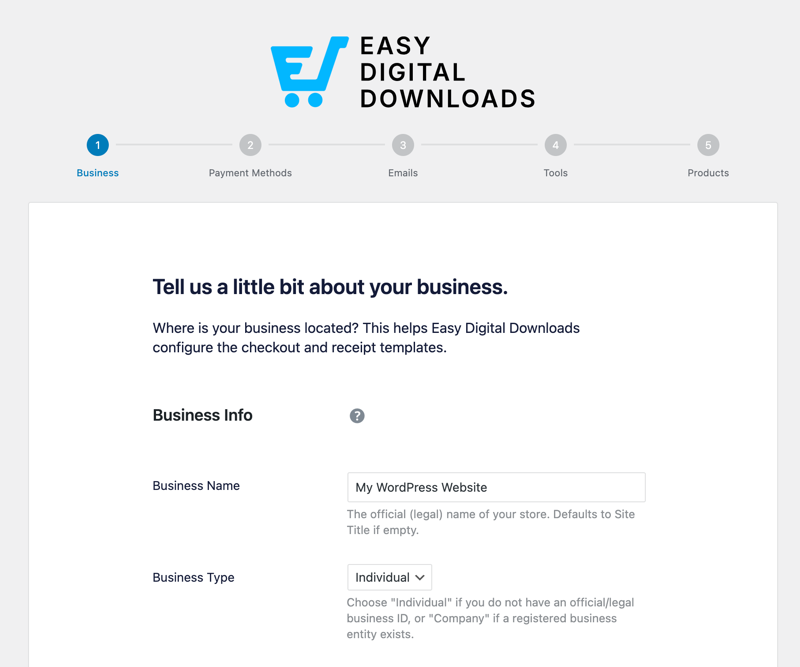
⚙️ Use these guides for more detailed instructions setting up your store:
Step 2: Decide Your Plugin Price
Pricing is where a lot of plugin developers get stuck. A few principles that work:
- Research what similar plugins charge. Look at 3 to 5 competitors in your niche. What do their single-site, multi-site, and developer tiers cost? That range is your starting point.
- Lead with annual billing. Annual licenses give you recurring revenue and make your business more predictable. Lifetime licenses can work as a launch promotion, but they’re a one-time payment for an ongoing support commitment.
- Anchor on the mid-tier. Most plugin buyers land on the middle plan. Price it to feel obvious: high enough to be worth it, low enough that buyers don’t need to ask anyone for approval.
Easy Digital Downloads makes it easy to set up variable pricing, tiered licenses, and discount codes for launch promotions.
For more on pricing strategy, see our guide on pricing digital products.
Step 3: Add Your Plugin to Your Store
WordPress plugins are delivered as .zip files. Customers download the file and install it on their site just like any other plugin.
To add your plugin in EDD, go to Downloads » Add Download.
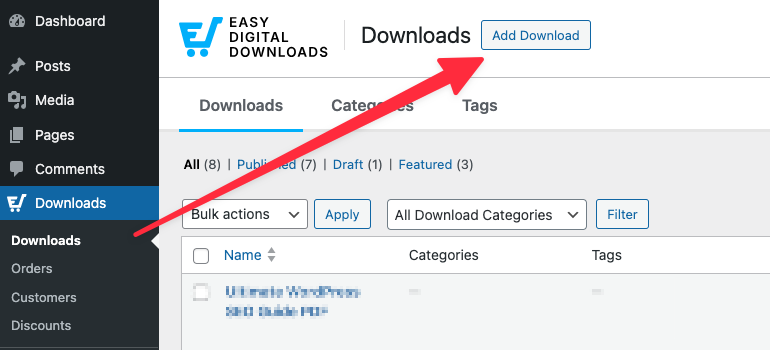
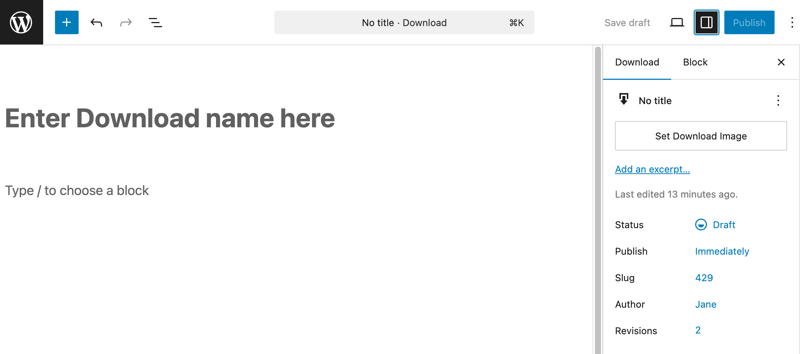
Give your plugin a name and add a description that explains what it does and who it’s for.
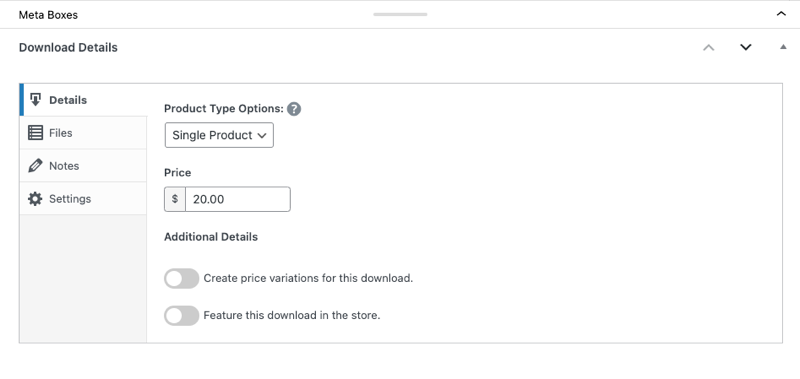
Under Download Details below the editor, you can enter the price you want to sell the WordPress plugin for.
The Files tab is where you’ll upload your plugin’s .zip file.
Under File URL, click the Upload a File (the link icon) and select your plugin file.
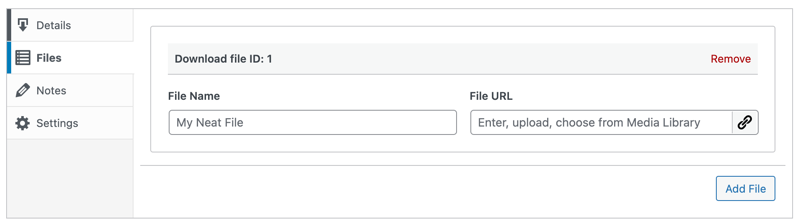
In the File Name field, add a clear label; this is the link text customers see in their confirmation email and receipt.
To the right, select Set Download Image. This appears on your product page.
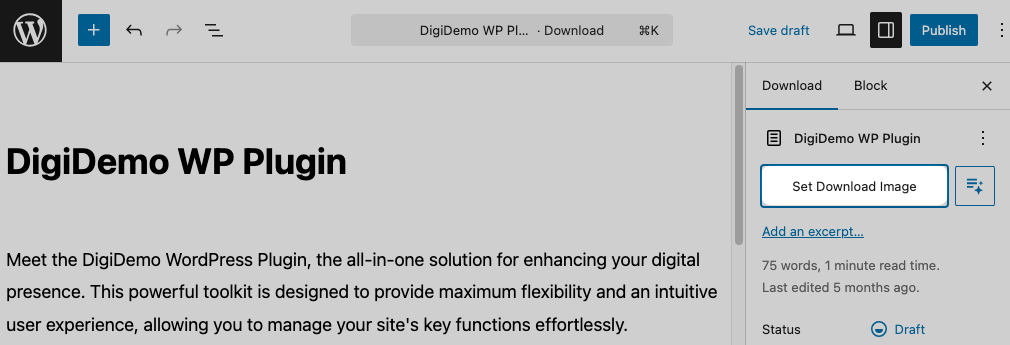
When you’re done, you can select Save draft/Preview to see how the product page looks on the front end of your site.
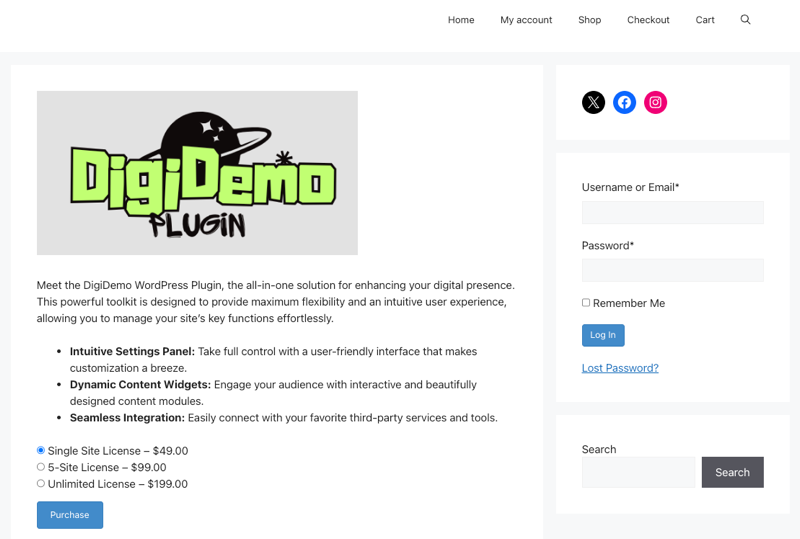
For more details, check out our Creating Products documentation.
Step 4: License and Protect Your Plugin
This is what separates WordPress plugin sales from other digital products. Plugins need license keys, and managing them manually is a nightmare at scale.
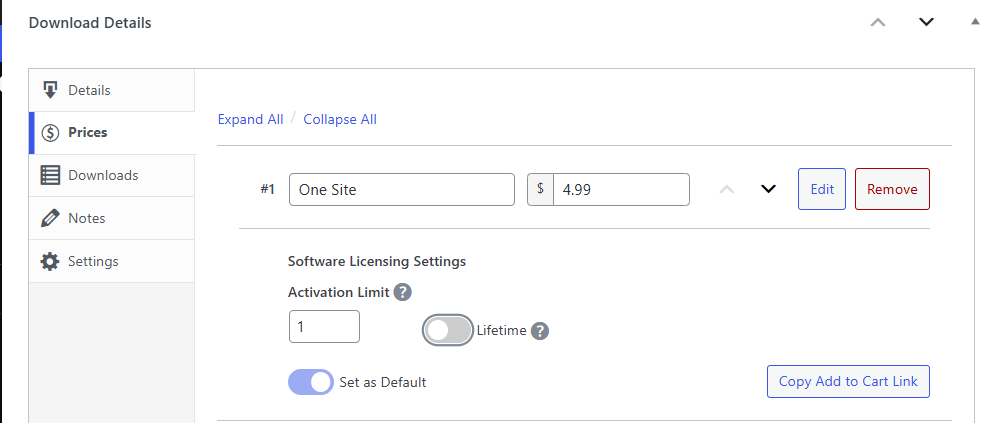
The Easy Digital Downloads Software Licensing feature handles the entire licensing workflow automatically:
- Automatic license key generation on every purchase
- 1-click plugin updates delivered directly to customers’ WordPress installs
- Activation limits enforced per license tier (single site, 5 sites, unlimited)
- Renewal reminders sent automatically before licenses expire
- Upgrade paths with prorated pricing when customers move to a higher tier
- License validation API to protect against unauthorized use
Software Licensing is available on paid Easy Digital Downloads plans. For a deeper look at the setup, see our guide on how to license and sell software in WordPress.
Step 5: Market Your Plugin
With your store live and licensing set up, it’s time to get your plugin in front of the right people. Generic marketing advice doesn’t cut it for plugin developers. Here’s what actually works:
Earn WordPress.org reviews. Five-star reviews on your free plugin listing drive organic installs from the directory. Respond to every support thread promptly — great support is the fastest path to a great review.
Build a product demo. A live demo site where people can try your plugin before buying increases conversions and cuts refunds. Pair it with a short video walkthrough and a few real-world use cases.
Build in public on Twitter/X. The WordPress developer community is active there. Share development updates, new features, and behind-the-scenes progress. People invest in products they’ve watched being built.
Attend and present at WordCamps. WordCamps bring together the most engaged WordPress users and developers. Presenting at even a small local event builds credibility and puts your plugin in front of buyers who are actively looking for tools.
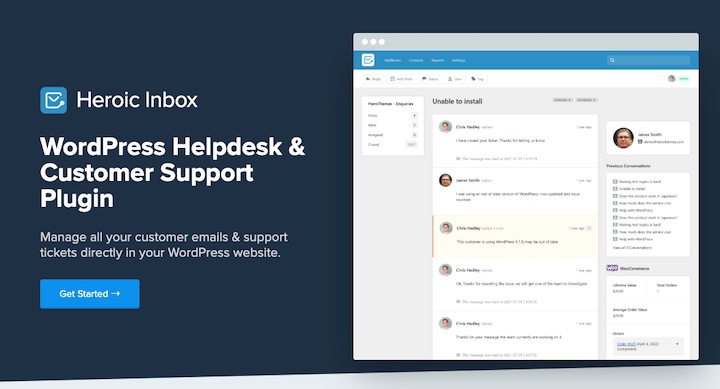
Create solid documentation. Good docs reduce support tickets and build buyer confidence before the sale. A knowledge base plugin like Heroic KB makes this straightforward to set up and maintain. They also offer Heroic Inbox, a WordPress help desk plugin that can streamline customer emails and support tickets.
Run an affiliate program. Power users who love your plugin are your best salespeople. EDD integrates with AffiliateWP to let you set up a commission-based program with minimal overhead.
For more on growing your audience, see our guides on promoting digital products on your blog and using affiliate marketing to increase sales.
FAQs About Selling WordPress Plugins
Let’s wrap up by answering some common questions developers have related to how to sell WordPress plugins.
What is the best way to sell WordPress plugins?
The best way to sell WordPress plugins is from your own website. You keep 100% of your revenue, own your customer data, and have full control over pricing and branding. Easy Digital Downloads makes it straightforward to set up a store, manage license keys, and deliver plugin updates automatically, all from WordPress.
See our WordPress plugin selling overview for more.
How much commission does CodeCanyon take from plugin sales?
CodeCanyon, part of Envato, takes between 37.5% and 55% of each sale. Exclusive authors (who only sell through CodeCanyon) keep 62.5% on a sliding scale that improves with total sales volume. Non-exclusive authors keep 45% regardless of volume. Either way, that’s a significant cut, along with limited access to your customer data and platform-controlled pricing.
What is the freemium model for WordPress plugins?
The freemium model means offering a free version of your plugin on WordPress.org and a paid Pro version with advanced features. The free version builds your user base through organic installs and reviews. The paid version converts users who need more capability. It’s the most common go-to-market strategy for WordPress plugins because WordPress.org gives you built-in distribution at no cost.
How do I protect my WordPress plugin from piracy?
The most effective protection is a license key system. EDD’s Software Licensing feature generates a unique key for every purchase and validates it against your server whenever the plugin checks in. You can set activation limits per tier and track which sites are running your plugin. This doesn’t stop every bad actor, but it makes unauthorized use visible and limits it significantly.
Do I need to collect VAT or sales tax when selling WordPress plugins?
Yes, if you’re selling to customers in the EU, UK, or certain US states, you likely have tax collection obligations. The specifics depend on your location and revenue thresholds. Some plugin sellers use a Merchant of Record service to handle tax compliance automatically. Easy Digital Downloads also includes tax settings and integrates with tax tools to help you manage this as your business scales.
How do I create a WordPress plugin?
Building a WordPress plugin requires PHP knowledge and a code editor. You’ll need a WordPress site to test on — a local or staging environment is best. Plugins are packaged as .zip files containing PHP, CSS, and JavaScript files. WPBeginner has a solid step-by-step tutorial for building your first WordPress plugin that’s a great starting point.
Start Selling Your WordPress Plugins Today
Selling WordPress plugins is one of the best ways to build recurring revenue from your development skills. The key is selling on your own terms: the right platform, the right pricing model, and a licensing setup that protects your work and keeps customers coming back.
Easy Digital Downloads gives you everything you need in one place: a full eCommerce store, automated Software Licensing, subscription billing, and detailed sales reporting — all from your own WordPress site. No platform fees. No marketplace rules. Just your plugin and your customers.
Ready to get started? Grab an EDD pass and have your store live today.
📣 P.S. Be sure to subscribe to our newsletter and follow us on Facebook, Twitter/X, or LinkedIn for more WordPress resources!