


One of the best ways to reduce eCommerce abandonment is by letting customers choose a payment method at checkout.
Offering multiple payment options elevates the shopping experience and boosts conversion rates.
But what’s the best way to go about it? If you’re a WordPress user, you can do it in a few simple steps. Easy Digital Downloads (EDD) makes it easy to set up multiple payment methods and streamline your checkout process.
🔎 In this article, I’ll cover:
- Key Takeaways
- Why Offer Multiple Payment Methods?
- Deciding Which Payment Methods to Offer
- Add Multiple Payment Methods in WordPress
- FAQs on Adding Multiple Payment Methods in WordPress
- What's the easiest way to let customers choose a payment method in WordPress?
- What are the best ways to receive payments from customers?
- Which payment gateways are compatible with EDD?
- Does Easy Digital Downloads support buy now, pay later (BNPL)?
- How many payment methods should I offer in my WordPress store?
- Let Customers Choose a Payment Method
Key Takeaways
| Multiple payment options reduce cart abandonment | Shoppers are more likely to complete a purchase when they can pay their preferred way. Removing that friction is one of the fastest ways to lift your conversion rate. |
| EDD and Stripe give you the most flexibility | Their built-in integration supports cards, digital wallets, buy now pay later, and 10+ regional payment methods from a single dashboard. |
| Setup takes just 5 steps | Install EDD, connect Stripe, configure your preferred payment methods, customize checkout, and test before going live. |
| Test before you launch | Use Stripe’s test mode to verify every payment method works correctly before accepting real transactions. |
Why Offer Multiple Payment Methods?
Imagine walking into a store and being told you can only pay with one specific type of credit card. Frustrating, right? The same principle applies to online shopping.
Customers have diverse preferences when it comes to remote transactions and contactless payments. Limiting their choices can lead to shopping cart abandonment and lost sales.
Here are the top reasons to incorporate multiple popular payment methods:
- Meet evolving customer expectations. Payment trends shift as technology advances. Offering a range of methods shows you’re adaptable and committed to meeting your customers’ needs.
- Increase conversion rates. Catering to diverse payment preferences removes barriers to purchase. Customers are more likely to follow through when they can use their preferred payment method.
- Elevate the customer experience. A smooth, convenient checkout builds customer satisfaction and loyalty. It creates a positive impression and encourages repeat purchases.
- Expand your global reach. Accepting global payments opens your store to international customers. Supporting multiple currencies and regional payment preferences can attract buyers from around the world.
- Build trust and credibility. Offering known and secure payment options makes shoppers feel confident. Customers are more likely to complete a purchase when they see familiar, reputable processors at checkout.
Deciding Which Payment Methods to Offer
To give customers a frictionless checkout experience, offer a variety of options that cover the most popular payment preferences.
This includes supporting popular methods like credit and debit cards, as well as alternative payment methods such as bank transfers and ACH payments, digital wallets and mobile payments, and buy now, pay later options.
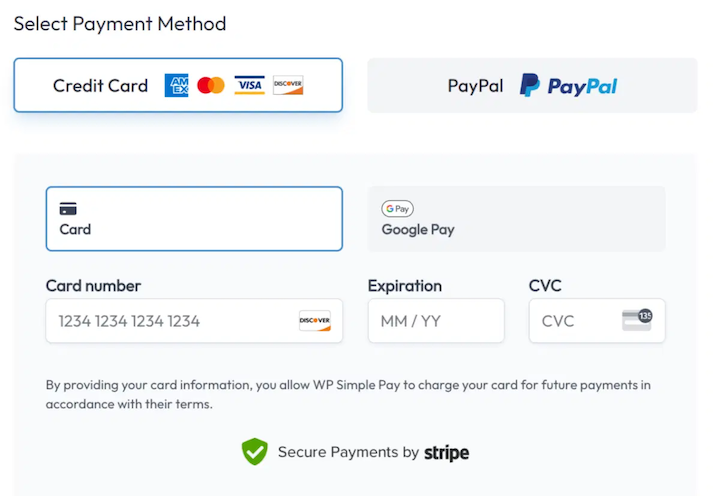
A survey by Acquired.com found that nearly 70% of online shoppers name Apple Pay or Google Pay as their preferred payment method. Debit and credit card payments came in second.
Mobile and digital wallets are increasingly popular. According to the Worldpay Global Payments Report 2025, digital wallets accounted for 53% of global eCommerce transactions in 2024, making them the most popular online payment method worldwide.
It also highlights the importance of providing customers with frictionless checkout experiences.
When determining which methods to offer your customers, consider a few key factors.
First, make sure your online payment gateways are reliable and secure. Customers’ personal and financial information must be protected. Any payment processor you choose must have a strong reputation for security.
Additionally, consider the payment processing fees associated with each gateway. Select options that are cost-effective for both you and your customers.
Add Multiple Payment Methods in WordPress
Note: WordPress doesn’t have the ability to accept payments built-in. You need a plugin. There are plenty to choose from.
If you sell digital products, the best way to add multiple payment options in WordPress is with the Easy Digital Downloads plugin and Stripe payment gateway.
With Stripe and EDD, you can:
- Save payment details for faster checkout
- Monitor early fraud warnings to prevent chargebacks
- Approve or decline refunds within WordPress
- Much more
Below, I’ll walk you through the step-by-step process and show you how to easily let customers choose a payment method on your WordPress site. If you’re already an Easy Digital Downloads and Stripe user, feel free to skip ahead to Step 3.
💻 Don’t have a WordPress website yet?
Get one set up in no time through Levamo (previously Rapyd Cloud) managed hosting. Feel free to use our step-by-step guide on creating an online store in WordPress.
Step 1: Install Easy Digital Downloads
Easy Digital Downloads (EDD) is a powerful and user-friendly WordPress plugin designed to sell digital products.
While the free version includes the standard Stripe payment gateway, I highly recommend upgrading to an EDD Pro plan. This eliminates Stripe transaction fees and gives you access to more payment options.
Once you choose your plan and download the EDD plugin, install it on your WordPress site.
Go to Plugins » Add Plugin » Upload Plugin » Choose File. Then click on Install Now followed by Activate.
This enables the plugin on your WordPress site and adds a new Downloads menu item to your admin area.
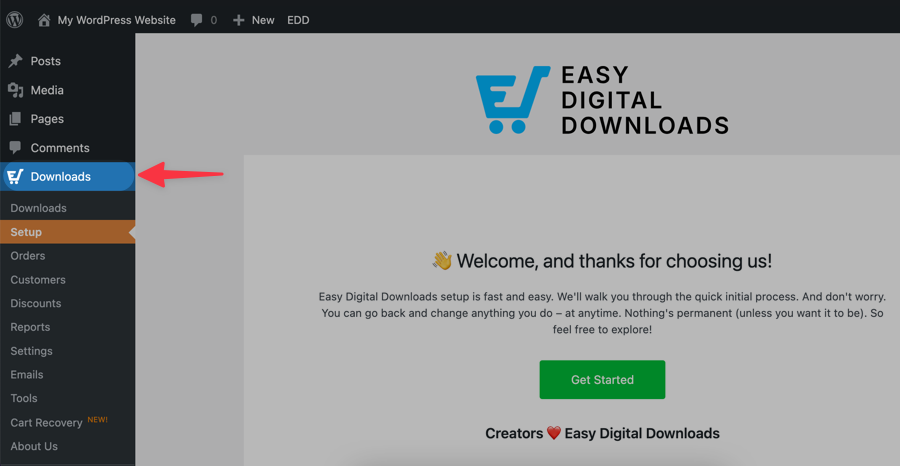
Click Get Started to run the EDD Setup Wizard. This wizard guides you through some basic configuration steps.
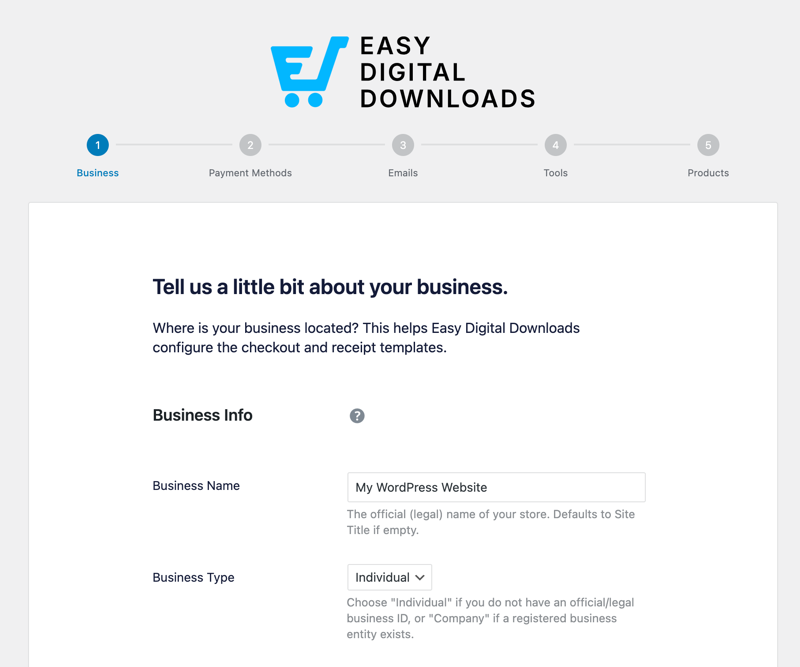
For instance, you’ll be asked to provide your store’s name, base country, and currency. You can also choose the appropriate settings for your business.
The wizard prompts you to connect with and set up the Stripe payment gateway. You can do this now or configure it later in the EDD settings. I’ll cover this in more detail in the next step.
Step 2: Connect Stripe Payment Gateway
EDD has Stripe built in as a payment gateway. You can set it as your Default and Active Gateways under Downloads » Settings » Payments.
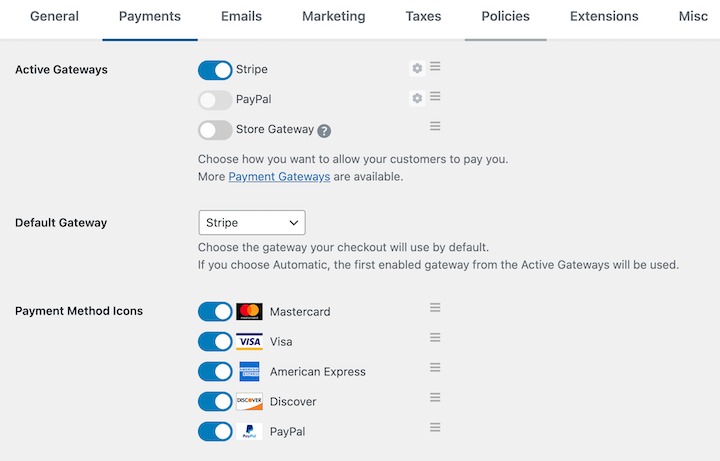
When you’re done, click on Save Changes.
If you didn’t connect Stripe to your site with the setup wizard, go to the Stripe tab within Settings » Payments.
Next, select Connect with Stripe.
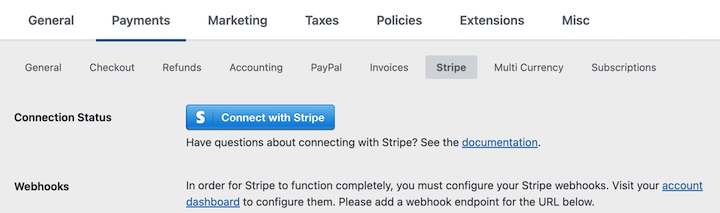
If you already have a Stripe account, you’ll be prompted to log in. If you don’t have an account, you’ll be guided through the free signup process.
After logging in or signing up, Stripe will ask you to authorize the connection between your Stripe account and your WordPress website. Review the permissions and click Connect.
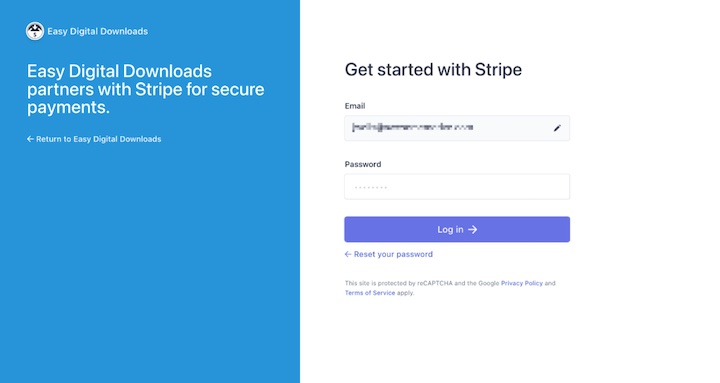
Once the connection is authorized, you’ll be automatically redirected back to your EDD payment settings.
You should see a confirmation message indicating that your Stripe account is connected. Under Connection Status, select the option to Automatically set up webhooks.

You can manually add them. But this method is generally for more advanced users, or if you encounter issues with the automatic connection option.
On this page, you’ll also find a handful of other settings and customization options.
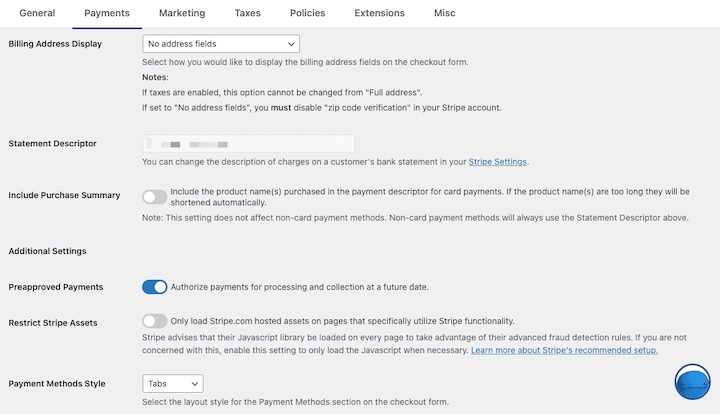
For instance, you can restrict Stripe assets, change the statement descriptor, and include a purchase summary.
⚙️ Check out our Stripe setup documentation for more info.
Step 3: Configure Preferred Payment Methods
Using Stripe as your EDD payment gateway lets you accept bank transfers and ACH payments, debit cards and credit cards, and Apple/Google Pay.
EDD’s Stripe Payment Element integration gives connected accounts access to additional payment options. This includes:
| Cards | Link |
| Affirm | Bancontact |
| AliPay | EPS |
| Klarna | BLIK |
| Amazon Pay | giropay |
| Apple Pay | iDEAL |
| CashApp Pay | Przelewy2 |
| Google Pay | WeChat Pay |
| SEPA | Bacs |
To view and add enabled payment methods in EDD, go to Downloads » Settings » Payments » Stripe. Then manage which are turned on under Payment Methods.
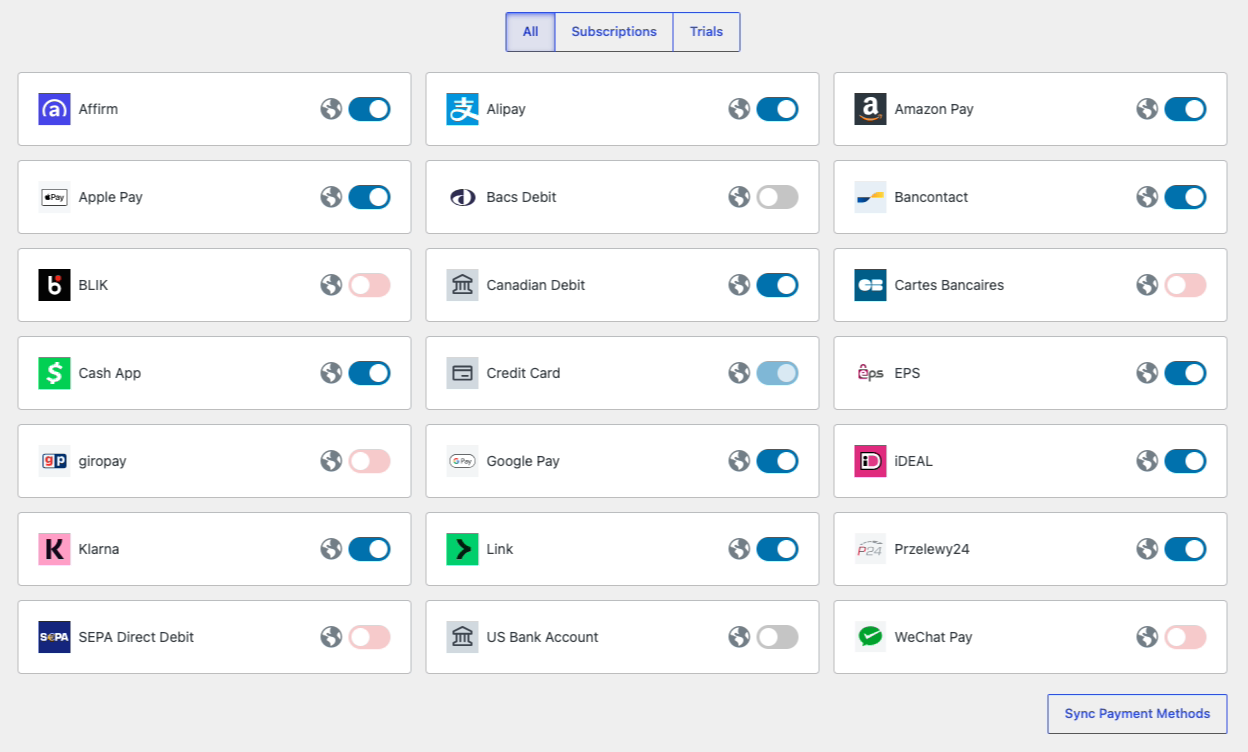
The options available for you to offer customers may vary depending on factors such as currency, country, and what’s in their shopping cart.
Some providers require additional steps, such as requesting access, to configure and enable. You can do this from your Stripe dashboard. Go to Settings ⚙︎ followed by Payments.
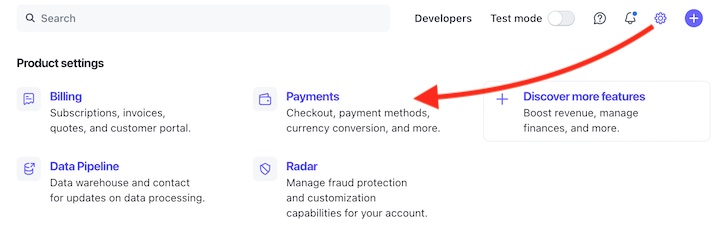
Under the Payment Methods tab, click Turn on next to the one you want to add. It will then say Pending until approved.
Step 4: Customize Your Payment Form and Checkout Page
Once you’re done configuring the payment settings, you can also customize the look and layout of your payment form and checkout page.
Under the same Settings » Payments » Stripe tab, there’s a Payment Methods Style dropdown menu.
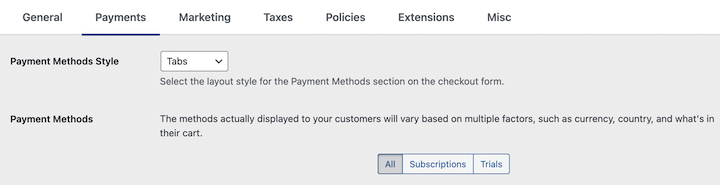
You can choose Tabs or Accordion as the checkout form layout style. This is how they will appear on the checkout form to your customers.
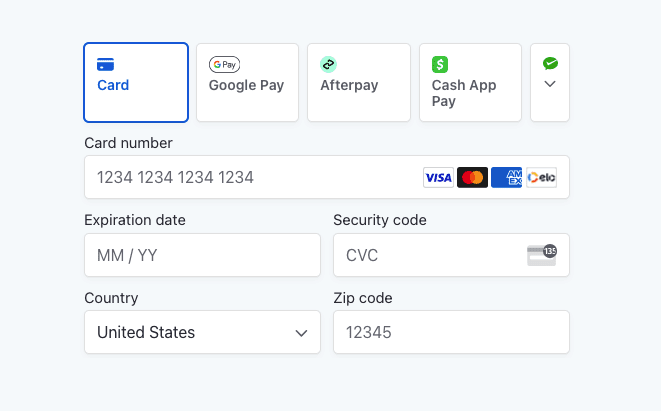
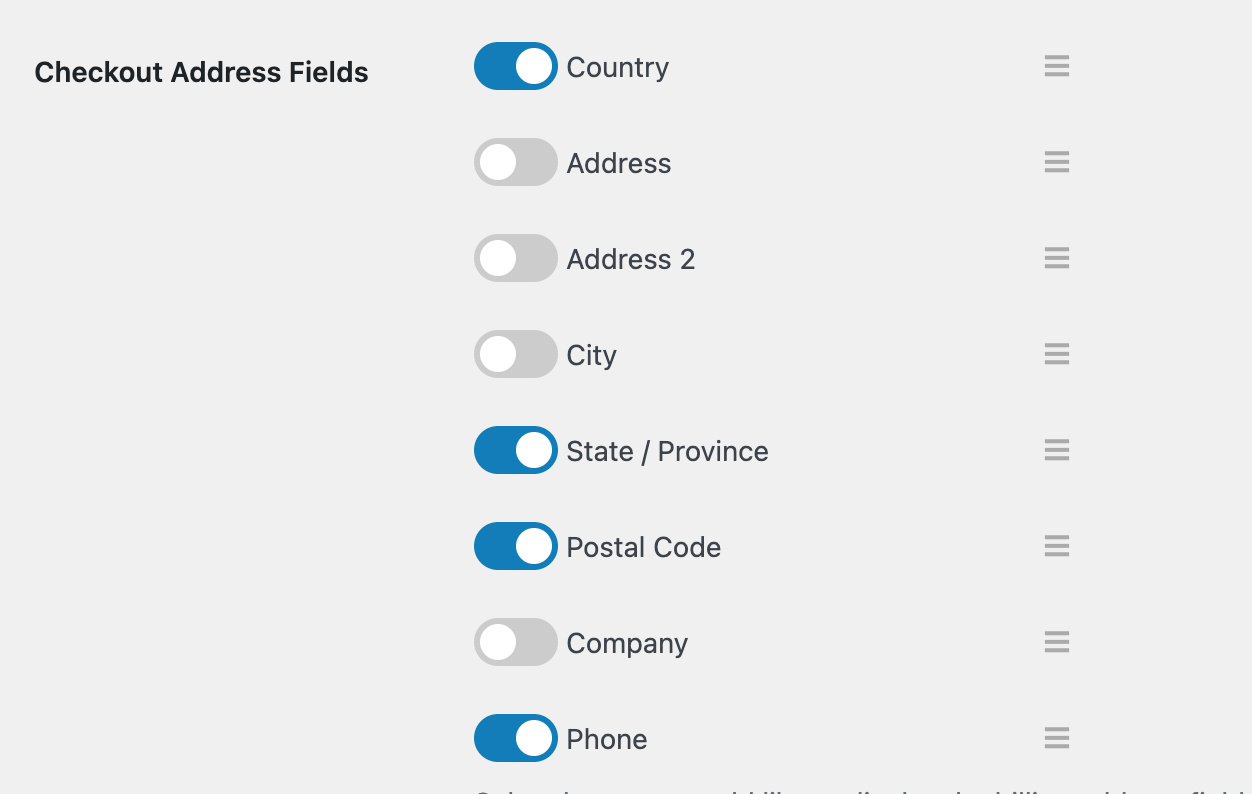
On this page, you can also customize the Billing Address Display settings. More checkout settings are under Settings » Payments » Checkout. For instance, you can customize the address fields for the checkout form.
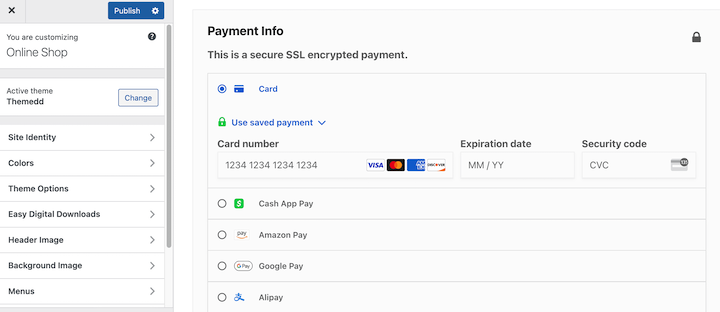
Easy Digital Downloads automatically creates a WordPress checkout page (Pages » Checkout) which uses the EDD Checkout block.
Keep in mind that the overall design and appearance of your checkout page is based on your WordPress theme. You can find the design customization settings under Appearance » Customize.
💡Learn more ways to customize your EDD store.
Step 5: Test Your Payment Methods and Setup
Before going live, preview your online store from the front end of your site. In addition to making sure everything looks how it should, perform multiple test transactions to verify that the payment methods you set up work correctly.
To do this, you’ll need to have a product in your store (real or a demo one). You’ll also need to turn on Enable Test Mode under Settings » Payments.
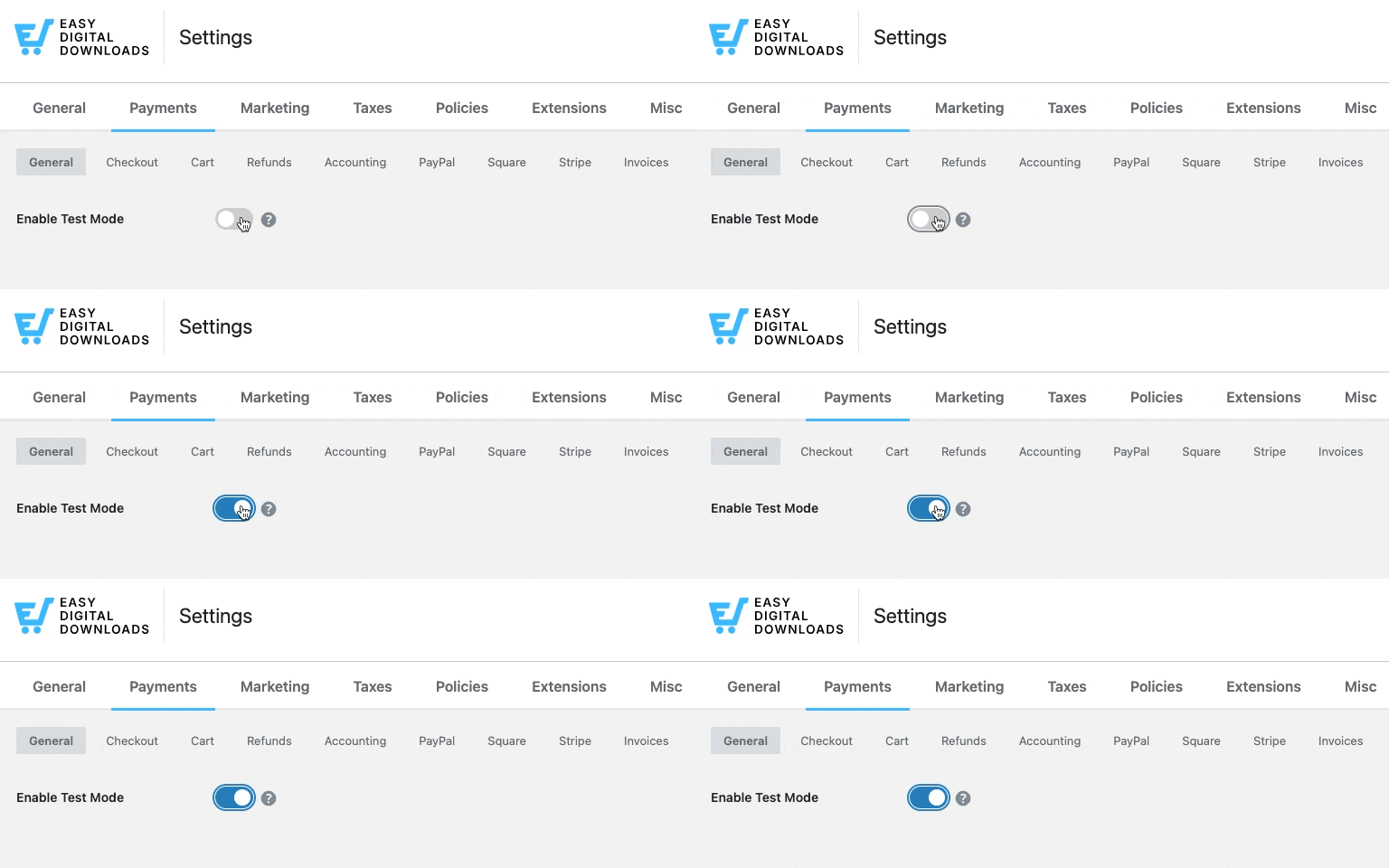
Save your changes.
From the front end of your site, add a product to your cart and proceed to the checkout. Complete the checkout process as a customer would.
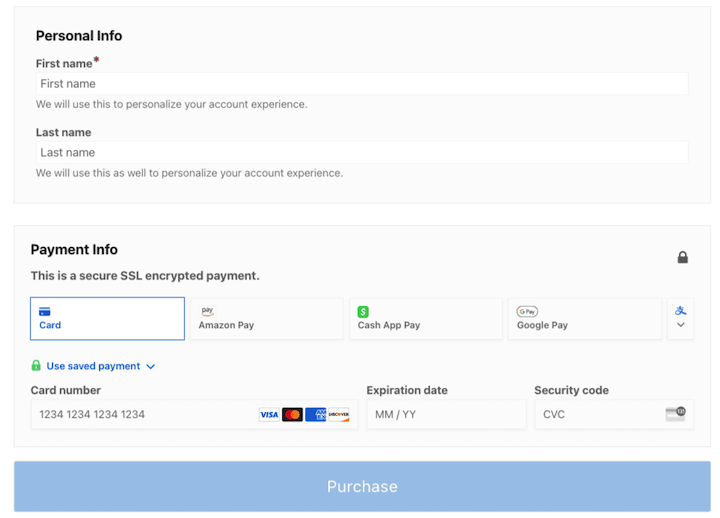
Use Stripe’s test card numbers to perform the test transaction.
- Card number: 4242 4242 4242 4242
- Expiration date: Any future date
- CVC: Any three-digit number
If the purchase was ‘successful’, you’ll see a purchase confirmation page.
That’s it!
FAQs on Adding Multiple Payment Methods in WordPress
Let’s wrap up with some frequently asked questions about letting customers choose a payment method in WordPress.
What’s the easiest way to let customers choose a payment method in WordPress?
The best plugin to use depends on what you’re selling. If you have a digital product business, Easy Digital Downloads and Stripe is the best solution. Their built-in integration supports cards, digital wallets, buy now pay later options, and regional payment methods from a single settings panel.
If you’re adding a simple payment form, WP Simple Pay or WPForms can help.
What are the best ways to receive payments from customers?
Choosing the right online payment method for your business depends on several factors. Most payment providers have processing fees that vary based on what and where you’re selling.
It also depends on the platform you’re using. For eCommerce transactions in WordPress, we recommend Stripe. It supports the widest range of payment methods and has strong fraud protection built in.
Which payment gateways are compatible with EDD?
Easy Digital Downloads supports a range of payment gateways. The options available depend on your EDD plan. Currently supported gateways include:
- Stripe (built in; all plans)
- PayPal (built in; all plans)
- Square (built in; all plans)
- Authorize.net
- Apple Pay and Google Pay (via Stripe)
- Amazon Pay (via Stripe Payment Element)
- And more through integrations
Does Easy Digital Downloads support buy now, pay later (BNPL)?
Yes. Through EDD’s Stripe Payment Element integration, you can enable buy now, pay later options like Klarna and Affirm at checkout. These methods appear automatically based on the customer’s location and cart total.
You’ll need an EDD plan with Stripe connected to access the Stripe Payment Element and its full range of BNPL options.
How many payment methods should I offer in my WordPress store?
A good starting point is three to four methods: a major credit and debit card processor, a digital wallet like Apple Pay or Google Pay, and a buy now, pay later option like Affirm. Offering too few limits your reach; offering too many can overwhelm customers at checkout.
EDD’s Stripe Payment Element automatically shows the most relevant options based on each customer’s location and device, so you don’t have to manually manage the full list.
Let Customers Choose a Payment Method
Providing customers with multiple payment options is a crucial part of running a successful online business. By letting customers choose a payment method from a variety of reliable options, you can elevate customer satisfaction, increase conversions, and expand your market reach.
With Easy Digital Downloads and Stripe, adding multiple payment options to your WordPress site is straightforward. Grab an EDD pass and get connected with Stripe in minutes.
What’s next? Learn how to reduce involuntary churn with one-click payment card updates!
📣 P.S. Be sure to subscribe to our newsletter and follow us on Facebook, Twitter/X, or LinkedIn for more WordPress resources!








