


Easy Digital Downloads (EDD) is de beste WordPress-plugin voor het verkopen van digitale producten en downloads. Als je overweegt deze te gebruiken, vraag je je misschien af of je voor de gratis of betaalde versie moet gaan. In dit vergelijkingsartikel EDD gratis vs pro help ik je beslissen!
De EDD Core-plugin - ook wel de Lite-versie genoemd - zit boordevol krachtige functies. Het biedt de standaardtools die nodig zijn om een online winkel te bouwen. Maar, afhankelijk van de specifieke functionaliteit en geavanceerdheid die je zoekt, kan een premium-abonnement voor EDD Pro de kosten zeker waard zijn.
In dit artikel behandel ik wat Easy Digital Downloads is en vergelijk ik de gratis versie met een betaald abonnement op belangrijke gebieden:
- Aan de slag met EDD
- Betaalpoorten
- Winkelwagen en Afrekenen
- Abonnementen en Lidmaatschappen
- eCommerce Rapportage
- Kortingen
- Populaire E-mailmarketing Integraties
- Aankoopbewijzen en Facturen
- Bestandsdeling en -beveiliging
- Productrecensies en Vergelijkingen
- Ondersteuning
Wat is Easy Digital Downloads?
Easy Digital Downloads (EDD) is een WordPress-plugin voor het verkopen van digitale producten vanaf je website. Met EDD kun je van alles verkopen, van e-books tot software en video's, en meer. Je kunt ook gratis downloads aanbieden.

Met meer dan 50.000 actieve WordPress-installaties is EDD een indrukwekkend alternatief voor WooCommerce, vooral als je voornamelijk geen fysieke goederen verkoopt. Deze complete eCommerce-oplossing maakt het eenvoudig om je digitale winkel op te zetten en producten te verkopen. Je kunt ze toevoegen aan je bestaande WordPress-site of een nieuwe maken met het EDD WordPress-thema en Managed EDD + SiteGround Hosting!
Easy Digital Downloads bevat alle functies die nodig zijn om een succesvolle digitale winkel te runnen, waaronder een winkelwagen, afrekensysteem, betalingsgateway-integratie en productbeheertools. Gebruik het om kortingscodes te maken, je verkopen bij te houden en te kiezen uit tal van add-ons om de functies en functionaliteit uit te breiden.
Easy Digital Downloads Gratis vs Pro: Belangrijkste Vergelijkingen
Voordat ik inga op de specifieke details van hoe de gratis versus betaalde versies zich verhouden, laten we kort de prijzen van EDD bespreken. De kernplugin is gratis te downloaden en voor altijd te gebruiken.
De gratis versie geeft je geen toegang tot de premium EDD-extensies die in de bibliotheek beschikbaar zijn. In de vergelijkingstabellen die in dit artikel worden gebruikt, worden functies of extensies die niet zijn inbegrepen bij de gratis plugin (✖) nog steeds ondersteund - maar ze zijn alleen beschikbaar met een plan-upgrade.
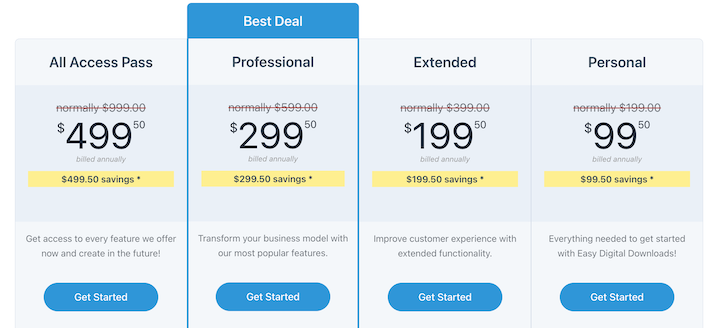
Er zijn vier prijsniveaus:
- Persoonlijk: € 99,50 per jaar (1 website)
- Uitgebreid: € 199,50 per jaar (1 website)
- Professioneel: € 299,50 per jaar (2 websites)
- All Access: € 499,50 per jaar (3 websites)
Als je toegang wilt tot de volledige reeks functies en tools die Easy Digital Downloads biedt, raad ik de All Access Pass aan.
Alle houders van een EDD premium-abonnement kunnen EDD Pro gebruiken. Hieronder enkele van de grootste verschillen tussen Easy Digital Downloads Gratis vs Pro.
| EDD Pro | EDD Gratis (Lite) |
|---|---|
| Installeer & activeer extensies vanuit WordPress admin | Beperkt |
| Geolocatie toegevoegd aan checkout | ✖️ |
| Downloads kunnen worden gedupliceerd zonder extensie | ✖️ |
| Optie om een zoekformulier toe te voegen aan het Gebruikers Downloads-blok | ✖️ |
| Gratis Downloads | ✖️ |
| Facturen | ✖️ |
| Multi-valuta | ✖️ |
| Download E-mail Bijlagen | ✖️ |
Laten we nu ingaan op de specifieke details van EDD gratis versus betaald.
Aan de slag met EDD
Als u e-commercefunctionaliteit aan uw WordPress-site wilt toevoegen en snel digitale producten wilt gaan verkopen, kan EDD u daarbij helpen. Het hele proces is eenvoudig.
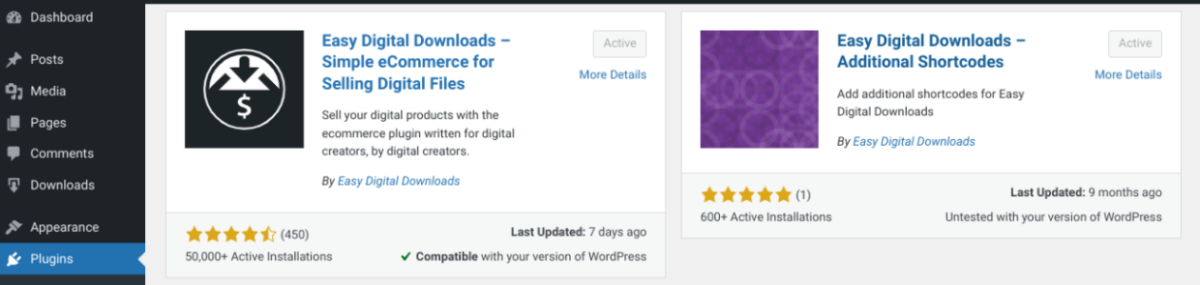
U kunt de Easy Digital Downloads Core-plugin downloaden uit de WordPress-repository (Plugins » Nieuwe toevoegen).
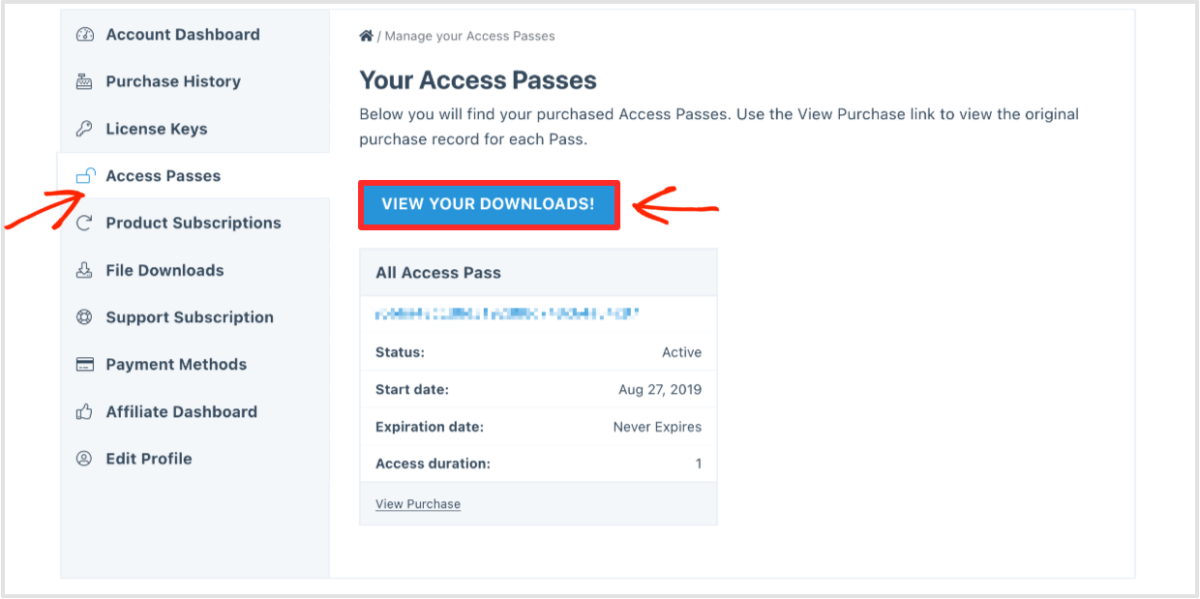
U kunt zich ook abonneren op een plan op de website. Nadat u uw aankoop hebt voltooid, kunt u uw instellingen beheren en de EDD-plugin downloaden vanuit uw accountdashboard.
Nadat u de EDD-plugin naar uw WordPress-site hebt geüpload, kunt u deze vinden onder het menu-item Downloads dat aan uw dashboard is toegevoegd.
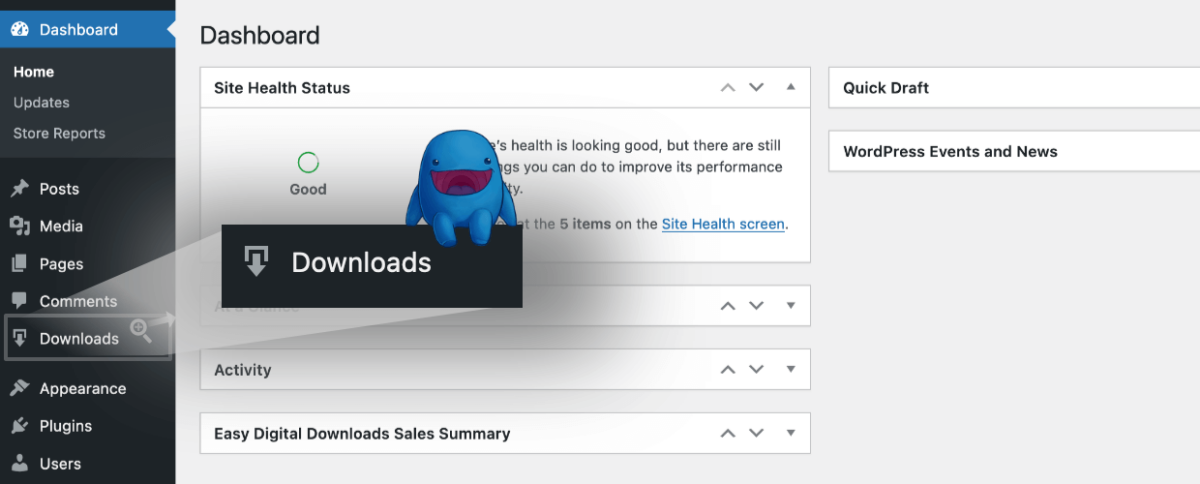
U kunt ook de Onboarding Wizard volgen om uw winkel binnen enkele minuten operationeel te krijgen.
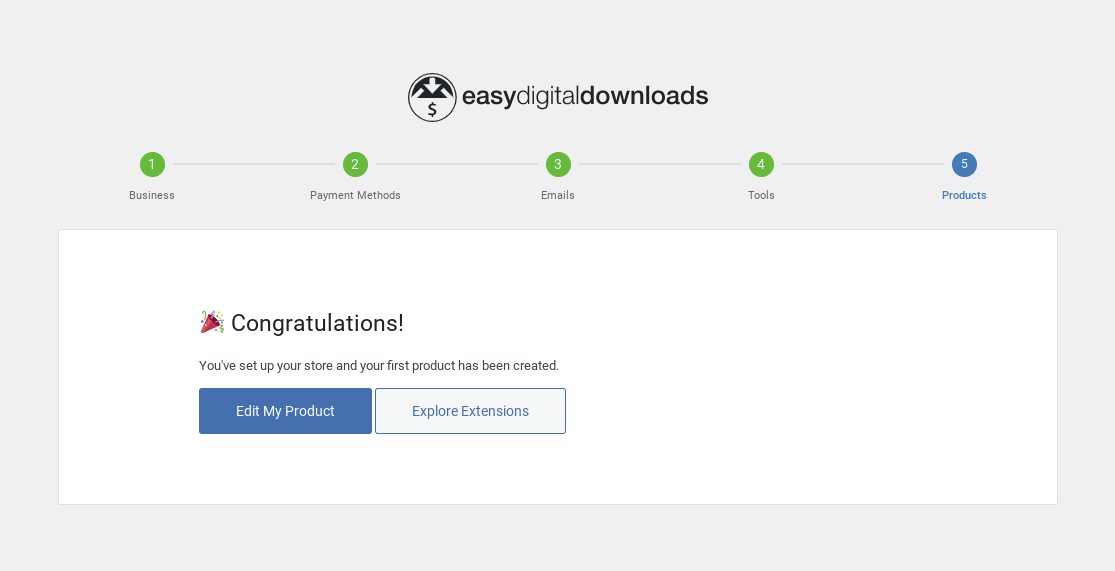
Een van de stappen in de Onboarding Wizard laat u populaire en krachtige WordPress-plugins installeren en integreren om te helpen met conversies en optimalisatie:
- Auto Register optimaliseert uw afrekenproces door automatisch gebruikersaccounts aan te maken voor nieuwe klanten.
- WP Mail SMTP zorgt voor een betrouwbare e-mailbezorging.
- MonsterInsights, de #1 Google Analytics-plugin voor WordPress.
- All In One SEO (AIOSEO) Pack om u te helpen het verkeer van uw winkel te analyseren en te optimaliseren met SEO.
Wat betreft bruikbaarheid is er geen groot verschil tussen EDD gratis en pro. Het beschikt over een schone, georganiseerde interface die gemakkelijk te navigeren is.
Alle producten worden toegevoegd onder Downloads.
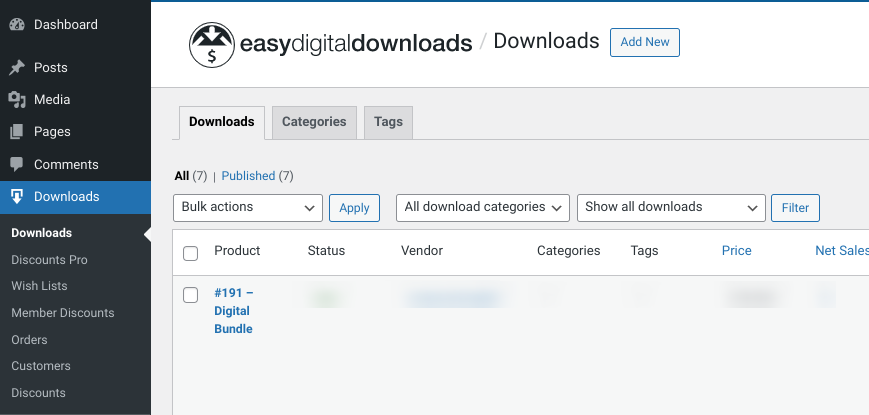
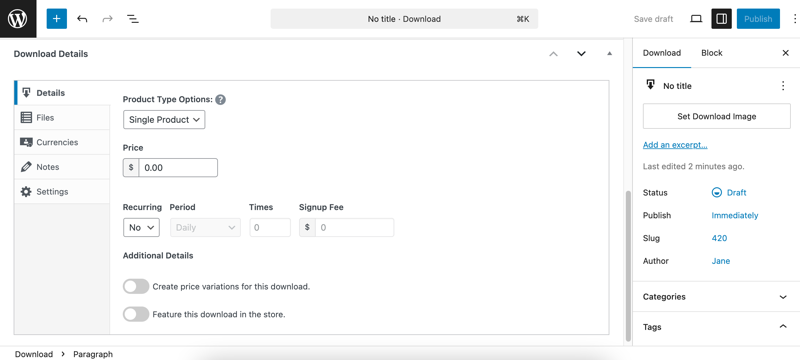
De algehele interface ziet eruit en functioneert vergelijkbaar met de reguliere WordPress-editor. Er zijn echter meer instellingen onder en rechts voor het beheren van de downloadinstellingen.
Met EDD Pro kunt u extensies rechtstreeks vanuit WordPress installeren en beheren.
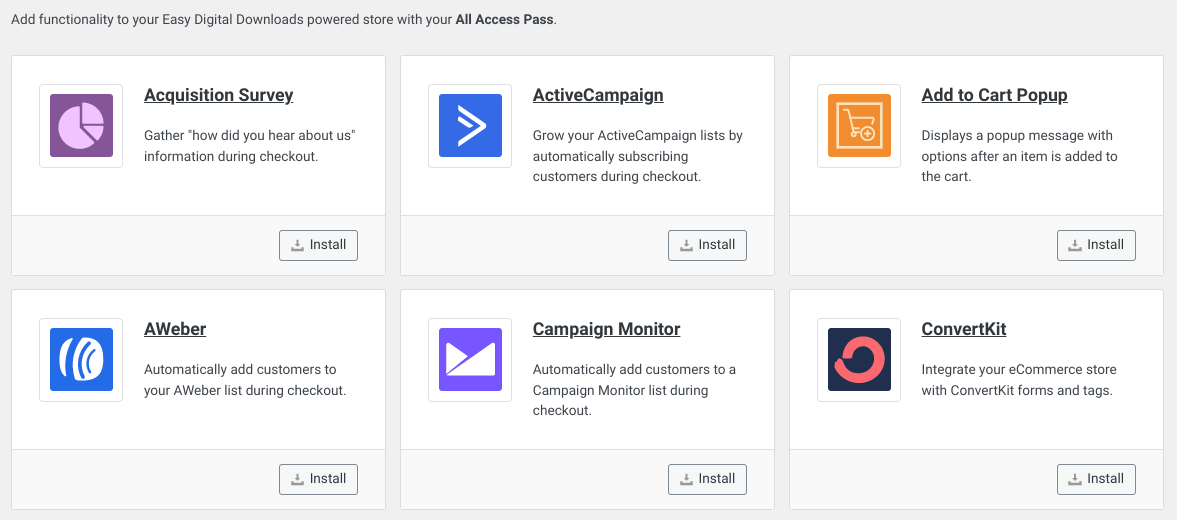
Als u de Lite/gratis versie gebruikt, kunt u EDD-extensies nog steeds op dit scherm in WordPress bekijken. Maar u moet op de knop Nu upgraden klikken om de EDD-website te bezoeken en te upgraden naar een premium plan.
Betaalpoorten in EDD Gratis vs Pro
Wanneer u klaar bent met het activeren en authenticeren van uw licentiesleutel, is een van de eerste stappen het configureren van een betalingsprocessor (Downloads » Instellingen » Betalingen).
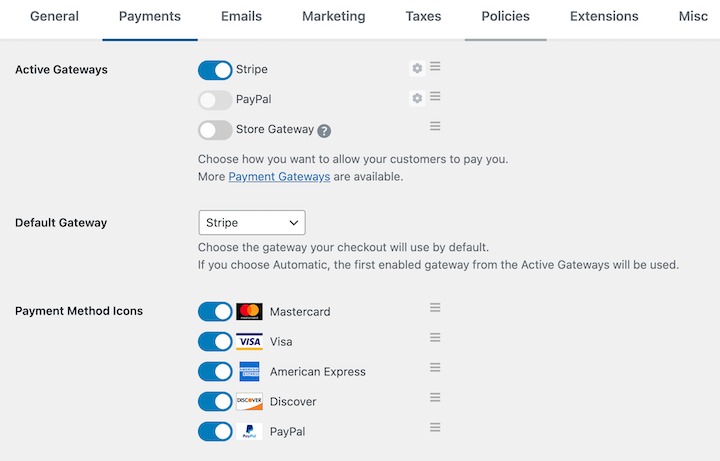
De gratis EDD-plugin laat u kiezen uit Stripe, PayPal en Square voor de actieve betaalpoorten. Dit betekent dat uw klanten elke belangrijke creditcard en hun PayPal-account kunnen gebruiken om af te rekenen.
EDD Pro geeft u meer opties. Er zijn tal van extensies beschikbaar voor aanvullende betaalpoorten, zoals Authorize.net, Braintree en PayPal Commerce.
Dit omvat integratie met Payment Element voor een soepeler, veiliger en betrouwbaarder afrekenproces.
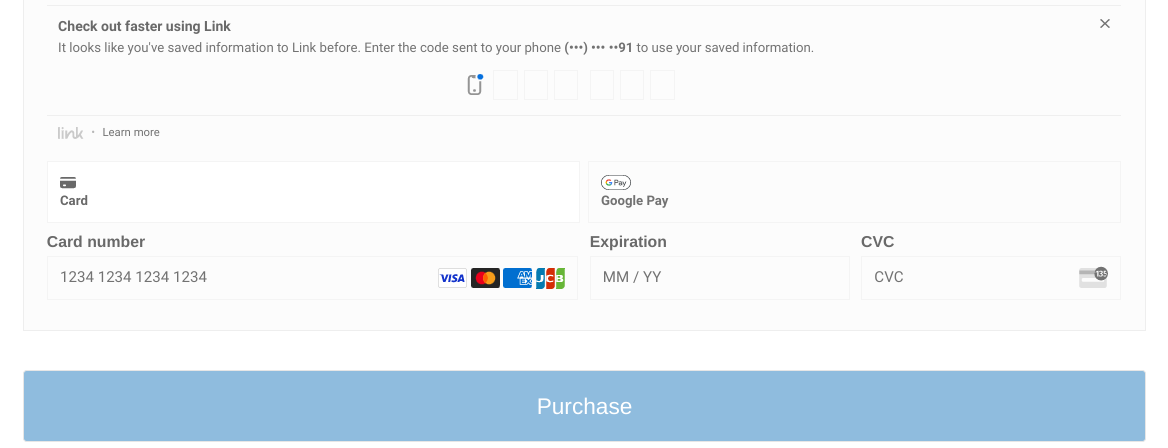
Je kunt ook de Testmodus inschakelen. Als deze is ingeschakeld, worden er geen live transacties uitgevoerd.
| Betaalpoort | EDD Gratis | EDD Betaald |
|---|---|---|
| Stripe | ✅ | ✅ |
| PayPal | ✅ | ✅ |
| Square | ✅ | ✅ |
| Braintree | ✖ | ✅ |
| Authorize.net | ✖ | ✅ |
| Stripe Pro | ✖ | ✅ |
| Apple/Google Pay | ✅ | ✅ |
| PayPal Commerce Pro | ✖ | ✅ |
| SOFORT Banking | ✖ | ✅ |
| Coinbase | ✖ | ✅ |
| ClickBank Gateway | ✖ | ✅ |
| Meerdere Valuta | ✖ | ✅ |
| EDD Wallet | ✖ | ✅ |
| Contante betaling | ✖ | ✅ |
Winkelwagen en Afrekenen in EDD Gratis vs Pro
Een van de voordelen van Easy Digital Downloads is dat het wordt geleverd met een volledig, aanpasbaar winkelwagensysteem. Nadat bezoekers een product aan hun winkelwagen hebben toegevoegd, kun je ze doorsturen naar de afrekenpagina.
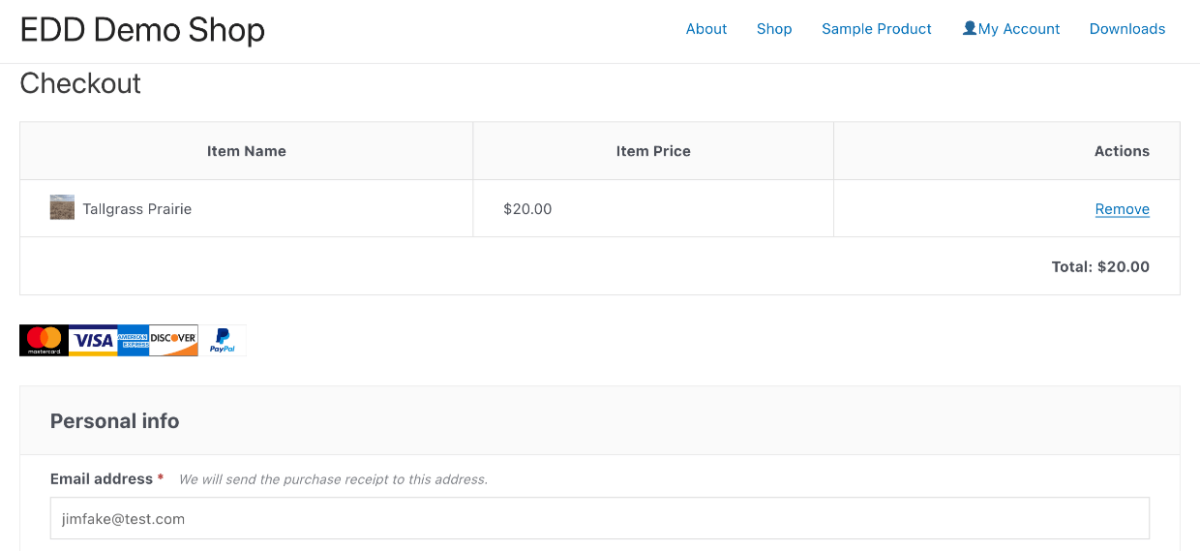
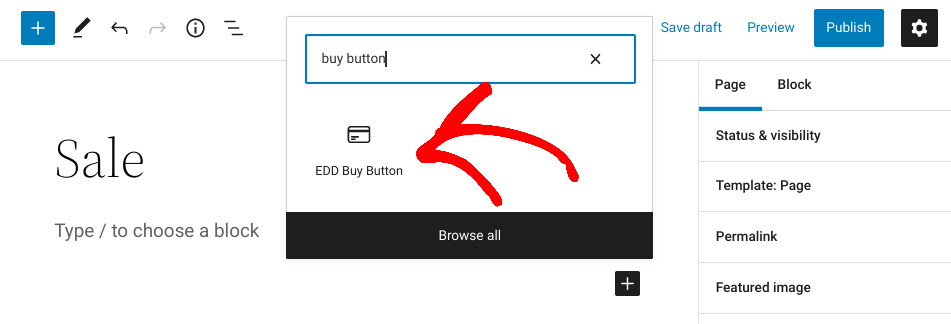
De kern EDD gratis plugin bevat 11 blokken, waaronder blokken voor Winkelwagen, Afrekenen en Koopknop. Wanneer je het Winkelwagenblok gebruikt, kun je ervoor kiezen om de volledige winkelwagen of een beknoptere, mini-versie weer te geven.
Als je de winkelwagenpagina wilt overslaan om je afrekenproces te consolideren, kun je ook het Koopknopblok gebruiken.
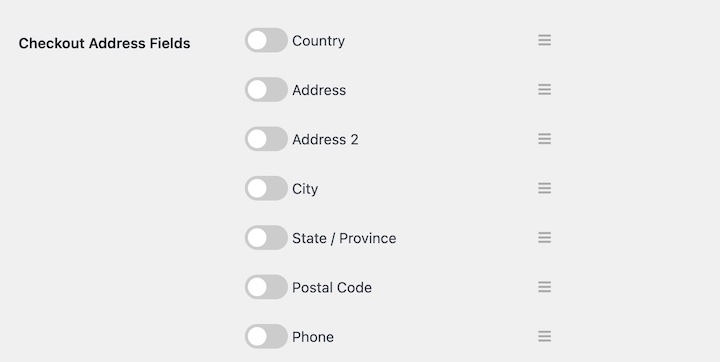
Je kunt ook de afrekenadresvelden aanpassen onder Instellingen » Betalingen » Afrekenen.
Daarnaast kun je geregistreerde gebruikers of gastafrekeningen aanbieden en winkelwagen opslaan inschakelen. Laatstgenoemde genereert een unieke, tijdelijke link naar de winkelwagen van een klant, zodat ze deze kunnen bladwijzeren of delen.
Er is ook een optie om gebruikers te verplichten akkoord te gaan met de voorwaarden voordat ze een aankoop voltooien. Al deze functies zijn inbegrepen in zowel de gratis als de betaalde versies. Maar met een premium plan krijg je extra mogelijkheden die een meer aanpasbare en geavanceerde afrekenervaring kunnen bieden.
Je kunt bijvoorbeeld een Toevoegen aan winkelwagen popup opnemen en de Checkout Fields Manager extensie gratis installeren.
| Functie | EDD Gratis | EDD Pro |
|---|---|---|
| Volledige Winkelwagen | ✅ | ✅ |
| Mini Winkelwagen | ✅ | ✅ |
| Koopknop Blok | ✅ | ✅ |
| Aangepaste Checkout Formuliervelden | ✅ | ✅ |
| Aankoopovereenkomst van Voorwaarden | ✅ | ✅ |
| Checkout Blok | ✅ | ✅ |
| Automatische EU BTW Afhandeling | ✖ | ✅ |
| Gratis Downloads | ✖ | ✅ |
| Toevoegen aan Winkelwagen Popup | ✖ | ✅ |
| Checkout Velden Beheer | ✖ | ✅ |
Abonnementen en Lidmaatschappen in EDD Gratis vs Betaald
Bij het kiezen tussen de Easy Digital Downloads gratis plugin of een premium licentie, is het belangrijk om na te denken over het type e-commerce site dat u wilt maken. Dit omvat de prijsstructuur die u klanten wilt aanbieden.
De kernplugin laat u Downloadprijzen instellen en variabele prijzen inschakelen.
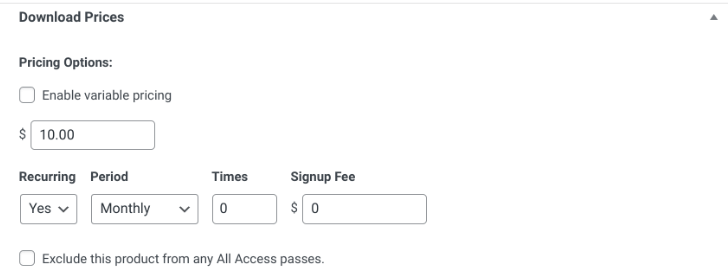
Maar als u een site voor abonnementen of lidmaatschappen wilt maken, wilt u waarschijnlijk toegang krijgen tot de add-ons Recurring Payments en Content Restriction. U kunt ze gratis installeren wanneer u een betaald pakket koopt.
U kunt ook tools toevoegen voor het aanbieden van aangepaste prijzen en commissies.
| Functie | EDD Gratis | EDD Premium |
|---|---|---|
| Softwarelicenties | ✖ | ✅ |
| Terugkerende Betalingen | ✖ | ✅ |
| Aangepaste Prijzen | ✖ | ✅ |
| Inhoudsbeperking | ✖ | ✅ |
| RestrictContent Pro | ✖ | ✅ |
| Commissies | ✖ | ✅ |
eCommerce Rapportage in EDD Gratis vs Pro
Met Easy Digital Downloads hoeft u zich nooit af te vragen hoe uw winkel presteert. Alle gegevens en informatie die u nodig heeft, zijn beschikbaar onder de sectie Rapporten van de plugin.
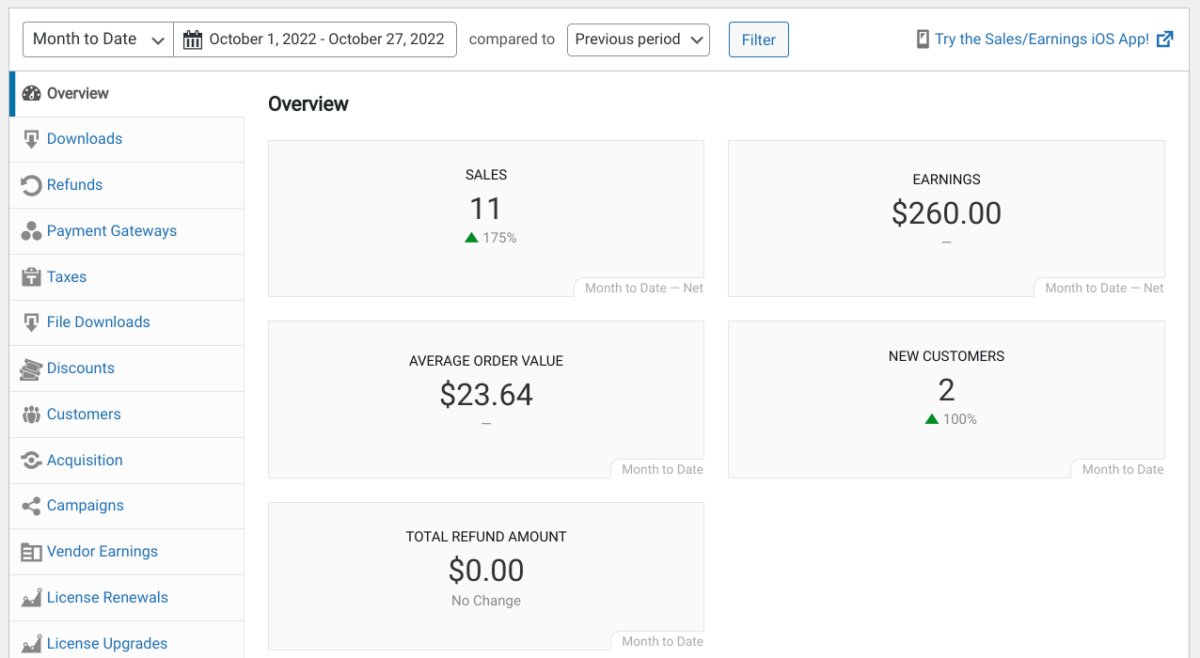
De ingebouwde tracker houdt automatisch een overzicht bij van uw inkomsten, terugbetalingen, verkopen en meer. U kunt uw rapporten filteren op specifieke datums en producten. Hiermee kunt u alle aspecten van uw e-commerce winkel volgen en de gegevens exporteren naar een CSV-bestand.
EDD houdt ook gegevens bij voor elk van uw klanten. U kunt ze rechtstreeks vanuit de backend van uw site bekijken, bewerken en beheren.
EDD betaalde abonnementen bieden toegang tot extensies die uw tracking- en rapportagemogelijkheden kunnen verbeteren en uitbreiden. Naast Geavanceerde Rapporten, kunt u EDD E-mail Rapporten gebruiken. Deze extensie levert gedetailleerde, dagelijkse verkooprapporten rechtstreeks in uw inbox.
Betaalde abonnementen worden ook geleverd met de Campaign Tracker add-on. U kunt deze tool gebruiken om Google campagnedata te volgen en te integreren met EDD-bestellingen.
| Functie | EDD Gratis | EDD Pro |
|---|---|---|
| Inkomsten | ✅ | ✅ |
| Terugbetalingen | ✅ | ✅ |
| Verkopen | ✅ | ✅ |
| Geavanceerde Rapporten | ✖ | ✅ |
| Campagne Tracker | ✖ | ✅ |
| EDD E-mail Rapporten | ✖ | ✅ |
Kortingen in EDD Gratis vs Pro
Het is belangrijk om een strategie te hebben voor het aantrekken van nieuwe klanten en het vergroten van de loyaliteit. Een manier om dat te doen is door kortingen en beloningen aan te bieden.
Easy Digital Downloads maakt dit eenvoudig. De gratis plugin wordt geleverd met ingebouwde functionaliteit voor het maken en toevoegen van kortingen (Downloads » Kortingen » Nieuwe toevoegen).
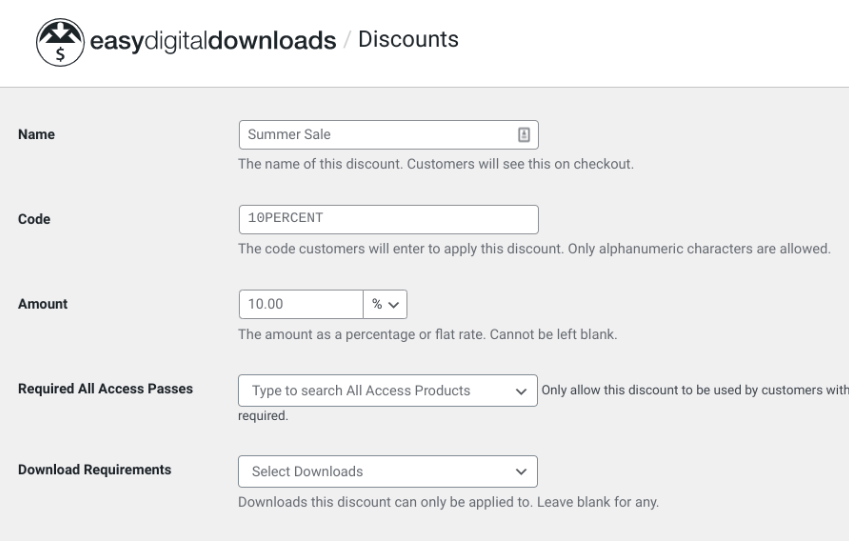
Als je upgradet naar een betaald abonnement, kun je ook Discounts Pro en Discount Code Generator installeren voor meer opties. Je kunt de instellingen zo configureren dat er automatisch korting wordt toegepast bij het afrekenen zodra aan bepaalde criteria en voorwaarden is voldaan. Je kunt ook de Coupon Importer extensie gebruiken om een CSV van bestaande kortingsbonnen te importeren naar je EDD-site.
Beloningsprogramma's kunnen ook effectief zijn. Social Discounts en EDD Purchase Rewards zijn inbegrepen bij een betaalde licentie en bieden je opties om klanten te belonen voor bepaalde aankopen of voor het delen en promoten van je producten.
| Functie | EDD Gratis | EDD Pro |
|---|---|---|
| Kortingscodes | ✅ | ✅ |
| Sociale Kortingen | ✖ | ✅ |
| Kortingen Pro | ✖ | ✅ |
| EDD Aankoop Beloningen | ✖ | ✅ |
| Kortingscode Generator | ✖ | ✅ |
| Coupon Importeur | ✖ | ✅ |
E-mailmarketing Tools + Integraties in EDD
Zoals ik al zei, een belangrijk verschil tussen EDD gratis vs betaald zijn de extensies en tools die zijn inbegrepen. Premiumversies van EDD bieden tal van add-ons voor e-mailmarketing en andere tools en services van derden.
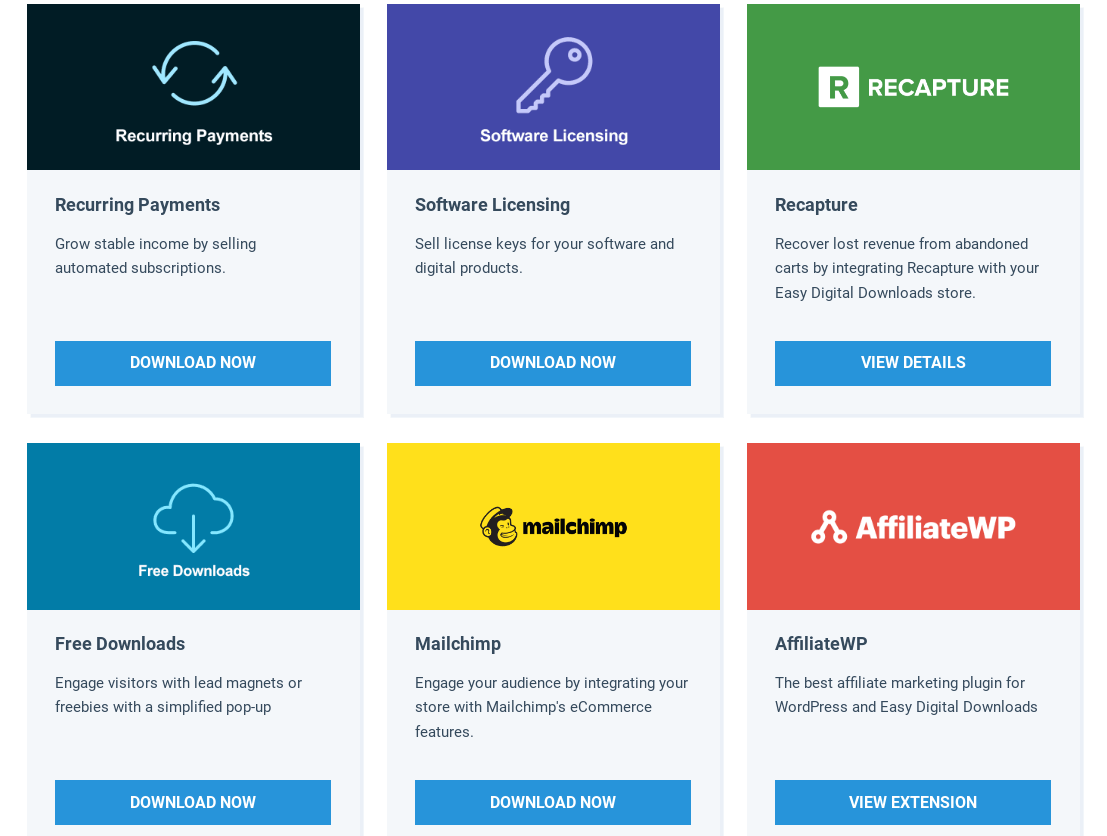
Je kunt bijvoorbeeld Zapier gebruiken om je winkel te verbinden met meer dan 5.000 webservices en producten, wat je workflow en automatisering naar een hoger niveau kan tillen. Je kunt ook verbinding maken met e-mailuitbreidingen zoals Mailchimp om je e-maillijst op te bouwen. Je kunt e-mailmarketingcampagnes en nieuwsbrieven maken, beheren en volgen met behulp van GetResponse, Active Campaign of Campaign Monitor.
| Functie | EDD Gratis | EDD Pro |
|---|---|---|
| Zapier | ✖ | ✅ |
| Mailchimp | ✖ | ✅ |
| Slack | ✖ | ✅ |
| AWeber | ✖ | ✅ |
| EDD Bericht | ✖ | ✅ |
| Recapture | ✖ | ✅ |
| ConvertKit | ✖ | ✅ |
| MailPoet | ✖ | ✅ |
| GetResponse | ✖ | ✅ |
| ActiveCampaign | ✖ | ✅ |
| Campaign Monitor | ✖ | ✅ |
Aankoopbewijzen en Facturen
Easy Digital Downloads wordt standaard geleverd met functies voor het vastleggen van bestel- en betalingsgeschiedenis. Je kunt de blokken Ordergeschiedenis, Bon en Bevestiging op elke pagina gebruiken. Ze stellen je in staat om klanten aankoopgegevens en bonnen te verstrekken.
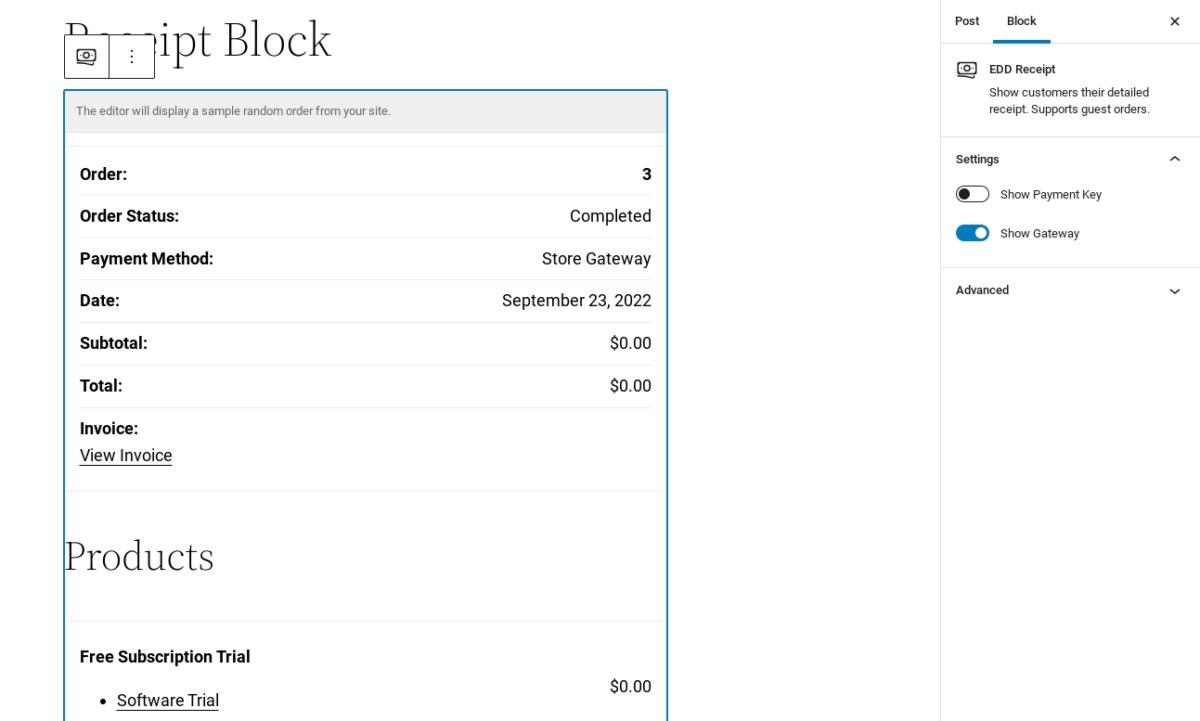
Je kunt deze belangrijke details over betalingen en bestellingen opnemen op de accountpagina's van je klanten, evenals op aankoopbewijzen die je via e-mail verzendt.
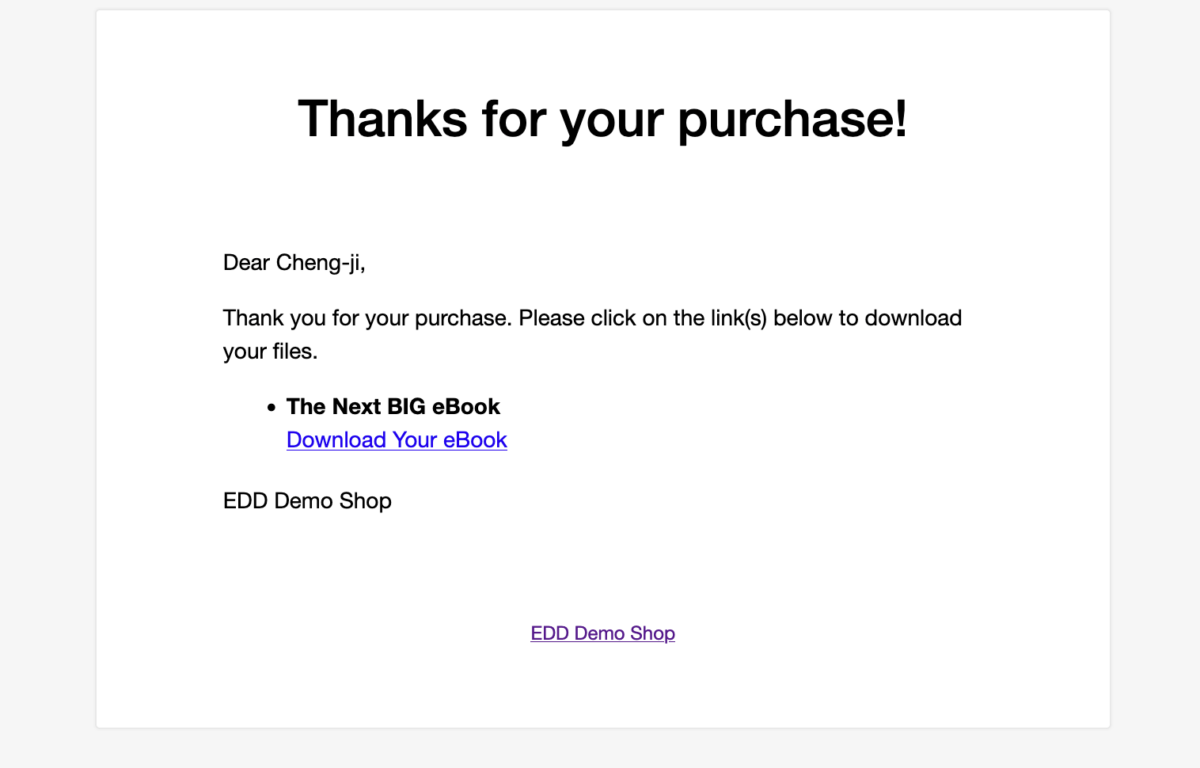
Als je upgradet naar EDD premium, kun je extensies gebruiken zoals Resend Receipt voor aankoopbewijzen zonder authenticatie. Download Email Attachments laat je downloadbestanden via e-mail als bijlagen verzenden. Je kunt Per Product Emails gebruiken om aangepaste aankoopbevestigings-e-mails voor producten te maken).
| Functie | EDD Gratis | EDD Premium |
|---|---|---|
| Blok Ordergeschiedenis | ✅ | ✅ |
| Blok Bon | ✅ | ✅ |
| Blok Bevestiging | ✅ | ✅ |
| Facturen | ✖ | ✅ |
| Verzend Ontvangstbewijs Opnieuw | ✖ | ✅ |
| EDD Aankoopbewijs Uitschakelen | ✖ | ✅ |
| Download E-mail Bijlagen | ✖ | ✅ |
| E-mails Per Product | ✖ | ✅ |
Bestandsdeling en Beveiliging in EDD Gratis vs Pro
Een van de voordelen van het gebruik van EDD voor digitale producten en downloads is dat alle bestanden automatisch worden beveiligd. Alle productbestanden zijn beperkt tot geautoriseerde klanten en zonder enige configuratie vereist. U kunt het downloaden van bestanden beperken en verlopen van links maken.
Als u echter op zoek bent naar extra beveiliging en bescherming of een plek om productbestanden te hosten naast uw WordPress Media Library, is de betaalde versie van EDD de juiste keuze. Er zijn een handvol add-ons die helpen bij het beveiligen van zowel uw site als uw bestanden, waaronder Fraud Monitor en Lock Downloads to IP.
U kunt content delivery extensies installeren. Bijvoorbeeld, Amazon S3 en Dropbox File Store laten u bestanden veilig hosten op die respectievelijke platforms.
| Functie | EDD Gratis | EDD Premium |
|---|---|---|
| Amazon S3 | ✖ | ✅ |
| Dropbox Bestandsopslag | ✖ | ✅ |
| Bestand Uploaden | ✖ | ✅ |
| Fraude Monitor | ✖ | ✅ |
| Downloads Vergrendelen Op IP | ✖ | ✅ |
| Wachtwoordmeter | ✖ | ✅ |
| MaxMind Fraude Preventie | ✖ | ✅ |
Productrecensies en Vergelijkingen in EDD
Klanten laten productrecensies achterlaten, producten vergelijken en verlanglijsten maken kan de gebruikerservaring verbeteren. De gratis EDD-plugin biedt beperkte opties voor dit soort functies.
Maar de premiumplannen geven u toegang tot tal van extensies die u kunnen helpen producten strategisch te presenteren en aan te bevelen om de verkoop te verhogen. Dit omvat add-ons zoals Recently Viewed Items, Recommended Products en Digital Badge.
| Functie | EDD Gratis | EDD Pro |
|---|---|---|
| Uitgelichte Downloads | ✅ | ✅ |
| Recensies | ✖ | ✅ |
| Recent Bekeken Items | ✖ | ✅ |
| EDD Verlanglijsten | ✖ | ✅ |
| Producten Vergelijken | ✖ | ✅ |
| Aanbevolen Producten | ✖ | ✅ |
| Digitale Badge | ✖ | ✅ |
| EDD Favorieten | ✖ | ✅ |
Ondersteuning in EDD Gratis vs Pro
Ongeacht of u besluit om EDD gratis of EDD betaald te gebruiken, kunt u hetzelfde niveau van toegewijde klantenservice verwachten van ons team van bekwame experts. Easy Digital Downloads ondersteuning is gratis voor al onze gebruikers. U kunt een ondersteuningsticket openen wanneer u het nodig heeft.
Als u een premiumplan aanschaft, kunt u ook extensieondersteuning krijgen. Naast ons team van deskundige ontwikkelaars en WordPress-experts, kunt u ook ons Helpcentrum op de website raadplegen voor onbeperkte toegang tot onze uitgebreide verzameling handleidingen, tutorials en documentatie.
EDD Gratis vs Pro: Eindvonnis
Easy Digital Downloads is de beste WordPress-plugin die u kunt gebruiken om digitale producten en downloads op uw website te verkopen. Zelfs met de gratis plugin krijgt u aanzienlijk meer dan u zou verwachten in vergelijking met andere tools in dezelfde categorie.
Als je probeert te beslissen tussen EDD gratis vs betaald, komt het antwoord echt neer op de functies en functionaliteit die je zoekt. Om te upgraden van EDD Free/Lite naar EDD Pro, kun je onze stapsgewijze handleiding volgen.
Elke EDD-laag biedt volledige transparantie. Je kunt de abonnementen bekijken om precies te leren wat er bij elk is inbegrepen en de perfecte oplossing te vinden voor jouw specifieke bedrijf (en budget!). Als je klaar bent om onbeperkte toegang te ontgrendelen tot alle krachtige eCommerce-tools, extensies en oplossingen voor je WordPress-site, meld je dan vandaag nog aan voor een All Access Pass.
📣 P.S. Vergeet niet om zich te abonneren op onze nieuwsbrief en ons te volgen op Facebook, Twitter/X, of LinkedIn voor meer WordPress-bronnen!








