

Do you have knowledge or a skill you could teach? You can turn that into a real income stream by selling digital courses online.
Course marketplaces and dedicated course platforms will happily host your content. They’ll also take a cut of every sale, or charge you a monthly fee whether you sell anything or not.
🔑 Here’s what you’ll get from this guide: you’ll learn how to own your course and keep more of each sale, set up a working store in one afternoon (no developer needed), skip the LMS most course sellers don’t actually need, and bundle multiple courses under one membership if you want to grow later.
- Why Sell Digital Courses Online?
- Do You Need an LMS to Sell a Course?
- How to Sell Digital Courses Online with WordPress
- FAQs About Selling Digital Courses Online
- Is it better to use a formal or informal e-learning style?
- Do I need a Learning Management System (LMS) to sell a course?
- How much should I charge for a digital course?
- Can I sell more than one course from the same site?
- What's the difference between selling digital courses and other digital products?
- How much does it cost to sell courses with WordPress and EDD?
- Start Selling Your Digital Courses
Why Sell Digital Courses Online?
Digital courses have almost no overhead. There’s no printing, no shipping, and no inventory to manage. Once you build a course, you can sell it over and over.
Online learning keeps growing, too. More people want to learn new skills on their own schedule, from wherever they are.
WordPress is a solid home base for that. It’s easy to set up, easy to customize, and search engines already know how to find content on it.
The part most guides skip: dedicated course platforms like Podia, Thinkific, or Circle charge you a monthly fee no matter how many courses you sell, or how many months go by without a sale.
Your own WordPress store doesn’t work that way. You pay for your plugin and hosting, and everything else you earn is yours. There’s no revenue share to negotiate and no support ticket to file if the platform changes its pricing on you next year.
Do You Need an LMS to Sell a Course?
No, not for most course sellers. A Learning Management System (LMS) is built for quizzes, drip-fed lessons, and progress tracking. If your course is a straightforward video, PDF, or audio download, you don’t need one.
Easy Digital Downloads (EDD) handles the sale and delivery on its own. You upload your course file, set a price, and customers get access the moment they buy.
If your course does need quizzes or structured, ordered lessons, that’s when a dedicated Learning Management System makes sense. Options like LearnDash, TutorLMS, and LifterLMS specialize in that kind of structured learning. EDD isn’t trying to compete with them there, and that’s fine. Most course creators don’t need that level of structure to get started.
How to Sell Digital Courses Online with WordPress
Ready to get started? Here’s exactly how to sell your first digital course using Easy Digital Downloads.
Step 1: Get Easy Digital Downloads
If you don’t have it already, your first step is getting Easy Digital Downloads. There’s a free version, but a paid plan unlocks the features you’ll want for course delivery. See how EDD Free compares to EDD Pro.
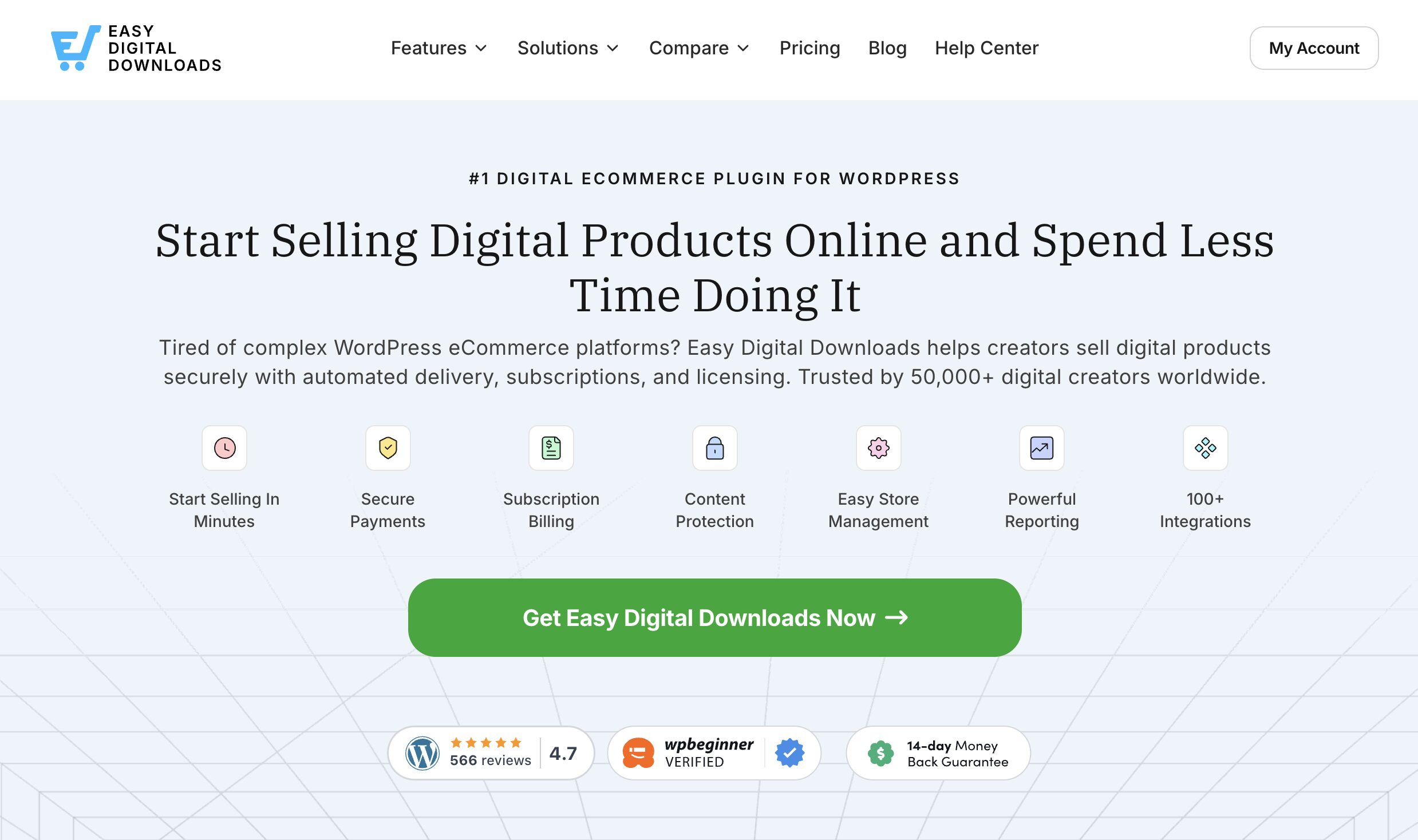
Once you pick a plan, download the plugin from your account dashboard. Then upload it to your WordPress site under Plugins, then click Add Plugin. Install and activate it, then click Get Started to launch the onboarding wizard.
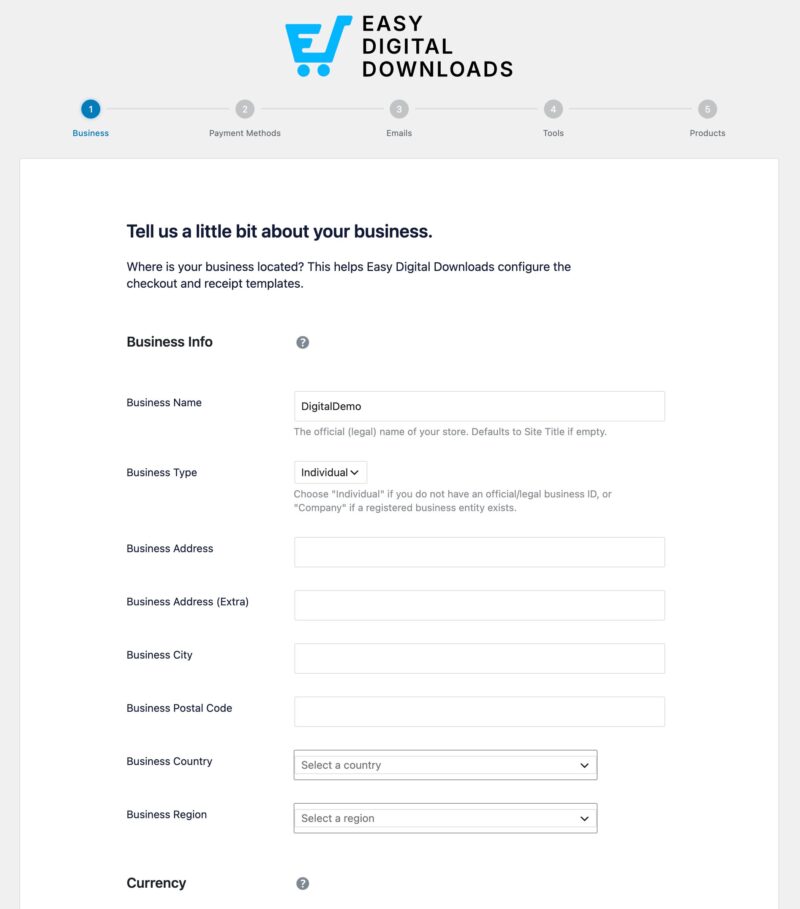
Follow the prompts to finish the key setup steps for your store, including your store’s currency and your payment gateway. The Getting Started with EDD hub has walkthroughs for each part of this process if you want to see it in action.
Need reliable hosting first? Levamo (previously Rapyd Cloud) is built to run WordPress stores like this one smoothly.
Step 2: Create Your Digital Course
Once your store is set up, add the course you want to sell. EDD calls digital products “downloads,” so that’s the term you’ll see in your dashboard.
Go to Downloads, then click Add Download. Name your course and add a description in the text area.
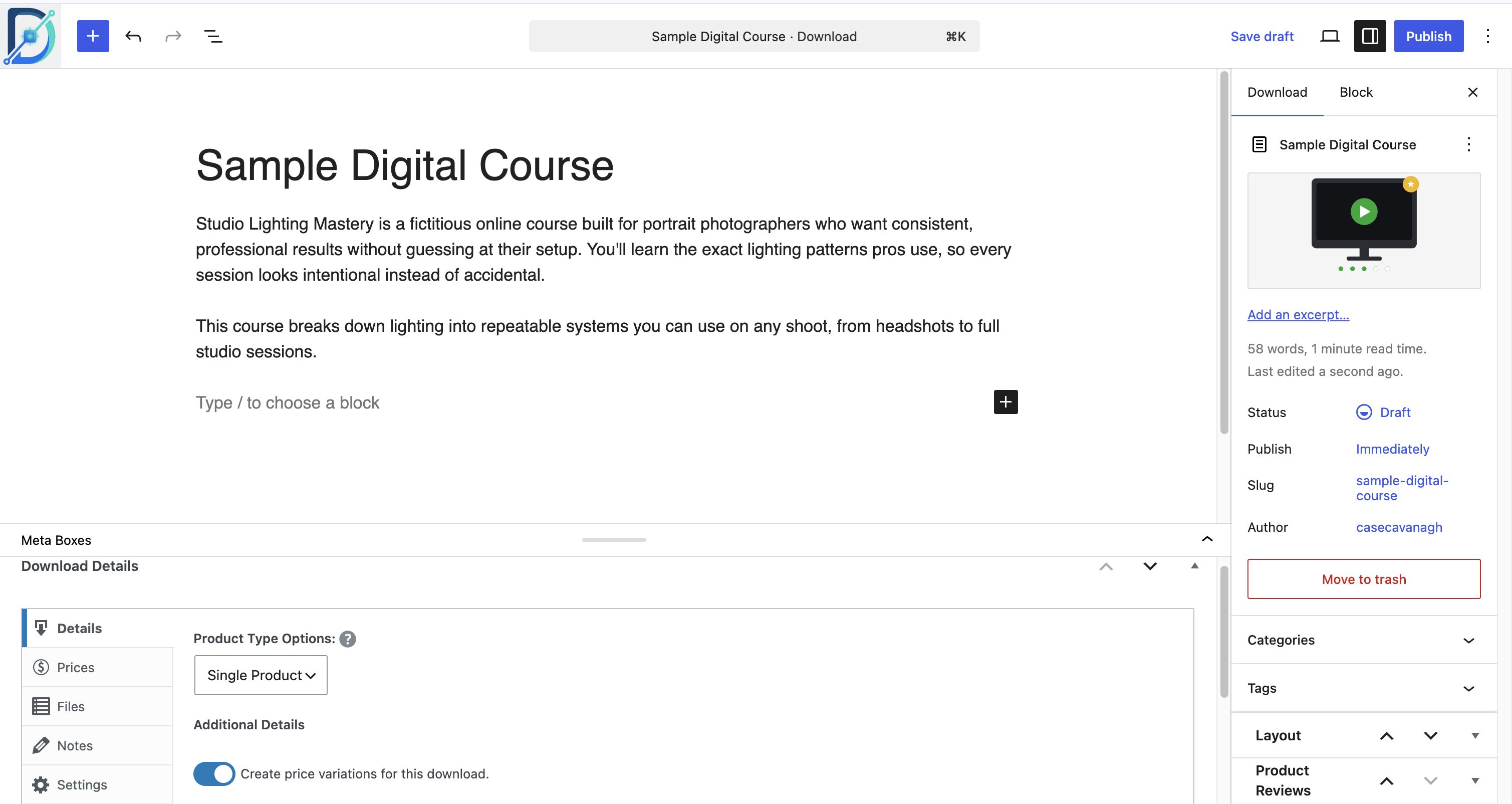
Writing a clear, benefit-focused description makes a real difference here, since it’s often the deciding factor for a buyer on the fence.
Under Details, set your Price. Course pricing varies a lot:
- Entry-level and mid-level courses often run $100 to $200
- Detailed, premium courses can run several hundred dollars or more
- Simpler, shorter courses sometimes sell for $10 to $20
Think about what’s actually included. Worksheets, templates, bonus content, or access to a community all add value, and they justify a higher price.
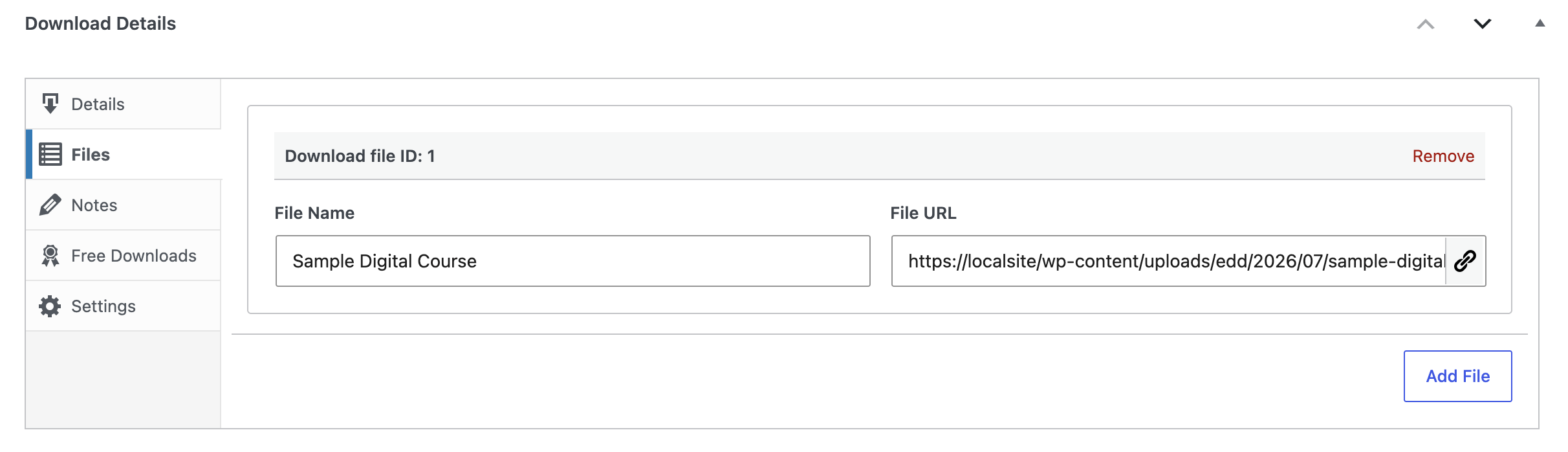
Under Files, upload your course content and give it a clear File Name, like “Download Course,” since that’s the link text customers see on their confirmation page and email.
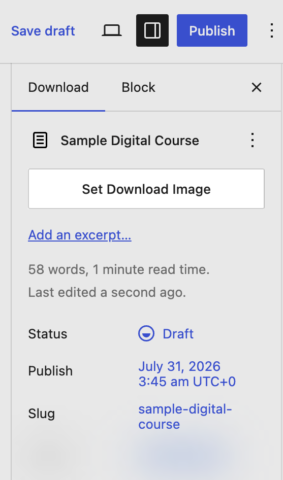
Then use Set Download Image in the sidebar to add a featured image for your course’s product page.
Step 3: Set Up Access and Delivery
This is where you decide how customers actually get into your course, and EDD has a few features built for exactly this.
If you want to sell recurring or subscription-style access instead of a one-time purchase, Recurring Payments handles the billing automatically. It supports free trials and flexible intervals, so you could drip your course out weekly or bill monthly for ongoing access.
If you want to gate certain pages so only paying customers can see them, Content Restriction does that. It’s a good fit if your course lives on its own dedicated pages rather than as a single downloadable file.
Got more than one course to sell? All Access lets customers buy one membership that unlocks your whole course library, instead of buying each course separately. Pair it with Recurring Payments for auto-renewing access, and you’ve got a full course subscription without installing a separate LMS or membership plugin.
Explore our full walkthrough of setting up All Access memberships to bundle courses this way.
Step 4: Publish and Promote Your Course
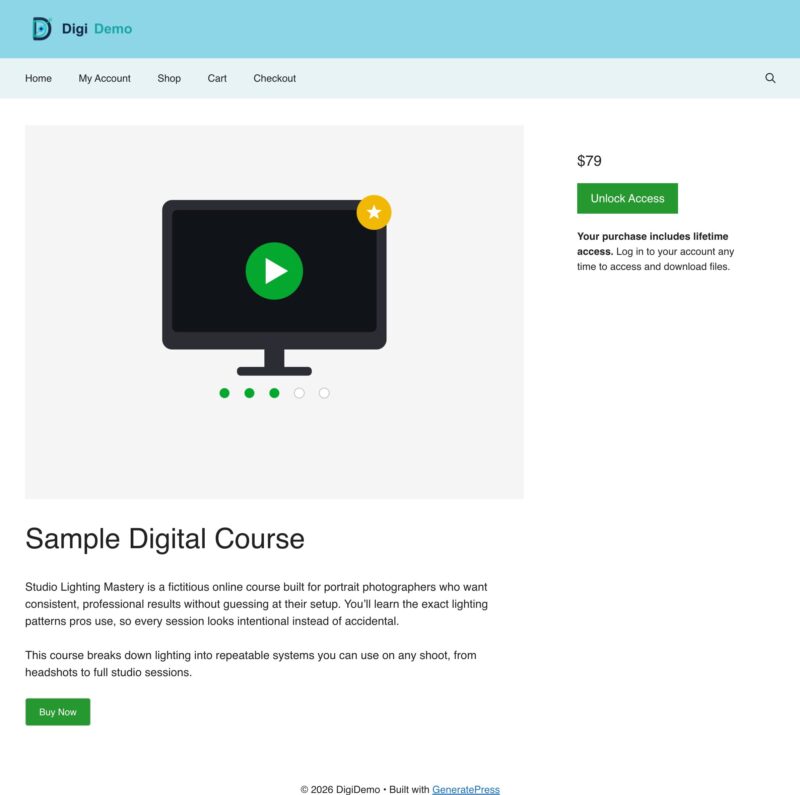
When your course is ready, click Save Draft, then Preview to see how the product page looks. Happy with it? Go back and click Publish.
Promotion is where a lot of course sales actually come from. Social media, email, and blogging all work, and if you already have a WordPress site, you already have the tools to do all three.
Writing blog posts about your course topic is one of the most reliable ways to bring in new visitors through search. You can also submit your course to course directories like Class Central or Accredible, which can send you referral traffic through their own audiences.
Building an email list matters just as much. Once someone’s on your list, you can share tips, updates, and reminders about your course, and turn more of those leads into paying students over time.
One more channel worth paying attention to: AI search tools are increasingly how people discover digital products, not just Google. Making sure your course page is easy for AI tools to understand and cite can bring in visitors who never would have found you through a traditional search.
FAQs About Selling Digital Courses Online
Is it better to use a formal or informal e-learning style?
It depends on your topic. Informal e-learning fits self-improvement, hobbies, or creative skills, like music lessons or drawing. Formal e-learning fits technical or certification-based topics, like programming or professional training, where structure and progress tracking matter more.
Do I need a Learning Management System (LMS) to sell a course?
No, not if your course is a straightforward video, audio, or PDF download. Easy Digital Downloads handles the sale and delivery on its own. You only need a dedicated LMS if your course requires quizzes, drip-fed lessons, or structured progress tracking.
How much should I charge for a digital course?
Course pricing typically ranges from $10 for a short, simple course up to several hundred dollars for a detailed, premium one. Entry-level and mid-level courses commonly land between $100 and $200. Price based on the depth of content and any bonuses you include, like worksheets or community access.
Can I sell more than one course from the same site?
Yes. You can list each course as a separate product, or use EDD’s All Access feature to sell one membership that gives customers access to your entire course library. All Access pairs well with Recurring Payments if you want that membership to auto-renew.
What’s the difference between selling digital courses and other digital products?
Not much from a technical setup standpoint. A course is still a digital download, whether it’s a video, audio file, or PDF. The main difference is often how you deliver it: courses more often benefit from drip content, subscriptions, or bundled access, while a simpler digital product like an ebook or template is usually a single one-time download.
How much does it cost to sell courses with WordPress and EDD?
Your main costs are hosting and your EDD plan, both predictable, flat costs regardless of how much you sell. That’s different from dedicated course platforms, which often charge a percentage of every sale or a required monthly fee on top of what you’re already paying for hosting and tools.
Start Selling Your Digital Courses
You now know how to sell digital courses online with WordPress, from setup to pricing to delivery.
The real advantage here isn’t just the setup. You own the store and the pricing. You also own the relationship with every student who buys from you, instead of renting that relationship from a marketplace.
📣 P.S. Be sure to subscribe to our newsletter and follow us on Facebook, Twitter/X, or LinkedIn for more WordPress resources!