

Starting an online store with WordPress is one of the most affordable ways to sell products on your own terms.
If you’re building a site from scratch, WordPress gives you the tools to launch a store without hiring a developer. If you already have a WordPress site, you can add a store to it in an afternoon.
This guide walks you through both paths. You’ll learn how to set up WordPress (or use the site you already have), pick the right tool for what you’re selling, and launch your first product. No coding required.
I’ll focus on selling digital products like eBooks, templates, and software, since that’s where WordPress and Easy Digital Downloads (EDD) really shine. But most of these steps apply if you’re selling physical goods too.
- Key Takeaways
- Why Use WordPress to Start an Online Store?
- What You Need to Build an Online Store
- How to Start an Online Store With WordPress
- Step 1: Set Up Your WordPress Site (or Confirm You Already Have One)
- Step 2: Install Easy Digital Downloads
- Step 3: Add Your First Product
- Step 4: Set Up Payment Methods
- Step 5: Choose a Theme (Optional)
- Step 6: Preview and Test Your Store
- Step 7: Promote Your Online Store
- Step 8: Support and Maintain Your Store
- FAQs on Starting an Online Store
- Can you create an online store with WordPress for free?
- How difficult is it to start an online store with WordPress?
- What should I sell if I start an online store?
- Do I need to know how to code to set up an online store?
- Can customers pay with credit cards on a WordPress store?
- Is a WordPress online store secure?
- Start Your Online Store Today
Key Takeaways
| Takeaway | What It Means |
|---|---|
| Best tool | Easy Digital Downloads if you’re selling digital products, WooCommerce if you’re selling physical goods. |
| Time to launch | A working store is realistic in an afternoon, whether you’re starting fresh or adding one to a site you already have. |
| Starting cost | Most sellers spend well under $500 in year one between hosting, a domain, and a theme. |
| Coding needed | None. Every step here uses your WordPress dashboard, no developer required. |
| Accepting payments | Stripe and PayPal both work out of the box, with no added fees from EDD itself. |
Why Use WordPress to Start an Online Store?
There are dozens of eCommerce platforms out there, and picking one can feel overwhelming.
In my experience (and that of thousands of other sellers), WordPress is the best option for most people starting an online store.
The right platform depends on your budget, experience level, and goals. There’s no single best answer for everyone. But if you want to maximize your profits and keep full control over your store’s design, pricing, and customer data, starting a WordPress online store is the way to go.

WordPress powers a huge share (~43%) of websites online, and it’s backed by a large, active community. That means help, themes, and tools are always easy to find.
Online marketplaces charge high fees and give you little control over the customer experience. Most other eCommerce platforms aren’t built for digital products either. They often need extra plugins and workarounds to sell downloads the way EDD does natively.
Note: This guide is about self-hosted WordPress.org sites, not WordPress.com. A self-hosted site is more flexible and less expensive to run. All WordPress.org sites can use plugins, but only the pricier WordPress.com plans support that.
What You Need to Build an Online Store
Here’s what you’ll want to have in place before you start.
Hosting and domain
You need a web host for your self-hosted WordPress.org site. There are plenty of solid options.
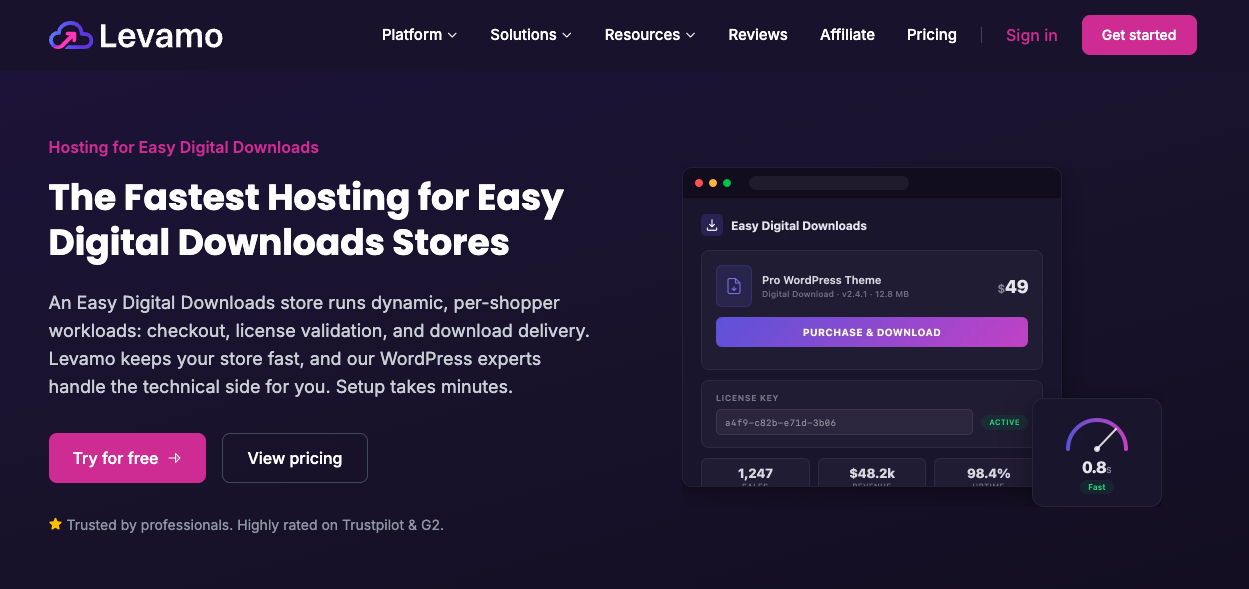
I recommend Levamo (previously Rapyd Cloud) for managed WordPress hosting built with EDD in mind. It comes with everything you need to run an online store, and setup takes just a few minutes.
You’ve got other options too. Check out our Best WordPress Hosting for eCommerce guide to compare a few.
SSL certificate and security
Your site needs an SSL certificate to accept online payments. This encrypts customer data during checkout, and it’s required for credit card processing.
Most hosts include SSL for free or as a low-cost add-on. You’ll also want a host that supports PCI compliance, the security standard payment processors require for handling card data. Levamo and most other managed WordPress hosts handle this for you automatically.
Which tool is right for your online store?
Not every online store needs the same tool. Here’s the short version:
- Selling digital products (eBooks, templates, software, courses): Easy Digital Downloads is built specifically for this. There’s nothing to pack, ship, or restock, so setup only takes a few minutes.
- Selling physical products: WooCommerce is the better fit, since it’s built around inventory and shipping.
- Selling one simple product or service: A lightweight payment button plugin can work if you don’t need a full storefront.
If you’re not sure yet, our full guide to building a WordPress eCommerce website walks through the broader decision in more depth. The rest of this guide focuses on the digital product path with EDD.
What it costs to start
Costs vary, but most sellers can get a store running for well under $500 in the first year, covering hosting, a domain, and a starter theme. EDD’s Core plugin is free forever, and you can add Pro features as your store grows.
For a full breakdown by store size and stage, see our eCommerce website costs guide.
Picking your niche and what to sell
If you already know what you want to sell, skip ahead to the steps below.
If not, here’s a quick way to narrow it down:
- Start with what you know. Products built around your own skills or experience are easier to market and easier to talk about with confidence.
- Favor digital over physical when you can. Digital products don’t need inventory or shipping, and they never go out of stock.
- Look for proof of demand. Check if people are already searching for or buying similar products before you build yours.
For more ideas, these guides can help:
- What Are Digital Downloads? A Beginner’s Guide
- Trending Digital Products in High Demand
- Most Popular Digital Products to Sell
How to Start an Online Store With WordPress
Now let’s get into the step-by-step process.
Step 1: Set Up Your WordPress Site (or Confirm You Already Have One)
If you already have a WordPress site, skip to Step 2.
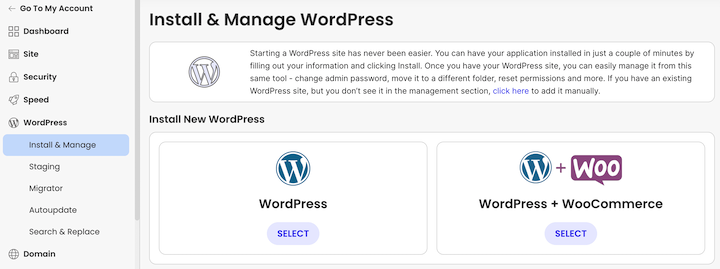
Otherwise, the first thing you need is a WordPress website. Sign up with a host like Levamo, then use their one-click WordPress installer to get your site running.
Most hosting providers offer one-click installations and their own setup guides, so check your host’s documentation for the exact steps.
Step 2: Install Easy Digital Downloads
Next, install your eCommerce plugin. If you’re selling physical products, you’d install WooCommerce instead. But for digital products, Easy Digital Downloads (EDD) is built for exactly this.
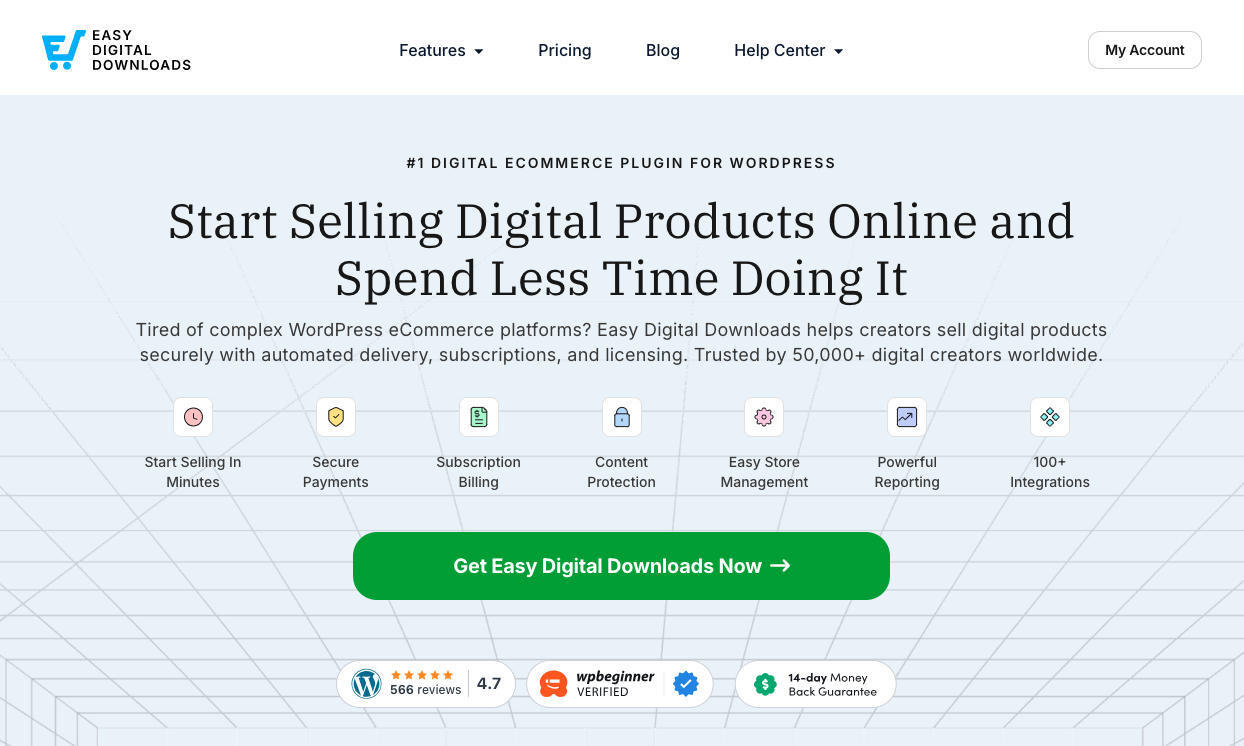
EDD is trusted by more than 50,000 websites to sell digital downloads like PDFs, templates, and WordPress plugins and themes. It has everything you need for selling digital files.
The Core plugin is free. When you’re ready for more advanced features, EDD’s Pro plans unlock things like Recurring Payments and Software Licensing.
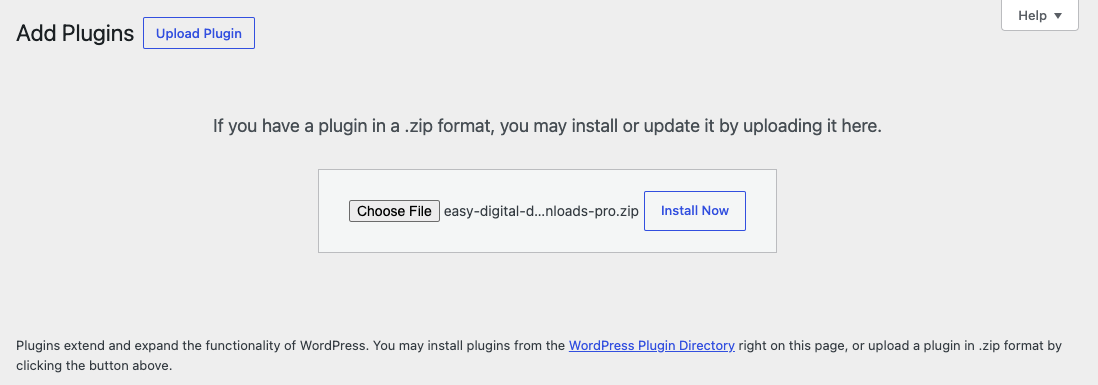
To install Easy Digital Downloads, from your WordPress dashboard go to Plugins » Add Plugin, then Upload Plugin » Choose File. Select Install Now, followed by Activate Plugin.
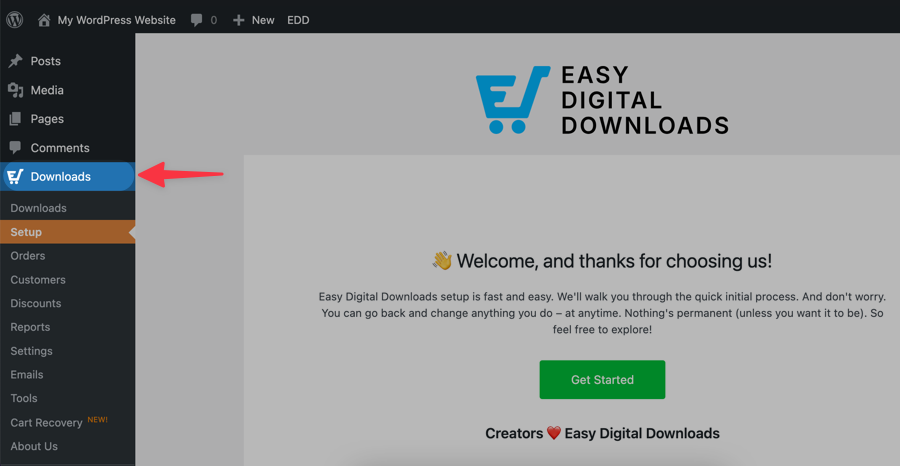
Once EDD is active, you’ll see a new Downloads menu item on the left side of your admin area. Click Get Started to launch the setup wizard, which walks you through the initial configuration.
Step 3: Add Your First Product
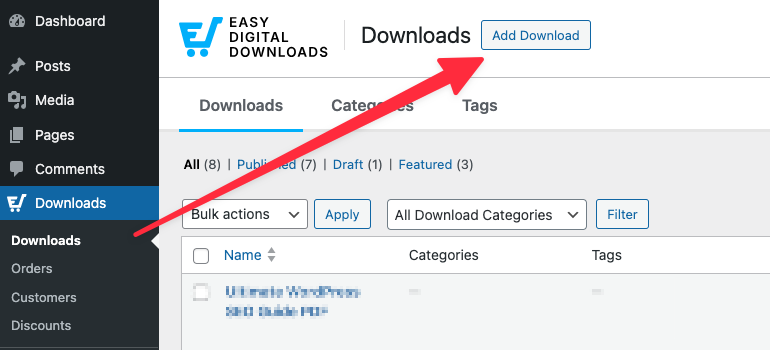
In EDD, the products you sell are called downloads. Go to Downloads then click Add Download.
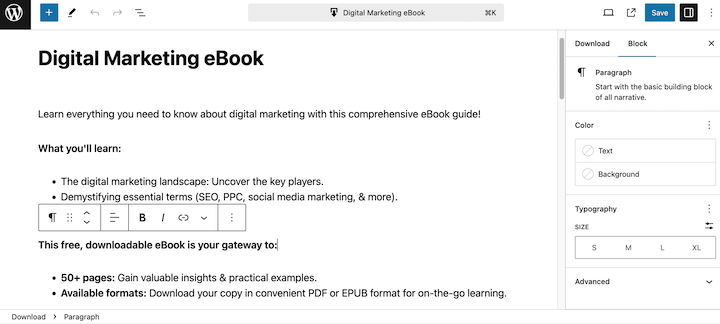
Give your download a name and description.
Then in the Download Details below the editor, set the Product Type and enter a Price.
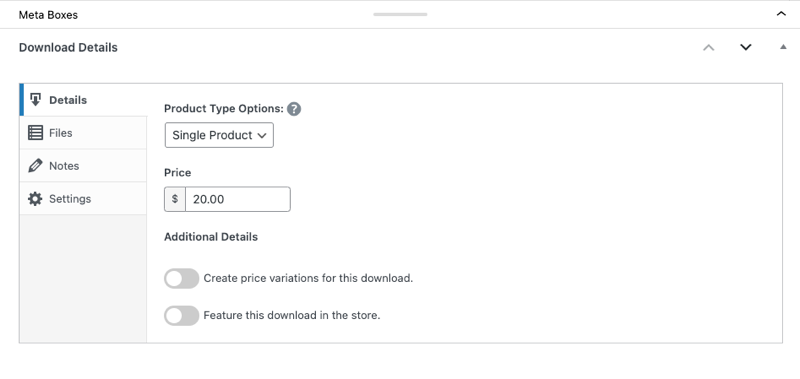
Next, upload your file under the Files tab.
To the right, select Set Download Image to upload/set your product image. You can select Save draft and preview it on the front end. When you’re ready to click Publish.
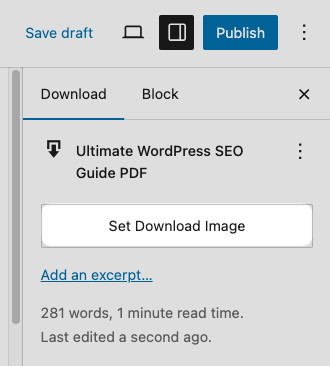
That’s the short version. For a full field-by-field walkthrough, including how to handle pricing variations, file protection, and product images, see our guide on how to create a digital download store in WordPress or check out our Creating Products documentation.
Step 4: Set Up Payment Methods
Every online store needs a way to accept payments. I suggest Stripe because it’s simple to set up and supports credit cards, debit cards, Apple Pay, and Google Pay.
With EDD, you can connect and set up Stripe entirely from your WordPress dashboard.
If Stripe isn’t available in your country, PayPal is a solid alternative, along with several other payment gateways EDD supports.
Configure your gateway under Downloads » Settings » Payments.
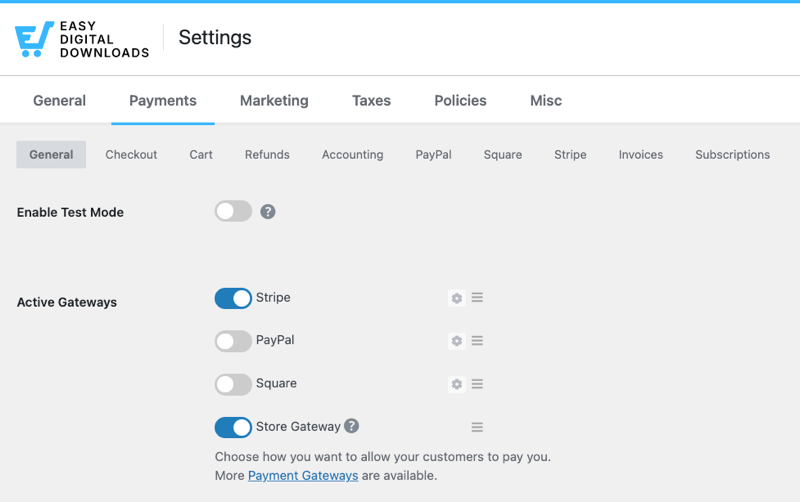
Under the Stripe tab, select Connect with Stripe and follow the prompts. Then set it as your default and save your changes.
Step 5: Choose a Theme (Optional)
EDD works with nearly any WordPress theme. We also offer a couple of our own, along with a shortlist of recommended themes optimized for EDD stores.
Go to Appearance » Themes to search, install, and customize themes.
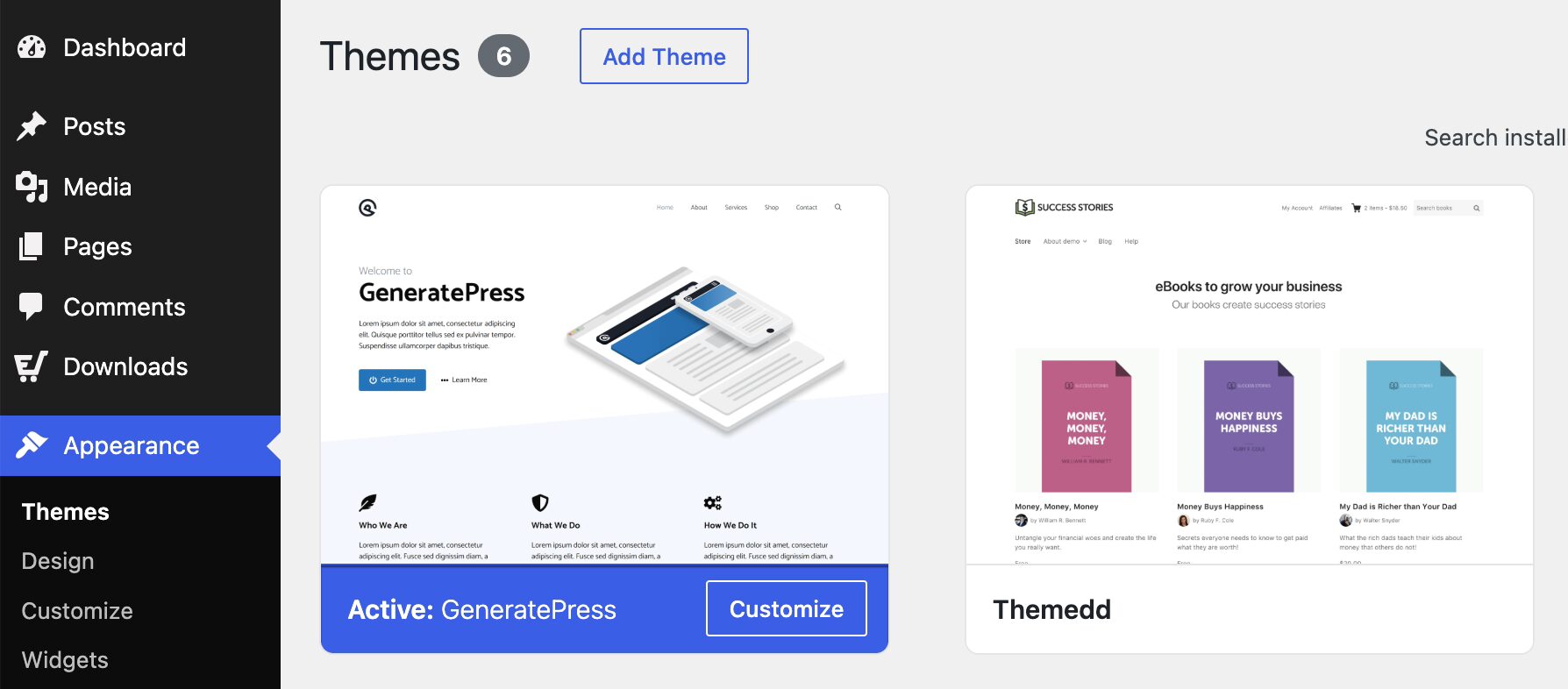
Check out our list of best WordPress eCommerce themes if you need help.
Whichever theme you pick, make sure it’s lightweight and built with eCommerce in mind.
Step 6: Preview and Test Your Store
Once you’re happy with how things look, preview your store from the front end.
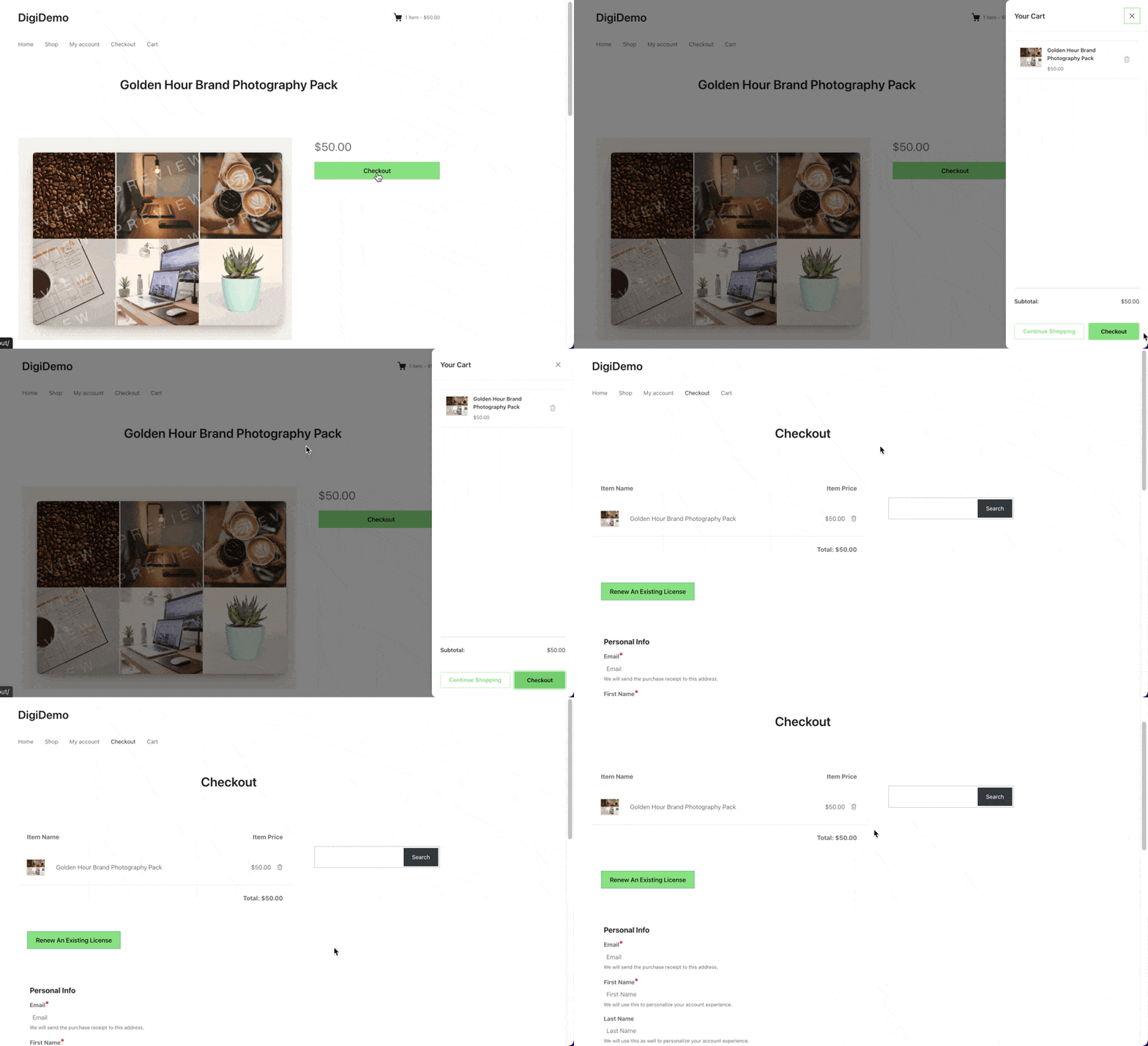
Test the full purchase flow yourself: add to cart, check out, and confirm you land on the confirmation page with a working download link. You’ll also want to check that the purchase receipt email arrives with a working link.
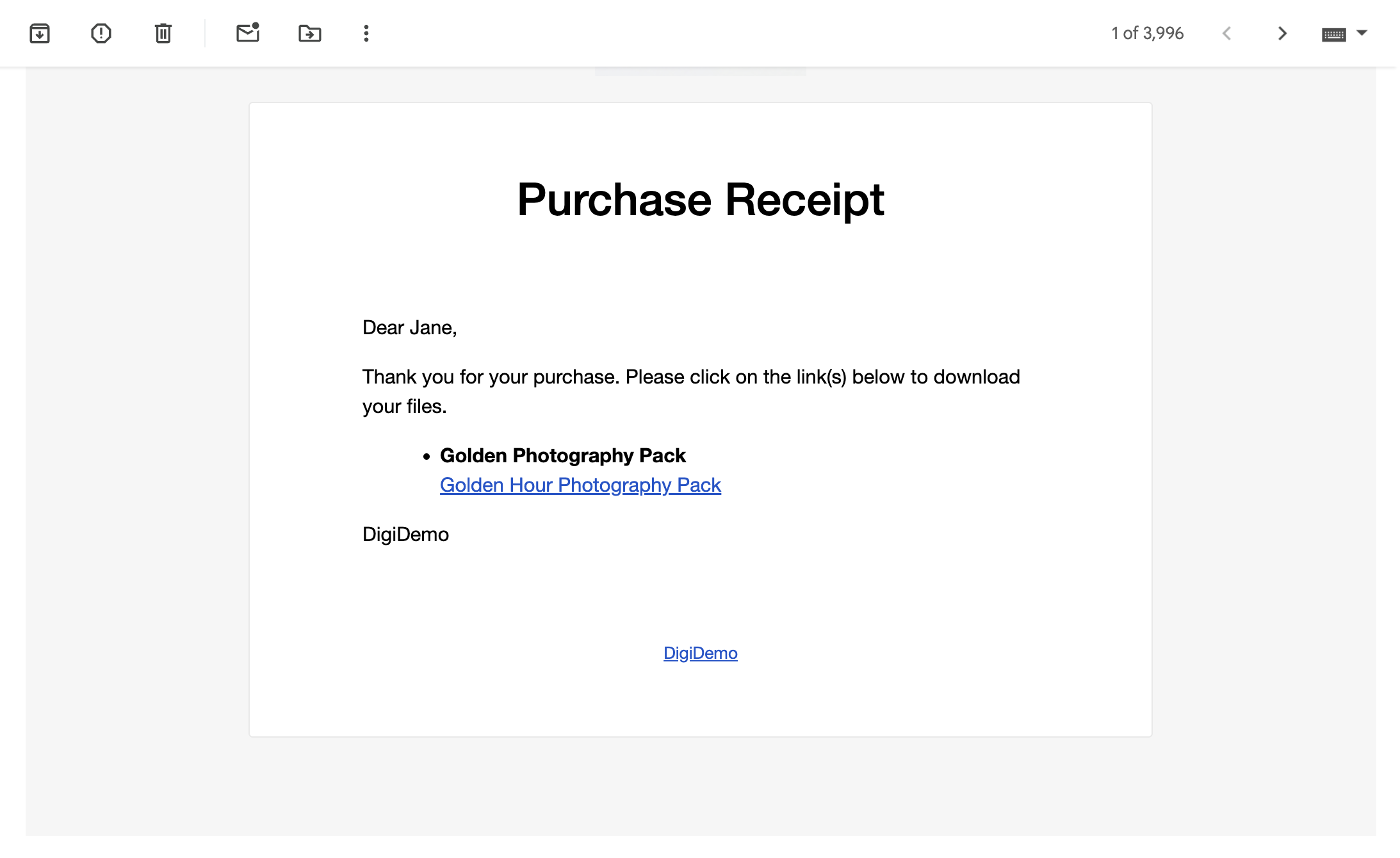
By default, download links expire after 24 hours to prevent file sharing, though you can adjust that window or reissue links anytime.
Learn more about managing file downloads.
Step 7: Promote Your Online Store
Once your site is live, it’s time to get the word out.
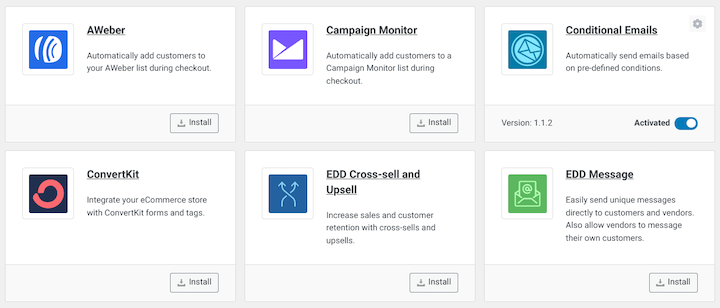
EDD has built-in features and extensions to help, including email marketing integrations like MailChimp and affiliate marketing through AffiliateWP.
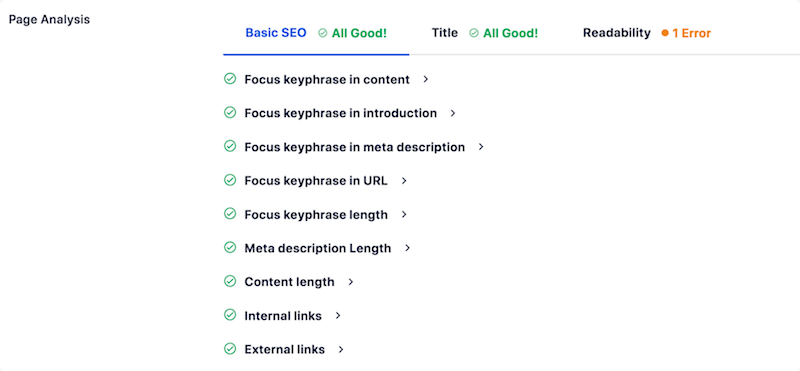
One of the most cost-effective things you can do to help improve your store’s visibility is to optimize your site content.
There are a handful of ways to go about this, and the AIOSEO (All In One SEO) plugin makes it significantly easier.
For tips on getting started, explore the following guides:
Once you’ve optimized your site and start getting visitors, you need strategies for turning them into customers. One option is to leverage exit-intent popups and other conversion tools from OptinMonster.
For more ideas, check out the best ways to promote digital products.
Step 8: Support and Maintain Your Store
Launching your store isn’t the finish line. Keeping it running smoothly matters just as much.
Keep things updated and backed up. Update WordPress, your theme, and your plugins regularly. Most security issues come from outdated software, not bad luck. Set up automatic backups too, so a bad update or hosting hiccup never costs you your store.
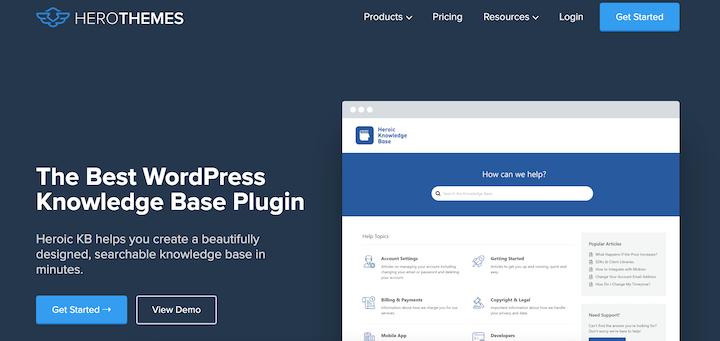
Plan for customer support. Happy customers come back, and quick answers keep them happy. If live support isn’t realistic for you yet, a self-service knowledge base works well. A plugin like Heroic KB makes it easy to build one directly on your site, so customers can find answers without waiting on you.
For everything else, a help desk plugin like Heroic Inbox keeps customer emails organized in one place, so nothing slips through the cracks.
For more on this, see our guide on providing excellent customer service and support.
FAQs on Starting an Online Store
Here are some answers to frequently asked questions about how to create an online store.
Can you create an online store with WordPress for free?
WordPress itself and plugins like Easy Digital Downloads are free to download and use. Your only real costs are hosting, a domain, and any premium themes or plugins you choose to add later, so you can launch on a small budget and upgrade only when your store needs it.
How difficult is it to start an online store with WordPress?
It’s easier than most people expect, even if you’ve never built a website before. Most hosts offer one-click WordPress installs, and Easy Digital Downloads’ setup wizard walks you through the rest step by step. You don’t need to know how to code to get a store running.
What should I sell if I start an online store?
Digital products, like eBooks, templates, courses, and software, are the easiest place to start. There’s no inventory to manage and no risk of running out of stock, so you can launch faster and keep more of every sale as your store grows.
Do I need to know how to code to set up an online store?
No. WordPress, Easy Digital Downloads, and most modern themes are designed for people without coding experience. You’ll use point-and-click dashboards for setup, product creation, and payments, and you can always hire a developer later if you want custom design work.
Can customers pay with credit cards on a WordPress store?
Yes. Payment gateways like Stripe and PayPal let customers pay with credit cards, debit cards, and digital wallets like Apple Pay and Google Pay. You can set up any of these directly in your WordPress dashboard, and most gateways charge a standard per-transaction fee with no extra platform fee on top.
Is a WordPress online store secure?
Yes, as long as you keep WordPress, your theme, and your plugins updated, use SSL for checkout, and choose a host that supports PCI compliance. Most managed WordPress hosts handle these security basics for you automatically, so your store stays protected without extra work on your part.
Start Your Online Store Today
You now know how to start an online store with WordPress, whether you’re building from scratch or adding a store to a site you already have.
If you haven’t yet, get started with EDD today.
📣 P.S. Be sure to subscribe to our newsletter and follow us on Facebook, Twitter/X, or LinkedIn for more WordPress resources!