


WooCommerce runs on 93.7% of all WordPress ecommerce sites. That kind of market share is impressive, but it doesn’t mean WooCommerce is the right fit for your store.
If you’re selling digital products, running a membership site, or just need a simple way to collect payments, WooCommerce can feel like overkill. You end up paying for features you’ll never use and navigating settings that have nothing to do with your business.
The good news: there are excellent WooCommerce alternatives built for specific use cases. In this guide, I’ll walk you through seven of the best, covering everything from lightweight digital product plugins to fully hosted platforms.
- WooCommerce Alternatives at a Glance
- Why Look Beyond WooCommerce?
- How We Chose These WooCommerce Alternatives
- 7 Best WooCommerce Alternatives for WordPress
- How to Choose the Right WooCommerce Alternative
- Frequently Asked Questions about WooCommerce Alternatives
- Find the Right WooCommerce Alternative for Your Store
WooCommerce Alternatives at a Glance
Here’s a quick look at all seven WooCommerce alternatives compared side by side.
| Alternative | Free Plan | Starting Price | Key Feature | Best For |
|---|---|---|---|---|
| Easy Digital Downloads | ✅ | $99.50/yr | Purpose-built for digital goods | Selling digital products |
| WP Simple Pay | ✅ | $49.50/yr | Easy Stripe payments, no cart needed | Simple payment forms |
| SureCart | ✅ | $179/yr | Modern cart, feature-rich free plan | Fast, modern stores |
| MemberPress | ❌ | $179.50/yr | Powerful membership management | Memberships and courses |
| BigCommerce | ❌ | $29/mo (annual) | Scalable headless ecommerce | Large retail stores |
| Shopify | ❌ | $29/mo (annual) | Fully hosted, all-in-one platform | Fully managed ecommerce |
| Ecwid by Lightspeed | ❌ | $5/mo | Sells across any website platform | Multi-platform sellers |
Key Takeaways
- Easy Digital Downloads is purpose-built for digital products with a free core plugin and affordable paid plans starting at $99.50/yr.
- WP Simple Pay is the simplest way to collect one-time or recurring payments without setting up a full store.
- SureCart offers a modern, headless checkout experience with one of the most feature-rich free plans available.
- MemberPress handles memberships, subscriptions, and online courses in a single platform — no free version, but a clear best-in-class for this use case.
- BigCommerce, Shopify, and Ecwid cover the full range of hosted and multi-platform options for larger or more complex stores.
Why Look Beyond WooCommerce?
WooCommerce is a capable plugin, but it’s built to handle everything: physical products, shipping, inventory, tax, and more. That breadth is exactly what makes it feel bloated for businesses with simpler or more specialized needs.
Here are the most common reasons store owners look for a WooCommerce alternative:
- Feature bloat: WooCommerce installs shipping calculators, inventory management, and product variation tools even if you’re only selling PDF files.
- Extension costs: Key features like subscriptions, recurring payments, and bookings require paid extensions that add up quickly.
- Performance overhead: More code means more weight. WooCommerce can slow down sites that don’t need its full feature set.
- Complexity for simple stores: If you’re collecting payments for a service or selling a handful of products, a full WooCommerce setup is more work than it’s worth.
The right alternative strips out what you don’t need and gives you a cleaner path to selling.
If you’re coming from a marketplace like Etsy, see our guide to the best Etsy alternatives for selling digital products.
How We Chose These WooCommerce Alternatives
Not every plugin that calls itself a WooCommerce alternative actually delivers. We evaluated each option on four criteria:
- Product type fit: Does it handle what you’re selling: digital files, physical goods, subscriptions, or services?
- Ease of setup: Can a non-developer get it running without a headache?
- Pricing transparency: Are the costs clear, and do the paid features justify the upgrade?
- WordPress compatibility: Does it work natively with WordPress, or does it require managing a separate platform?
Each tool on this list earns a genuine recommendation for a specific type of seller.
7 Best WooCommerce Alternatives for WordPress
1. Easy Digital Downloads
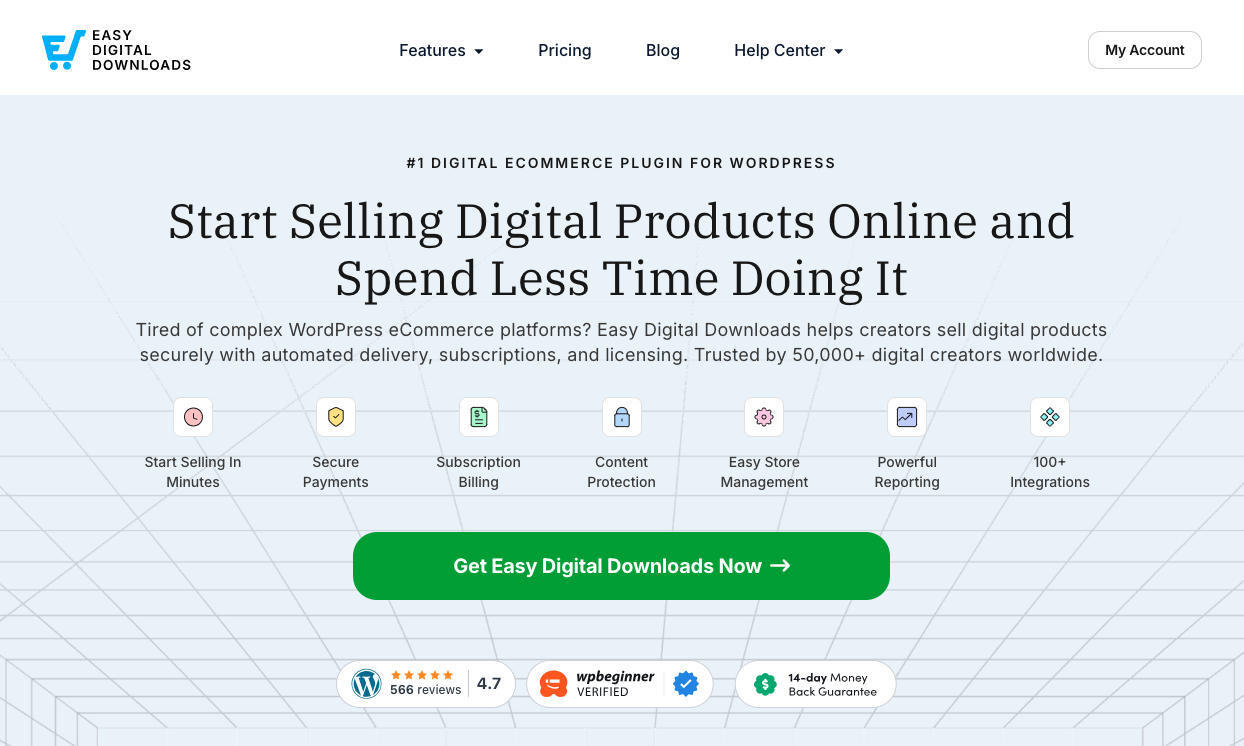
Easy Digital Downloads (EDD) is the go-to WooCommerce alternative for creators and businesses that sell digital products. Unlike WooCommerce’s broad approach, EDD is purpose-built for digital goods — no shipping zones, no inventory weights, and no physical product features cluttering your workflow.
If you sell eBooks, software, courses, photos, or any downloadable file, EDD gives you exactly what you need and nothing you don’t. The free core plugin covers the essentials: Stripe and PayPal, secure file delivery, discount codes, and sales reporting.
When your store grows, EDD’s premium features, including Recurring Payments, Software Licensing, and Frontend Submissions, let you scale without switching platforms. It’s trusted by more than 50,000 businesses and has been the leading digital ecommerce plugin for WordPress for over a decade.
Learn more about EDD vs Woo.
Key Features
- Purpose-built for digital and downloadable products
- Secure file delivery with download limits and expiration
- Built-in Stripe and PayPal support
- Customer management and detailed sales reporting dashboard
- Premium features for subscriptions, software licensing, and more
Pros ✅
- Free core plugin with all the essentials
- Lightweight — no physical product bloat
- Easy setup, even for non-technical users
- Flexible paid plans for growing stores
- Trusted by 50,000+ businesses for over a decade
Cons ⚠️
- Not designed for physical products
- Subscriptions and software licensing require a paid plan
Plans and Pricing
Easy Digital Downloads has a free core plugin with everything you need to start selling digital products right away.
Premium plans start at $99.50 per year:
- Personal: Email marketing integrations and premium features for one site
- Extended: More payment gateways and tools for up to 3 sites
- Professional: Software Licensing, product reviews, and advanced features
- All Access: Every premium feature for unlimited sites
🔎 See a full breakdown at EDD Free vs. Paid.
Best For: Creators selling digital products — eBooks, software, courses, photos, or any downloadable file — who want a focused plugin without the overhead of a full ecommerce system.
2. WP Simple Pay
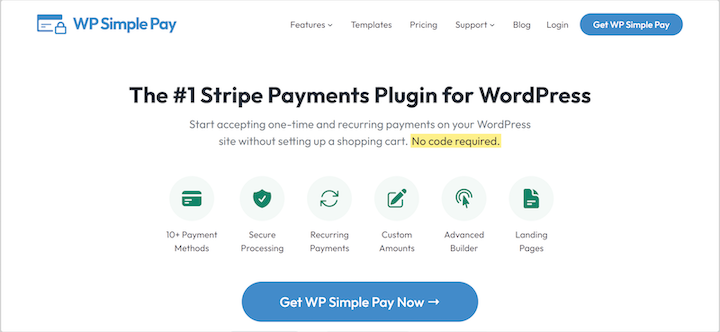
Sometimes you don’t need a store at all. If you’re accepting payment for a service, a single product, or a donation, WP Simple Pay turns WordPress into a payment collection system without any shopping cart complexity.
Setup takes minutes. You connect your Stripe account, configure a payment form using the drag-and-drop builder, and embed it on any page. No products to configure, no checkout pages to design.
WP Simple Pay is a Stripe Verified Partner, which means the integration is well-maintained and reliable. It handles one-time payments, recurring subscriptions, and “pay what you want” pricing — useful for nonprofits and flexible pricing models.
Key Features
- Direct Stripe integration via drag-and-drop form builder
- Accepts credit/debit cards, Apple Pay, Google Pay, and ACH Direct Debit
- One-time and recurring subscription payments
- Custom “pay what you want” amounts with optional minimums
- 100+ pre-built form templates
Pros ✅
- Fastest setup of any option on this list
- No shopping cart needed
- Stripe Verified Partner — reliable and secure
- Supports subscriptions and flexible pricing
Cons ⚠️
- Not a full ecommerce solution
- Stripe-only (no PayPal)
- Free version charges transaction fees
Plans and Pricing
WP Simple Pay has a free Lite version with basic payment forms and transaction fees. Premium plans start at $49.50 per year:
- Personal: Removes transaction fees, adds subscription payments
- Plus: Automatic billing, up to 3 sites
- Pro: All payment methods including Buy Now Pay Later
- Elite: Advanced features for unlimited sites
Best For: Service providers, consultants, and nonprofits who need to collect payments without ecommerce complexity. It’s the simplest way to turn WordPress into a payment system when you don’t need a full store.
3. SureCart

SureCart is a newer WordPress ecommerce plugin built on a headless architecture. The heavy lifting (payment processing, customer records, and order management) runs on SureCart’s own servers, not your WordPress host. Your site stays fast because it isn’t doing all the work.
The free plan is genuinely useful. It covers digital and physical products, subscriptions, one-click upsells, and discount codes – features that cost extra on most other platforms.
The trade-off is that your customer data lives on SureCart’s infrastructure, not your own server. That works fine for most sellers, but it’s worth knowing if full data ownership matters to you.
Key Features
- Headless architecture for fast site performance
- Modern one-page checkout and cart experience
- Digital and physical product support
- Built-in upsells, order bumps, and discount rules
- Automation engine for email marketing integrations
Pros ✅
- Feature-rich free plan
- Fast performance — no load on your WordPress host
- Modern checkout experience
- Easy to use interface
Cons ⚠️
- Customer data lives on SureCart’s servers, not yours
- Not ideal for users who want 100% self-hosted control
- Some advanced features locked behind paid plans
Plans and Pricing
SureCart’s free plan includes core ecommerce features for one store. Paid plans start at $179 per year for one store, and $249 per year for up to 5 stores.
Best For: Store owners who want a modern, high-performance checkout without needing high-end WordPress hosting, especially those selling a mix of digital and physical products.
4. MemberPress
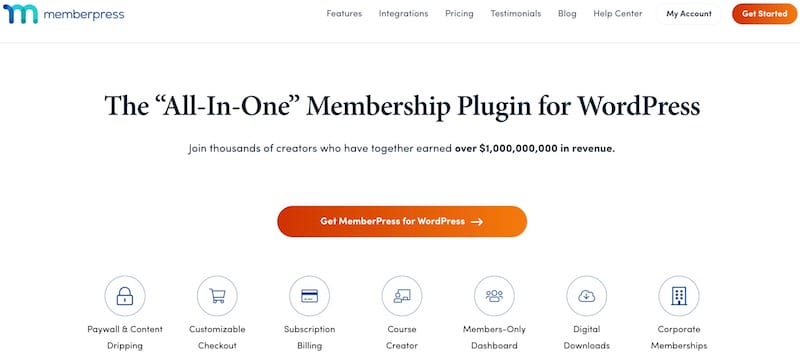
For businesses built around recurring access to content — newsletters, courses, private communities — a dedicated membership plugin outperforms a traditional ecommerce tool every time.
MemberPress is the leading all-in-one membership platform for WordPress. It handles content protection, subscription billing, and course delivery in a single, well-integrated solution.
Its access control rules are where it really stands out. You can lock down individual pages, posts, categories, custom post types, or entire file directories and sell access through flexible recurring membership plans.
Key Features
- Granular content protection rules across pages, posts, and files
- Built-in course builder (LMS), no separate plugin needed
- Content dripping to release material on a schedule
- Recurring subscriptions via Stripe, PayPal, and Authorize.net
- Dynamic membership pricing pages
Pros ✅
- All-in-one for memberships and online courses
- Powerful, granular access control
- Built-in LMS — no separate course plugin needed
- Excellent for building recurring revenue
Cons ⚠️
- No free version
- Not built for one-off digital or physical product sales
- Fewer payment gateway options than other tools
Plans and Pricing
Plans start at $179.50 per year. There’s no free version, but a 14-day money-back guarantee is available.
- Basic: Core features (courses, subscriptions, content protection) for one site
- Plus: More sites, developer tools, and marketing integrations
- Pro: Gift memberships and all pro add-ons
Best For: Creators and businesses monetizing exclusive content, online courses, or private communities through recurring subscriptions.
5. BigCommerce
BigCommerce for WordPress takes a headless commerce approach. Your WordPress site handles content and design, while BigCommerce manages the ecommerce engine (product data, inventory, payment processing, and PCI compliance) on its own infrastructure.
The setup is more involved than a standard plugin. You need a BigCommerce account, and products are managed across two separate dashboards. But the payoff is real: BigCommerce’s infrastructure handles large product catalogs and high-traffic promotions without touching your WordPress hosting.
It’s overkill for small stores. For large retailers managing thousands of SKUs, it’s exactly the right tool.
Key Features
- Headless WordPress integration with dedicated plugin
- Multi-channel selling (Amazon, eBay, social media)
- Built-in PCI compliance and payment security management
- Highly scalable for large catalogs and traffic spikes
- Two-dashboard workflow separating content and commerce
Pros ✅
- Enterprise-grade scalability
- Built-in multi-channel selling
- Offloads security and PCI compliance
- No performance impact on WordPress
Cons ⚠️
- Requires managing two platforms
- Higher cost than plugin-only options
- More complex setup and onboarding
Plans and Pricing
The BigCommerce WordPress plugin is free, but a BigCommerce subscription is required. Plans start at $29/month (billed annually):
- Standard: Core features, up to $50K in annual online sales
- Plus: Abandoned cart recovery, customer groups, up to $180K in sales
- Pro: Product filtering, Google reviews, up to $400K in sales
- Enterprise: Custom pricing for high-volume businesses
Best For: Established retailers with large catalogs, high traffic, and the budget for a serious hosted ecommerce backend.
6. Shopify

Shopify isn’t a WordPress plugin; it’s a fully hosted ecommerce platform. That’s a fundamental difference worth understanding before you choose it.
With Shopify, you’re stepping outside the WordPress ecosystem. Your store runs on Shopify’s infrastructure, and your site design works within Shopify’s theme system. For sellers who want to focus entirely on selling rather than maintaining a website, that trade-off is often the right one.
Shopify handles everything: hosting, security, payment processing, checkout, and shipping. You don’t manage plugins, run updates, or worry about server performance. It’s the most hands-off option on this list.
Key Features
- Fully hosted,no server or plugin maintenance required
- Built-in payment processing via Shopify Payments
- Multi-channel selling across social media, Amazon, and in person
- Built-in AI assistant for product descriptions and marketing copy
- 3-day free trial, then $1/month for the first 3 months
Pros ✅
- Everything managed in one place
- No hosting, security, or update maintenance
- Built-in payments with competitive processing rates
- Large app ecosystem and theme library
Cons ⚠️
- Monthly platform fees starting at $29/month
- Transaction fees unless using Shopify Payments
- You leave WordPress; less control over content
- Less flexibility for content-heavy sites
Plans and Pricing
Shopify offers a 3-day free trial, then $1/month for the first 3 months. Plans are billed annually:
- Basic: $29/month: Core features for new stores
- Grow: $79/month: Lower payment fees, up to 5 staff accounts
- Advanced: $299/month: Multi-region selling, custom reports
- Plus: Starting at $2,300/month: Enterprise features and customizable checkout
Best For: Sellers who want a fully managed ecommerce experience and are comfortable stepping outside the WordPress ecosystem. If you want to stay in the hosted space but keep more flexibility, see how EDD and Shopify compare.
7. Ecwid by Lightspeed
Ecwid by Lightspeed is built around one idea: add a store to any website without rebuilding it. Unlike most ecommerce plugins, Ecwid works not just with WordPress but also on Wix, Squarespace, and custom-coded sites.
If you run a WordPress site today but want flexibility to expand to another platform later, Ecwid protects that investment. Your product catalog, customer data, and store settings follow you wherever your site lives.
Ecwid also stands out for charging no transaction fees on any plan — a real advantage as your sales volume grows.
Key Features
- Works on WordPress, Wix, Squarespace, and standalone sites
- No transaction fees on any plan
- Sell physical and digital products
- Multi-channel selling across social and marketplaces
- 70+ pre-built store templates
Pros ✅
- Platform-agnostic; works across multiple website builders
- No transaction fees on any plan
- Fast setup on an existing site
- Good multi-channel selling tools
Cons ⚠️
- No free plan (starts at $5/month)
- Product limits on lower-tier plans
- Less WordPress-native than purpose-built plugins
Plans and Pricing
Plans start at $5/month (Starter). There is no free plan.
- Starter: $5/month: Up to 10 products
- Venture: $29/month (annual): Up to 100 products, live chat support
- Business: $49/month (annual): Up to 2,500 products, phone support
- Unlimited: $119/month (annual): Unlimited products, priority support
Best For: Sellers who want the flexibility to run their store across multiple platforms without being locked into WordPress, or those who want to add ecommerce to an existing site they don’t want to rebuild.
How to Choose the Right WooCommerce Alternative
The right tool depends almost entirely on what you’re selling and how much control you want over your platform. Here’s a quick decision framework:
- Selling digital products (eBooks, software, courses)? Easy Digital Downloads is built exactly for this.
- Collecting payments for a service or accepting donations? WP Simple Pay is the simplest path.
- Building a membership or subscription site? MemberPress handles this better than any general ecommerce tool.
- Running a large retail store? BigCommerce or Shopify are built for that scale.
- Need flexibility across platforms? Ecwid is the only option here that isn’t locked to WordPress.
Need help with the full setup? Read our guide on how to make a WordPress ecommerce website.
Hosted vs. Self-Hosted
Self-hosted plugins (EDD, WP Simple Pay, MemberPress, SureCart) run on your WordPress server. You own your data, your store, and your customer relationships. The trade-off is that you’re responsible for security, updates, and performance.
Hosted platforms (BigCommerce, Shopify) manage all of that for you in exchange for a monthly fee. You’re working within their system, not your own.
Both models work. The choice comes down to how much control you want versus how much maintenance you’re willing to do.
For a deeper look at this decision, see using WordPress for ecommerce: pros and cons.
Key Questions Before You Decide
What are you selling?
Physical products, digital downloads, subscriptions, and services each have tools designed specifically for them. This is the single most important factor in choosing the right platform.
What’s your budget?
Compare total cost of ownership — plugin license plus hosting versus monthly platform fee plus transaction fees. A “free” plugin with expensive extensions can cost more than a paid platform at scale.
How technical are you?
Be honest. A tool you can actually use is worth more than the theoretically best option. If you don’t want to manage plugins and updates, a hosted platform removes that friction entirely.
Frequently Asked Questions about WooCommerce Alternatives
What is the best free WooCommerce alternative for WordPress?
For digital products, Easy Digital Downloads has a free core plugin that covers payment processing, secure file delivery, discount codes, and customer management. If you don’t need a full store, WP Simple Pay is also free and handles one-time and recurring payments through Stripe.
What are the main problems with WooCommerce?
The most common complaints are feature bloat and extension costs. WooCommerce installs tools for shipping, inventory, and physical products even if you don’t need them. Key features like subscriptions and bookings require paid extensions, and the added weight can slow down sites that only need a lightweight store.
What is the best WooCommerce alternative for selling digital products?
Easy Digital Downloads is the best WooCommerce alternative for selling digital products. It’s purpose-built for digital goods — eBooks, software, courses, music, photos — with built-in secure file delivery, Stripe and PayPal support, and no physical product features cluttering the interface. The free core plugin covers everything you need to start.
Is Shopify a good WooCommerce alternative?
Shopify is a strong alternative for sellers who want a fully managed ecommerce platform and are comfortable leaving WordPress. It handles hosting, security, and checkout with no plugin maintenance required. The main trade-offs are the monthly cost (starting at $29/month) and losing WordPress’s content flexibility. Shopify is not a plugin — it’s a separate platform entirely.
What is the best WooCommerce alternative for large businesses?
BigCommerce is one of the best WooCommerce alternatives for large businesses with complex catalogs and high traffic. Its headless commerce model offloads ecommerce processing to its own servers, keeping your WordPress site fast while handling large order volumes. For sellers who prefer a fully hosted option, Shopify’s Advanced and Plus plans are also built for scale.
Find the Right WooCommerce Alternative for Your Store
WooCommerce is a great plugin, but the best tool is the one that fits your specific business, not just the most popular one.
If you sell digital products, Easy Digital Downloads is built for exactly that. It keeps your store lightweight, your workflow clean, and your revenue in your pocket — no shipping calculators, no unnecessary extensions.
Ready to get started? Grab an Easy Digital Downloads pass and launch your store today:
For a full side-by-side breakdown, read our WooCommerce vs. Easy Digital Downloads comparison. Or if you’re ready to build, start with how to create a digital download store with WordPress.
📣 P.S. Be sure to subscribe to our newsletter and follow us on Facebook, Twitter/X, or LinkedIn for more WordPress resources!








