

The difference between a digital product that sells and one that doesn’t usually comes down to process, not the idea itself.
If you’re wondering how to create a digital product that sells, the good news is that process is straightforward once you know the right order to do things in.
It starts with checking that anyone actually wants what you’re planning to build, then moves through creating a simple first version, choosing where to sell it, pricing it right, and getting it in front of people who are ready to buy.
In this post, I’ll walk you through it step-by-step:
Key Takeaways
| Takeaway | What It Means |
|---|---|
| Validate first | Test demand before you build anything, so you don’t waste time on a product nobody wants. |
| Start small | Build the simplest version that solves the problem, then improve it with real feedback. |
| Pick the right platform | Choose a platform built for digital products, not physical ones, to avoid unnecessary friction. |
| Price for value | Charge based on the outcome you deliver, not on how long the product took to make. |
| Launch to a warm audience | Build your email list before launch day so you’re not selling to strangers. |
Already know what you want to sell and just need ideas? Check out our list of digital product ideas for passive income first. Got an idea already? Keep reading.
Step 1: Validate Your Digital Product Idea
Skipping validation is the number one reason digital products fail. According to CB Insights’ widely cited startup failure research, roughly 42% of new businesses fail because they build something nobody actually needs.
Validating your idea first means you find that out before you spend a single hour creating your product, not after.
Start by getting specific about the problem you’re solving and for whom. “A course about marketing” is too broad. “A 5-lesson course that teaches freelance photographers how to price their first client shoot” is something you can actually test.
Here’s how to validate a digital product idea before you build it:
- Search social platforms. Facebook groups, Reddit threads, and Twitter/X conversations in your niche will tell you what people are actually struggling with.
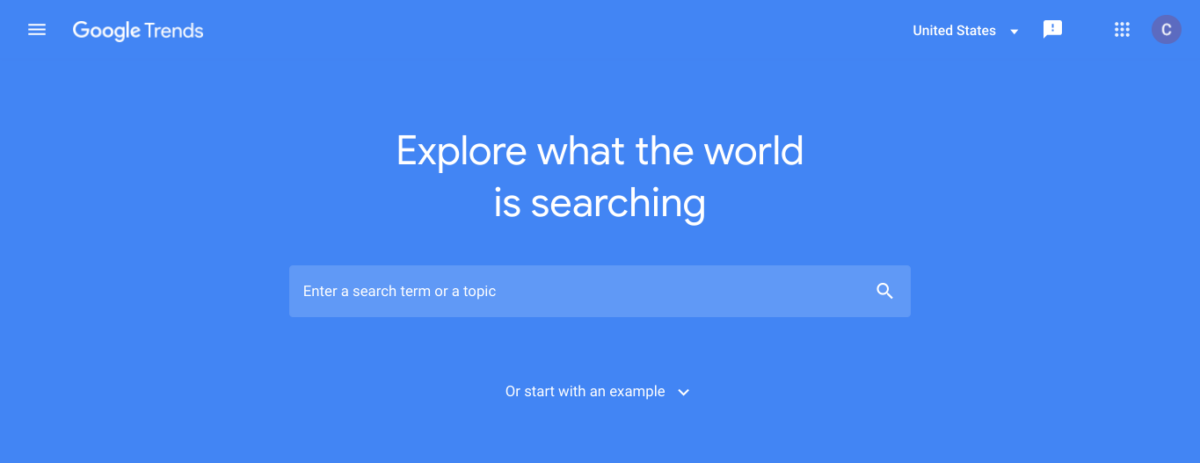
- Check search demand. Use a free tool like Google Trends to see if interest in your topic is growing, flat, or declining.
- Test with a waitlist or pre-sell. Offer your product before it exists. If people won’t give you their email for something free related to it, they won’t pay for the finished version either.
If you’re not sure your niche can support a product yet, our guide on avoiding common mistakes when launching a digital product store covers this in more depth.
Step 2: Build a Simple First Version of Your Product
Once you’ve validated demand, resist the urge to build the perfect version right away. Build a minimum viable product (MVP) instead: the simplest version that still solves the core problem.
An MVP for a course might be 3 lessons instead of 12. An MVP for a template pack might be 5 templates instead of 50. The goal isn’t to cut corners. It’s to get real customer feedback faster so you’re not guessing what to improve.
Even at the MVP stage, quality still matters in two specific places:
- Your product image. A clear, professional-looking preview image builds trust before a customer reads a single word of your description.
- Your product description. Explain what the buyer gets and what problem it solves for them. Skip vague marketing language and be specific about the outcome.
Step 3: Choose the Right Platform to Sell It On
Where you sell your digital product matters almost as much as what you’re selling. A lot of sellers default to a marketplace like Etsy or Gumroad, or to WooCommerce because it’s the most well-known WordPress eCommerce plugin.
Marketplaces take a cut of every sale and limit your branding, and WooCommerce is built primarily for physical products with shipping and inventory. See our breakdown of marketplace alternatives for digital products if you’re weighing that option.
Why EDD Instead of WooCommerce for a Digital Product?
Easy Digital Downloads (EDD) is built specifically for selling digital products in WordPress.
That focus means you get:
- Order and customer management built around downloads and license delivery, not shipping labels
- Cart and Checkout blocks that let you build a fast, low-friction checkout without custom code
- Secure file delivery so customers get their download or access immediately after payment
- Payment flexibility with trusted processors like PayPal and Stripe
A clean, fast checkout matters more than most sellers expect. A confusing or slow checkout is one of the fastest ways to lose a sale you already earned. EDD is free to start, and you can upgrade to a premium plan when you need features like Recurring Payments or Software Licensing.
If you’re setting up a new WordPress store from scratch, EDD + Levamo (previously Rapyd Cloud) managed hosting can get your site production-ready without the setup headache.
Step 4: Price Your Product Based on Value, Not Guesswork
The most common pricing mistake digital sellers make is pricing based on how long the product took to create. Your customer doesn’t care how long it took. They care what it’s worth to them.
Price based on the outcome you deliver, not the file size. A Lightroom preset pack that gives a photographer a polished, on-brand feed in seconds is worth more than the few minutes it took to build, not less. A software license that saves a small business from hiring a developer is worth real money, even if the code behind it already existed.
A few questions to ask before you set a price:
- What specific result does this product help the buyer achieve?
- What would it cost them to get that result another way (hiring someone, buying a competing product, or doing it themselves)?
- What have similar products in your niche priced at, and where do you want to sit relative to them?
For a deeper breakdown of pricing strategy, check out our guide on pricing digital products.
Step 5: Build Your Audience and Launch
A great product with no audience to sell it to won’t generate sales on its own. Start building your email list before your product is even finished.
The easiest way to do this is with a lead magnet: a free, small piece of content related to your paid product. Think a mini-checklist, a short template, or a preview lesson. You give it away in exchange for an email address.
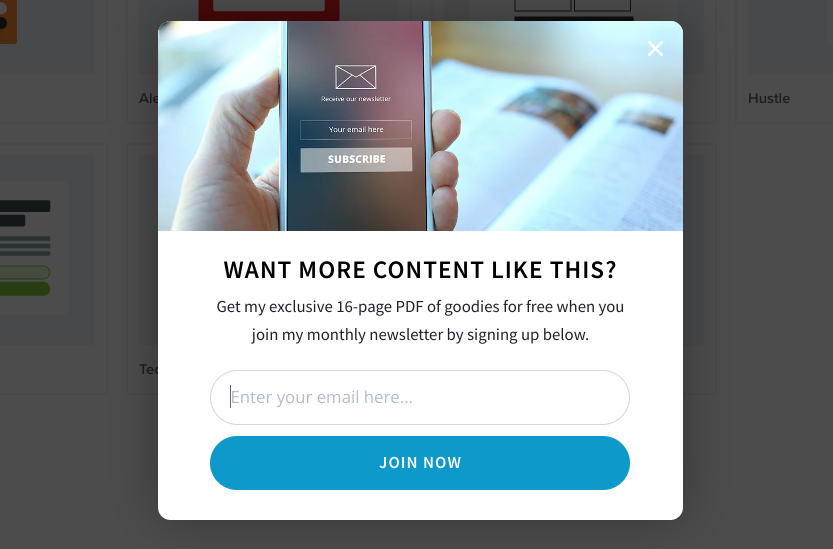
A tool like OptinMonster makes it simple to build high-converting capture forms without writing any code. Once someone’s on your list, EDD integrates directly with popular email tools like Mailchimp, Brevo, and AWeber so you can nurture that relationship automatically.
When launch day arrives:
- Email your list with a clear launch announcement and a direct link to buy
- Share the launch on the social platforms where you validated demand in Step 1
- Keep talking about your product after launch day. Sales rarely stop after 24 hours.
Don’t stop at social and email, either. More buyers are starting their search in AI tools now, not just Google. Our guide on generative engine optimization for ecommerce covers why that matters for digital sellers, and our guide on how to get your digital products found by AI search covers how to make sure your product shows up there too.
FAQs on Creating a Digital Product That Sells
How do I know if my digital product idea will sell?
Test it before you build it. Check demand with Google Trends, look for active discussions about the problem you’re solving, and try a waitlist or pre-sell. If people won’t sign up for something free related to your idea, they’re unlikely to pay for the finished version.
What’s the easiest digital product to create first?
Templates, printables, and short guides are usually fastest to create and sell since they take less production time than a full course or software product. They’re a solid starting point for testing the process.
How much should I charge for a digital product?
Price based on the value and outcome you deliver, not how long the product took to make. A product that saves the buyer real time or money can justify a higher price even if it was quick to produce.
Do I need an audience before I create a digital product?
You don’t need a large audience to start, but you do need an email list before launch day. Selling to a warm list of interested people converts far better than selling to strangers on launch day.
What’s the difference between EDD and WooCommerce for digital products?
WooCommerce is built primarily for physical products, with features focused on shipping and inventory. Easy Digital Downloads is built specifically for digital products, with checkout, delivery, and licensing features designed around downloads.
How long does it take to create and launch a digital product?
It depends on the product, but an MVP-style approach can often go from idea to launch in a few weeks rather than months, especially for templates, guides, or short courses.
Ready to Launch Your Digital Product?
Creating a digital product that sells isn’t about having the perfect idea. It’s about validating demand, building a simple version, pricing it for the value it delivers, and launching to people who are actually ready to buy.
Easy Digital Downloads gives you everything you need to manage that process in WordPress, from checkout to delivery to customer management.
📣 P.S. Be sure to subscribe to our newsletter and follow us on Facebook, Twitter/X, or LinkedIn for more WordPress resources!