


Want to grow your email list fast? Offering free digital downloads is one of the most effective lead generation strategies for WordPress site owners—but only if you set it up correctly.
Many WordPress users struggle with the technical setup of free downloads. They end up with clunky checkout processes that kill conversions. Others use complicated solutions that require visitors to go through unnecessary steps just to get a free PDF or template.
🔎 In this guide, you’ll learn how to offer free digital downloads in WordPress the right way.
I’ll walk you through the complete setup using Easy Digital Downloads to let users bypass the checkout and download files instantly. Plus, I’ll share best practices for maximizing conversions.
Why Offer Free Digital Downloads in WordPress
Before we explore the setup process, let’s understand why free digital downloads are such a powerful tool for online businesses.
The Power of Lead Magnets for Email List Building
Free downloads serve as “lead magnets” that exchange value for contact information. They’re the most effective way to build a permission-based email list.
This approach creates reciprocity. When you give value first, visitors are more likely to become customers later.
Lead magnets typically convert 10-50% better than generic newsletter signups. The reason is simple: people want something specific and valuable in return for their email address.
Types of Free Digital Downloads That Work Best
- Checklists: Offer a PDF checklist for your specific eCommerce niche. Checklists can solve immediate problems.
- Templates/printables: Business templates, planners, and worksheets provide instant value to your audience.
- Samples: If you’re selling an eBook, offer the first chapter as a free download. These ‘teasers’ are easy to create and consume.
- Assets: From resource lists to media packs, there are so many ways to package digital content as useful, valuable assets.
PDFs are the most popular format due to universal accessibility. They work on any device and maintain formatting across platforms.
Benefits Beyond List Building
Free downloads establish authority and thought leadership in your niche. They showcase your expertise before asking for a sale.
They also increase website traffic through shareability. People often share valuable free resources on social media and in communities.
Trust-building is another major benefit. When you provide genuine value upfront, visitors feel more comfortable buying from you later.
Free downloads create multiple touchpoints for nurturing customer relationships. Each download gives you permission to stay in contact.
Finally, they improve SEO through increased engagement and content variety. More time on site and lower bounce rates signal quality to search engines.
What You Need to Offer Free Downloads
Setting up free digital downloads requires a few essential components. Here’s what you’ll need before getting started.
Essential Requirements
You’ll need a WordPress website (self-hosted recommended) for full control over plugins and customization.
An SSL certificate is required for secure data collection. This is mandatory for GDPR compliance and builds user trust.
💡 Check out our guide to learn how to create a WordPress site to sell digital products.
Your digital file should be ready for download in PDF, ZIP, or another format. Make sure it’s professionally designed and valuable.
Finally, you’ll need an email marketing service provider (ESP) for managing subscribers. Popular options include Mailchimp, ConvertKit, and ActiveCampaign.
Why Use EDD for Free Downloads
The next essential you’ll need is a plugin. Free, basic WordPress download plugins have significant limitations. They lack modal popups, require manual subscriber management, offer limited customization, and provide basic analytics.
Free solutions work for occasional downloads. However, paid solutions are essential for serious lead generation.
Easy Digital Downloads (EDD) is the leading WordPress e-commerce plugin for selling digital products, including digital files. It’s packed with premium features and tools to automate your workflow, manage secure and instant file delivery, integrate with email services, and track your leads.

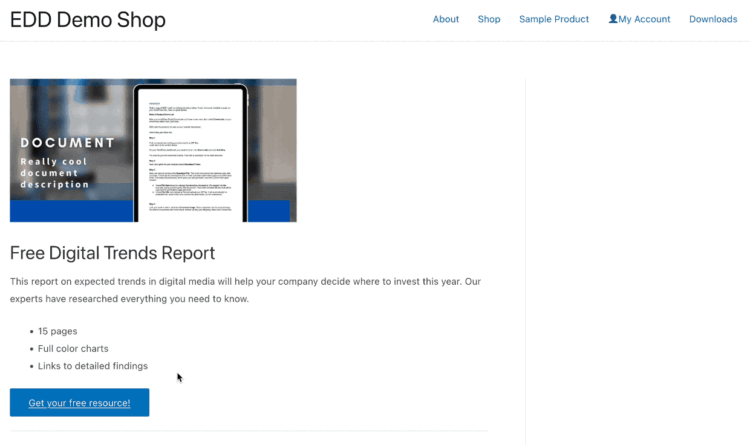
This extension creates the modal popup functionality and bypasses the cart/checkout process. Standard eCommerce flows require users to add to cart, view cart, and checkout. The Free Downloads extension skips all of this, resulting in higher conversion rates.
The modal popup provides a much smoother user experience compared to standard free product setups.
EDD Pro integrates seamlessly with email marketing platforms including Mailchimp, ConvertKit, ActiveCampaign, Campaign Monitor, GetResponse, AWeber, etc.
Automatic subscriber addition to segmented lists saves time and improves targeting. This leads to better email engagement and higher conversion rates.
How to Offer Free Digital Downloads in WordPress
Now I’ll walk you through the step-by-step tutorial to show you how to offer free digital downloads in WordPress.
Already using WordPress and Easy Digital Downloads Pro? Feel free to skip ahead to Step 2!
Step 1. Install & Configure Easy Digital Downloads
Easy Digital Downloads is the best solution for digital downloads. Unlike WooCommerce (designed for physical products), EDD focuses specifically on digital goods.
You’ll need an Easy Digital Downloads (Pro) pass to get started.
Note: There is a Lite version available, but Free Downloads requires a Pro pass. You can upgrade from Lite to Pro anytime. Or learn more about EDD Free vs Pro.
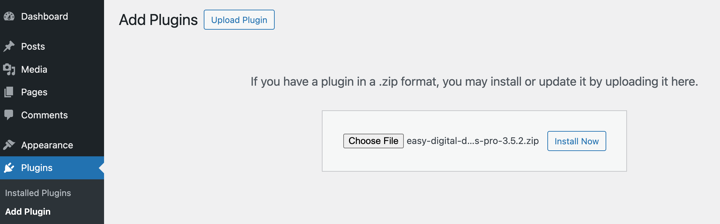
Download EDD Pro from your account dashboard after purchase. Navigate to Plugins » Add New » Upload Plugin in your WordPress admin.
Upload the plugin file, then click on Install Now followed by Activate Plugin.
Next, click on Get Started to launch the Onboarding Wizard.
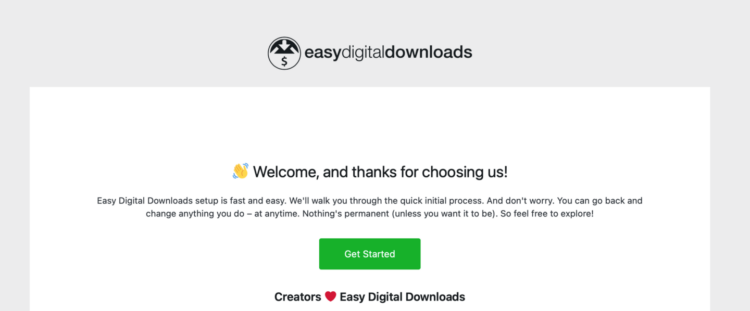
This takes you through the initial setup steps, like entering your business information, connecting to the Stripe payment gateway, and choosing which conversion and optimization tools to add. You can also go to Downloads » Settings to configure these options and general settings.
⚙️ For help setting up your EDD store, use these guides:
- What Are Digital Downloads? A Beginner’s Guide to Selling Online
- How to Sell Files Online
- EDD Quickstart Guide
Step 2. Install the Free Downloads Extension
The next step is to add the EDD Free Downloads extension.
Navigate to Downloads » Extensions in your WordPress dashboard.
Search for “Free Downloads” in the extension library. Click the Install button.
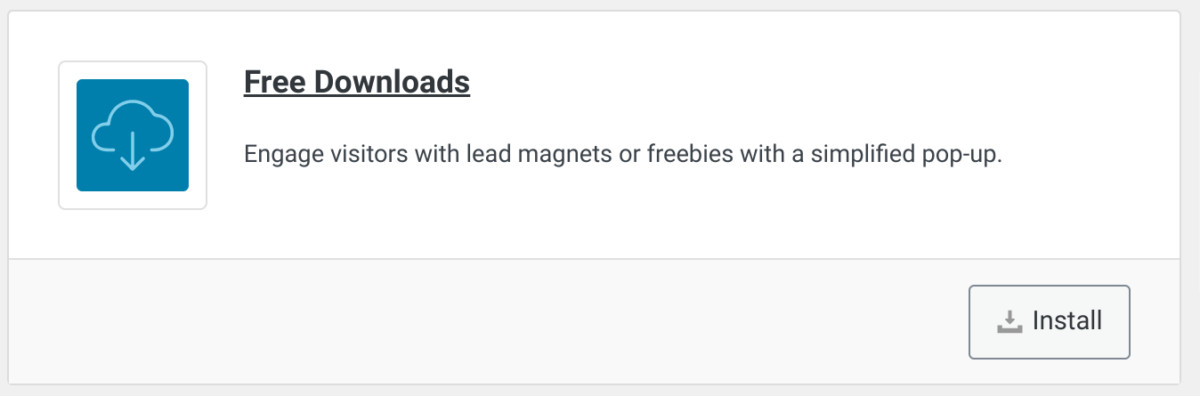
The addon automatically activates.
Step 3. Add Your Free Digital Download
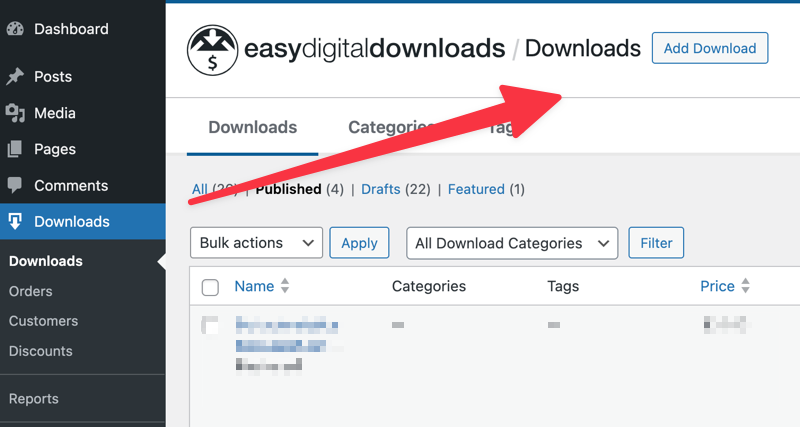
Navigate to Downloads » Add Download to add your first free product.
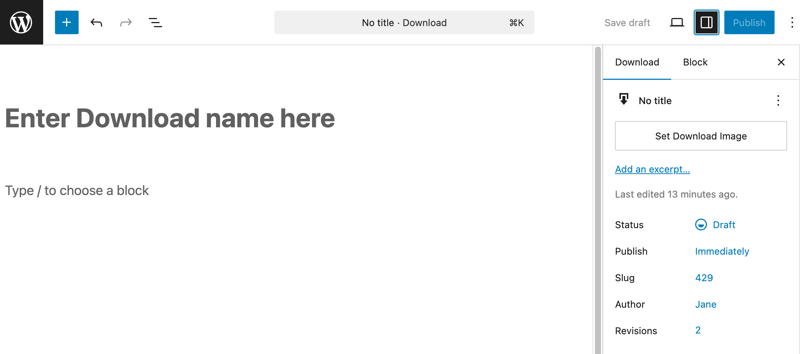
Enter a product name that’s benefit-focused, not just descriptive. For example, “10 Email Templates That Get Responses” works better than “Email Template Collection.”
Add a compelling product description that clearly explains the value visitors will receive. Focus on benefits and outcomes.
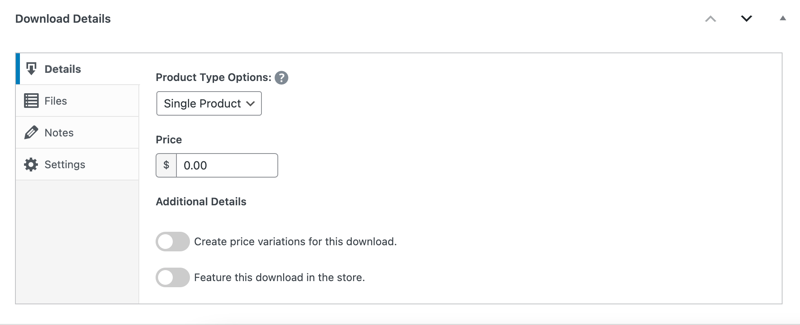
Next, scroll to the Download Details section beneath the editor.
Since you’re offering it for free, you can leave the Price set to $0.
Next, go to the Download Files section to upload the file of your free digital download.
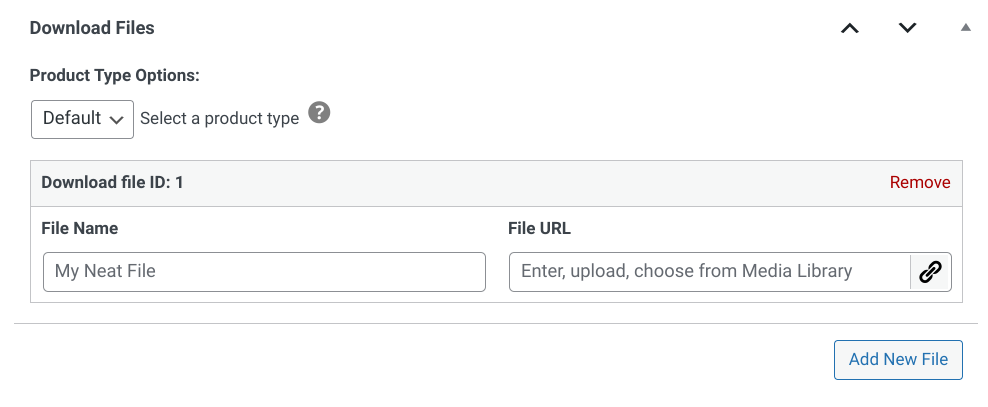
In the File Name field, you can add something such as “Free Download”. This will be the download link users can click on to access the digital file.
Next, select the link icon under File URL to upload the digital download file.
To the right under Download Image, you can upload a feature image.
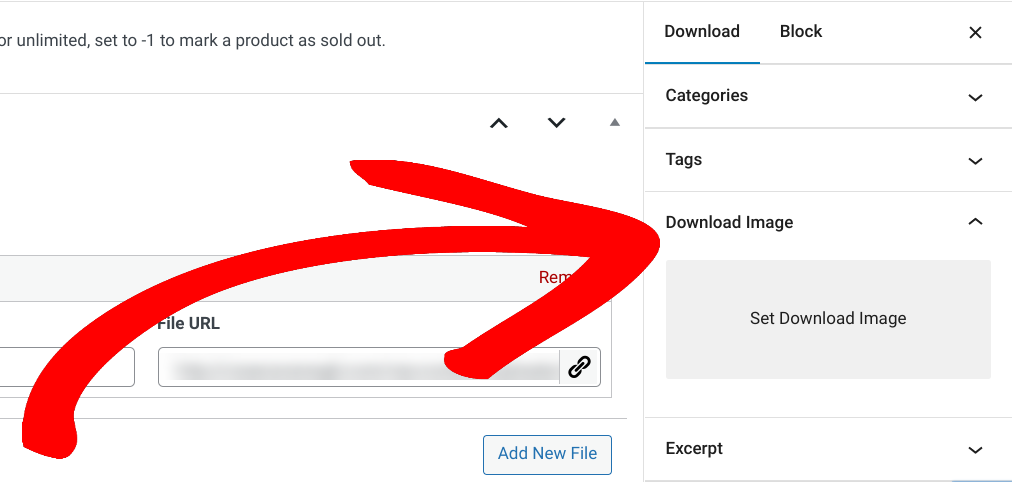
When you’re done, save your changes. Select Save draft or Publish.
Step 4. Configure the Free Digital Download Settings
On the front end of your site, shoppers will have the default option to click on Download Now and enter their email to access it.
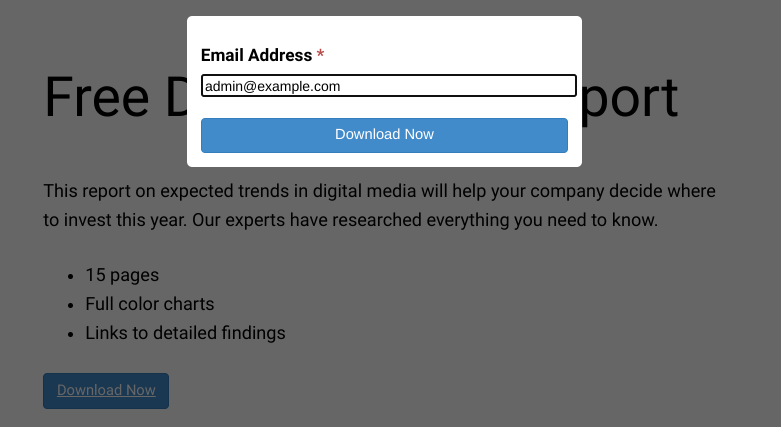
But Easy Digital Downloads gives you a handful of ways to customize these download settings.
Go to Downloads » Settings » Marketing » Free Downloads.
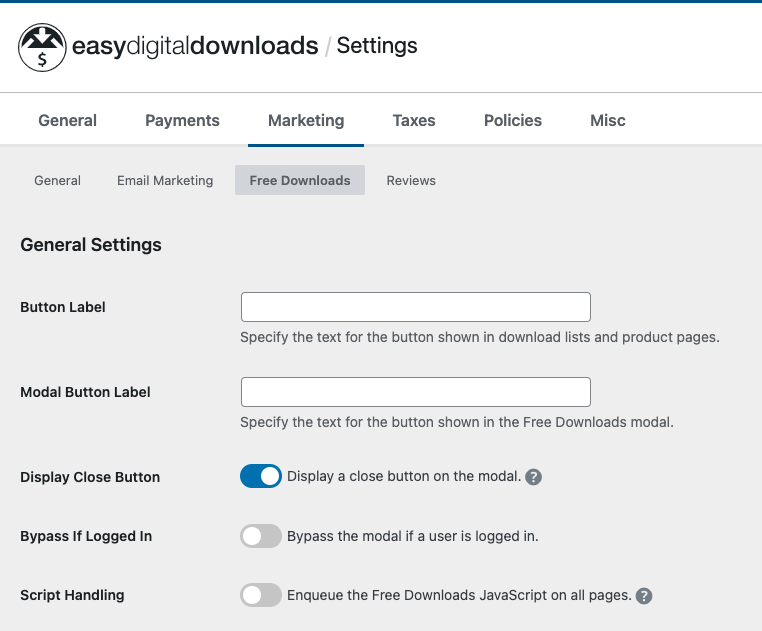
On this screen, you can configure a wide range of settings. Click below for details on each section.
General Settings
- Custom button label: Change from default “Download Now” to something more specific like “Get My Free Template”.
- Custom modal button label: Customize the button text within the popup.
- Display close button option: Allow users to close the modal without downloading.
- Bypass modal for logged-in users: Skip the form for existing customers.
Field Settings
- Choose required fields carefully. Email is essential, but adding first name and last name reduces conversion rates.
- Balance data collection with conversion optimization. Fewer fields typically mean higher conversion rates.
Processing Settings
Choose what happens after download:
- Require email verification: If enabled, you can customize the email message.
- Auto-download: File downloads immediately (highest conversion).
- Redirect to success page: Best for additional offers or social sharing.
- Custom redirect: Send to specific landing pages.
Cache Settings
Configure caching if using performance plugins. Check the documentation for technical details.
When you’re done, click on the Save Changes button at the bottom.
⚙️ For more, check out our Free Downloads documentation.
Step 5. Set Up Email Marketing Integration
Navigate to the Downloads » Settings » Marketing tab to connect your email service provider.
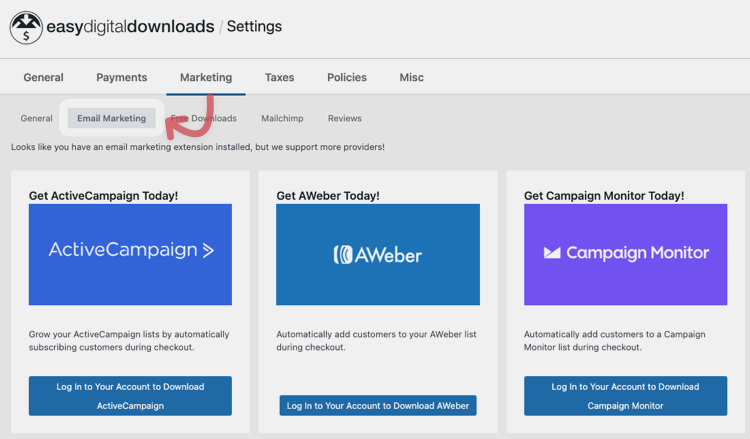
Select your email marketing platform from the available options. EDD supports all major providers.
Navigate to the settings tab of your email provider (e.g., MailChimp).
Follow the on-screen instructions to integrate the tool (entering API key, connecting using OAuth, etc.). Each provider has slightly different connection methods.
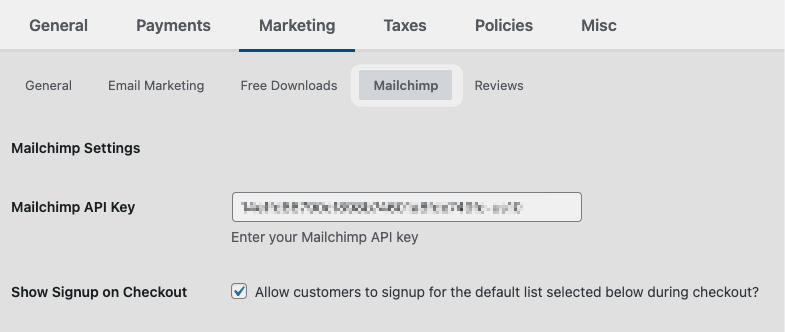
Configure double opt-in settings if required by your ESP or for compliance reasons. This adds an extra step but improves list quality.
Set up welcome email automation in your ESP to nurture new subscribers immediately.
You can also choose which email list new subscribers should join. Create a specific list for download subscribers if possible.
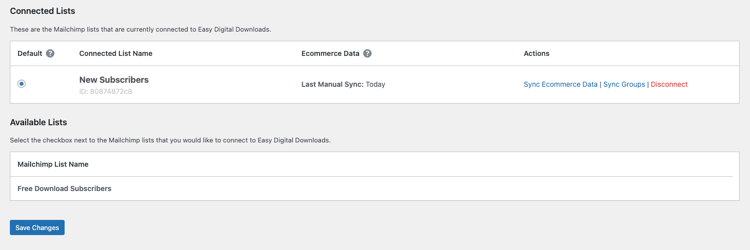
Remember to save your changes.
Learn more about growing your email list with Free Downloads.
Step 6. Test Your Free Digital Download Offer
Return to your Downloads list and select the View link under the free digital download to see how it now looks on the front end of your site.
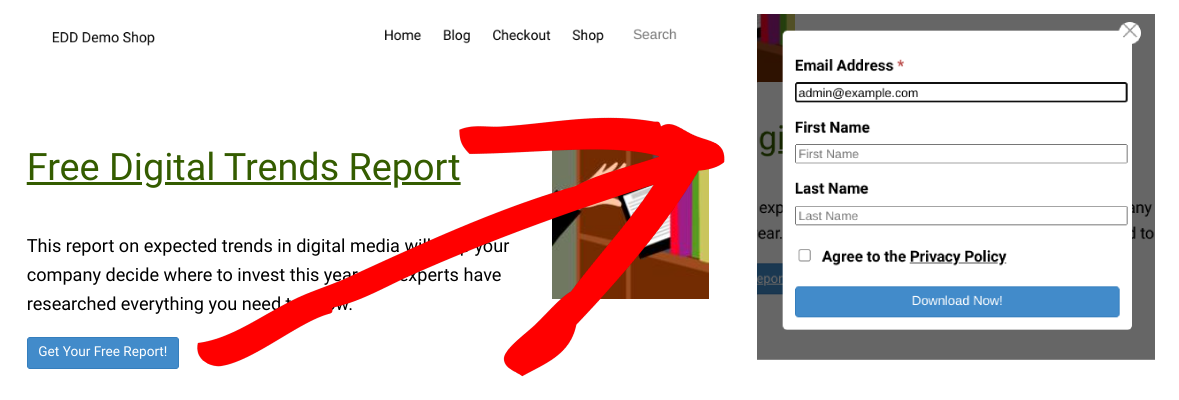
Verify the modal appears correctly on different devices and browsers. Check mobile responsiveness especially.
Complete a test download using a different email address than your admin account. This simulates the real user experience.
Confirm email delivery by checking both inbox and spam folders. Some emails may be delayed.
Review the customer record in Downloads » Customers to see the data EDD collected.
You can find more detailed instructions in the Free Downloads basic usage documentation.
Key Tips for Free Digital Downloads
Creating an amazing lead magnet is only half the battle.
To truly maximize your lead generation efforts, you need to optimize every element of your free download offer. You also need to actively promote it to drive downloads and grow your list.
Below are some strategies and ideas to get you started.
Optimizing Free Downloads for Conversions
High-Converting Offers
- Solve one specific problem for higher perceived value.
- Make the value clear instantly in the title.
- Use benefit-driven language (e.g., “10 Email Templates That Get Responses”).
- Keep the file size reasonable.
- Professional design builds trust.
- Include subtle branding but focus on genuine value.
Landing Pages
- Use the headline formula: [Desired Result] + [Without Common Objection].
- Highlight benefits with bullet points.
- Add social proof (testimonials, download counts).
- Keep forms above the fold.
- Use contrasting CTA button colors.
- A/B test headlines.
Modal Popup
- Keep form fields minimal (email + first name max).
- Include a clear privacy statement.
- Use benefit-focused button text (e.g., “Get My Free Template”).
- Ensure mobile responsiveness and fast loading.
- Consider a small thumbnail preview.
Post-Download
- Create a branded thank you page.
- Confirm receipt and set email frequency expectations to reduce unsubscribes.
- Suggest next steps (social media, related content).
- Include a backup download link.
- Ask for social sharing (make it easy, don’t require it).
Promoting Your Free Digital Downloads
On-Site
- Feature prominently on your homepage.
- Create blog content that naturally leads to the download.
- Use inline CTAs within blog posts at natural transition points.
- Deploy exit-intent popups to capture visitors who are about to leave.
- Add sidebar widgets for consistent visibility across your site.
Email Marketing
- Use in re-engagement campaigns to win back inactive subscribers.
- Promote to existing subscribers who might share with their networks.
- Add to your welcome email sequence for new subscribers from other sources.
- Cross-promote your various lead magnets.
- Experiment with affiliate marketing.
FAQs on Free Digital Downloads in WordPress
Let’s wrap up with some frequently asked questions.
Can I offer free and paid digital downloads with EDD?
Yes, Easy Digital Downloads handles both seamlessly. You can run a complete digital store with lead magnets, paid products, subscriptions, and software licensing all from the same platform.
The Free Downloads extension specifically improves the user experience for free items by bypassing the standard cart. Paid products still go through your regular checkout process.
Do I need the paid version of EDD to offer free downloads?
EDD Lite allows you to create products with $0 pricing, but you need EDD Pro to access the Free Downloads extension. This extension provides the modal popup functionality that significantly improves conversion rates by eliminating unnecessary checkout steps. The Free Downloads extension is included in the Personal Pass and higher tiers.
What’s the ideal file format for free downloads?
PDF is the most recommended format because it’s universally accessible, maintains formatting across devices, and is relatively secure. However, the best format depends on your content type.
Use MP3 for audio, MP4 for video, ZIP for multiple files, and DOCX/XLSX for editable templates. Keep file sizes under 10MB when possible for faster downloads.
How do I track which lead magnet performs best?
Use EDD’s built-in reporting under Downloads » Reports to see download counts per product. For deeper insights, set up Google Analytics goals for each download, use UTM parameters in promotional links, and track email list growth by segment in your ESP.
How can I prevent people from sharing my free download files?
While you can’t completely prevent file sharing, EDD provides several tools to minimize it. Download logging tracks every access, you can set limits on download attempts per email address, add download link expiration times, and require user accounts.
Easily Offer Free Downloads in WordPress
Using free digital downloads with WordPress via Easy Digital Downloads is a highly effective way to build your email list. This method provides a professional, conversion-optimized experience with modal popups and automatic email service integration.
To succeed with free downloads, focus on three things: valuable content that solves problems, an optimized technical setup for conversions, and strategic follow-up emails for nurturing subscribers.
Ready to start building your email list? Get Easy Digital Downloads Pro today to access the Free Downloads extension and transform visitors into subscribers.
Already have a lead magnet created? Follow the steps in this guide to set up your download in less than 30 minutes. Your email list will thank you for making the signup process smooth and valuable.
📣 P.S. Be sure to subscribe to our newsletter and follow us on Facebook, Twitter/X, or LinkedIn for more WordPress resources!








