

A digital download is a file you buy online and save straight to your phone, tablet, or computer. Think ebooks, PDFs, songs, templates, and software. Nothing gets shipped, and you can open it within seconds of paying.
That instant delivery is exactly why digital downloads are so popular with creators. You make a file once, and you can sell it again and again.
In this beginner’s guide, I’ll explain how digital downloads work and where they go after you buy one. Then I’ll show you how to start selling your own from WordPress.
Key Takeaways
| Files, not packages | A digital download is an electronic file you buy online and save to your device, with no shipping involved. |
| Instant delivery | After payment, buyers get a download link on the confirmation page and in their receipt email. |
| Easy to find again | Downloads save to your device’s Downloads folder, and you can usually re-download from the receipt email. |
| Sell your own | With WordPress and Easy Digital Downloads, you can sell digital downloads from your own site without marketplace fees. |
What Are Digital Downloads?
A digital download is an electronic file that you buy or get online and save directly to your device. Common formats include PDF, MP3, MP4, and ZIP files. Because there’s nothing to ship, you get access right after checkout, often for less than a physical version would cost.
That’s the whole idea. A product that lives as a file instead of a box.
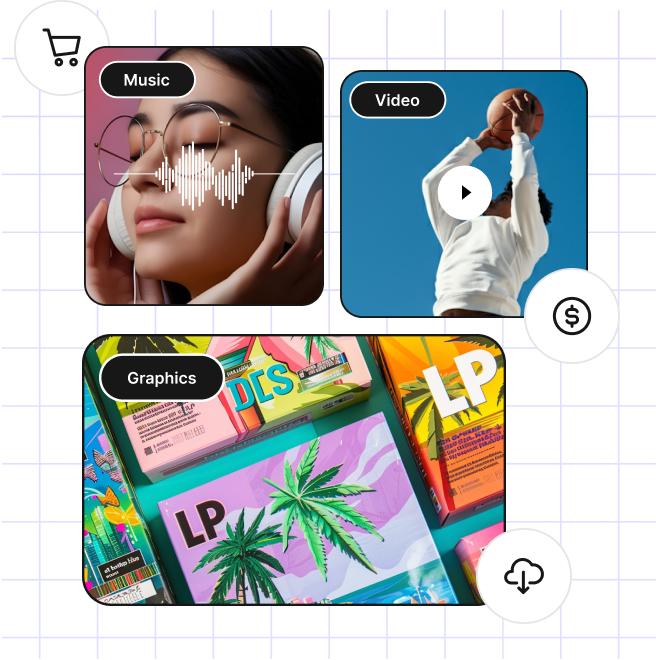
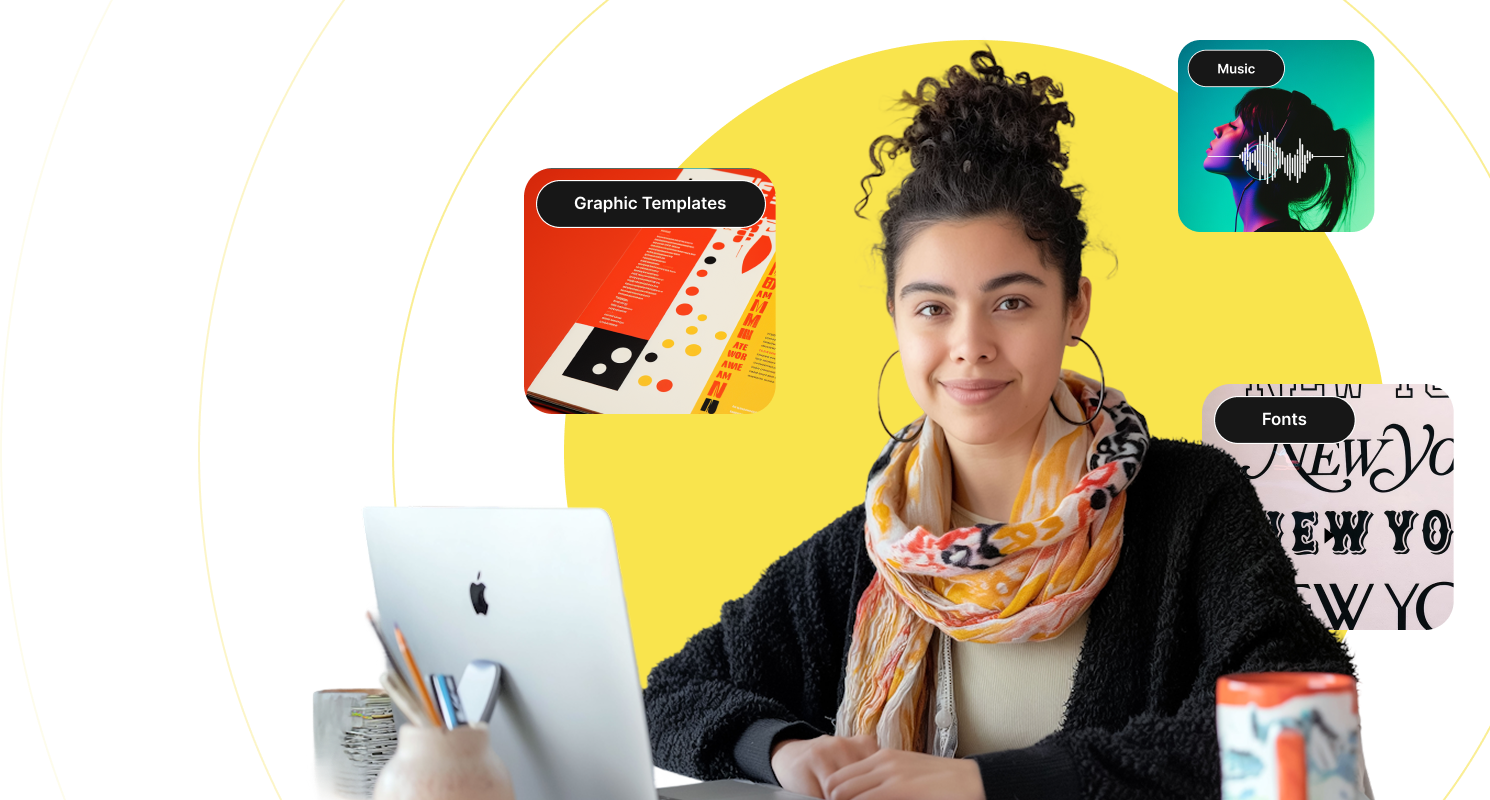
Common examples of digital downloads to sell include:
- Documents
- eBooks
- Music files
- Software
- Online courses
- WordPress themes & plugins
- Stock photos
- Templates & spreadsheets
- Graphics & digital art
- Fonts
🔎 Check out more ideas for digital downloads to sell.
How Digital Downloads Work
Buying a digital download takes three quick steps:
- Purchase: You pick a product from an online store or marketplace and pay at checkout.
- Get the link: Once your payment goes through, you see a download link on the confirmation page. The same link arrives in your receipt email.
- Save and open: You click the link, the file saves to your device, and you open it with the right app.
The app depends on the file. A music player opens MP3s. An e-reader app opens ebooks. For software, the seller usually includes install instructions.
Many sellers offer more than one format, so you can pick the one that works on your device. Some files also use DRM (Digital Rights Management), which limits how you can copy or share them.
Where Do Digital Downloads Go After You Buy Them?
Most digital downloads land in your device’s default Downloads folder. Where that is depends on what you’re using:
- Computer: Check the Downloads folder, or open your browser’s download list (Ctrl+J in Chrome on Windows, or Cmd+Shift+J on a Mac).
- iPhone or iPad: Files you download in Safari go to the Files app, in the Downloads folder.
- Android: Open the Files app (or My Files on Samsung) and tap Downloads.
Can’t find a file you bought? Go back to your receipt email and click the download link again. Many stores also let you re-download from your account page.
Download links often expire after a set time to protect the seller’s files. If yours has expired, contact the store and ask for a fresh link.
Pros and Cons of Digital Downloads
Digital downloads have perks for buyers and sellers alike. Some of the biggest pros include:
- Convenience: Digital files are instantly accessible, so there’s no waiting for shipping.
- Accessibility: You can buy and download digital content from anywhere with an internet connection.
- Cost-effectiveness: Downloads often cost less than physical products because there’s nothing to print or ship.
- Environmental friendliness: Digital products cut down on physical materials and transportation.
Like any product, though, downloads have downsides. One of the biggest challenges for sellers is piracy. Digital files are easy to copy and share, which can hurt creators and businesses. Easy Digital Downloads helps by storing your files in a protected folder and sending buyers download links that expire.
Another obstacle is technical limitations. Some files have compatibility issues or need specific software or hardware to open.
Selling Digital Downloads
If you want to get started in eCommerce, digital downloads are a great place to start. The exact process depends on what you’re selling and where.
Below, I’ll go over the key steps.
Choose an eCommerce Platform
There are many platforms and online marketplaces where you can sell digital content. Marketplaces like Etsy let you list a product quickly, but they offer few customization options. They also tend to come with high fees and limited control.
That’s why I always recommend selling directly to customers from your own website.
✅ Learn more about Marketplaces vs Your Own Store.
✅ Explore the pros and cons of using WordPress for eCommerce.
Why Use WordPress and EDD
WordPress is a popular platform for building websites, and it’s an excellent choice for selling digital products. You get complete control over your site’s design and functionality. Plus, there are countless plugins and themes for whatever your store needs.
Easy Digital Downloads (EDD) is a leading eCommerce plugin for WordPress that makes selling digital downloads easy. It comes with a full shopping cart, reliable payment gateways like Stripe, and download and customer management.
EDD also offers features to grow and promote your store. For instance, the Free Downloads feature lets you use free digital downloads as lead magnets to build your email list.
🏷 Compare EDD Free and EDD Pro.
Set Competitive Prices
The pricing of your products depends on the type of product, its quality, and demand. It’s smart to research your competitors and set a price that’s competitive but still leaves you a profit.
Market and Promote Your Product
Marketing is what turns a product into sales. Promote your downloads through social media, email marketing, content marketing, and Search Engine Optimization (SEO).
Discounts and limited-time promotions can also give hesitant buyers a reason to act.
For more in-depth guidance, check out the following:
💡 Tips for Promoting Your Digital Products
🛒 How to Get Started With Affiliate Marketing
🌐 Effective Marketing Strategies to Increase Sales
💰 Looking for low-maintenance products? See these digital product ideas for passive income.
Offer Excellent Customer Support
Running a successful eCommerce business means providing a solid customer experience even after the sale.
Have a clear refund policy and a simple way for customers to reach you. You can process refunds with EDD’s built-in refund system, and offer support through email or a support ticket system.
💡 Learn more ways to improve customer support.
How to Sell Digital Downloads With WordPress
For WordPress users, setting up a digital download store is refreshingly straightforward. The steps below give you the quick version.
Don’t have a WordPress website yet? Sign up for Levamo’s managed hosting for EDD, and you’ll have a site ready in no time.
Step 1: Get Easy Digital Downloads
First, get Easy Digital Downloads and install it on your WordPress site. Using the free version? Search for it under Plugins » Add Plugin.
Once the plugin is active, go to Setup » Get Started to launch the Setup Wizard.
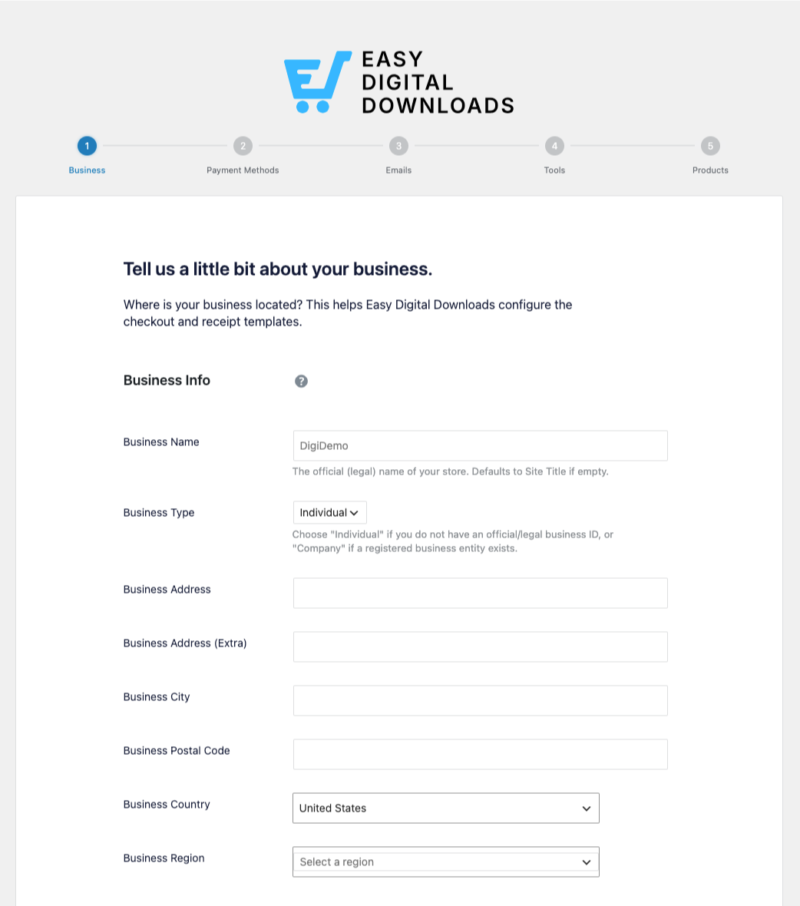
The wizard walks you through five quick steps: your business info and currency, payment methods, your purchase receipt email, recommended tools, and your first product. For example, you can set up Stripe as your payment gateway right from the wizard.
⚙️ Check out our Getting Started guide for help.
Step 2: Add Your Digital Download to Sell
Next, add the product you’re selling. EDD calls every digital product a “download.”
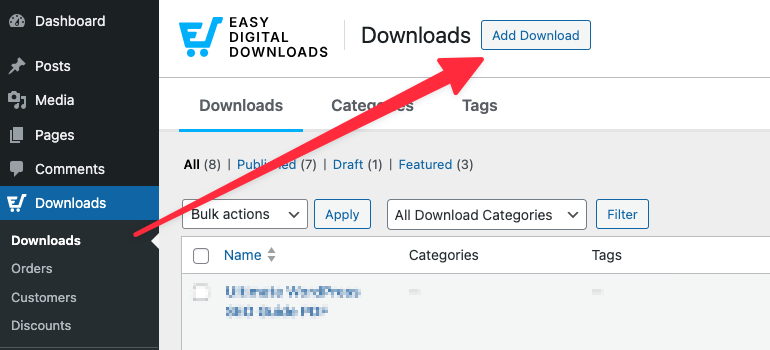
Go to Downloads » Add Download.
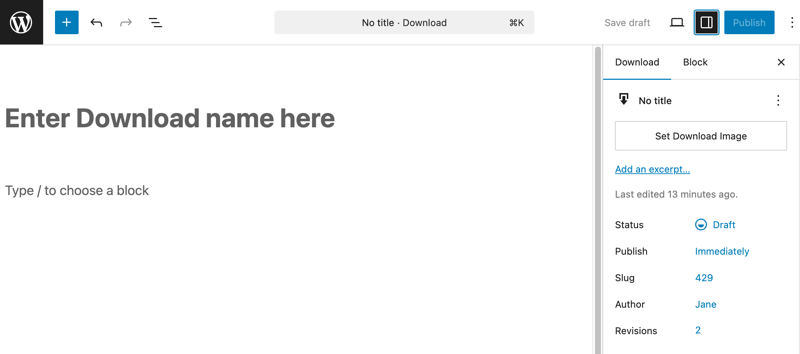
On the next screen, give the download a name and add a description.
I’ll use a PDF guide as an example. Scroll down to the Download Details box. On the Details tab, enter the amount you want to charge in the Price field.
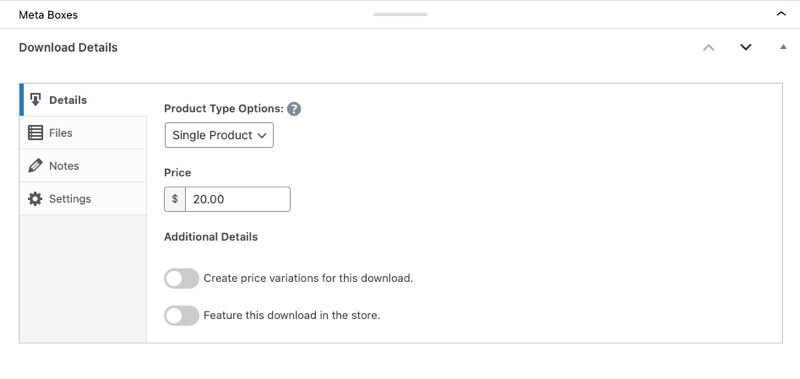
Then open the Files tab. This part is important, because it’s where you upload the file your customers will buy and download.
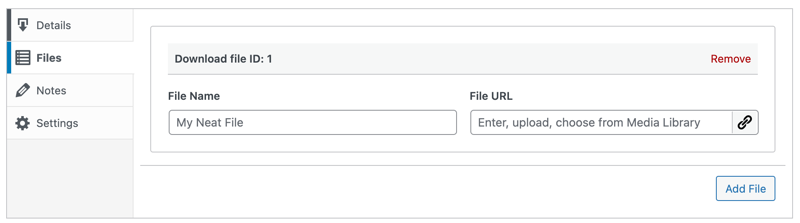
In the File Name field, add something like “Download PDF.” Customers see this as the link text in their purchase receipt email and on their confirmation page.
Next, click the link icon under File URL to upload your file (in this case, a PDF). Uploading it here, instead of the WordPress Media Library, keeps it in EDD’s protected folder.
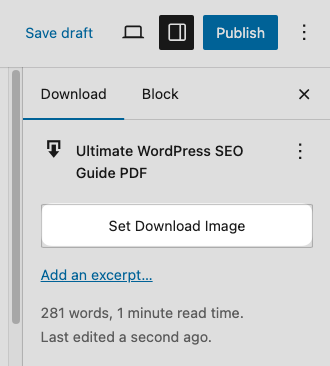
Finally, add a Download Image in the sidebar on the right. This is the product image shoppers see on your product page.
Step 3: Publish and Test Your Download
When you’re done, click Publish at the top of the page. Then click View Download to see how your product page looks on the front end of your site.
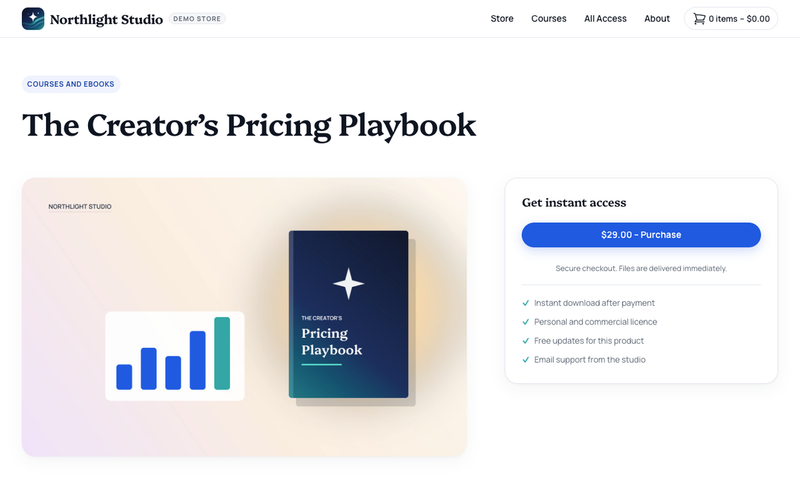
Before you share the page, run a test purchase to make sure checkout, the receipt email, and the file download all work. Go to Downloads » Settings » Payments, and in the General tab, toggle on Enable Test Mode. Then click Save Changes.
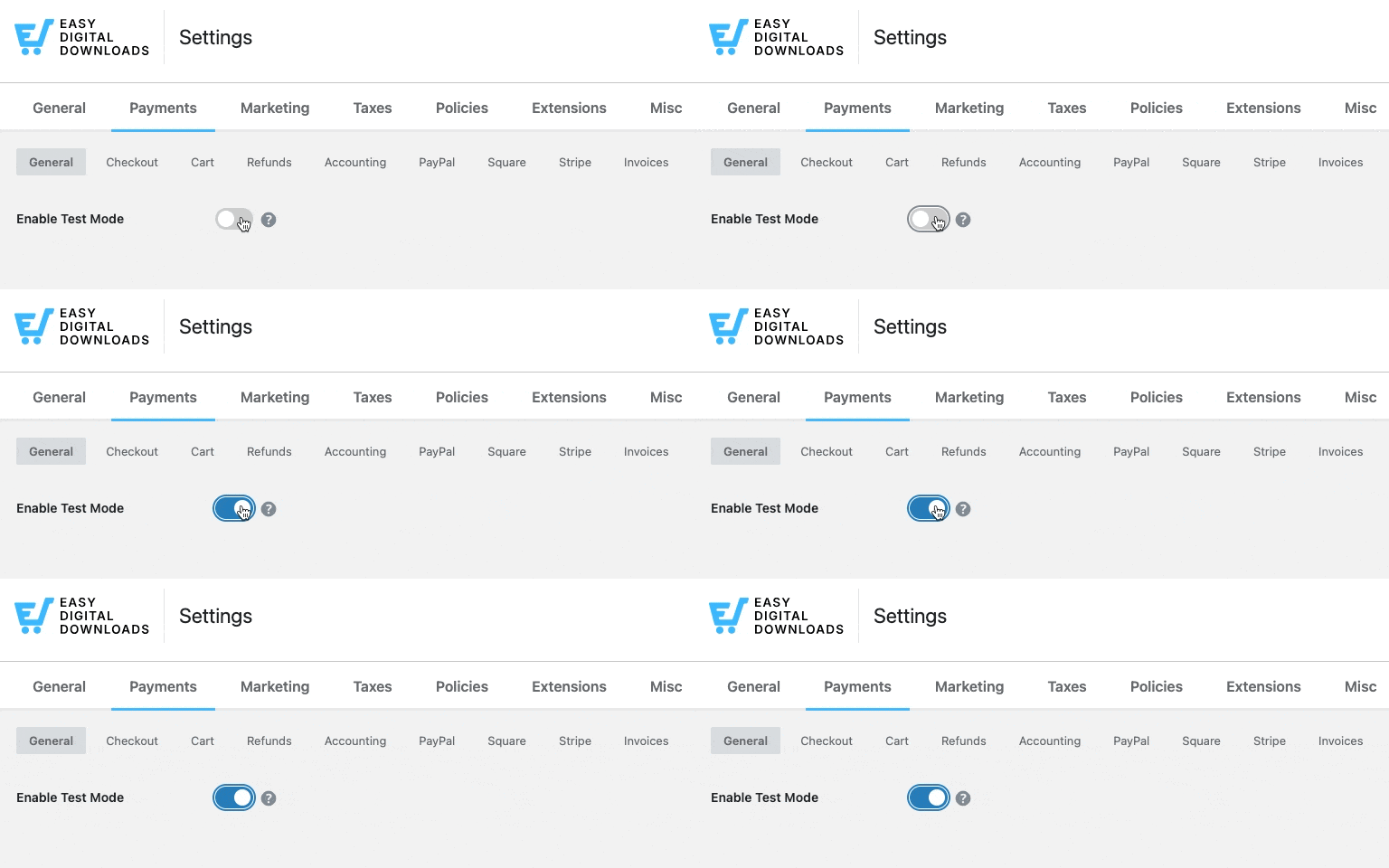
You’ll also find the Emails tab in these settings, where you can customize your receipt. When everything looks good, turn test mode off and start promoting your download.
🔎 Want the full walkthrough, with payment gateways and promotion tips? Follow our step-by-step guide on how to sell digital products in WordPress.
Digital Downloads FAQs: Quick Answers for Buyers and Sellers
Still have questions? These quick answers cover the ones people ask most.
What does “digital download” mean on a product listing?
It means you’re buying a file, not a physical item. Nothing gets shipped to you. After you pay, you get a link to download the file to your phone, tablet, or computer, usually right away.
How do I access my digital downloads?
Click the download link on the order confirmation page or in your receipt email. The file saves to your device’s Downloads folder. If you lose it, most stores let you download it again from the receipt email or your account page.
Where are digital downloads on my iPhone?
Files you download in Safari save to the Files app, in the Downloads folder. Open Files, tap Browse, and look under iCloud Drive or On My iPhone. Music, ebooks, and videos bought inside an app stay in that app’s library instead.
Can I print a digital download?
Yes, if it’s a printable file like a PDF planner, worksheet, or art print. You can print it at home or send it to a local print shop or an online printing service. Check the seller’s license first, since some only allow personal use.
What’s the difference between a digital download and streaming?
A digital download gives you a copy of the file to keep on your device, even offline. Streaming lets you watch or listen online while you have access, but the file never saves to your device. That’s why a download is handy for anything you want to keep using later.
How do I deliver digital downloads to my customers?
Easy Digital Downloads delivers them for you. After a customer pays, EDD shows a download link on the confirmation page and sends it in the purchase receipt email. The link expires after a set time, which helps protect your files from sharing.
Start Selling Your Own Digital Downloads With EDD
Digital downloads are simple once you know how they work. They’re files you buy online, save to your device, and can usually re-download anytime from your receipt email.
If you’re ready to sell your own, Easy Digital Downloads gives you everything you need on your own WordPress site. Payments and secure file delivery are built in, and no marketplace takes a cut of every sale.
Ready to start selling digital downloads from your WordPress site?
📣 P.S. Want more WordPress resources?
Get tips in your inbox, or follow along on your favorite platform.